
Call Center Software Pricing Breakdown for 2026

Call center software pricing can be harder to understand than it looks at first glance. While most providers advertise a monthly plan, the final cost often changes based on call volume, agent count, usage charges, and add-ons. As teams grow and call activity increases, predicting the true monthly expense becomes challenging.
This guide breaks down call center software pricing for 2026, including typical costs, common pricing models, and how leading providers structure their plans. You’ll also learn about hidden fees to watch out for and how to choose a pricing plan that fits your team’s size, usage, and growth goals, so you can budget with confidence and avoid surprises.
Key Highlights:
A call center software typically costs $10–$250 per month, with totals shaped by usage and add-ons, like team size, plan tier, call type, channels, regions, and compliance needs.
A contact center software uses different models for pricing, like per seat, concurrent, usage-based, bundled, or enterprise.
Charges for onboarding, phone numbers, call minutes, recording storage, and premium support are often not included in the base price and can significantly raise the final monthly bill.
When selecting the plan, pick one that matches your call volume, channels, growth, and support needs, then verify inclusions before signing.
How Much Does a Call Center Software Cost?
The cost of a call center software usually ranges from around $10 to $250+ per agent per month, depending on the plan and included features. Most providers charge a base monthly fee, with additional costs for call minutes, phone numbers, call recording storage, and optional add-ons.
Generally, the real cost depends on how your team actually uses the software. Factors like call volume, required features, and the number of agents all affect the final monthly bill.
How Call Center Software Pricing Works: Models & Charges
Call center software pricing works through different pricing models that charge either per user, based on how much you use it, or as a fixed monthly package.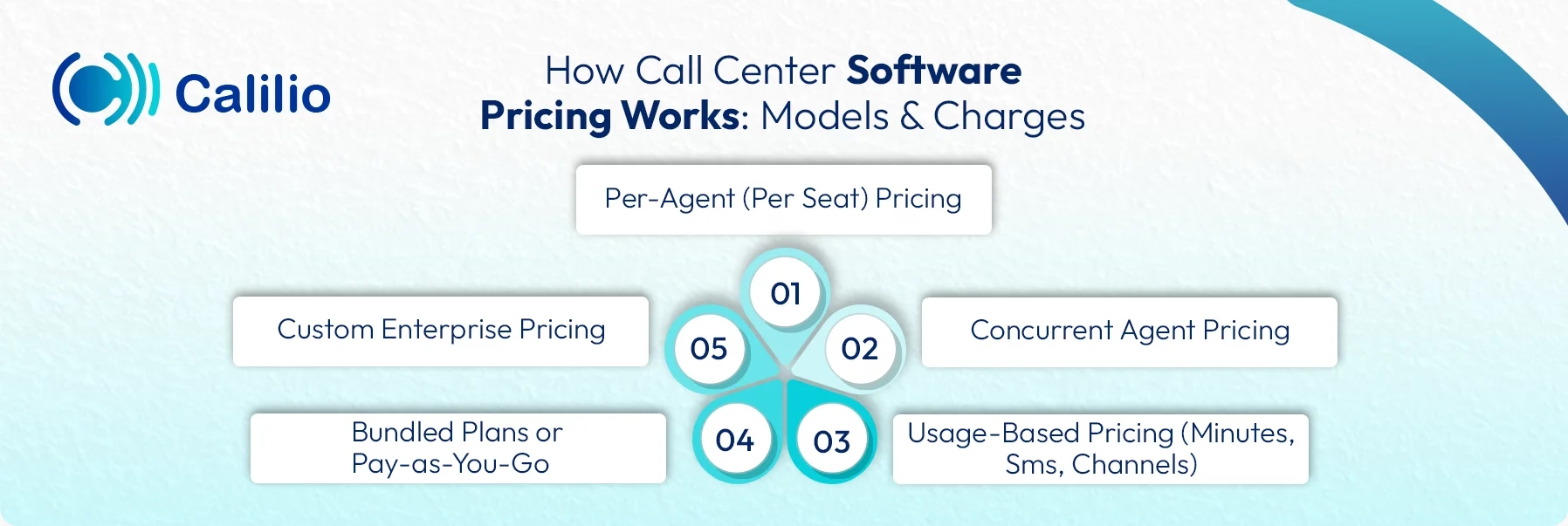
1. Per-agent (per seat) pricing
You pay a fixed monthly fee for each agent account. This model stays easy to budget because the bill grows only when you add users. It fits teams with steady staffing, where you want stable monthly costs.
2. Concurrent agent pricing
In this model, you pay for the number of agents who can be logged in at the same time, not the total headcount. It works well for shift-based teams, BPOs, or 24/7 support where many people share fewer “live” seats.
3. Usage-based pricing (minutes, SMS, channels)
Charges depend on actual usage, such as inbound or outbound call minutes, SMS volume, or extra channels like chat and messaging. This model can work well when call volumes change month to month, but it needs monitoring because higher activity directly increases cost.
4. Bundled plans or pay-as-you-go
Bundled plans combine a base fee with included allowances (for example, certain minutes or features), then charge extra when you exceed limits. Pay-as-you-go keeps the base lower but charges for usage from the start. Bundles suit predictable operations; pay-as-you-go suits variable usage and smaller teams.
5. Custom enterprise pricing
Custom enterprise pricing is designed for large teams with complex needs. Instead of fixed plans, pricing is based on factors like the number of agents, call volume, integrations, security requirements, and support level. This model offers more flexibility but usually requires direct negotiation with the provider.
Comparison of Call Center Software Pricing in Top Providers
Here’s how pricing compares across popular call center software providers:
Software | Starting Price (Per Month) | Subscription Plan | Key Features |
| Calilio | $15 | Per user |
|
| RingCentral RingCX | $65 | Per agent |
|
| Genesys Cloud CX | $75 | Per user |
|
| Talkdesk | $85 | Per seat |
|
| Five9 | $159 | Per seat |
|
| NICE CXone (Mpower) | $110 | Per agent |
|
| Zoom Contact Center | $69.90 | Per agent |
|
| Twilio Flex | $150 | Usage-based or per named user |
|
| Zendesk (Suite + Talk) | $55 | Per agent + usage |
|
| Freshdesk Contact Center | $15 | Per agent + usage |
|
1. Calilio
Calilio is a cloud-based call center software built for teams that want strong calling tools without high enterprise pricing. It combines VoIP (Voice over Internet Protocol) calling, AI call reports, and essential call management features in one simple system and offers predictable pricing for growing teams.
Best For
- Small to mid-size businesses
- Teams looking for AI telephony features at a lower cost
Pricing
Plan | Billed Monthly (Per User) | Billed Annually (Per User Per Monthly) |
| Standard | $15 | $12 |
| Premium | $35 | $28 |
| Enterprise | Custom | Custom |
2. RingCentral
RingCentral is a well-known Unified Communication as a Service (UCaas) platform that includes voice, messaging, video, and contact center tools. While its pricing is higher than other contact centers, it consists of a wide range of enterprise features like global coverage, omnichannel support, and advanced analytics.
Best For
- Large teams
- Enterprises needing an all-in-one communication suite
Pricing
Plan | Billed Monthly (Per User) | Billed Annually (Per User Per Monthly) |
| Core | $30 | $20 |
| Advanced | $35 | $25 |
| Ultra | $45 | $25 |
3. Genesys Cloud CX
Genesys Cloud CX is a cloud contact center focused on customer experience and automation. Its pricing at the beginning is usually low, but it can increase quickly as more channels and AI features are added.
Best For
- Enterprises with complex customer journeys
- High-volume inbound call centers
Pricing
Plan | Named License | Concurrent License |
| Cloud CX 1 | $75 | $110 |
| Cloud CX 2 | $115 | $170 |
| Cloud CX 3 | $155 | $230 |
| Cloud CX 4 | $240 | $360 |
4. Talkdesk
Talkdesk offers a modern contact center with strong automation and industry-specific solutions. Though the basic plan starts low, the costs increase with advanced AI and compliance tools in higher-tier plans.
Best For
- Mid-to-large businesses
- Teams looking for an omnichannel cloud contact center
Pricing
Plan | Billed Monthly (Per User Per Month) |
| Digital Essential | $85 |
| Voice Essential | $105 |
| Elite | $165 |
| Industry Experience Cloud | $225 |
5. Five9
Five9 is a popular contact center platform known for outbound dialing and analytics. Pricing often starts mid-range and rises with automation features.
Best For
- Outbound sales teams
- Established call centers with higher budgets
Pricing
Plan | Billed Per User Per Month |
| Digital | $119 |
| Core | $159 |
Note: Five9 offers five pricing plans, including Digital, Core, Plus, Pro, and Enterprise. To get flexible pricing for Plus, Pro, and Enterprise plans, contact Five9 sales.
6. NICE CXone
NICE CXone is an enterprise-grade contact center suite with strong compliance, analytics, and workforce tools. It is one of the more expensive call center software options in the market.
Best For
- Large enterprises
- Regulated industries
Pricing
Plan | Billed Per User Per Month |
| Digital Agent | $71 |
| Voice Agent | $94 |
| Omnichannel Agent | $110 |
| Essential Suite | $154 |
| Core Suite | $169 |
| Complete Suite | $209 |
7. Zoom Contact Center
Zoom Contact Center is Zoom’s cloud-based call center solution with a focus on voice-first customer support with the option to add video and digital channels. It follows a per-agent, per-month pricing model. Costs increase as more channels and advanced features are added.
Best For
- Teams already using Zoom
- Small support teams
Pricing
Plan | Billed Annually (Per User Per Month) |
| Essentials | $69 |
| Premium | $99 |
| Elite | $149 |
8. Twilio Flex
Twilio Flex is a fully customizable contact center built on Twilio’s APIs. Its pricing basically depends on the number of users, calls and messaging volume.
Best For
- Tech-heavy teams
- Large enterprises
Pricing
Plan | Price |
| Free Trial | No cost |
| Per-hour pricing | $1.00 (per active user per hour) |
| Per-user Pricing | $150 (per named user) |
9. Zendesk
Zendesk is a customer support platform built around ticketing. Its call center features come through Zendesk Talk, which adds voice calling on top of the core helpdesk. The platform uses a layered, per-agent pricing model.
Best For
- Support-focused teams
- Businesses already using Zendesk tickets
Pricing
Plan | Billed Monthly | Billed Annually |
| Support Team | $25 | $19 |
| Suite Team | $69 | $55 |
| Suite Professional | $149 | $115 |
| Suite Enterprise | $219 | $169 |
10. Freshdesk
Freshdesk includes call center features through Freshdesk Contact Center (formerly Freshcaller), which adds cloud calling to the ticketing system. The platform is primarily built for inbound support. It follows a per-agent, per-month pricing model.
Best For
- Small to mid-size support teams
- Budget-conscious businesses
Pricing
Plan | Billed Monthly | Billed Annually |
| Growth | $18 | $15 |
| Premium | $35 | $28 |
| Enterprise | Custom | Custom |
Get an Affordable Call Center Software with No Hidden Costs
Hidden Fees in Call Center Software Pricing You Should Be Aware of
Many call center software providers apply additional charges that are not always listed upfront. These may include fees for implementation and onboarding, phone numbers, inbound and outbound minutes, recording and storage, and access to higher support tiers. Reviewing these costs in advance helps avoid unexpected charges later.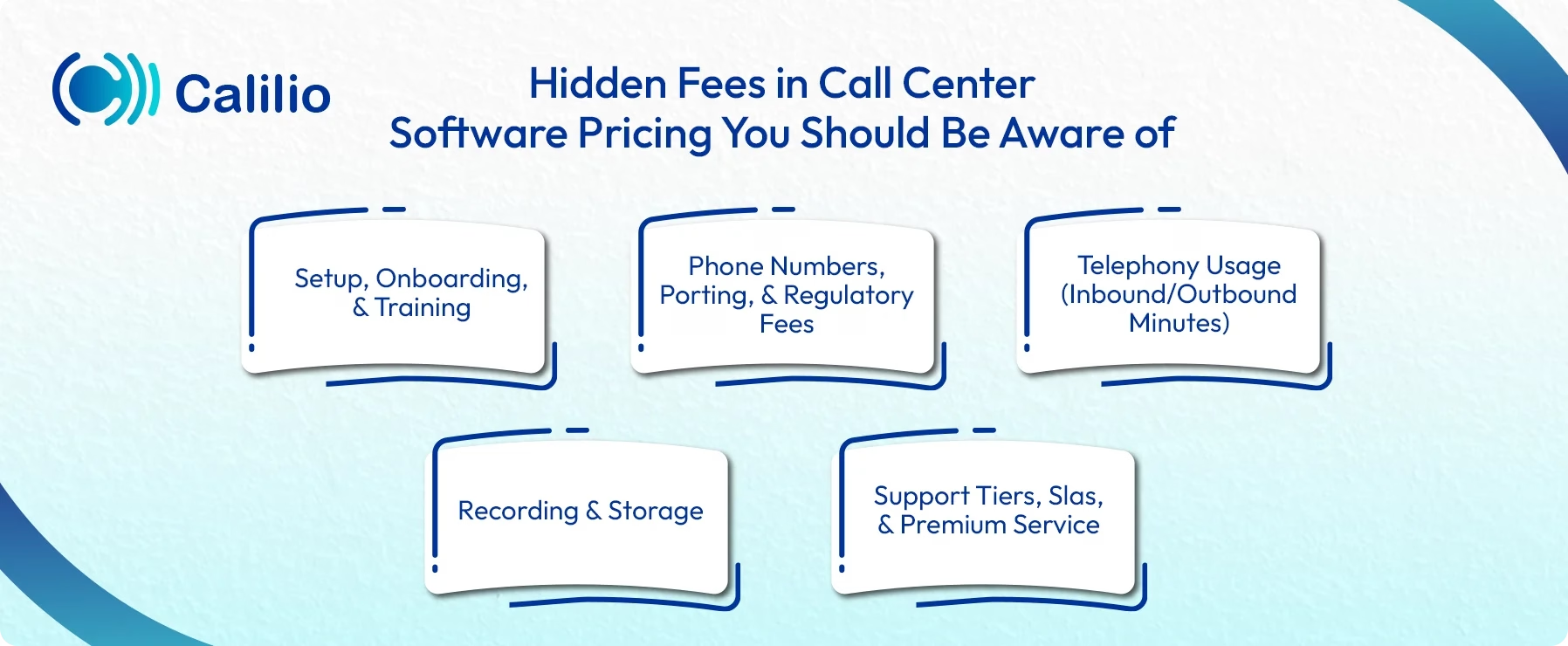
- Setup, onboarding, and training: Setup fees are often not included in the monthly plan price and may only appear during signup or onboarding. The service provider may charge extra for guided setup, onboarding, or providing training.
- Phone numbers, porting, and regulatory fees: Many plans do not include the cost of phone numbers. You may pay extra for getting a new number or porting an existing one. They may also charge for local compliance requirements, especially in countries where registration and documentation are mandatory.
- Telephony usage (inbound/outbound minutes): Calling charges are often billed separately from the software plan. So, you may need to pay separately for making or receiving calls.
- Recording and storage: Providers may also charge separately for enabling call recording and storing those recordings. As recording volume grows, monthly costs can also increase.
- Support tiers, SLAs, and premium service: Basic support is often included, but faster response times and dedicated help may cost extra. Higher support tiers, SLAs, account managers, and 24/7 support are usually included only on enterprise packages.
How to Choose the Right Pricing Plan for Your Business?
Choosing the right call center software plan is about matching what you pay with what you actually need so that you don’t overpay for features you won’t use.
- Start with your call volume and team size
Your cost mainly depends on how many agents you have and how busy your lines are. A small support team with steady traffic needs a simpler plan, while high call volume or fast growth usually needs higher limits and better routing. - Decide which channels you truly need
Voice-only plans cost less. Adding SMS, WhatsApp, chat, email, or social channels increases the price. Go for omnichannel support only if your customers actually use those channels. - Check what’s included vs. what costs extra
Look closely at what the plan includes: minutes, phone numbers, recordings, analytics, and integrations. Many plans look affordable until add-ons push the real cost higher. - Match features to business importance
If calls drive your business revenue or customer satisfaction, invest in essentials like call queues, IVR, analytics, and reporting. Avoid premium tools that don’t improve outcomes for your team. - Plan for growth, not just today
Choose a plan that scales smoothly. It should let you add agents, numbers, and features over time without forcing a full upgrade or long-term lock-in. - Balance price with reliability and support
Cheaper plans do not always mean a good plan. They may come with limited support or uptime guarantees. Look for a service that delivers reliable performance and solid support at a reasonable price.
Conclusion
Call center software pricing goes beyond the plan listed on a pricing page. The total cost depends on how many agents you have, how much you call, which channels you use, and which pricing model the provider follows. On top of that, additional charges for phone numbers, call minutes, recordings, onboarding, and support can significantly affect the final monthly bill.
Choosing the right solution means understanding how pricing really works and matching it to your operational needs—both now and as your team grows. A transparent pricing structure, predictable costs, and flexible plans make it easier to scale without unexpected expenses.
If you’re looking for an affordable call center solution with clear, upfront pricing, Calilio is worth considering. Plans start at $15 per month and include essential calling features, with flexible options for growing teams and custom needs. No forced bundles, no hidden fees, just straightforward pricing that helps you stay in control of your costs
Summarize this blog with:
Frequently asked questions
How do you price the call center?
Call center pricing is usually based on a mix of the number of users, call volume, channels used, phone numbers, and add-ons like recording or analytics. The final cost depends on how the team actually uses the software.
What is the best pricing model for my team?
What costs the most in a call center setup?
Which add-ons are worth paying for in 2026?
What should I ask vendors before signing up for a call center software?

Still have questions?
Can’t find the answer you’re looking for? Please chat with our friendly team.
Stay in the loop
Get the latest call insights, trends, and updates delivered straight to your inbox.
By subscribing, you agree to receive updates from Calilio.
You can unsubscribe anytime.
Enter the World of AI Business Phone System with Calilio
Improve your business operation with Calilio's advanced virtual phone system. Join today for a better way to connect.