- Partners
- Contact Us
- Log in
How to Keep Your Work Phone Number When You Leave a Job?


Leaving a company often comes with a long list of things to wrap up, from returning office equipment to transferring projects. But one thing many professionals overlook is their work phone number. If that number has been your main point of contact for clients, colleagues, and business partners, losing it can mean missed opportunities and communication gaps.
Fortunately, there are ways to keep your phone number even after leaving a company. In this article, we’ll walk you through how to keep your phone number when leaving a company, and offer alternative solutions if the transfer isn’t possible.
Highlights:
Keeping your work phone number ensures professional continuity, account security, and prevents missed opportunities or disruptions during your transition.
To keep your phone number when leaving a company, confirm ownership and review company policies. Then, with approval from Human Resources (HR), port the number to a personal carrier by submitting the required documentation and completing the transfer process.
If you can’t keep your work phone number, you can set up call forwarding to redirect calls temporarily. You can also get a new personal number and update all your contacts and accounts to maintain seamless communication.
Why You Might Want to Keep Your Phone Number?
Keeping your work phone number helps maintain client relationships and professional continuity, while preventing missed opportunities. It also ensures you don’t lose access to accounts or services tied to your number.
- Maintain Client Relationships: Keeping your work number ensures you can stay in touch with clients or business partners you’ve worked with, preserving valuable professional ties.
- Avoid Contact Disruption: Updating your number across all platforms and notifying clients, colleagues, and personal contacts can be time-consuming. Retaining your work number eliminates this hassle and helps maintain communication continuity.
- Professional Continuity: If your work number is tied to your professional brand, keeping it provides a consistent image. It helps maintain trust with clients and associates, especially if you’re transitioning into freelance or entrepreneurial work.
- Avoiding Missed Opportunities: Job offers, sales leads, or important follow-ups may still be sent to your old number long after you’ve left. Keeping the number reduces the chance of missing out on valuable opportunities.
- Account Security and Authentication: Your work number may be linked to multi-factor authentication for tools, apps, or services you’ve used. Losing it could lock you out of important accounts, both professional and personal, unless updated in advance.
How to Keep Your Phone Number When Leaving a Company?
To retain your phone number when leaving a company, first confirm who legally owns the number and request approval from the HR team for its release. Once approved, you can port the number to a personal carrier by submitting the required documentation and completing the transfer before the old line is canceled.
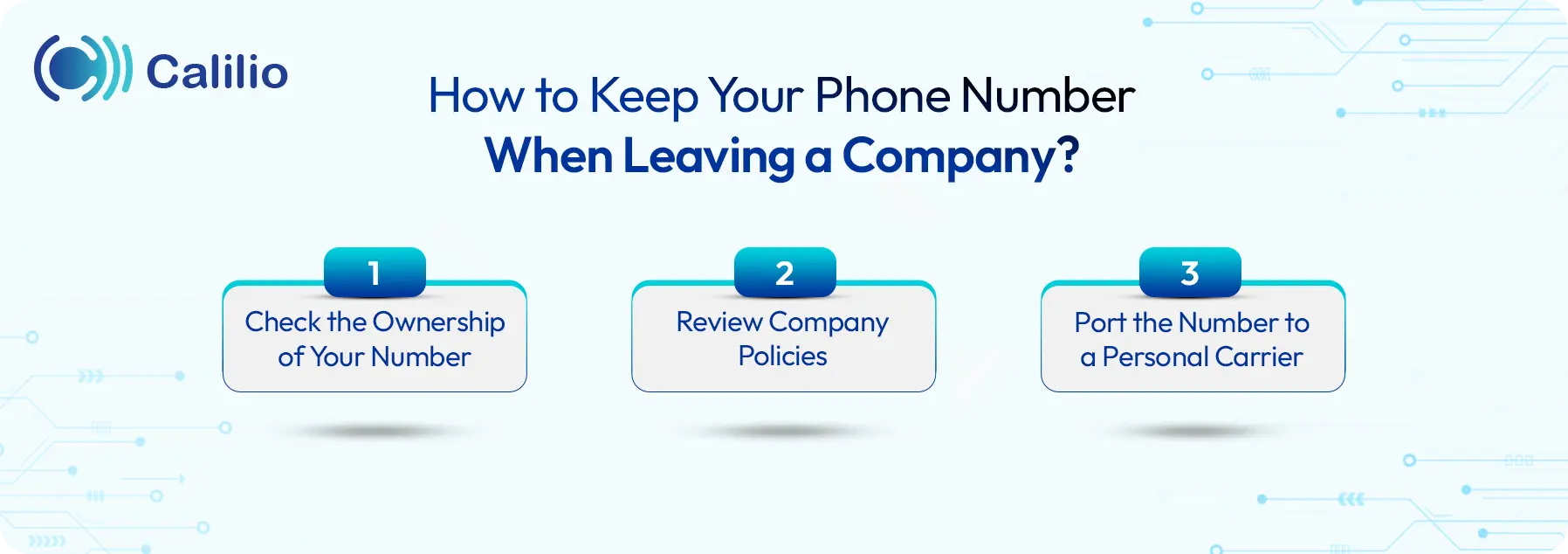
1. Check the Ownership of Your Number
Before doing anything, you need to know whether the number is personally registered under your name or owned by the company.
- Company-owned number: Usually tied to the company’s account or paid through corporate plans. In this case, keeping the number requires company approval.
- Personal/BYOD (Bring Your Own Device) number: If you added the company account to your personal phone or it’s under a bring-your-own-device plan, you are more likely to retain the number easily.
2. Review Company Policies
Companies often have specific policies regarding phone number ownership. Some companies allow employees to transfer their number to a personal account. Other companies may require that all work numbers remain with the business for security, client continuity, or internal communication purposes.
Therefore, it’s important to contact the HR team or the Information Technology (IT) department early. Request the release of the number, ask if they will allow you to port it to another provider, and clarify any billing or timing requirements.
3. Port the Number to a Personal Carrier
Once you’ve confirmed with your company that you can keep the number, the next step is to initiate the number porting process. Phone number porting is the process of transferring a phone number from one service provider to another.
Here is how you port your number:
- Contact Your Current Carrier: Whether it’s a mobile carrier or VoIP(Voice over Internet Protocol) provider, get in touch with the carrier that currently manages your work number. Inform them of your intention to transfer the number to your personal phone plan and check the portability status.
- Choose a Personal Carrier: Next, decide which personal carrier or plan you want to use. This could be your preferred mobile provider, or even a VoIP-based service like Calilio, Google Voice, or OpenPhone. Ensure the provider supports number porting.
- Prepare Necessary Documentation: The carrier may require some paperwork to process the transfer, such as a Letter of Authorization (LOA), proof of employment or a signed release from your employer. Be ready to provide any documentation they request.
- Submit a Porting Request: Once you have everything in place, contact your new provider and submit a port-in request. They will handle the transfer process on your behalf. Ask about potential delays and confirm the estimated timeline, since porting can take several business days, depending on the carriers involved.
Note: Do not cancel your company line before the porting process is complete. Canceling the account too early may result in the number being lost permanently and impossible to recover.
Alternative Options If You Can’t Keep the Work Phone Number
If you can’t keep your work phone number, you can temporarily set up call forwarding so calls are redirected to your personal line. The other option is to get a new personal number and update all your contacts and accounts to ensure uninterrupted communication.
1. Set Up Call Forwarding
If you're able to keep your work phone for a limited time after leaving the company but can't retain the number permanently, consider using call forwarding. This allows calls made to your old work number to be forwarded directly to your new personal or business number.
2. Get a New Personal Phone Number
If your company doesn’t allow you to keep the work number, the simplest option is to get a new personal number from your chosen carrier. While this may feel inconvenient at first, it gives you a fresh start with complete ownership and control.
Once you have your new number, ensure to notify important contacts, such as clients, colleagues, and service providers. Additionally, update your number across professional platforms, including LinkedIn, email signatures, and business cards.
Conclusion
Keeping your work phone number after leaving your job depends on ownership and company policies. If it’s part of a BYOD plan, retaining it is straightforward, but company-owned numbers usually require approval. And if you can’t keep the number, options like call forwarding or getting a new line can help maintain communication.
To make the transition easier, you can port your existing number to Calilio, a cloud-based business phone system that works on VoIP technology. Calilio offers a quick number porting service with no interruptions during the switch.
With Calilio, you can make and receive calls from any device, smartphone, desktop, or tablet, no matter where you are using the internet. Plus, you’ll have access to a range of call management tools like call forwarding, voicemail, IVR (Interactive Voice Response), and analytics. Port your number to Calilio today!



Summarize this blog with:
Frequently Asked Questions
Can I keep my phone number when switching companies?
You can port your work phone number to a new phone service to keep the number when switching companies. Transferring your phone number to a new provider depends on company policies and your carrier’s regulations.
What documents are needed to port a phone number?
How long does it take to port a phone number?
Can I use my ported number with multiple devices?

Still have questions?
Can’t find the answer you’re looking for? Please chat with our friendly team.
Stay in the loop
Get the latest call insights, trends, and updates delivered straight to your inbox.
By subscribing, you agree to receive updates from Calilio.
You can unsubscribe anytime.
Enter the World of AI Business Phone System with Calilio
Improve your business operation with Calilio's advanced virtual phone system. Join today for a better way to connect.