
How to Start a Call Center in 2026?

A call center helps businesses manage customer calls, support requests, and sales conversations in an organized way. Whether you’re handling inbound support or outbound outreach, having a proper call center setup makes communication faster, more consistent, and easier to scale.
However, many businesses struggle with how to start a call center the right way. Questions around setup, staffing, software, and costs often create confusion, especially with options like virtual, on-site, and hybrid models.
This guide explains how to start a call center step by step, covering the budget you will need and the challenges to expect along the way.
Key Highlights:
A call center helps businesses deliver consistent support, reduce wait times, boost productivity, lower costs, and create better customer experiences that can lead to more sales.
To start a call center, define your goals, choose the proper setup and software, hire and train a skilled team, set clear workflows, and track key metrics to keep improving.
Setting up a call center can cost anywhere from about $1,000 for a small virtual setup to over $500,000 for a full on-site operation.
Common challenges while starting a call center include high call volume, inconsistent service, burnout, outdated tech, and routing issues. Each can be managed with better tools, training, and smart routing.
Why Does a Business Need a Call Center?
A business needs a call center to deliver quick, organized, and reliable support for customers. It strengthens communication, helps teams work more efficiently, and opens more opportunities for sales and long-term customer relationships.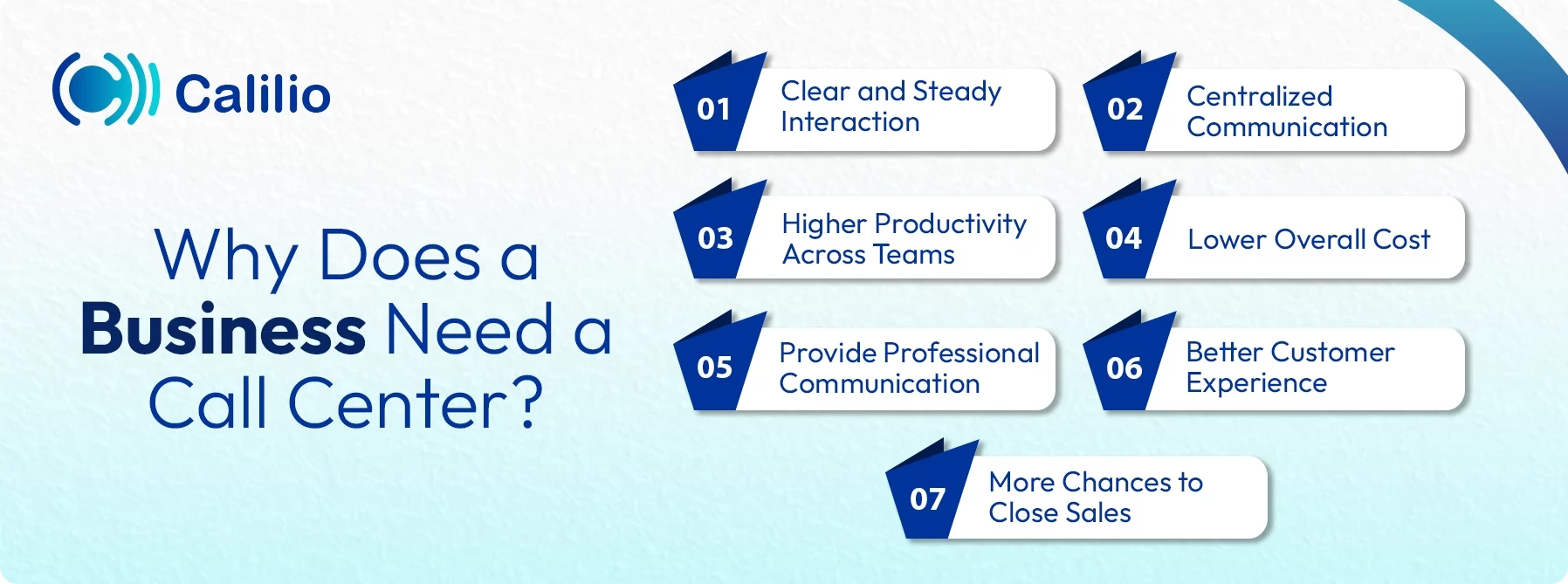
- Clear and Steady Interaction: A call center ensures customers receive accurate information on every call. It prevents misunderstandings and keeps your service level steady across the entire team.
- Centralized Communication: Instead of customers calling random departments or individual employees, a call center creates one organized point of contact. This reduces confusion and speeds up response times.
- Higher Productivity Across Teams: Call logs, routing tools, and clear workflows help teams manage tasks more effectively. Agents get fewer interruptions, tasks move faster, and the whole team works more smoothly without getting overwhelmed.
- Lower Overall Cost: A call center setup reduces the need for extra staff, separate phone lines, or scattered tools. It centralizes the customer service operation, reducing the overall operational costs.
- Provide Professional Communication: Using dedicated business numbers and call routing creates a more polished presence. Customers see the business as reliable and well-structured.
- Better Customer Experience: A call center helps customers receive timely attention, which makes solving their issues easier and faster. This steady and well-organized support improves customers' overall experience.
- More Chances to Close Sales: Many call centers handle outbound calls for lead follow-up, renewals, and cross-selling. Even inbound centers often boost sales simply by answering questions that help customers move forward with a purchase.
How to Set Up a Call Center?
To start a call center, you’ll need to determine your goals, choose the call center model, plan your budget and staffing, and pick a software that supports smooth routing and reporting. Then, hire and train agents, build clear workflows, test your system, and keep tuning performance through ongoing monitoring.
1. Define Your Call Center’s Purpose and Goals
Your first step is to understand why you’re building a call center and what your success should look like. It gives solid direction to your staffing, technology choice, and daily operations. Start by deciding if your main goal is to improve customer satisfaction, support sales, handle more inbound questions, or reach out to potential customers.
2. Choose Your Call Center Model
When setting up a call center, you’ll need to decide how it will operate (in-house, outsourced, or hybrid) and where your agents will work (on-site, virtual, or remote). Research the type of call center you want to run and choose the one that’ll work for you.
By function:
- Inbound: An inbound call center handles incoming calls from customers who need help, information, or service. It’s built to respond to questions, resolve issues, and support day-to-day customer needs.
- Outbound: An outbound call center focuses on agents making calls to prospects or customers. It’s commonly used for telesales, lead generation, appointment setting, surveys, and collections, often supported by auto-dialing software to speed up the process.
- Blended: A blended call center includes both inbound and outbound calling, which lets agents take incoming calls and make outgoing ones. It helps teams stay flexible and manage busy periods more easily.
By location:
- Virtual: A virtual call center has agents working from different locations and connecting through cloud-based VoIP software. As long as there’s a stable internet connection, they can work from almost anywhere. Also, starting a virtual call center supports quick scaling and keeps startup costs low.
- On-site: An on-site call center operates from your physical office using on-premise infrastructure. It works well for companies that need strict security, rely on legacy systems, prefer centralized operations, or don’t require remote or distributed teams.
- Hybrid: A hybrid call center combines on-site and remote agents. It suits companies that want the structure of an office while still offering flexibility. It helps balance oversight, cost, and access to a broader talent pool.
3. Determine Your Staffing Needs
To run a successful call center, you need the right number of people to handle your workload. Hiring too few agents leads to long wait times, more abandoned calls, and lower customer satisfaction, while hiring too many means higher costs and underused staff. To estimate how many employees you need, consider your call volume, average wait and handle times, abandon rates, and other performance metrics.
4. Estimate a Budget
A clear budget helps keep your call center plans practical and avoids surprises later on. On-site setups require spending on rent, hardware, servers, IT support, and utilities, while virtual centers have lower upfront costs and mainly involve software subscriptions and basic equipment. Your budget should also include salaries, call center software, computers, VoIP costs, training, and compliance requirements.
5. Invest in the Right Call Center Software
After finalizing the type of call center you want, choose a call center software that aligns with your business goals, its resources, budget, and needs. The right tool cuts down on manual tasks, makes work easier for agents, and helps customers get quicker answers. Nowadays, modern call centers prefer VoIP solutions for flexibility, lower costs, and easier scaling.
When choosing a call center software, consider the essential features:
- IVR: A phone menu that guides callers to the right department or gives quick self-service options.
- Call Queue: Holds callers in a virtual line during busy hours and updates them until an agent is available.
- Automatic Call Distribution (ACD): Automatically sends incoming calls to the best available agent based on skills, workload, or priority.
- Call Recording: Saves calls so you can review them later for training, quality checks, and dispute resolution.
- Call Monitoring: Let supervisors listen to live calls to coach or assist agents as needed.
- Call Analytics: Shows metrics like wait times, call volume, and performance trends to help you manage your team.
- Auto Dialers: Automatically dial numbers for agents to speed up outbound calling. The types of auto dialers include power dialer, preview dialer, and predictive dialer.
- AI Features: Uses machine intelligence to help with routing, caller sentiment, suggestions for agents, or automated responses.
Create a Scalable, High-Performing Call Center with Calilio’s All-in-One Communication Platform.
6. Hire the Right People
Call center work can be demanding, so hiring the right people is essential. When hiring agents, beyond technical expertise, you must also focus on soft skills, like clear communication, empathy, problem-solving, multitasking, and the ability to manage stress. These qualities help to handle tough conversations and deliver better support.
7. Design Your Onboarding and Training Process
Create an onboarding and training program that teaches agents how to use your tools, handle calls, understand your products, and meet customer expectations. When agents get clear guidance from the start, they can give confident answers right away. Also, it’s essential to train agents for good communication, including active listening, empathy, and handling customer emotions.
8. Build Strong Workflows and Processes
Your call center runs more smoothly when agents know precisely what steps to follow. Create clear call flows, define escalation rules, and automate routine tasks such as call logging or follow-up messages. Standard workflows keep your team aligned and ensure customers receive dependable support.
9. Establish Performance Metrics
Choose the call center metrics and KPIs you want to monitor so you can see what’s working and what needs improvement. The metrics you track will depend on whether your call center is inbound or outbound, your goals, and the reporting features available in your software.
Here are some of the common KPIs that will help you understand the overall call center performance:
- Average Handle Time (AHT): Measures the total time an agent spends on a call, including talk, hold, and after-call work. High AHT may signal training or routing issues.
- Average Speed of Answer (ASA): Captures the time callers wait before an agent picks up. Shorter waits often signal good queue and staffing management.
- First Call Resolution (FCR): Shows the percentage of customer issues solved on the first call. Low FCR usually means agents need better training or access to information.
- Call Abandonment Rate: Represents the percentage of callers who hang up before reaching an agent. High rates often point to long waits or not enough staff.
- Customer Satisfaction (CSAT): Measures how happy clients are with your service. CSAT comes from survey responses after customer interactions.
- Conversion Rate: Shows how many calls lead to a successful result. Low rates may mean your lead list needs work or agents need more training.
10. Test Your System Before Launching
Run internal test calls to check audio quality, call routing accuracy, software performance, and agent readiness. Testing helps you identify issues early and fix them before customers interact with the system. This ensures a smooth launch with fewer disruptions.
11. Continuous Monitoring and Improvement
Once your call center solution is live, review call recordings, customer feedback, and agent performance on a regular basis. This helps you identify areas that need improvement, update scripts or workflows, and keep your call center running smoothly as your business evolves.
How Much Does It Cost to Start a Call Center?
The cost to start a call center can range from $1,000 to $10,000 for a small virtual setup, while a larger physical call center may require $50,000 to over $500,000. However, the final cost depends on the model you choose, as each one requires different equipment, staffing levels, and ongoing operational expenses.
Here’s a clear cost breakdown for each call center type:
Call Center Type | Cost Category | Estimated Costs | Best For |
| Virtual Call Center (Most Affordable) | VoIP Software | $15–$60 per user/month | Startups, small teams, remote agents |
| Computers, laptops, and headsets | $400–$1,200 per agent (one-time) | ||
| Internet & VoIP expenses | $50–$150+ per month | ||
| Training & onboarding | $500–$2,500 per trainee (Initial) | ||
| On-Site Call Center (Highest Cost) | Office rent & utilities | $2,500–$20,000+ per month | Large enterprises and businesses that need strict security |
| Hardware (phones, servers, cables) | $500–$2,000+ per agent (Upfront) | ||
| Workstations & furniture | $200–$500 per agent | ||
| VoIP or PBX systems | $50–$200 per user/month | ||
| IT staff & maintenance | $3,500–$10,000+ per month | ||
| Hybrid Call Center (Moderate Cost) | Office space | $500–$5,000 per month | Growing businesses, teams shifting to remote |
| Cloud-based software | $15–$60 per user/month | ||
| Hardware for on-site agents | $300–$800 per agent |
Staffing and Payroll Costs:
Role | Estimated Salary (Monthly) |
| Call Center Agents | $2,000–$4,000 |
| Supervisors | $3,000–$6,000 |
| QA Specialists | $2,500–$5,000 |
| Managers | $4,000–$8,000 |
Common Call Center Challenges & How to Fix Them?
Call centers often face challenges like misdirected calls, slow systems, and inconsistent communication across agents. These can be resolved by implementing skill-based routing, adopting reliable cloud technology, and maintaining regular training and quality checks.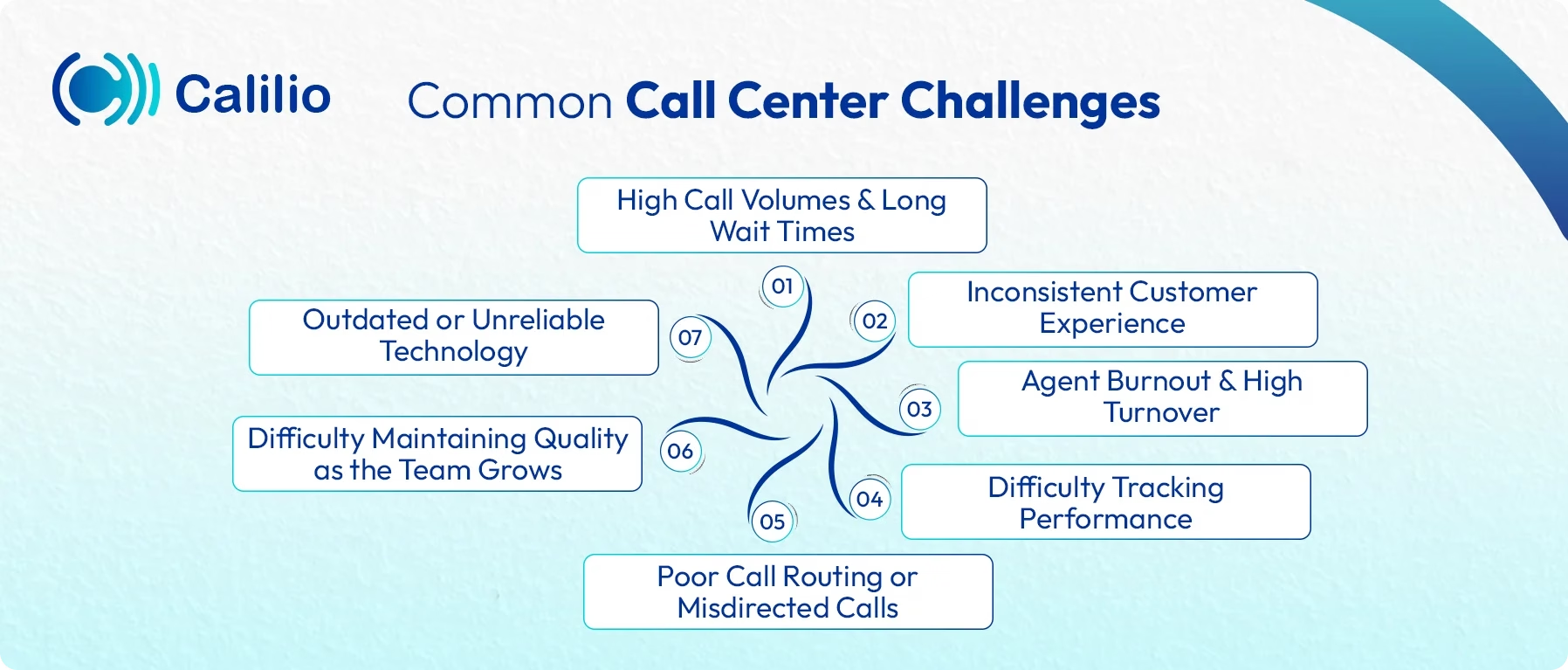
1. High Call Volumes and Long Wait Times
Many call centers struggle when calls come in faster than agents can handle. This leads to long queues and frustrated customers.
How to fix it: Use call routing, self-service options, and precise call-flow planning. Add FAQs or chat support to deflect calls for basic questions and reduce unnecessary load on your agents.
2. Inconsistent Customer Experience
When different agents give different answers, customers lose confidence in the service. This inconsistency harms both satisfaction and brand trust.
How to fix it: Use standard scripts, a shared knowledge base, and provide onboarding training to keep everyone aligned. You can also add a quality assurance checklist so every agent follows the same service steps and delivers a reliable experience.
3. Agent Burnout and High Turnover
Call center roles can be stressful, especially during peak hours or when teams are understaffed. This can lead to burnout, reduced performance, and frequent resignations.
How to fix it: Offer supportive coaching, realistic schedules, and tools that make the job easier. Additionally, recognize and reward your high-performing agents to keep them motivated.
4. Difficulty Tracking Performance
Without a proper metrics and tracking tool, it’s hard to understand where your call center is performing well and where it needs improvement.
How to fix it: Utilize call center monitoring tools, such as call recording, call listening, whispering, barging, and real-time agent dashboards. AI-driven call summaries and sentiment analysis also provide deeper insight into customer interactions.
5. Poor Call Routing or Misdirected Calls
Customers get frustrated when they are transferred repeatedly or reach the wrong department. This slows down resolution and weakens the overall experience.
How to fix it: Set up skill-based routing or smart routing rules to direct calls to the right agent or team based on inquiry type or expertise.
6. Outdated or Unreliable Technology
Slow, outdated systems can result in dropped calls, poor audio quality, and delays that interrupt conversations. They also lack essential features to support modern customers' demands, making it harder for agents to deliver good service.
How to fix it: Invest in dependable call center software that supports all the essential tools like IVR, analytics, recording, and monitoring.
7. Difficulty Maintaining Quality as the Team Grows
As your call center expands, maintaining consistent quality across all agents becomes challenging. These gaps in training and oversight can impact service levels.
How to fix it: Keep a regular quality-check process, review call recordings, and update training materials as your operations grow.
Conclusion
Starting a call center is ultimately about creating a smoother, more reliable way to connect with your customers. A well-planned call center gives your business a structured way to manage calls, support customers, and handle growing demand. Once you understand the setup, costs, and common challenges, you can build a system that fits your workflow and scales as needed.
If you’re looking for a dependable cloud-based call center software, Calilio is a strong option. Its AI-powered platform provides AI-generated call reports, giving you instant insights through summaries, transcriptions, and sentiment analysis. In addition, it offers features like phone number sharing, call queues, IVR, call transfer, power dialers, and customizable business hours for easy and efficient call management.
Summarize this blog with:
Frequently asked questions
What equipment do I need to start a call center?
To start a call center, you need basic equipment such as computers or laptops, headsets, a stable internet connection, and a good VoIP-based call center software. Depending on your setup, you may also need call routing tools, recording features, and performance dashboards to manage calls smoothly.
What licenses or legal requirements do I need to open a call center?
What is the cheapest way to start a call center?
What software do call centers use?

Still have questions?
Can’t find the answer you’re looking for? Please chat with our friendly team.
Stay in the loop
Get the latest call insights, trends, and updates delivered straight to your inbox.
By subscribing, you agree to receive updates from Calilio.
You can unsubscribe anytime.
Enter the World of AI Business Phone System with Calilio
Improve your business operation with Calilio's advanced virtual phone system. Join today for a better way to connect.