
Quo (Openphone) vs. MightyCall: Which One to Choose?

Modern businesses prefer Voice over Internet Protocol (VoIP)-based phone systems over traditional phone systems for added flexibility, advanced features, and cost savings. As a result, there are now many VoIP options on the market, each built for different business needs.
Quo (Openphone) and MightyCall are among the more well-known choices. Both support business calling, texting, and team communication, but they differ in how they handle call management, pricing, and day-to-day workflows.
OpenPhone suits small teams that want a simple, shared calling and texting setup, while MightyCall fits businesses that need more structured call flows and higher call control. Understanding the differences between them helps you choose the right phone system that matches your business needs.
What is Quo?
Quo, formerly known as Openphone, is a cloud-based business phone system that lets teams make and receive calls and texts from a mobile app, desktop app, or web dashboard. It’s built for small teams that want to keep business communication separate from personal numbers, even when the team works remotely.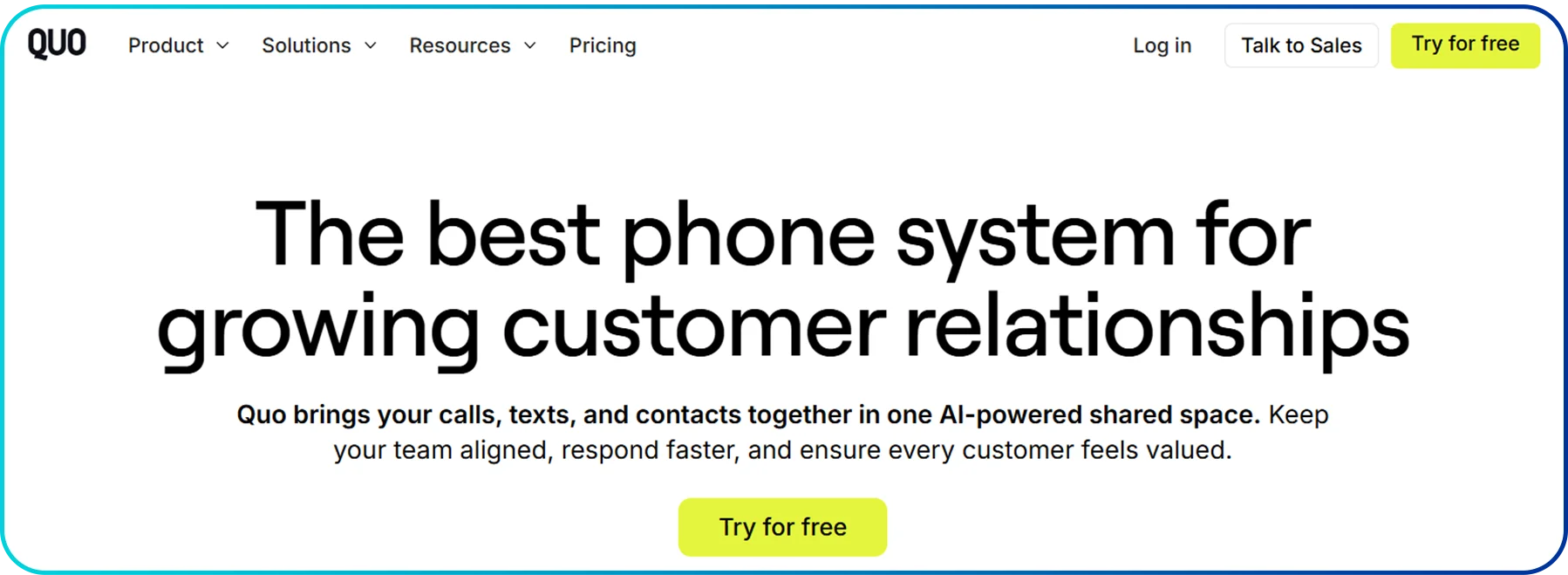 Quo supports shared numbers, team messaging, and managing high call volumes with tools like call forwarding, ring groups, and three-way calling. It also includes an auto attendant to greet and route callers, automatic call recording for reviews and training, and a text messaging CRM (Customer Relationship Management) to organize customer conversations. For faster replies, it also offers AI text messages to help draft or suggest responses.
Key Features
- Call Forwarding
- Auto Attendant
- Small Business VoIP
- Text Messaging CRM
- Three-way Calling
- Ring Groups
- Automatic Call Recording
- AI Text Messages
Ratings
- G2: 4.7/5
- Capterra: 4.2/5
Pros & Cons
Pros | Cons |
| Easy-to-use shared numbers for team calls and texts | Limited advanced call center features |
| Works across mobile, desktop, and web apps | Support options may feel limited for some users |
| Built-in call recording and AI-assisted text replies | Not ideal for businesses needing desk phone hardware |
Pricing Plans
Plan | Billed Monthly | Billed Annually |
| Starter | $19 | $15 |
| Business | $33 | $23 |
| Scale | $47 | $35 |
What is MightyCall?
MightyCall’s cloud-based VoIP phone system is built for businesses that need to handle calls in a more organized way. It offers a dedicated business number for teams to answer calls, manage voicemails, and route callers to the right person or department. MightyCall also includes features like Caller ID and voicemail, along with IVR (Interactive Voice Response) and a virtual receptionist to greet callers and direct them through menu options. Moreover, it offers call routing and call queues to distribute calls across the team. For broad outreach, its auto dialers speed up calling by dialing numbers automatically.
Key Features
- Caller ID
- Voicemail
- IVR
- Call Routing
- Call Queues
- Auto Dialers
- Virtual Receptionist
Ratings
- G2: 4.4 /5
- Capterra: 3.8 /5
Pros & Cons
Pros | Cons |
| Strong call-handling features like IVR, call queues, and routing | Limited SMS and messaging capabilities compared to competitors |
| Easy setup with a focus on small business call management | Fewer advanced analytics and AI insights |
| Works well for inbound and outbound calling with auto dialers | Can feel less flexible for fast-growing or remote-first teams |
Pricing Plans
Plan | Billed Monthly | Billed Annually |
| Core | $25 | $15 |
| Pro | $20 | $38 |
| Power & Enterprise | Contact the sales team | Contact the sales team |
Quo vs. MightyCall: Key Differences
MightyCall focuses on teams that handle a high volume of calls. Quo, on the other hand, is designed for small teams and growing businesses that want simple, shared calling and texting. The differences are seen in pricing, integration capability, feature sets, and security, with each platform prioritizing these areas in different ways based on its target users.
1. Cost
Quo offers a simple per-user-based model with three plans: $19/user/month (Starter), $33/user/month (Business), and $47/user/month (Scale). The Starter plan includes essential features such as voicemail transcripts, API access, and ticket support, while the higher tiers add more advanced capabilities for growing teams. There is no minimum user requirement, which keeps entry costs predictable for small teams.
MightyCall also charges per-user plans but requires a minimum of three users, so your starting cost begins with three seats. On annual billing, its Core plan is priced at $15/user/month, Pro at $23/user/month, and Power at $30/user/month. The Core plan includes three business numbers along with calling and messaging features, and Pro adds supervisor-level tools like monitoring and analytics. Similarly, Power focuses on outbound calling with dialer features such as progressive and preview dialers, plus AI-based answering machine detection.
2. Integration
Quo integrates with CRM tools like HubSpot and Salesforce, along with automation platforms like Zapier, to tie calling and texting directly with customer records. These integrations allow teams to sync contacts, log calls and messages automatically, and manage follow-ups without manual updates.
MightyCall also supports integrations with apps like HubSpot, Salesforce, and Zapier to link call activity with sales and support workflows. In addition, MightyCall offers API access, which helps your business to build custom integrations when standard integrations do not meet your setup needs.
3. Customer Support
Quo provides email-based ticket support across all plans, with live chats added on higher tiers. Businesses can chat with a live support team Monday–Sunday, 7:00 AM–4:00 PM local time. The higher plan also includes priority handling for chat and email requests and instant phone support for issues that need faster resolution.
MightyCall offers more direct channels to reach support from the start. You can access support through phone, email, live chat, and ticket submission, so you can choose the fastest option based on the urgency of the issue.
4. Security and Compliance
Quo follows multiple business-grade security standards to protect call and message data. It complies with SOC (Service Organization Control) Type II certification and encrypts data in transit using TLS (Transport Layer Security) 1.2+ to secure stored call and message data. For healthcare-related use cases, Quo supports HIPAA-compliant VoIP through a BAA (Business Associate Agreement) on eligible plans.
MightyCall follows standard communication security practices. It uses SSL (Secure Sockets Layer) with 256-bit encryption to protect data as it moves between users and the platform. It also supports secure billing through PCI DSS (Payment Card Industry Data Security Standard)–certified providers to safeguard payment information.
Security Area | Quo | MightyCall |
| Security standard | SOC 2 Type II (System and Organization Controls Type II) | SSL protection for connections |
| Data in transit | Encrypts data using TLS 1.2+ (Transport Layer Security) | Encrypts traffic using SSL with 256-bit encryption |
| HIPAA support | Supports HIPAA (Health Insurance Portability and Accountability Act) compliance via BAA on eligible plans | Highlights HIPAA compliance (as positioned for healthcare) |
| Payment security | Not specified | Uses PCI DSS–certified providers for billing security |
5. Features
Quo is built around a shared calling and texting setup that helps multiple teammates handle one business number. It includes core calling features like call forwarding, auto attendant, ring groups, and three-way calling, along with automatic call recording for training and review.
Meanwhile, MightyCall focuses on managing higher call volume with structured call handling features for support and sales teams. It uses IVR and a virtual receptionist to greet and direct callers, and it relies on call routing and call queues to keep calls organized during business hours. It also supports outbound workflows with auto dialers that reduce manual dialing time.
Mightycall vs. Quo (Openphone): Quick Comparison
Category | Quo | MightyCall |
| Best for | Small teams that prioritize shared calling + texting and fast follow-ups | Call-heavy teams that need structured call flows (IVR, queues, routing, dialers) |
| Starting price | Starter: $19/user/month | Core: $25/user/month |
| Minimum users | No minimum requirements | 3-user minimum |
| Call handling focus | Collaboration, calling + texting workspace | Call center-style flow control with routing/queues and dialer options |
| Integrations | CRM and workflow integrations (plus API options) | CRM/workflow integrations and API access |
| Security & compliance | Business-grade security standards and controls | Encrypted connections (SSL with 256-bit encryption) |
Mightycall vs. Quo: Which VoIP is Right for Your Business?
The best option between Quo and MightyCall depends on how your team manages calls and messages. Pick Quo for shared calling and texting with AI support and CRM-linked workflows, and pick MightyCall for structured call flows with advanced features like IVR, queues, and intelligent call routing.
Quo (formerly OpenPhone)
- Best For: Teams that want shared calling + texting, AI help on calls, and clean CRM-linked workflows.
- Key Strengths: 24/7 AI voice agent (Sona), AI call summaries and transcripts, and a shared workspace that keeps calls, texts, and contacts together.
MightyCall
- Best For: Small businesses that need strong core call management, structured call flows, and healthcare-friendly compliance options.
- Key Strengths: IVR/virtual receptionist, call routing, call queues, and HIPAA compliance.
Upgrade to a Smarter, Affordable Voip with Powerful AI Features for Call Management
Calilio: Best Alternative to Quo & Mightycall
Quo and MightyCall both support business calling, but they are built for different priorities. Quo works best as a simple and easy-to-use calling and texting platform for small businesses that want shared numbers at a more affordable entry point. MightyCall, by contrast, focuses on structured call management with tools like IVR, routing, queues, and dialers. But it comes at a high starting cost, comparatively.
Calilio brings the strengths of both into one platform. It offers advanced call management features at a more accessible price, starting at $12 per user per month (on annual billing). You can get virtual phone numbers from over 100 countries for global presence.
Moreover, its features, like shared numbers and a unified dashboard, improve team collaboration. And, tools like AI-powered call analytics, such as sentiment analysis and call summaries provides detailed insights into the conversation. It also includes essential telephony features like call routing, call forwarding, and IVR to aid call management.
Summarize this blog with:
Frequently Asked Questions
Everything you need to know about Calilio. Can't find your answer? .
Yes, Quo and Openphone are the same. Openphone changed its name to Quo in 2025, while
its core calling/texting features remained the same.
Stay in the loop
Get the latest call insights, trends, and updates delivered straight to your inbox.
By subscribing, you agree to receive updates from Calilio.
You can unsubscribe anytime.
#1 Cloud Phone System for
|
Improve your business operation with Calilio's advanced virtual phone system. Join today for a better way to connect.