
What is a Virtual Call Center? Types, Features & Benefits


Customer expectations have changed significantly in recent years. People want fast responses, consistent support, and round-the-clock availability beyond business hours. However, traditional call centers, tied to physical offices, often struggle to meet these demands.
A virtual call center removes those limitations. Instead of operating from a single office, agents can handle calls, messages, and customer queries from anywhere with an internet connection. This setup gives businesses more flexibility while keeping service quality steady.
In this blog, we’ll explain what a virtual call center is, how it works, and how it helps improve customer service. We’ll also discuss its main benefits, common types, key features to expect, and the basic steps to get started.
Key Highlights:
A virtual call center is a customer service or sales setup where agents handle inbound and outbound calls from remote locations instead of a physical office.
The different types of virtual call centers include: inbound, outbound, and blended call centers, categorized by how they focus on customer support, sales, or follow-ups.
It improves accessibility, lowers operating costs, supports flexible work models, and makes it easier to scale as business needs grow.
A virtual call center software includes essential tools like call routing, call recording, analytics, auto dialers, and sentiment analysis to improve efficiency and service quality.
What is a Virtual Call Center?
A virtual call center is a cloud-based customer service system where agents handle calls remotely instead of from a physical office, using Voice over Internet Protocol (VoIP) technology. Unlike traditional on-premise call centers, it’s not tied to a specific location, which makes it more flexible and easier to scale.
A cloud-based call center works like a traditional call center, but uses web-based digital technologies to route, manage, or handle calls. Additionally, it also comes with tools for storing customer information, recording conversations, and monitoring agents in real time.
How Does a Virtual Call Center Work?
A virtual call center works by handling calls through cloud-based software and internet calling. At first, calls are routed using VoIP platforms, Interactive Voice Response (IVR) menus, and call queues to reach available remote agents. Then, agents access customer details and manage the conversation, while the system records the call and tracks performance through centralized reporting tools.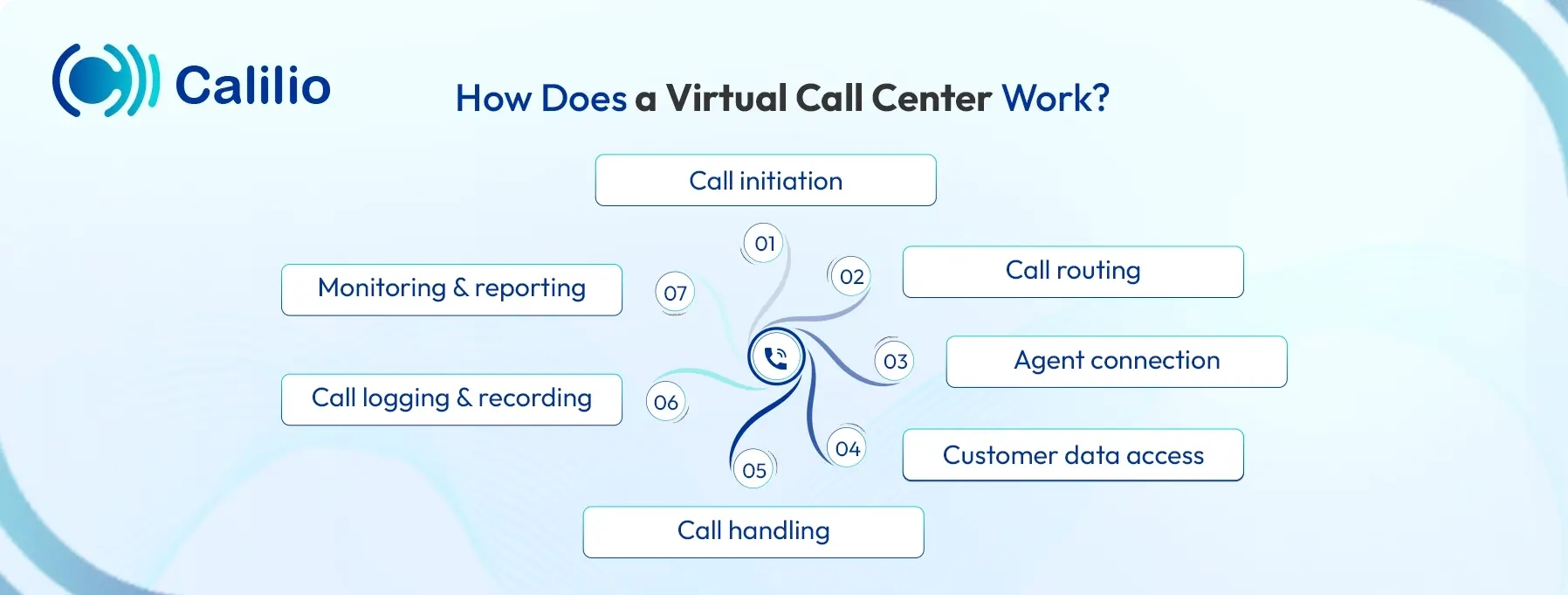
- Call initiation: A customer places an incoming call, or an agent starts an outbound call using virtual call center software.
- Call routing: The system routes the call online using VoIP, based on pre-determined rules for call queues or agent availability.
- Agent connection: The call connects to an available remote agent through a desktop or mobile application.
- Customer data access: Caller details and interaction history appear on the agent’s screen during the call.
- Call handling: The agent manages the conversation, resolves the query, or completes the sales interaction.
- Call logging and recording: The system records the call and saves notes, outcomes, and call duration automatically.
- Monitoring and reporting: Supervisors review call activity, recordings, and performance metrics through a centralized dashboard.
How Does a Virtual Call Center Differ from a Traditional Call Center?
A traditional call center is office-based, where agents work using fixed infrastructure, while a virtual call center allows agents to work remotely using cloud-based software. The key differences lie in their location, technology and equipment used, how teams are supervised, and overall operational costs.
Aspect | Traditional Call Center | Virtual Call Center |
| Location | A traditional call center operates from a fixed physical office where all agents work on-site. | A virtual call center has no central office, and agents work remotely using cloud-based systems. |
| Telephony Technology | Traditional call centers mostly rely on PSTN-based systems that use copper or fiber lines and on-site hardware. | Virtual call centers use VoIP technology to manage calls over the internet on compatible devices. |
| Equipment | A traditional setup requires desk phones, wired phone lines, servers, and a full office infrastructure. | A virtual setup requires only a computer or mobile device, a stable internet connection, a headset, and cloud software. |
| Supervision | Managers supervise agents mainly through physical presence and in-person call monitoring. | Supervisors manage agents remotely using call recordings, live call monitoring, and performance dashboards. |
| Upgrades and Updates | System upgrades often involve replacing hardware and can interrupt daily operations. | Cloud-based platforms update automatically without service disruption. |
| Scalability | Scaling operations requires more office space and the installation of additional equipment. | Businesses can add new lines by doing a simple configuration on the software. |
| Operational Costs | Operating costs are higher due to rent, utilities, equipment and office maintenance. | Operating costs are lower because there is no need for office space or dedicated hardware. |
What are the Different Types of Virtual Call Centers?
The different types of virtual call centers include inbound, outbound, and blended call centers, classified based on the purpose and types of calls they handle.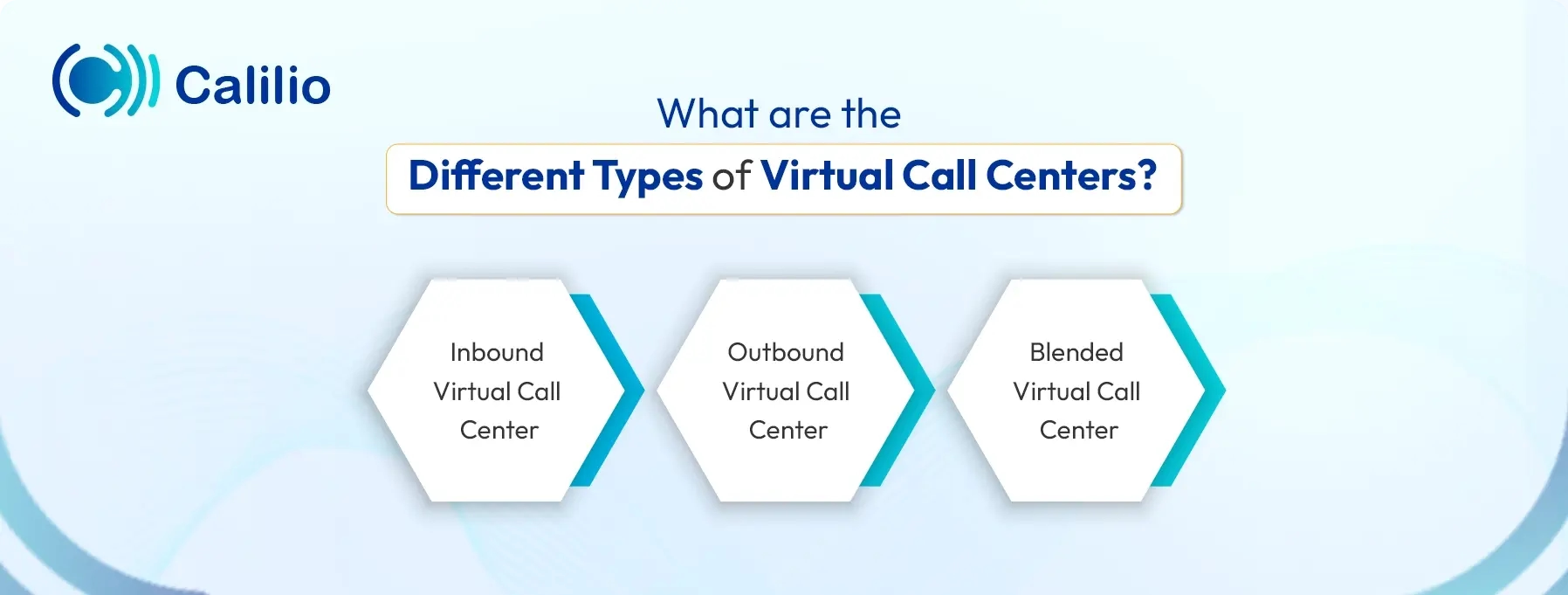
Inbound Virtual Call Center
An inbound virtual call center focuses on handling incoming calls from customers. Agents usually respond to calls related to support requests, service inquiries, order issues, or general questions. Calls follow a structured path. The key features of an inbound virtual call center include IVR to guide callers to the right agent and call queues to place them in line when agents are busy.
Outbound Virtual Call Center
An outbound virtual call center is designed for making calls to customers or leads. It primarily focuses on sales outreach, cold calling, follow-ups, surveys, and appointment reminders. These type of call centers often use tools like outbound dialers and call dispositions to automate dialing and track call outcomes efficiently.
Blended Virtual Call Center
A blended virtual call center is a remote working setup where agents can manage both inbound and outbound support through a single platform. It enables agents to handle customer calls and also run outbound campaigns through a unified system. These call centers mainly include advanced call management features like Automatic Call Distribution (ACD), IVR, predictive dialers, call queueing, and real-time analytics.
What are the Benefits of a Virtual Call Center?
A virtual call center offers remote accessibility, reduced costs, and easy scalability. It helps businesses improve productivity and customer experience while supporting flexible, location-independent operations.
Remote Accessibility
A virtual call center lets businesses operate without a physical office. Agents can handle calls and access customer data from anywhere using cloud-based call center software, while managers can monitor performance and manage remote teams from a centralized dashboard.
Improved Agent and Customer Experience
By allowing agents to work from anywhere, a remote call center provides a better work-life balance for agents. It leads to higher job satisfaction and lower turnover rates. When agents are happier and more comfortable, they stay focused and perform better, resulting in higher productivity and improved customer interactions.
Reduced Call Center Expenses
Since there is no need for physical office space, desk phones, or on-site servers, businesses can significantly lower setup and maintenance costs. It also minimizes ongoing expenses such as utilities and hardware upgrades. Plus, businesses can hire or outsource talent from other countries where labor costs are reasonable, reducing staff expenses.
Increased Scalability
Using the virtual call center software, businesses can add new agents, phone numbers, or call flows quickly as call volumes grow. So, scaling does not require new physical infrastructure, which makes expansion faster and more manageable.
How to Start a Virtual Call Center?
To set up a virtual call center, first decide what type of calls you will handle and choose the best cloud-based call center software with the essential features. Then, hire agents who can work remotely and train them using clear, simple onboarding. After setup, regularly track basic call center performance metrics such as call volume, response time, and resolution rates.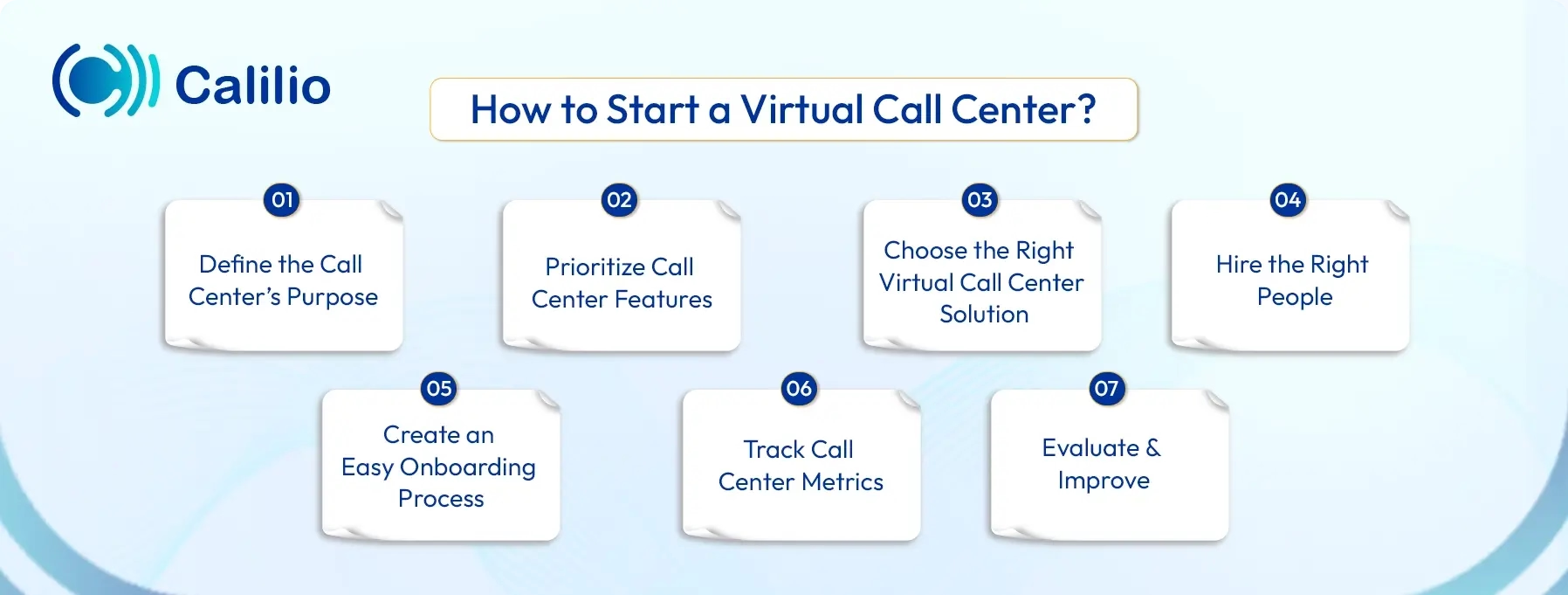
1. Define the Call Center’s Purpose
First, start by deciding what your virtual call center will handle, like customer support, sales calls, appointment booking, or technical help.
2. Prioritize Call Center Features
Focus on the features that are essential for your business. Ensure your virtual call center software includes features like call routing, IVR menus, call recording, CRM integration, AI automation, and real-time reporting.
3. Choose the Right Virtual Call Center Solution
Invest in a reliable cloud-based virtual call center platform that allows agents to handle calls from any location and meets your feature requirements.
4. Hire the Right People
Hiring the right agents is a key step when setting up a virtual call center. Since agents work remotely, strong communication skills, self-discipline, and basic technical comfort matter as much as experience.
Look for candidates who can handle customer conversations clearly, follow call guidelines, and stay focused without in-person supervision.
5. Create an Easy Onboarding Process
Set up a simple onboarding plan that covers tools, scripts, and workflows. Provide clear documentation and training sessions to agents so they can start confidently without feeling overwhelmed.
6. Track Call Center Metrics
Monitor performance using metrics such as average handling time, First Call Resolution (FCR), customer satisfaction, and call volume. Continuous monitoring helps you track agent productivity, identify service gaps, and spot trends that may affect customer experience.
7. Evaluate and Improve
Use AI-powered call reports to review performance data regularly. Identify patterns such as common customer issues or process gaps, then adjust scripts, workflows, or staffing levels as needed.
Transform Your Customer Service with a Reliable, Affordable Virtual Call Center Solution
Key Features to Look for in a Virtual Call Center Software
Some of the essential features of a virtual call center software include call queue, automatic call distribution, call recording, call routing, and auto dialer, among others. These tools help manage call flow, reduce wait times, and ensure calls reach the right agent while maintaining consistent service quality across remote teams.
1. Call Queue
A call queue is a virtual line that is used to organize incoming calls by placing callers in line when all agents are busy. This helps reduce call abandonment and gives customers a smoother waiting experience through on-hold music or promotional ads.
2. Automatic Call Distribution
Automatic call distribution (ACD) automatically routes incoming calls to the most appropriate available agent based on predefined rules such as skills or availability. It is essential to ensure the right call is passed to the right agents to avoid call delays, without any unnecessary call transfers.
3. Call Recording
Call recording captures customer conversations for quality assurance and compliance purposes. These recordings are also useful for training agents and reviewing real customer interactions.
4. Unified Communications
Unified communications brings voice calls, messaging, email, and video into a single platform so agents can manage all conversations in one place.
5. Call Routing
Call routing directs calls to the correct department or agent using intelligent routing rules. These rules may include agent availability, skill level, call type, or business hours. It helps customers connect with someone who can address their needs more efficiently.
6. Call Analytics and Reporting
Call analytics and reporting provide detailed insights into call volumes, agent performance, and customer behavior. It gives managers the detailed data required to improve staffing, workflows, and service quality.
7. Auto Dialer
An auto dialer automatically places outbound calls for agents. This allows agents to focus more on conversations, rather than dialing phone numbers one by one. There are different types of call center auto-dialers available. The popular ones include power dialer, predictive dialer, progressive dialer, and preview dialer.
8. Sentiment Analysis
Sentiment analysis helps agents analyze and understand a customer’s emotions through their tone, pitch, and speech patterns during a call. This allows teams to respond more effectively, address concerns in real time, and improve overall customer experience.
Things to Consider When Choosing a Virtual Call Center Provider
When choosing a virtual call center, look for a provider with strong uptime, good security, and reliable customer support. It should be easy to use, offer essential features like call routing, reporting, and CRM integration, and scale as your needs change.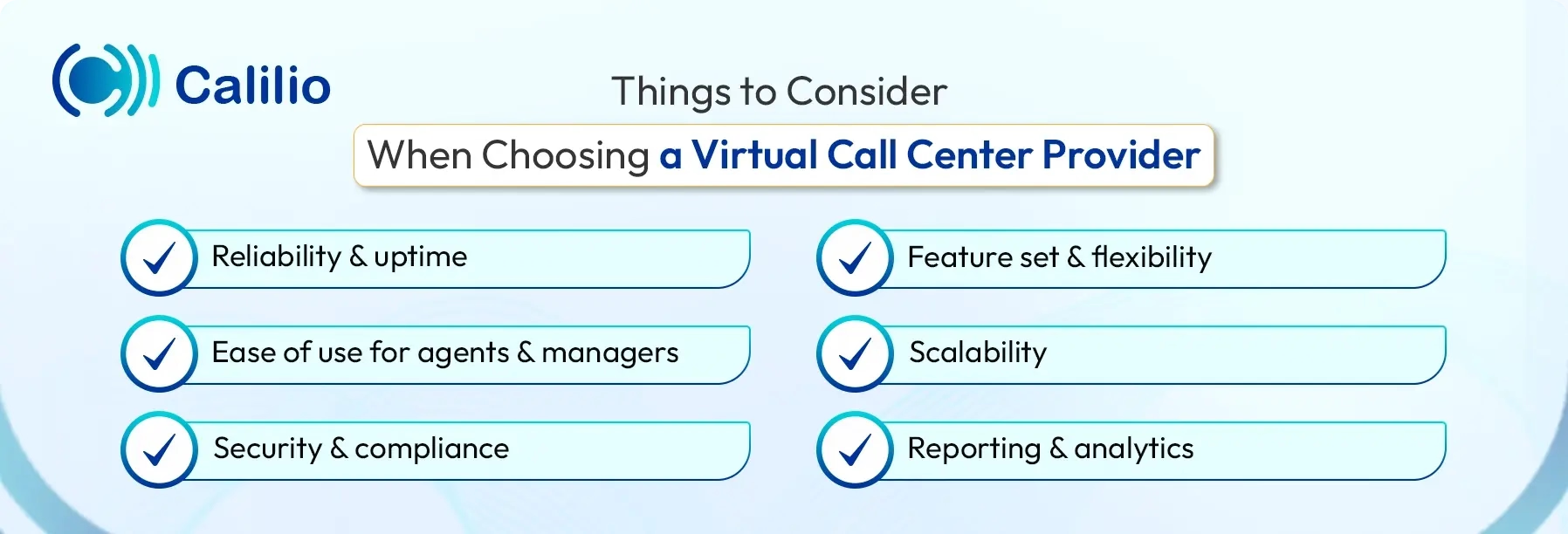
- Reliability and uptime: Choose a provider with a strong track record for system stability and high uptime. Downtime can disrupt customer service and impact your brand, so reliability should be a top priority.
- Feature set and flexibility: Make sure the platform offers essential features such as call routing, IVR, analytics, ring groups, call recording, and CRM integration. The system should also allow you to add or remove features as your needs change.
- Ease of use for agents and managers: The software should be easy for agents to learn and use, especially in a remote setup. A clean interface and simple workflows reduce training time and improve productivity.
- Scalability: Your virtual call center should be able to grow or scale down without delays or technical issues. Look for providers that support quick user additions and flexible pricing models.
- Security and compliance: Confirm that the provider follows strong data security practices and complies with relevant regulations. This is especially important when handling sensitive customer information.
- Reporting and analytics: Detailed reporting helps you understand performance and customer trends. Choose a provider that offers real-time dashboards and easy-to-understand reports.
- Customer support and onboarding: A reliable support team and guided onboarding process can make setup much smoother. Also, in case you encounter any issues, the provider should be able to offer quick help.
Conclusion
A virtual call center provides a flexible, cost-effective, and scalable solution for managing customer support and sales operations. By leveraging cloud-based software and internet calling, businesses can serve customers from anywhere while reducing reliance on heavy on-site equipment or office infrastructure.
To get the most out of a virtual call center, it’s important to choose software that is reliable, feature-rich, and easy to use. Calilio stands out as a strong solution, offering modern tools such as IVR, AI-powered reporting, sentiment analysis, and global VoIP coverage, helping businesses streamline operations and deliver consistent, high-quality service across remote teams.
Summarize this blog with:
Frequently asked questions
How much do virtual call centers make?
Small virtual call centers may earn a few thousand dollars per month, while larger operations handling sales, technical support, or outbound campaigns can generate significantly higher monthly revenue. Profitability depends on factors such as agent costs, software fees, and contract rates.
What are common virtual call center mistakes?

Still have questions?
Can’t find the answer you’re looking for? Please chat with our friendly team.
Stay in the loop
Get the latest call insights, trends, and updates delivered straight to your inbox.
By subscribing, you agree to receive updates from Calilio.
You can unsubscribe anytime.
Enter the World of AI Business Phone System with Calilio
Improve your business operation with Calilio's advanced virtual phone system. Join today for a better way to connect.