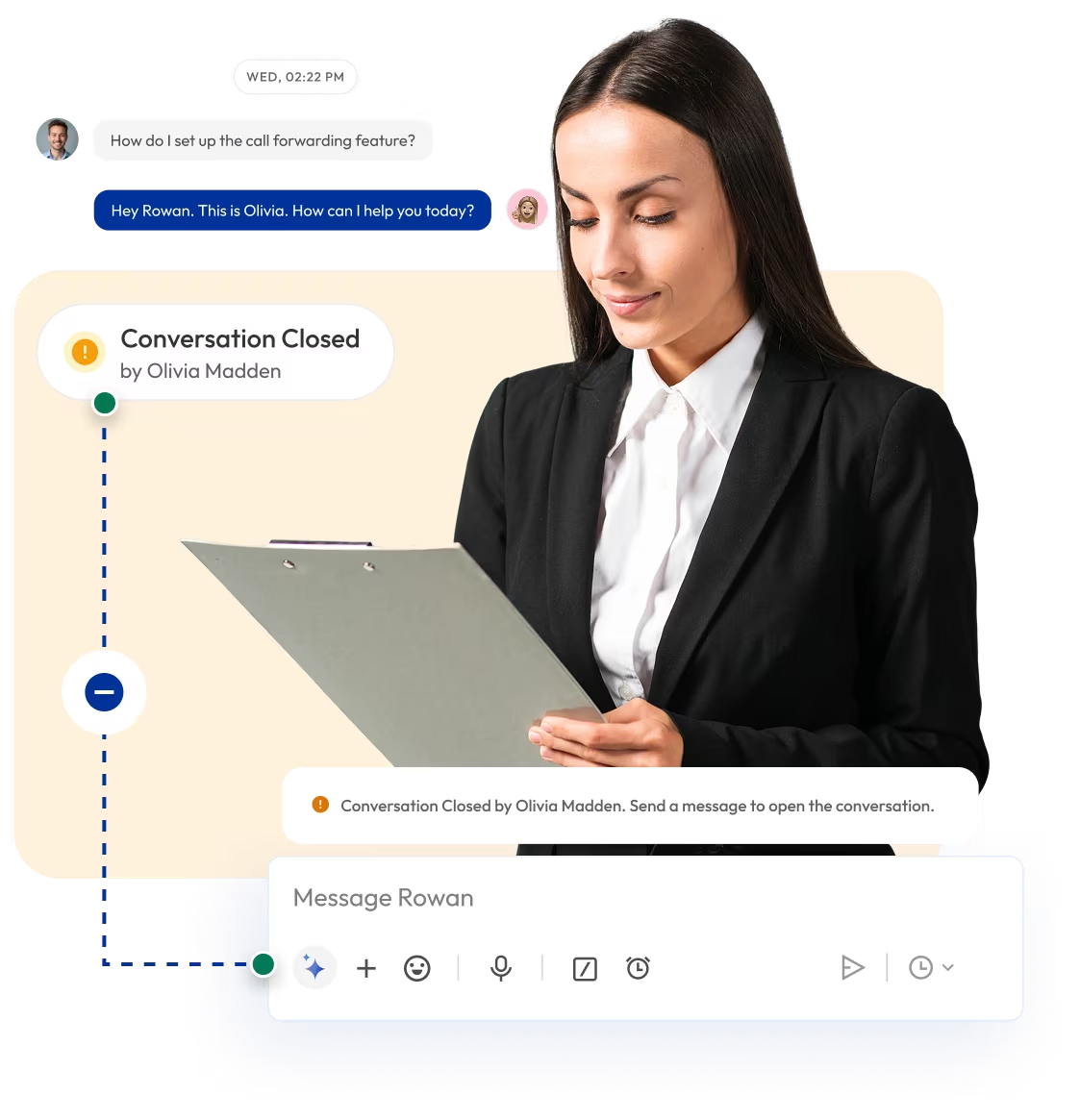




Mark Conversations as Closed to Clear Outdated Threads
Mark completed conversations as Closed. Close finished calls and messages with one click and keep your workspace clean, organized and clutter-free. With Calilio’s Mark as Closed feature, you can clear outdated threads and separate resolved interactions from active ones.

Telephony Partner of 1000+ Businesses Worldwide
Get a Virtual Number to Manage Conversations in One Place
Virtual phone numbers from Calilio allow your team to make and receive calls, SMS, and voicemails over the internet from one unified dashboard. Every interaction appears inside your callbox, where you can manage, track, and mark conversations as closed once they’re resolved.
Your first US or Canada local number is free 🤑 —
Claim Today
Some Numbers May Require Proof Of ID And Address Registration According To Local Laws.
Some Phone Numbers May Not Be Available Through This Search, As They Are Not Generally Offered To Customers. These Numbers Are Available On Order Request. Please Contact Support To Request Them.
Also, you can port your existing number to Calilio, and use the number for outbound calling —Port Your Number Now!

How to Mark a Conversation as Closed on Calilio?
When a team member opens a chat or call, their name is displayed for visibility. Once the issue is resolved, you can mark it as closed. Closed conversations move to the Closed Conversation tab — and can be reopened anytime by selecting Mark as Open.
Get StartedStep 1
Log in to your Calilio account and open the Unified Callbox.
Step 2
Select the contact or conversation you want to review (call, SMS, or voicemail).
Step 3
You can see which member opened or handled the conversation.
Step 4
Once the customer’s issue or request is resolved, click the Mark as Closed button at the top right.
Step 5
The conversation moves to Closed Conversations.
Step 6
To reopen, go to Closed Conversations, select the thread, and click Mark as Open.
Who Is Calilio Useful For?
Calilio is ideal for teams and businesses that handle a high volume of calls and SMS and need a clear view of what’s resolved versus what’s pending. Its Mark as Closed feature helps teams stay organized, reduce clutter, and maintain accountability across business interactions.
Integrate Calilio Cloud Phone System with CRM & Business Tools
You can integrate Calilio with your existing CRM and business tools to keep your conversations and task records perfectly aligned. Every time a conversation is marked as closed, it can automatically sync with your connected CRM.
Zapier
Automation
Pipedrive
CRM
Pabbly Connect
Automation
LeadHeed
CRM
HubSpot
CRM
Salesforce
CRM
Mailchimp
Marketing
Krispchat
Sales Automation
Zendesk
Helpdesk
Request Integration
Calilio’s Pricing Plans
Calilio helps businesses of every size manage conversations efficiently and maintain a clutter-free workspace. Whether you’re a small team or a large enterprise, you can organize calls, SMS, and voicemails easily while tracking resolution and performance.
Premium Plan
$28 Per user/per month
billed annually at $336
Everything in the Standard Plan, plus:
- All Standard Plan Features
- Unlimited Users
- Advance ReportingComing Soon
- Live Call Monitoring
- Detailed Realtime Dashboard
Enterprise Plan
Custom
Everything in the Premium Plan, plus:
- Queue Call BackComing Soon
- All Call Strategy Features
- Dedicated Account Manager
- Phone and WhatsApp Support
Frequently asked questions
What does “Mark as Closed” mean in Calilio?
“Mark as Closed” allows you to close a conversation once an issue or query has been resolved. It helps you separate active interactions from completed ones.
How do I mark a conversation as closed on Calilio?
Can I reopen a closed conversation?
Does closing a conversation delete it?

Still have questions?
Can’t find the answer you’re looking for? Please chat with our friendly team.
Enter the World of AI Business Phone System with Calilio
Improve your business operation with Calilio's advanced virtual phone system. Join today for a better way to connect.
Phone numbers
Get International Phone Numbers
Singapore
|Australia
|New Zealand