



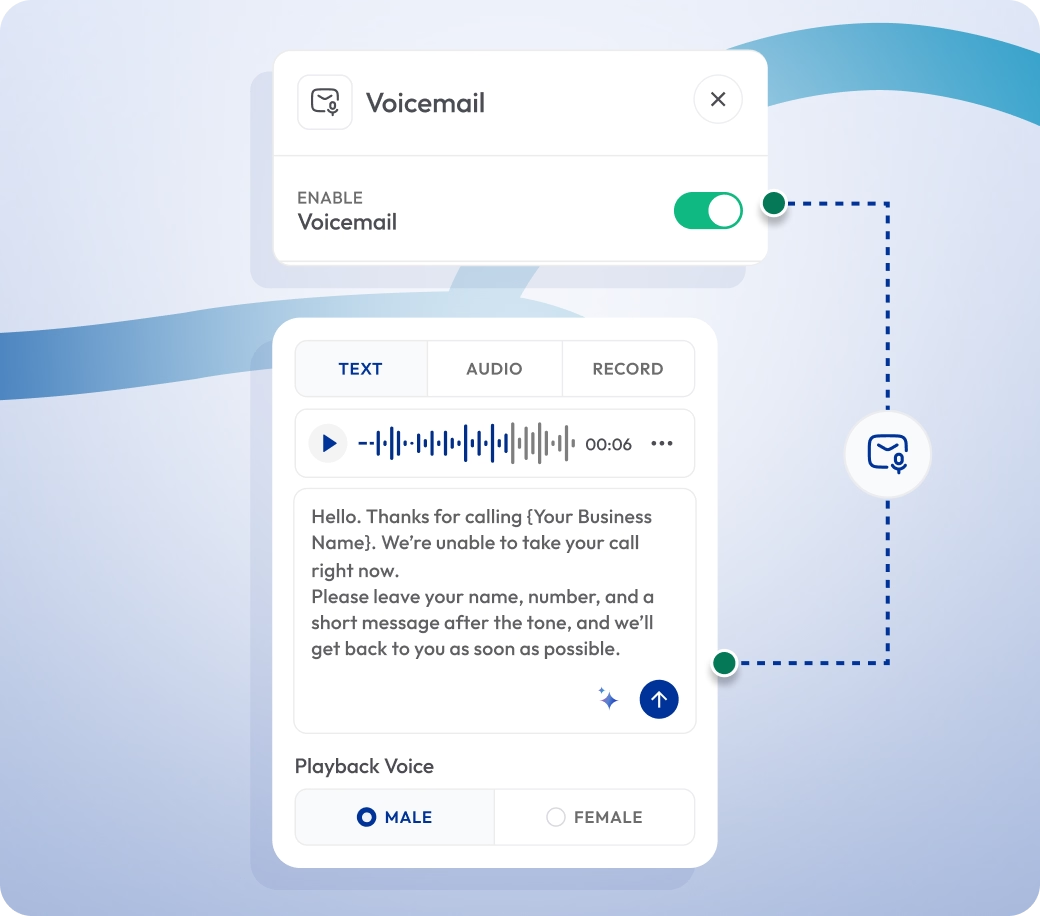
Visual Voicemail for Smarter Message Management
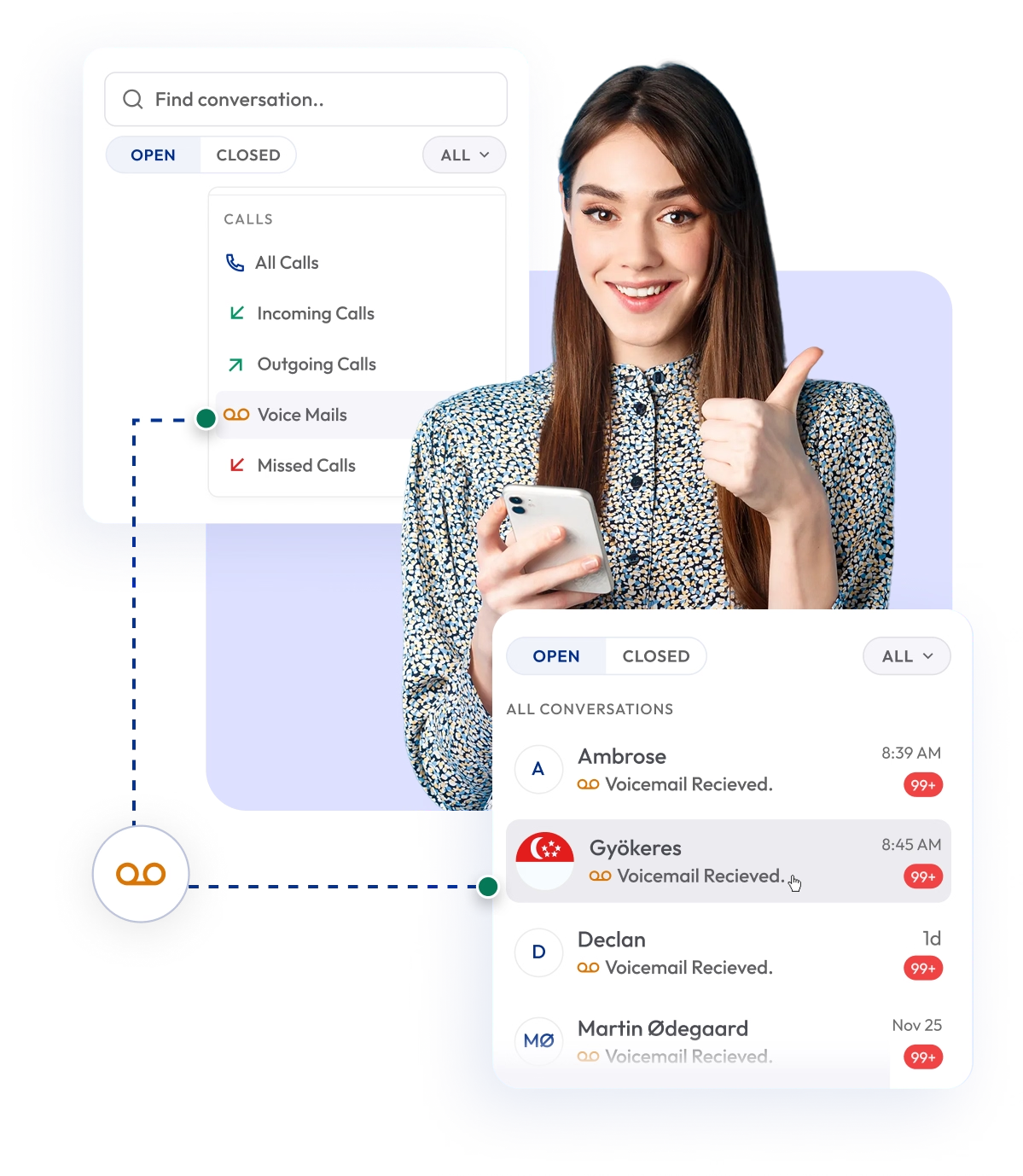
Calilio’s visual voicemail app organizes all your voicemails in one place — filter unread voicemail messages and manage them from our secure voicemail box.
You can view, listen to or read transcribed voicemails on any device (iPhone, Android and PCs) with our cloud-based phone system.

Telephony Partner of 1000+ Businesses Worldwide
Get a Virtual Phone Number with Visual Voicemail
Calilio provides virtual phone numbers to send and receive voicemails from anywhere. Get local, mobile and toll-free numbers from 100+ countries.
You can read, listen to, or download your voicemail messages from the visual voicemail inbox of your virtual phone system.
Your first US or Canada local number is free🤑 — Claim Today!
Some Numbers May Require Proof Of ID And Address Registration According To Local Laws.
Some Phone Numbers May Not Be Available Through This Search, As They Are Not Generally Offered To Customers. These Numbers Are Available On Order Request. Please Contact Support To Request Them.
Also, you can port your existing number to Calilio, and use the number for outbound calling —Port Your Number Now!

How to Get Visual Voicemail on Calilio?
First, sign up for Calilio to get a cloud telephony system with visual voicemail service. Then purchase or port your number to make and receive phone calls — when you miss a call and the caller leaves a voicemail, you can access it from the voice mailbox.
Get StartedStep 1
Create your Calilio account or log in to your dashboard.
Step 2
Go to Settings > My Numbers to buy or port a number.
Step 3
Once activated, hover over the three-dot [⋮] besides the number.
Step 4
Go to Number Settings and scroll down, and toggle on Voicemail.
Step 5
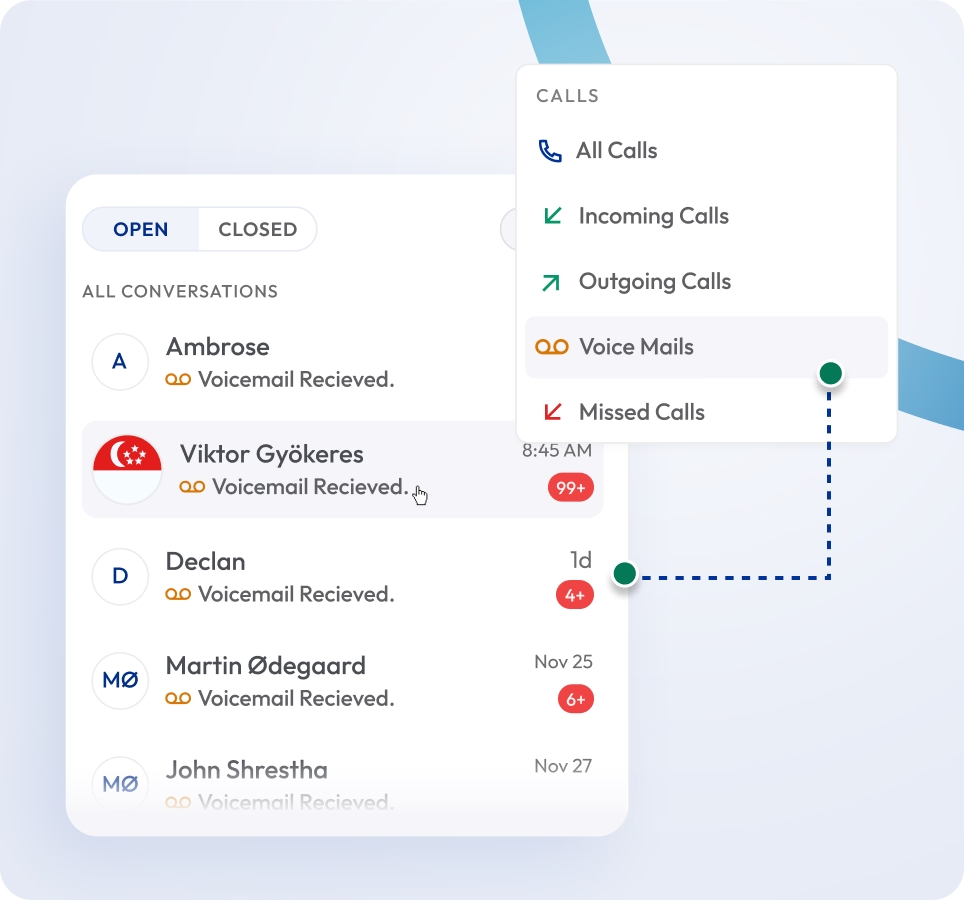
Now, when you receive voicemails, you can filter them from the call box.
Step 6
Click the dropdown All Conversation and select Voice Mail to access visual voicemail.
Voicemail Transcription
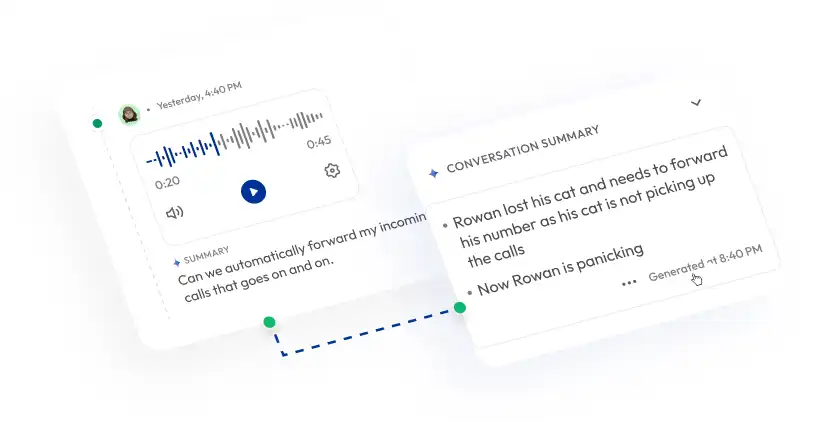
Get AI-powered voicemail-to-text transcriptions. Read your voicemail messages without listening to the audio.

Shared Voicemail Access
Allow team members to access shared visual voicemail inboxes. It ensures faster response — no messages are missed or delayed.
Voicemails in the Cloud
Keep all your voicemail messages securely stored in the cloud. Access and download them anytime without worrying about storage limits or device loss.
What Is Visual Voicemail?
Visual Voicemail is a telephony feature that allows users to view, manage, and listen to their voicemail messages in a visual format on their phone, rather than dialing into a voicemail system.
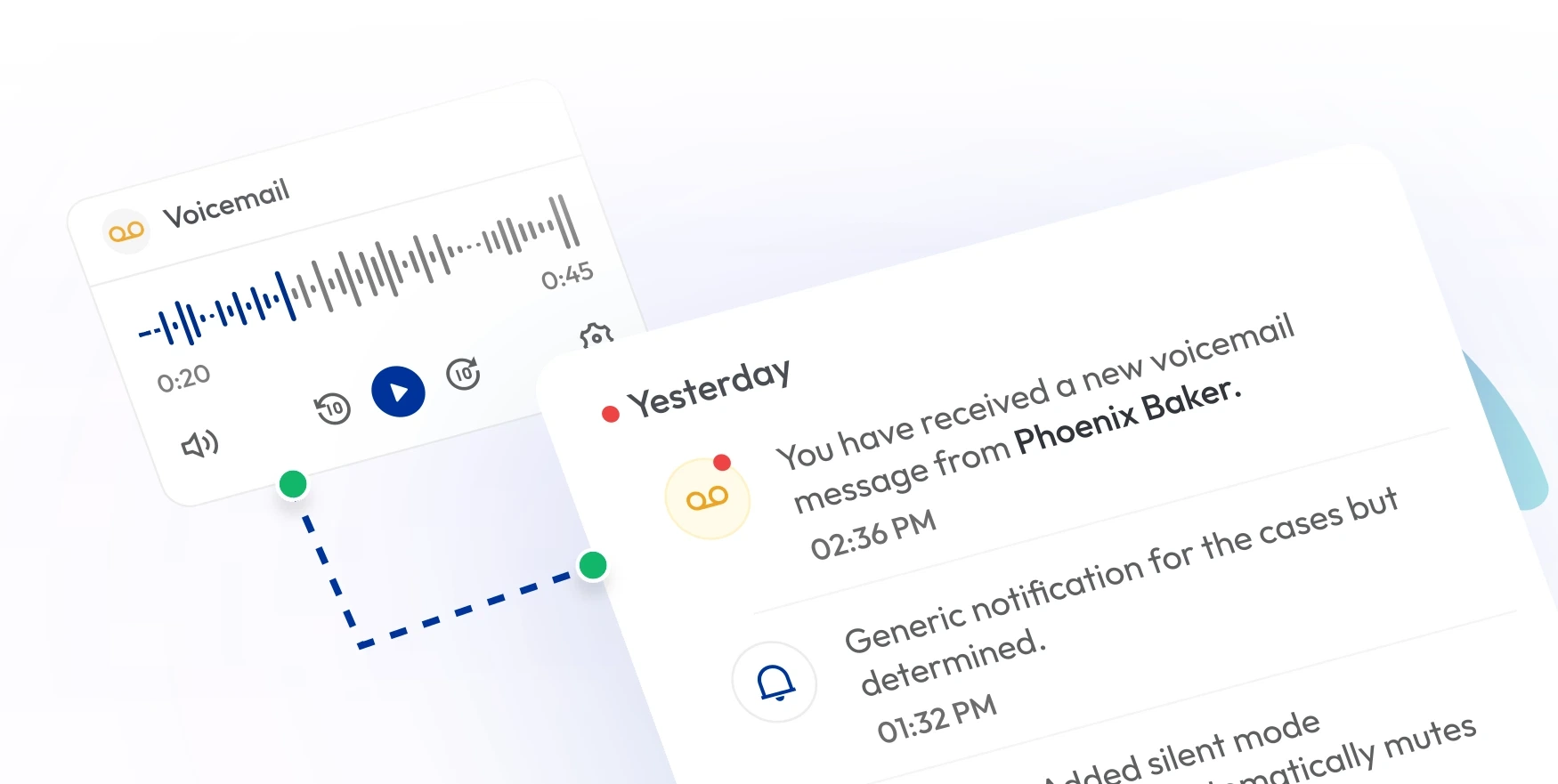
Instead of dialing in, you can view a list of all voicemail messages—each showing the caller’s name, number, timestamp, and a text preview or transcription of the voicemail. You can play, pause, delete, or save messages in any order from your dashboard.

How Does Visual Voicemail Work on Calilio?
Visual Voicemail works by converting voicemail messages into a digital format that can be accessed directly through an app or phone interface. Once a voicemail is received, it is stored on the server, and users can see a list of messages, listen to them in any order, and delete or save them as needed without dialing into a voicemail system..
- When you miss a call, Calilio records the voicemail.
- Calilio transcribes the voicemail to text using AI.
- All voicemails and transcripts are securely stored in the cloud.
- Visual voicemail shows your voice messages with the caller's name, number, timestamp, and a text snippet.
- You can play, pause, or delete voicemails from your dashboard.

Who Can Use Visual Voicemail?
Visual Voicemail is designed for every business that wants to handle missed calls more efficiently. Whether it’s sales, support, or administration, visual voicemail service from Calilio helps teams stay connected, informed, and responsive.
Integrate Visual Voicemail with CRM & Business Tools
Calilio integrates visual voicemail with your existing CRM and business applications, keeping all customer messages organized and accessible from one platform. Connect Calilio with 2,000+ productivity tools.
Zapier
Automation
Pipedrive
CRM
Pabbly Connect
Automation
LeadHeed
CRM
HubSpot
CRM
Salesforce
CRM
Mailchimp
Marketing
Krispchat
Sales Automation
Zendesk
Helpdesk
Request Integration
Best Practices for Managing Business Voicemails
Managing voicemails efficiently helps your team stay responsive and maintain professional communication. With Calilio’s visual voicemail app, following a few best practices ensures that no message is missed, delayed, or overlooked.
Do’s
Review new voicemails throughout the day to maintain fast response times.
Read voicemail messages instantly and prioritize urgent ones.
Create a clear, friendly greeting that informs callers about availability.
Assign numbers to multiple users and share access of visual voicemail for faster response.
Dont’s
Don’t ignore missed calls – Delayed responses can lead to lost opportunities.
Don’t use generic greetings – A personalized message improves your company’s image and builds trust.
Don’t leave voicemails unorganized – Regularly delete, label, or archive messages to keep your inbox clean.
Don’t rely only on audio – Always use transcription to save time and improve accessibility.
Calilio’s Pricing for Business Phone System with Visual Voicemail
Calilio offers flexible and scalable VoIP pricing plans that include AI telephony features and visual voicemail in every tier — starting from $15 per month.
Premium Plan
$28 Per user/per month
billed annually at $336
Everything in the Standard Plan, plus:
- All Standard Plan Features
- Unlimited Users
- Advance ReportingComing Soon
- Live Call Monitoring
- Detailed Realtime Dashboard
Enterprise Plan
Custom
Everything in the Premium Plan, plus:
- Queue Call BackComing Soon
- All Call Strategy Features
- Dedicated Account Manager
- Phone and WhatsApp Support
Frequently asked questions
What’s the difference between visual voicemail and regular voicemail?
Traditional voicemail requires you to dial in and listen to each message in order. Visual voicemail displays all your messages—with a text preview—in an inbox, allowing you to read, listen to, or delete in any order.
How do I turn on visual voicemail on Calilio?
Should visual voicemail be on or off?
Is visual voicemail free on Calilio?
Do I really need visual voicemail?
Is visual voicemail an app?

Still have questions?
Can’t find the answer you’re looking for? Please chat with our friendly team.
Enter the World of AI Business Phone System with Calilio
Improve your business operation with Calilio's advanced virtual phone system. Join today for a better way to connect.
Phone numbers
Get International Phone Numbers
Singapore
|Australia
|New Zealand
