


Rated 4.6 out of 5 with 125+ reviews

Bulk SMS Service for Your Business Campaigns

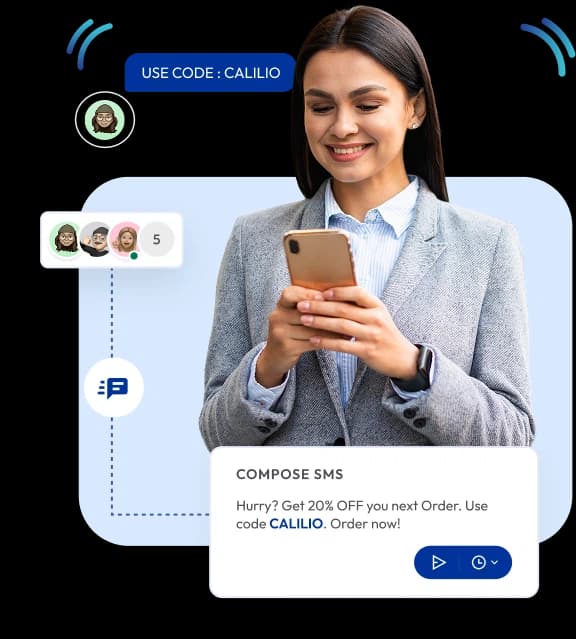
Write one message and reach your whole list at once. Send it now, schedule it for a timezone, or set it to repeat — and watch every campaign’s status and delivery summary as it goes out.

  • Create one-time or recurring campaigns from a single Compose SMS screen.
  • Schedule a send in another location’s timezone, so it lands in their working hours.
  • Import contacts from a CSV or Excel file, your CRM, or numbers added by hand.
  • Duplicate numbers are removed across every source before a campaign sends.
  • Track every campaign by status and delivery summary, and pause or stop it mid-send.
Set up in 5 minutes
No PBX required.
14-day money-back guarantee

Telephony Partner of 1000+ Businesses Worldwide

adgs logoexpress carpet repairsleveraged and equity logoaaxiom infotech logofencyx logocartechstudio logoadgs logoexpress carpet repairsleveraged and equity logoaaxiom infotech logofencyx logocartechstudio logo

Definition

What Is Bulk SMS?

Bulk SMS means sending one text message to a large list of contacts at once, instead of opening a conversation with each person in turn. It is how businesses send appointment reminders, service updates, offers and follow-ups without tying up a person for an afternoon.

On Calilio it works as part of the phone system rather than as a separate marketing tool. Campaigns send from your business number, duplicates are removed before anything goes out, and every reply lands in the same shared inbox as your calls.

Why Teams Stop Texting One Contact at a Time

Messaging a list by hand is slow, and the errors are the expensive part — the customer texted twice, the reply nobody saw, the message that went out at the wrong hour.

Texting a list by hand

Sending the same message one contact at a time.

Resending the same weekly reminder by hand, every week.

The same person texted twice from two different lists.

No way to tell whether a message actually got delivered.

A mistake in a message that is already sending, and no way to stop it.

Someone has to be at a desk to send at the right hour.

Contact lists living in spreadsheets nobody trusts.

With Calilio Bulk SMS

Bulk campaigns send one message to an entire list in a single action.

Recurring campaigns repeat a message on a schedule instead of resending it by hand.

Duplicate prevention removes repeated numbers across every source before sending.

Delivery summary & statuses show exactly what sent, what is scheduled and what failed.

Pause, resume & terminate let you stop a campaign that is already in progress.

Date, time & timezone scheduling runs the send unattended, in the right region’s hours.

CSV, Excel & CRM import builds lists from the systems you already keep contacts in.

Setup Process

How Do You Send a Bulk Sms Campaign?

Five steps from an empty campaign to a scheduled send. Most of the work is the list, and Calilio handles the part people get wrong.

1

Open Bulk Messaging
Select Bulk Messaging from the sidebar to see your campaigns, then choose Compose Message.

2

Name it and pick your number
Give the campaign a name and choose which of your business numbers it sends from.

3

Add your recipients
Add numbers directly, search your contacts, or import a CSV or Excel file — duplicates are removed automatically.

4

Write the message
Compose the text, add a personalisation token such as {Name}, and check the live preview and character count.

5

Send, schedule or set it recurring
Send now, schedule it for a date, time and timezone, or make it a recurring campaign — or save it as a draft.

Shared Inbox

A Campaign That Gets Replies Needs Somewhere for Them to Go

This is where bulk SMS usually falls apart. A message goes out to a thousand people, forty of them reply, and the responses pile up somewhere nobody is watching. Because Calilio sends from your business number, every reply comes back into the same inbox as your calls.

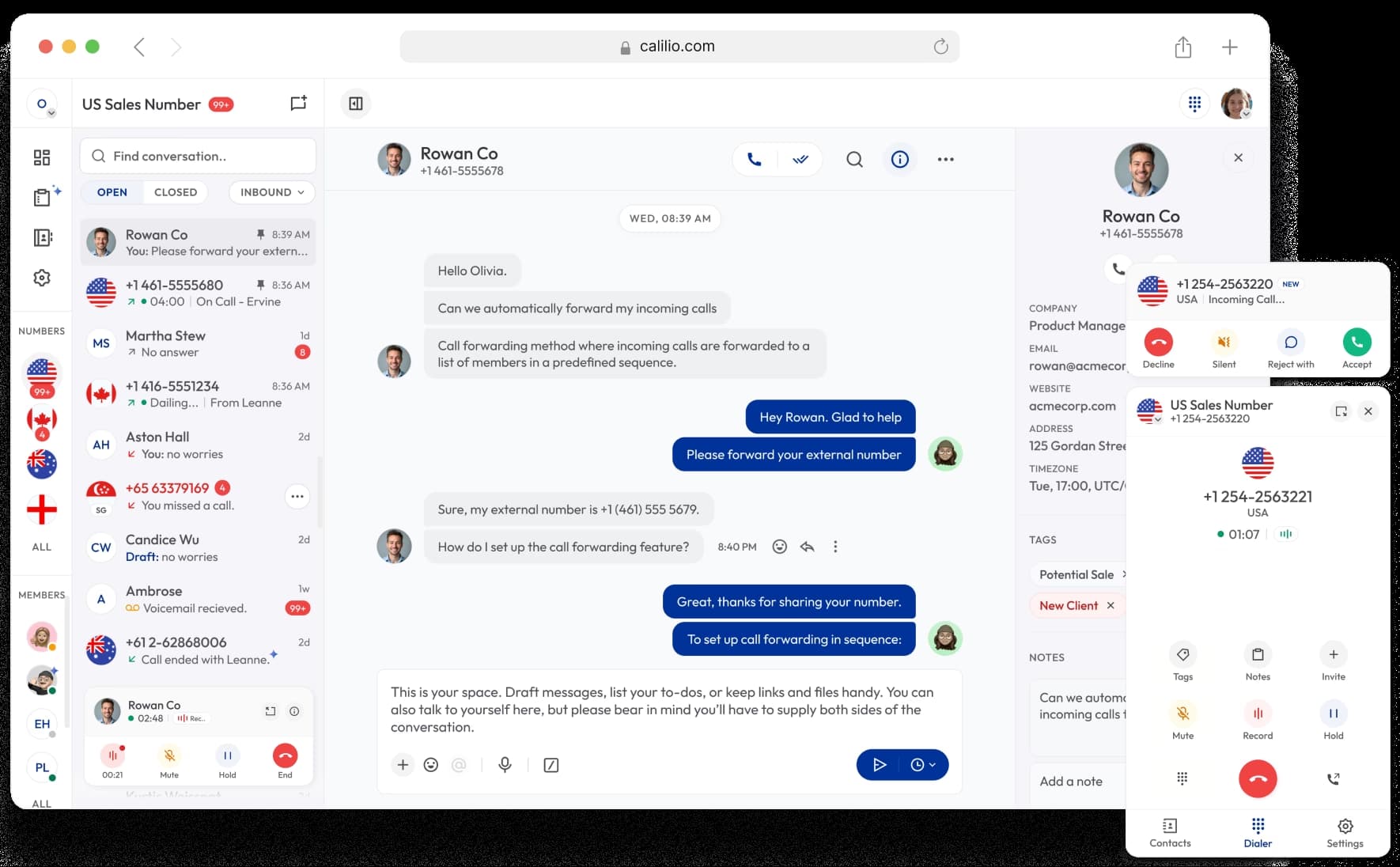
  • Every reply arrives in the same inbox as your calls and voicemails.
  • One thread per contact, with the full history of messages and calls.
  • Any team member can pick up a conversation — replies do not sit on one phone.
  • Saved replies handle the responses that come back most often.
all in one communication channel

One thread per contact — messages and calls together

Schedule Campaigns

Schedule a campaign in another location's timezone

You no longer have to do the time maths yourself. When you schedule a bulk SMS, pick the timezone of the place you are messaging rather than the one you are sitting in. Calilio converts it and sends at the right local moment.

A team in London can set a campaign for 9:00 AM in New York and go home. Nobody has to be awake for the send, and the message still lands at the start of the recipient's working day.

Call center software overview

Who Uses It

Built for Any Team with a List to Reach

If you send the same message to the same kind of contact regularly, bulk SMS removes the part of the job nobody wants to do.

Appointment-based Businesses

Send reminders the day before and cut no-shows without anyone making calls.

Customer Support

Tell every affected customer about an outage or delay before they call to ask.

Retail & Services

Announce an offer, a new opening hour, or a seasonal change to your customer list.

Sales Teams

Follow up a list of prospects with one message, then take the replies as conversations.

Recruiters & Agencies

Reach a shortlist of candidates at once and handle the responses in one inbox.

Operations & Logistics

Confirm deliveries, collection windows and schedule changes in bulk.

Select Plan

Bulk SMS Is Included — Pick the Plan That Fits Everything Else

Campaigns, contact import, duplicate prevention and scheduling come with every Calilio plan. The plans differ on outbound SMS allowance and the calling tools around them.

★

Save 20% on annual plan

Free 300 minute call offer

Standard

$15SAVE 20%
$12User/Month

billed annually ($144/year)

Ideal for solopreneurs, startups, and small businesses.

Value: $12.52

Free Calls & SMS/MMS

200 outgoing minutes & 100 incoming minutes

Worth:$3.56+$1.57

100 outbound SMS & 100 inbound SMS

Worth:$1.08+$1.08

FeatureFree MinWorth
Call Recording100$0.30
Call Storage100$0.08
AI Transcription10$0.35
AI Voice Agent10$2.50
+1 Free phone number$2.00

Get Started with:

  • User Limit: 10
  • Free 1 Local Number
  • Phone Number Sharing
  • Ring Strategies
  • Buy or Port Virtual Numbers
  • Internal Team Communication
  • Call Forwarding
  • Call Recordings
  • Basic Call Analytics
Get Started
Free 1500 minute call offer

Premium

$35SAVE 20%
$28User/Month

billed annually ($336/year)

Ideal for growing businesses, franchises, and call centers.

Value: $59.74

Free Calls & SMS/MMS

1000 outgoing minutes & 500 incoming minutes

Worth:$17.80+$7.84

500 outbound SMS & 500 inbound SMS

Worth:$5.40+$5.40

FeatureFree MinWorth
Call Recording1000$3.00
Call Storage1000$0.80
AI Transcription100$2.50
AI Voice Agent100$15.00
+1 Free phone number$2.00

Everything in the Standard Plan, plus:

  • Unlimited Users
  • IVR, Business hours
  • Power dialer, Call disposition
  • Live Call Monitoring
  • Bulk SMS
  • Saved Replies
  • Call Transfer
  • AI-powered Call Analytics
  • 24/7 customer support
Get Started
Free 300 minute call offer

Enterprise

Custom Plan

for your business telephony

Large organizations and enterprises can get a customized plan based on feature requirements and higher usage. Pay only for what you use.

Custom additional add-ons package monthly per user.

Everything in the Premium Plan, plus:

  • Dedicated Account Manager
  • Developer Support
  • Phone and Whatsapp Support
  • Additional Free Calls/SMS
  • API and Webhook AccessComing Soon
Contact Sales
Your subscription only covers the plan and includes a complimentary $1 credit. When your free calls & SMS bundle is used up, calling charges are deducted from your wallet. Once your $1 credit is finished, you must load your wallet to make and receive calls/SMS. Phone numbers and call & SMS charges are billed separately.
FAQs

Frequently asked questions

What is bulk SMS?

Bulk SMS means sending one text message to a large list of contacts at the same time, rather than messaging each person individually. On Calilio you build the list, write the message once, and the campaign sends to every unique number on it.

How do I add contacts to a bulk SMS campaign?

How does duplicate number prevention work?

Can I schedule a bulk SMS campaign for later?

What number do bulk messages come from?

Where do replies go?

Is bulk SMS included in my plan?

Do I need consent to send bulk SMS?

Avatar Group

Still have questions?

Can’t find the answer you’re looking for? Please chat with our friendly team.

Related Features

Reach Your Whole List in One Send

Upload your contacts, schedule the campaign, and let duplicate prevention run before it sends. Included on every plan, with a 14-day money-back guarantee.