
What is Call Disposition? Key Benefits & Use Cases


Every call with a customer or prospect ends with a result, but if that result isn’t recorded clearly, it becomes difficult to act on it later.
Call disposition provides businesses with a structured way to categorize the outcome of each call. This helps to streamline follow-up actions and measure the success of customer interactions.
In this blog, we’ll explore what call disposition is, how it works and its key benefits. We’ll also cover common use cases and how a call disposition strategy can enhance team efficiency.
Highlights:
Call disposition is a short label or tag assigned to a phone call after it ends to describe its final outcome.
Call dispositions can be system-generated or agent-generated, depending on how the call outcome is recorded.
It is essential for businesses to standardize the logging of call outcomes, which results in improved CRM data, faster follow-ups, and actionable insights into agent performance.
To use call dispositions effectively, keep categories simple, train agents regularly, automate with system-generated dispositions, and monitor data for insights.
What Is Call Disposition?
Call disposition is a way of categorizing the outcome of a phone call after it has ended. It’s like assigning a label, tag or value to each call to describe what happened, whether it’s a successful interaction, a missed call, or a voicemail. This labeling process helps businesses keep track of customer interactions by turning each call’s result into easy-to-understand information.
By using call disposition, teams can quickly identify what happened during each call and determine the next steps, avoiding reliance on memory or scattered notes. This systematic approach ensures that sales, support, and other customer-facing teams consistently record and manage call outcomes.
How Does Call Disposition Work?
Call disposition records the result of a call immediately after it ends. Agents select a predefined or custom label, such as “Answered,” “Voicemail,” or “Follow-Up Needed,” which is logged in the system for that contact.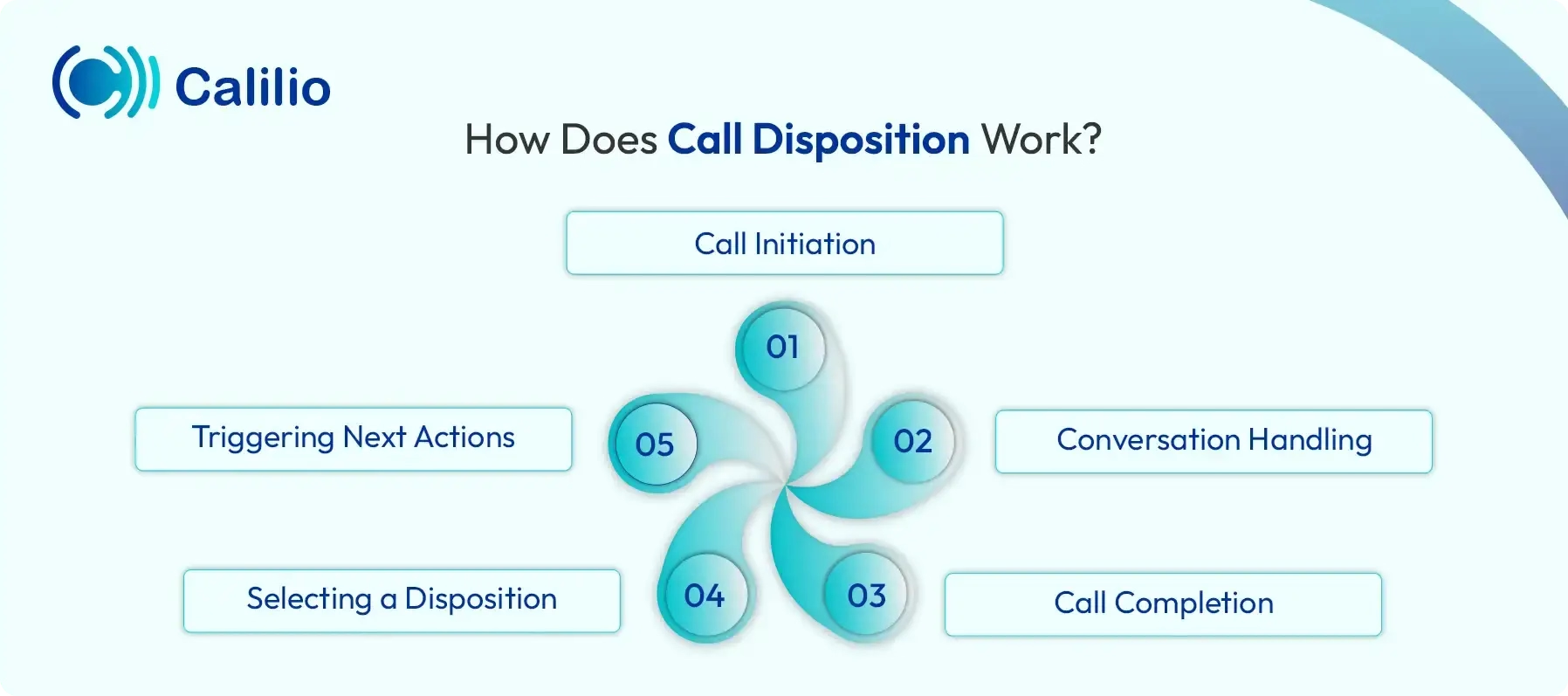
- Call Initiation: The process starts when an agent either gets an incoming call from a customer or makes an outgoing call to a prospect using a business phone system.
- Conversation Handling: When an inbound call comes in, the agent picks up and engages with the caller, addressing their questions or concerns. For outbound calls, the agent attempts to connect with the prospect and deliver the intended message. In some cases, the call is answered; in others, it may go unanswered or to voicemail.
- Call Completion: Once the conversation ends or the call attempt is finished, the agent moves on to categorize the outcome of the interaction.
- Selecting a Disposition: The agent or the system selects the most appropriate disposition code, such as “Follow-Up Needed,” “No Answer,” “Voicemail Left,” or “Issue Resolved.”
- Triggering Next Actions: Based on the disposition category, follow-up tasks, reminders, or automated workflows can be initiated.
What are the Types of Call Disposition?
The types of call disposition are System-generated Call Disposition and Agent-generated Call Disposition based on the generation method. In addition to these, call dispositions can be grouped into standard business categories, which are Issue Resolved, Follow-up Needed, No Answer, Sale Closed, Lead Converted, and Voicemail Left.
1. Generation Method
Call dispositions can be classified based on how they are created, either automatically by the system or manually by the agent.
- System-generated Call Disposition: These dispositions are automatically applied by the phone system or call center software based on technical outcomes of the call. For example: Busy Signal, No Answer, Abandoned in Queue, or Disconnected/Fax Machine. They help identify calls that did not reach a live person.
- Agent-generated Call Disposition: These dispositions are manually chosen by the agent after a call to describe the outcome of the conversation. Common examples include Issue Resolved, Not Interested, or Demo Scheduled.
2. Standard Business Categories
Call dispositions can also be grouped into standard business categories for both inbound and outbound calls.
For Inbound Calls
- Issue Resolved: The customer’s query or problem was fully addressed.
- Escalated: The issue needed to be forwarded to a higher-level team.
- Pending Response: The agent needs more information before resolving the issue.
- Complaint Registered: The customer reported a complaint or concern.
- Service Inquiry: The caller asked for details about a service.
- Follow-up Needed: The issue was discussed, but another call or action is still required.
- Call Dropped: The call was disconnected before resolution.
- Order Status Inquiry: The caller contacted the business to check the status of an order or request.
- Billing Inquiry: The caller asked about charges, payments, invoices, or refunds.
- Technical Support Needed: The caller reported a technical issue and needed troubleshooting help.
- Wrong Department: The call reached the wrong team and needed to be transferred.
- Spam or Irrelevant Call: The call was unrelated to business needs or was not a genuine customer inquiry.
- Appointment Scheduled: The call ended with a meeting, demo, or service appointment being booked.
For Outbound Calls
- Lead Converted / Sale Closed: The call resulted in a successful sale or conversion.
- Follow-up Required: The prospect showed interest but needs further communication or information.
- Not Interested: The prospect declined the offer or was not interested.
- No Answer: The call was not picked up by the recipient.
- Voicemail Left: The call reached voicemail, and a message was left.
- Wrong Number / Invalid Contact: The number dialed was incorrect or no longer in service.
- Call Back Requested: The prospect asked to be contacted at a later time.
- Information Provided: The agent shared the requested details, but no immediate conversion occurred.
- Lead Not Qualified: The prospect did not meet the criteria for further engagement.
Organize Every Customer Interaction with Call Notes, Tags, and Dispositions!
Why Does Your Business Need Call Disposition?
Call disposition provides clear tracking of interactions, enabling follow-ups and better productivity. It also supports data-driven decisions, enhances customer experience, and allows managers to evaluate team performance accurately.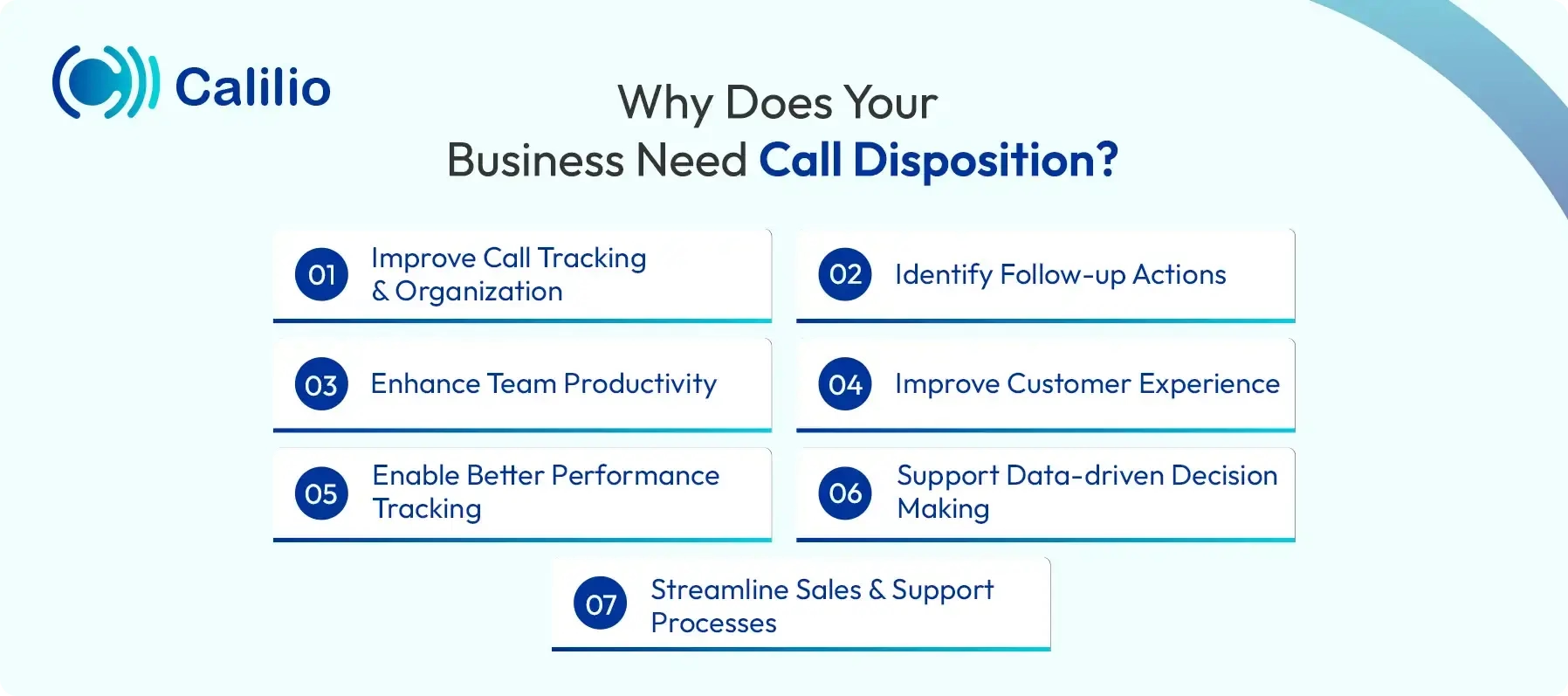
- Improve Call Tracking and Organization: Call disposition helps businesses keep a clear record of every call outcome. This makes it easier for teams to understand past interactions and avoid confusion. As a result, no important detail gets overlooked.
- Identify Follow-up Actions: It allows agents to clearly track what needs to be done after a call. Whether it’s scheduling a follow-up, sending additional information, or updating the customer’s request, it ensures the next step is well-defined and executed.
- Enhance Team Productivity: With clearly defined call outcomes, agents spend less time figuring out what to do next. This reduces repetitive work and improves overall productivity. Teams can focus more on meaningful interactions rather than managing scattered information.
- Improve Customer Experience: When call outcomes are properly recorded, customers don’t need to repeat the same information multiple times. Agents can quickly understand previous interactions and respond accordingly. This leads to faster call resolutions and better service.
- Enable Better Performance Tracking: Managers can use call disposition data to monitor agent performance and call success rates. It helps identify strengths, weaknesses, and areas for improvement. This makes performance evaluation more accurate and data-driven.
- Support Data-driven Decision Making: It provides valuable insights into customer behavior and call trends. Businesses can use this data to refine strategies and improve communication processes. It helps in making informed decisions rather than relying on guesswork.
- Streamline Sales and Support Processes: By categorizing call outcomes, teams can easily manage leads and customer requests. Sales teams can track conversions, while support teams can monitor issue resolution.
Top Call Disposition Use Cases
Call disposition helps call centers, sales teams, and managers track call outcomes clearly, improving collaboration and customer interactions. It also adds context to reporting, enabling better performance analysis and informed decision-making.
1. Call Disposition in Call Centers
In both inbound and outbound call centers, call disposition helps teams stay aligned by clearly recording the outcome of every interaction. Instead of relying on manual updates or internal communication, agents can select a disposition that reflects what happened during the call, making it easy for others to understand the current status of each customer.
This also simplifies collaboration across teams. When a call is marked with a specific outcome, any agent can quickly review the history and continue the conversation without confusion. It reduces repetitive work and ensures a smoother, more consistent customer experience.
2. Call Disposition in Sales
For sales teams, call disposition offers a deeper understanding of both individual performance and team-wide trends. By categorizing call outcomes such as “Lead Converted,” “Not Interested,” or “Follow-up Scheduled,” sales managers can quickly identify which lead sources are the most productive and where challenges lie.
If call disposition reveals that many prospects are uninterested in the offering, this could indicate an issue with the sales pitch or lead qualification process. Sales managers can then analyze what top-performing sales reps are doing differently and use these insights to coach and improve the performance of others.
3. Call Disposition in Reporting
Call disposition adds depth to reporting by providing context behind every call. Instead of just tracking numbers like total calls or conversions, businesses can understand what actually happened during each interaction.
This leads to more accurate performance evaluation. For example, an agent who schedules more follow-ups or meaningful conversations may contribute more value than one who simply makes a higher number of calls.
Best Practices for Using Call Dispositions Effectively
Keep call disposition categories simple, train agents on proper usage, and allow time for accurate logging. Automate technical outcomes and regularly review data to track performance and improve follow-ups.
1. Keep the List Concise and Clear
Keep your call disposition categories simple, concise, and relevant. Too many categories can overwhelm agents and lead to inconsistencies in call logging. Ensure each category clearly describes the outcome of the call, making it easy for agents to select the right one quickly.
2. Use "After-Call Work" (ACW) Buffers
Allow agents some time after each call to properly log the disposition and take necessary notes. This After-Call Work (ACW) gives agents the opportunity to carefully document the call outcome without feeling rushed.
3. Train Agents on Proper Disposition Usage
Proper training is essential to ensure consistency in how call dispositions are selected or recorded. Make sure your agents understand the purpose of each disposition category and how to use them appropriately. Regular training sessions and clear guidelines will lead to accurate call outcomes.
4. Categorize by Call Direction
Differentiate between inbound and outbound calls by creating separate disposition categories for each. This helps clarify the nature of the interaction and allows teams to track performance based on call direction. For example, categories for inbound calls might include “Issue Resolved,” while outbound calls could include “Lead Qualified.”
5. Automate "System-Level" Dispositions
Many call management systems and VoIP (Voice over Internet Protocol) providers offer automation features for common technical outcomes. For example, system-generated dispositions like “Busy Signal,” “No Answer,” or “Disconnected” can be automatically logged by the system. This reduces the need for agents to manually select technical outcomes and ensures accurate tracking.
6. Monitor Data for Insights
Regularly audit your call disposition data to gain valuable insights into your team’s performance and customer interactions. By analyzing trends such as common reasons for missed calls or the frequency of certain outcomes, you can identify areas for improvement, optimize your processes, and develop strategies for better customer engagement.
Conclusion
Call disposition is an essential tool that helps businesses organize and track customer interactions. By categorizing call outcomes, businesses can simplify follow-ups, enhance customer service, and gain important insights into team performance.
This is where a business phone system like Calilio becomes relevant. Along with handling calls, Calilio helps teams document interactions through call notes, tags, and dispositions, so every conversation has proper context.
Summarize this blog with:
Frequently asked questions
What are the challenges associated with the call disposition list?
Challenges with call disposition lists include data inaccuracy due to improper agent usage, skewed metrics from vague options, and poor-quality data caused by too many choices.
What is disposition in a call center?
How can call disposition improve sales productivity?

Still have questions?
Can’t find the answer you’re looking for? Please chat with our friendly team.
Stay in the loop
Get the latest call insights, trends, and updates delivered straight to your inbox.
By subscribing, you agree to receive updates from Calilio.
You can unsubscribe anytime.
Enter the World of AI Business Phone System with Calilio
Improve your business operation with Calilio's advanced virtual phone system. Join today for a better way to connect.