
How to Get a Virtual Number for Clubhouse Verification?

Clubhouse is a popular audio-based social networking platform that requires users to verify their phone number during signup. However, many prefer not to use their personal number due to privacy concerns, multiple account needs, or regional limitations.
This is where a virtual number becomes useful, as it allows you to complete the verification process without exposing your real contact details.
In this guide, you will learn how to get a virtual number for Clubhouse verification. It also explains how to use it for sign-up and avoid common issues along the way.
Highlights:
Registering for Clubhouse using a virtual phone number helps protect your privacy and reduces the risk of spam and unwanted calls.
You can get a virtual number by choosing a reliable virtual number provider, selecting an SMS-enabled number, and completing the payment so it can be used to receive verification codes.
Calilio is a virtual number provider that lets you quickly get a number to receive verification codes, helping you complete your Tinder sign-up smoothly and without using your personal number.
Other virtual number providers you can also use for Clubhouse verification include Quo, 5SIM, SMS-MAN, Blacktel, and OnlineSIM.
Key Benefits of Using a Virtual Number for Clubhouse Verification
Using a virtual phone number for Clubhouse verification helps you protect your personal phone number and keep your private information secure. At the same time, it allows you to complete the signup easily, manage communication separately, and avoid unnecessary spam or unwanted contact.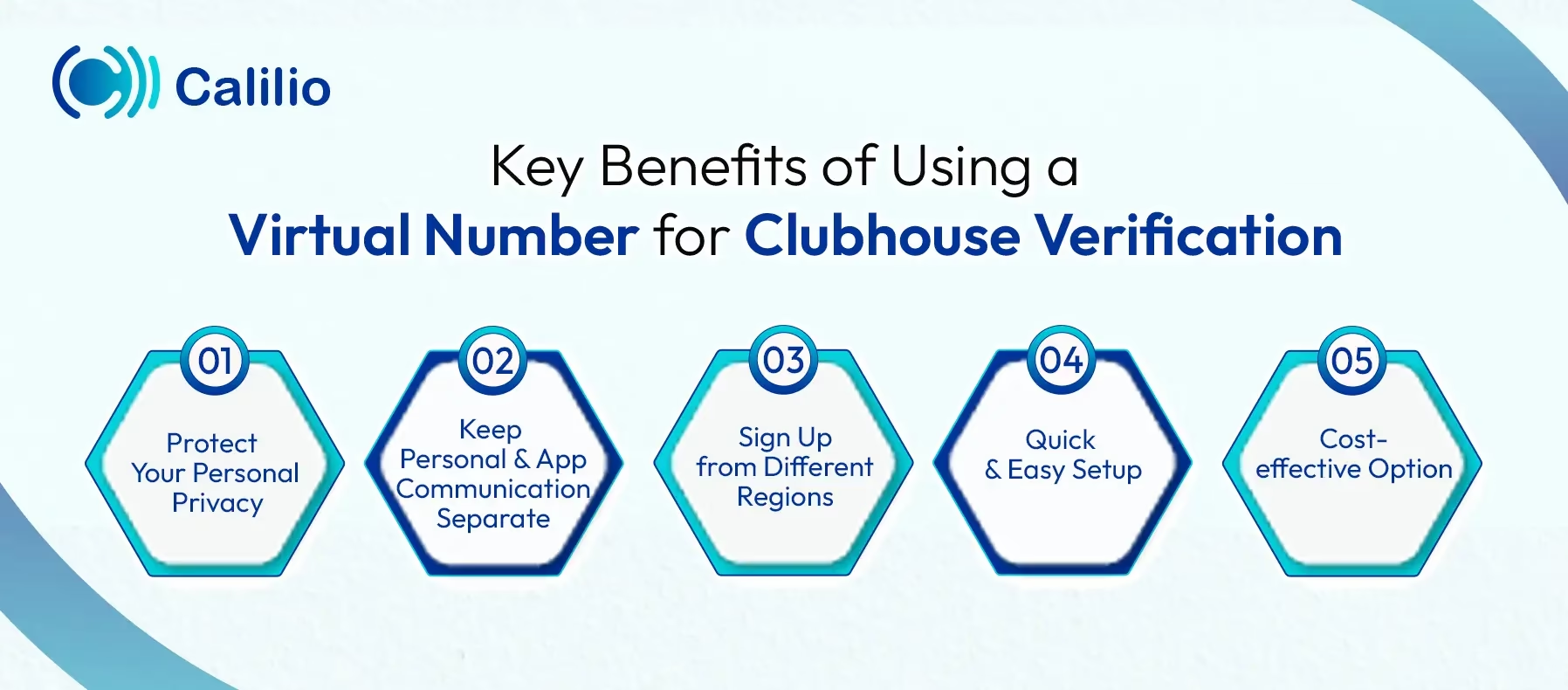
- Protect Your Personal Privacy: When you use a virtual number, you do not share your real phone number during signup. As a result, your personal contact details stay private and safe from unwanted access or misuse.
- Keep Personal and App Communication Separate: A virtual number helps you manage Clubhouse activity without mixing it with your daily calls or messages. This separation keeps your communication organized and easier to control.
- Sign Up from Different Regions: You can choose a number from another country based on availability. This makes it easier to complete verification if Clubhouse restricts access in your region.
- Quick and Easy Setup: You can get a virtual number within minutes without any complex steps. Once activated, you can use it immediately to receive OTP and complete your registration.
- Cost-effective Option: Virtual numbers are often more affordable than buying a new SIM card. This makes them a budget-friendly option for users who only need a number for verification purposes.
How to Get a Virtual Phone Number for Clubhouse?
To get a virtual phone number for Clubhouse, start by selecting a trusted provider, register using your email and required details, and pick a number that can receive SMS. After that, complete the payment and activation process so the number can be used to receive OTP codes for verification.
- Step 1 - Choose a Reliable Virtual Number Provider
Start by selecting a trusted virtual number provider that supports SMS verification. Make sure the provider offers numbers compatible with Clubhouse to ensure smooth OTP delivery. - Step 2 - Sign Up and Create an Account
Register on the provider’s platform using your email or required details. After signing up, you will gain access to a dashboard where you can manage and select virtual numbers. - Step 3 - Select a Phone Number
Browse available numbers and choose one based on your preferred country or region. Selecting the right region improves the chances of successful verification. - Step 4 - Purchase and Activate Your Number
Complete the payment process to purchase the selected number. Once activated, the number will be ready to receive OTP codes for Clubhouse sign-up.
Disclaimer: The delivery of OTP codes is managed by Clubhouse, not Calilio. Receiving the verification code depends on the application you are signing up for. Some service providers may not send OTPs to virtual numbers.
How to Get a Virtual Number from Calilio & Use it for Clubhouse?
To get a virtual number from Calilio, sign up with your basic details, choose a plan, select a number that can receive text messages, and make a payment. Then, enter this number on Clubhouse, receive the OTP, verify your account, and complete your profile setup.
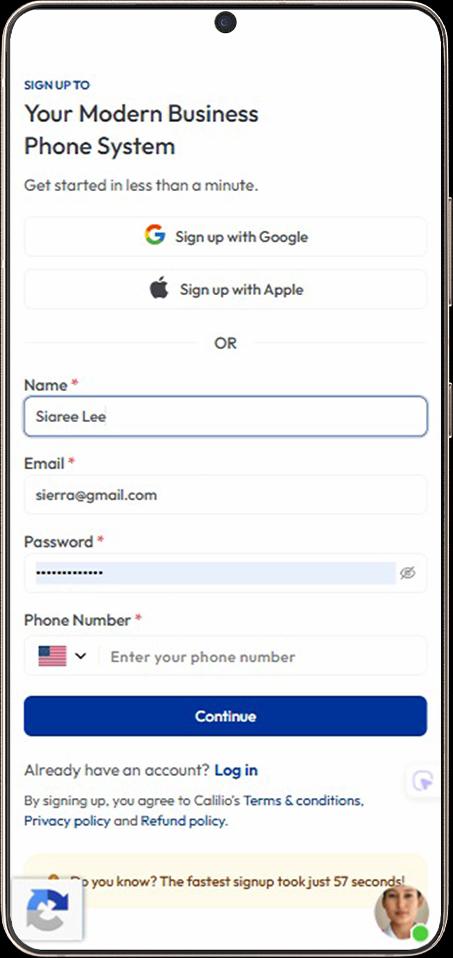
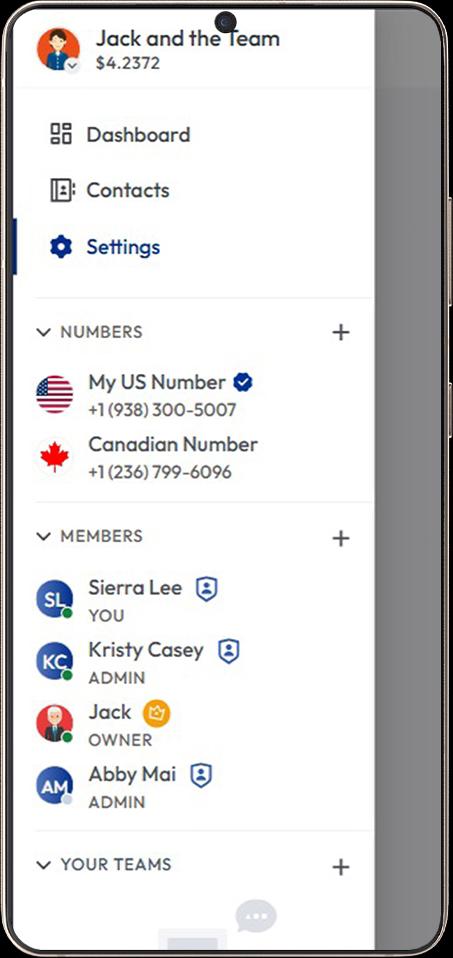
- Step 1 - Sign Up for Calilio: Create your Calilio account using your email and basic details, then select a suitable subscription plan.
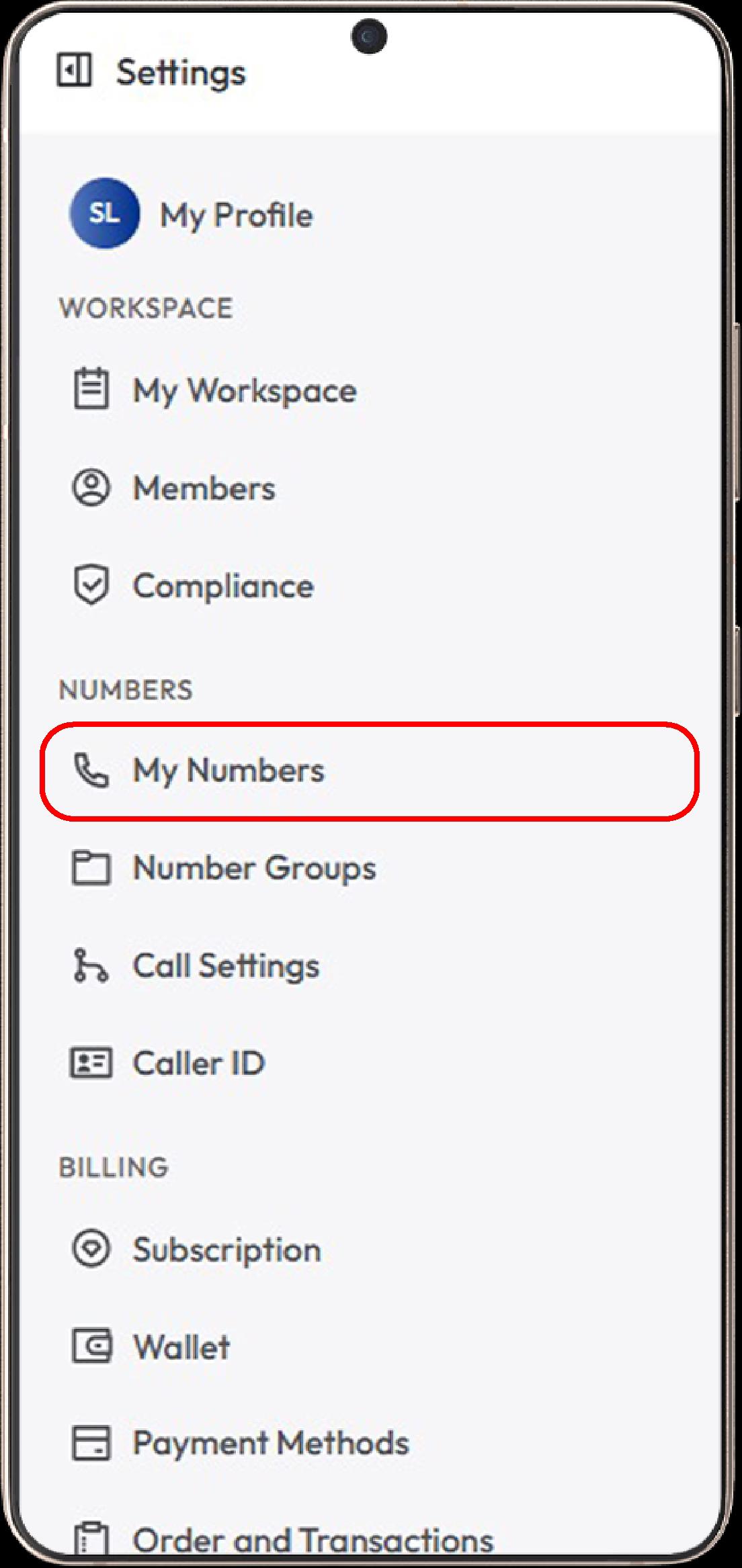
- Step 2 - Open the “My Numbers” Section: Go to Settings > My Numbers and click Add a New Number, or click the “+” icon beside Numbers in the left sidebar to purchase a new number.
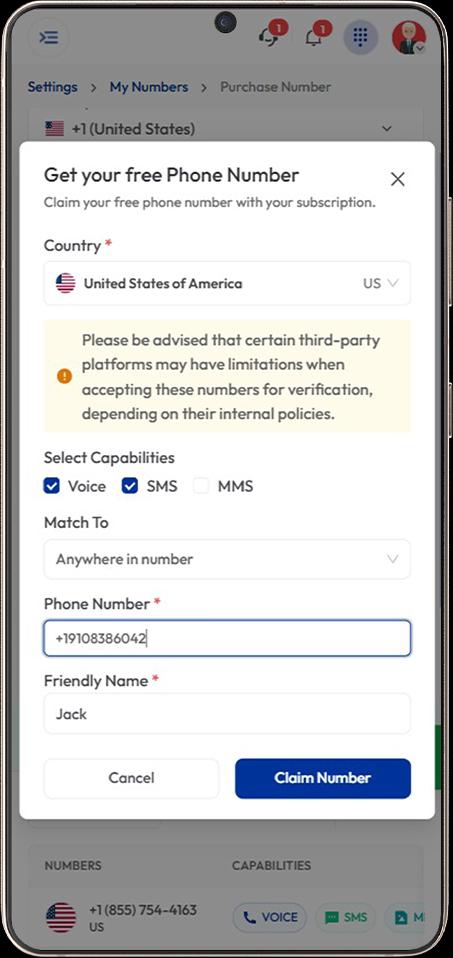
- Step 3 - Choose Your Country: Select a country where Clubhouse verification works smoothly, such as the US or Canada.
- Step 4 - Select an SMS-enabled Number: Pick a virtual number that supports SMS so you can receive the Clubhouse verification code.
- Step 5 - Complete Purchase and Activation: Complete any required verification and make payment to activate your number.
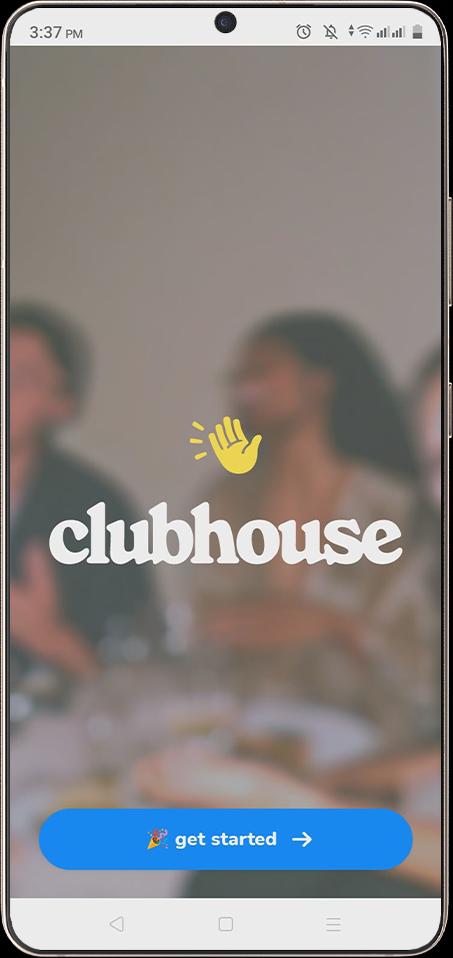
- Step 6 - Open Clubhouse: Open the Clubhouse app or web app and tap “Get Started” to begin the sign-up process.
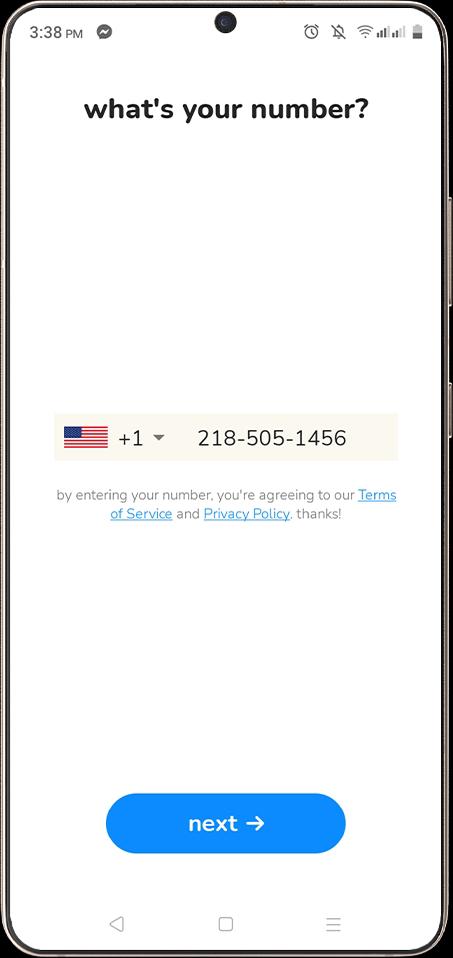
- Step 7 - Enter Your Virtual Number: Input your acquired virtual number in the phone number field for verification.
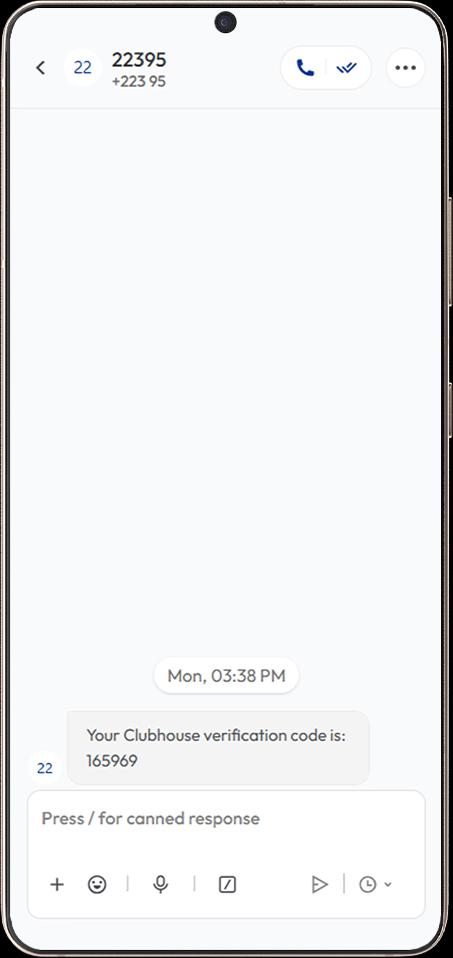
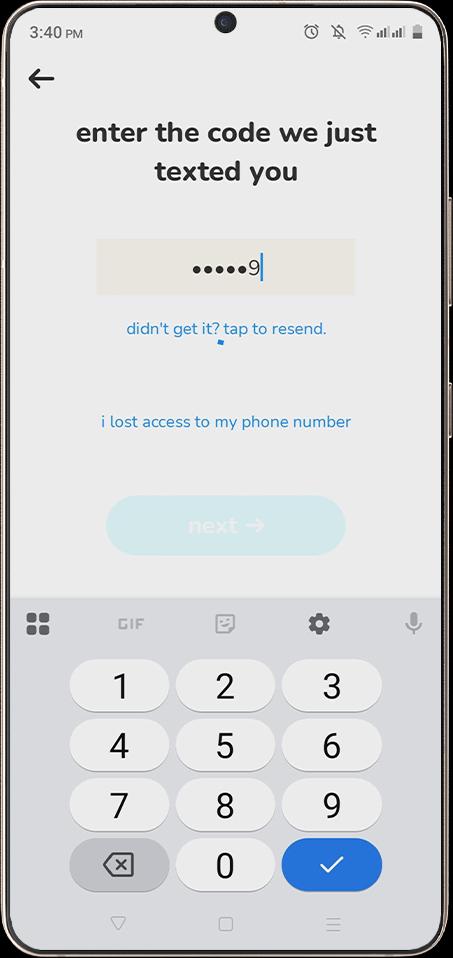
- Step 8 - Receive and Enter OTP: Check your dashboard to get the OTP and enter it in Clubhouse to verify your account.
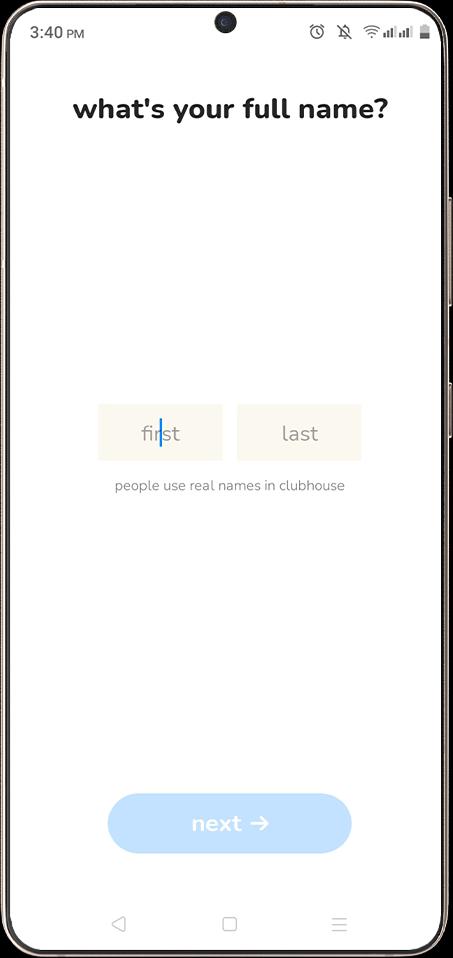
- Step 9 - Enter Your Full Name: Enter your first and last name in the required fields, then tap “Next” to continue the signup process.
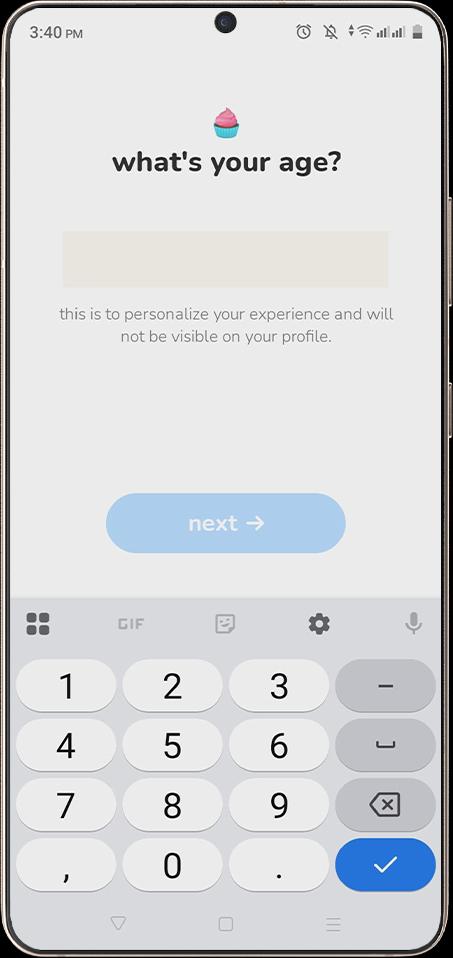
- Step 10 - Enter Your Age: Input your age to personalize your experience, then tap “Next” to continue.
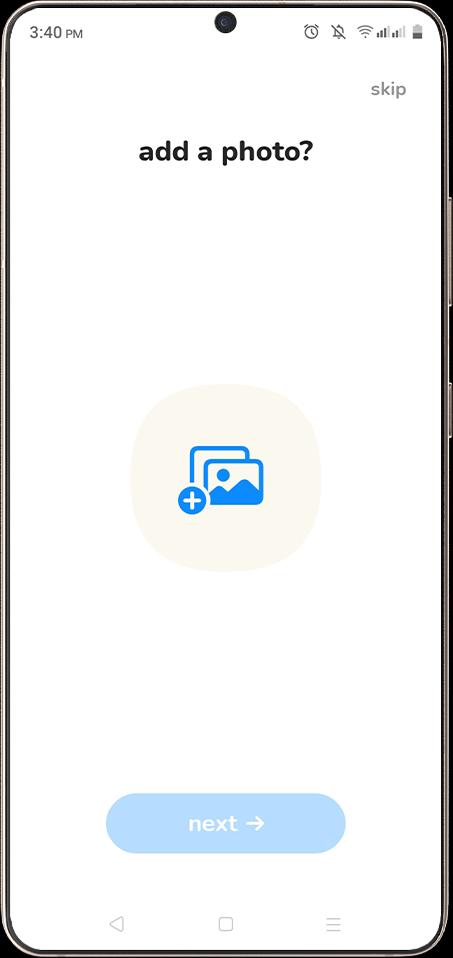
- Step 11 - Add a Profile Photo: Upload a profile picture or skip this step if you prefer to add it later.
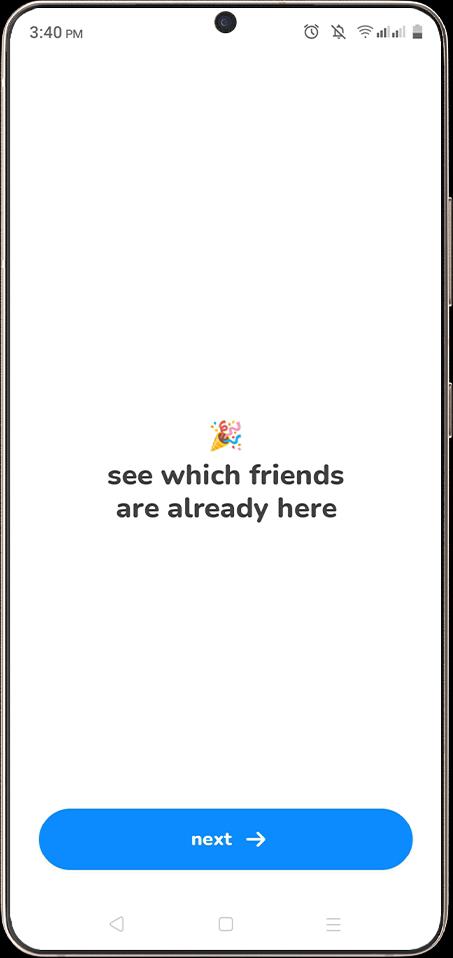
- Step 12 - See Which Friends are Already on Clubhouse: View suggested friends on Clubhouse, then tap “Next” to continue.
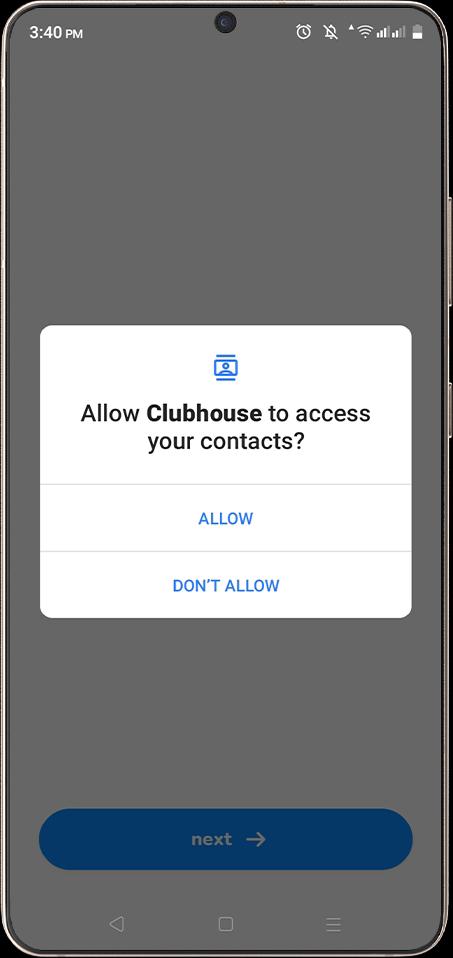
- Step 13 - Allow Contact Access (Optional): Grant permission if you want to connect with people from your contacts, or tap “Don’t Allow” to skip.
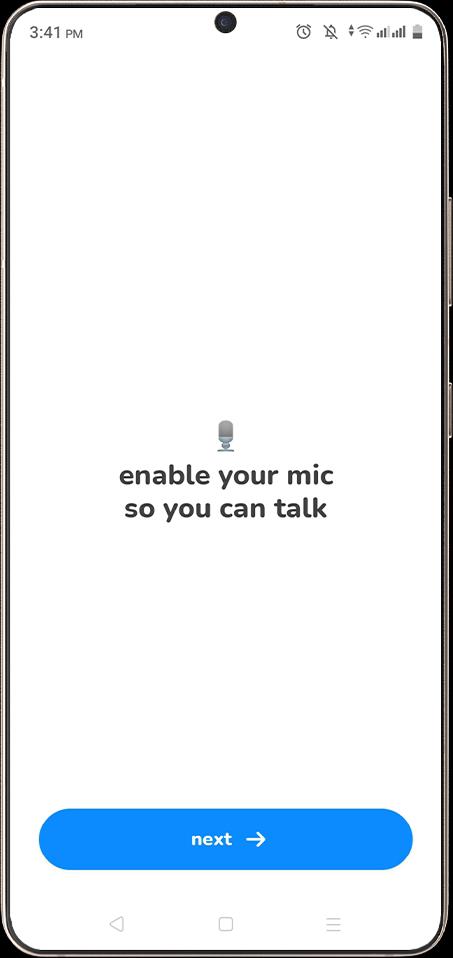
- Step 14 - Enable Microphone Access: Allow microphone access so you can speak in rooms and interact with others.
Other Virtual Number Providers for Clubhouse Verification
Quo, 5SIM, SMS-MAN, Blacktel, and OnlineSIM are virtual number providers that can be used for Clubhouse signup, offering text-enabled numbers for verification. They provide flexible options, including low-cost one-time activations and monthly rentals with multi-country support for both short-term and long-term use.
- Quo: Quo’s pricing starts at around $19 per month, making it better suited for long-term or business use. It focuses on stable calling and messaging for consistent communication.
- 5SIM: 5SIM supports both one-time and rental virtual numbers for account verification across multiple platforms. Pricing typically ranges from $0.03 to $0.30 per activation, depending on the region and demand.
- SMS-MAN: With SMS-MAN, users can choose between temporary numbers or longer-term rentals based on their needs. Prices usually start from around $0.34 per activation, making it a cost-effective option.
- Blacktel: Blacktel combines SMS and call-enabled virtual numbers, making it suitable for both verification and ongoing use. It also supports multiple countries, with pricing starting at around €15 (approximately $16).
- OnlineSIM: OnlineSIM follows a pay-as-you-go model, where costs vary based on the selected country and service. It is commonly used for affordable one-time verifications as well as short-term number rentals.
Common Issues When Using a Virtual Number & How to Fix Them
You may face issues like not receiving the verification code, using a number already linked to another account, or a mismatch between the number’s region and your location. To fix this, use a correctly formatted, fresh number from a matching region, and retry verification after a short wait if needed.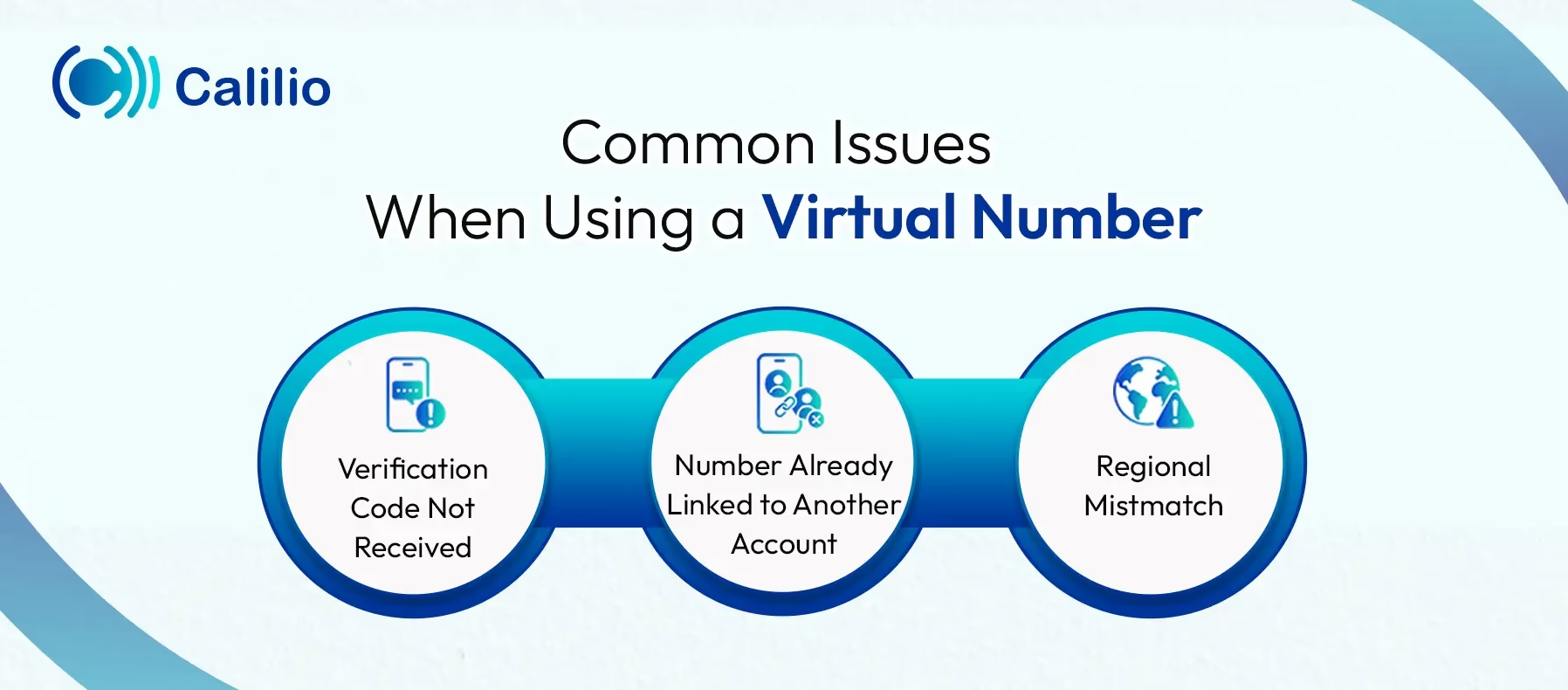
1. Verification Code Not Received
One common issue is not receiving the Clubhouse verification code after entering your virtual number. This happens because of short network delays, poor SMS support from the provider, or an incorrect country code during signup.
To fix this, first check whether you entered the number in the correct format with the right country prefix. Then, wait a moment and request a new code. It also helps to use an SMS-enabled virtual number from a trusted provider.
2. Number Already Linked to Another Account
In some cases, the number is already connected to an existing Clubhouse account. This usually happens when the number has been used before and is no longer completely fresh for new registration.
When this happens, you will need to choose another number that has not been used on Clubhouse. A new number gives you a better chance of completing verification without account conflicts.
3. Regional Mistmatch
Clubhouse flags the sign-up attempt when your selected number’s country does not align with your current app region or network location. This can make the verification attempt look unusual and cause extra checks or failed registration.
To avoid that, choose a number from a region that matches your intended sign-up location as closely as possible. It also helps to keep your device settings and network location consistent while completing the verification step.
Conclusion
Getting a virtual number for Clubhouse verification is a simple and effective way to protect your privacy while completing the sign-up process. Instead of using your personal number, you can rely on virtual numbers to receive OTPs, manage accounts separately, and avoid unnecessary exposure to spam or unwanted contact.
To get the best experience, you should choose a reliable provider that offers SMS-enabled numbers, wide country coverage, and consistent service.
Summarize this blog with:
Frequently Asked Questions
Everything you need to know about Calilio. Can't find your answer? .
Yes, it is generally safe to use a virtual number for Clubhouse as long as you choose a trusted provider that offers private numbers that can receive messages for secure verification.
Stay in the loop
Get the latest call insights, trends, and updates delivered straight to your inbox.
By subscribing, you agree to receive updates from Calilio.
You can unsubscribe anytime.
Enter the World of AI Business Phone System with Calilio
Improve your business operation with Calilio's advanced virtual phone system. Join today for a better way to connect.