
How to Get a Virtual Phone Number for Taobao (Step-by-Step Guide)

Taobao is one of the largest online shopping platforms, where you can buy products directly from sellers in China. Unlike many platforms, it lets you sign up using Gmail, Facebook, or just your email. However, it will still ask for a phone number at some point.
The shopping service provider requires a number to confirm your identity and keep accounts secure. Still, sharing your personal number may not feel right, especially when you want to keep things private. A virtual phone number solves this problem. It helps you complete verification without exposing your main number.
In this blog, let’s learn a simple way to get a virtual phone number for Taobao. You will also see how to use it for verification and handle common issues along the way.
Key Highlights:
Taobao accepts international numbers, so you are not limited to Chinese numbers during signup.
Getting a virtual phone number for Taobao is simple, as you only need to choose a provider, sign up, select an SMS-enabled number, and activate it to start the verification process.
A virtual phone number helps you sign up on Taobao without using your personal number. It keeps your identity private while allowing smooth account verification.
Common issues like OTP delays or number rejection can occur, but they are often avoidable with the right setup. Using a trusted service helps ensure a smoother signup experience.
Does Taobao Only Accept Chinese Phone Numbers?
No, Taobao does not only accept Chinese phone numbers. You can sign up using phone numbers from many countries, as long as they can receive verification SMSs. This means you have plenty of options when creating your account. You can choose a number that fits your needs without being limited to a specific region.
However, whether an OTP is sent depends on Taobao’s system and may vary based on the country linked to the phone number.
How to Get a Virtual Phone Number for Taobao?
To get a virtual phone number for Taobao, choose a reliable provider that offers SMS-enabled numbers. Then, create your account. Next, select an SMS-enabled number from your preferred country, submit any required documents if asked, and complete the payment to activate your number.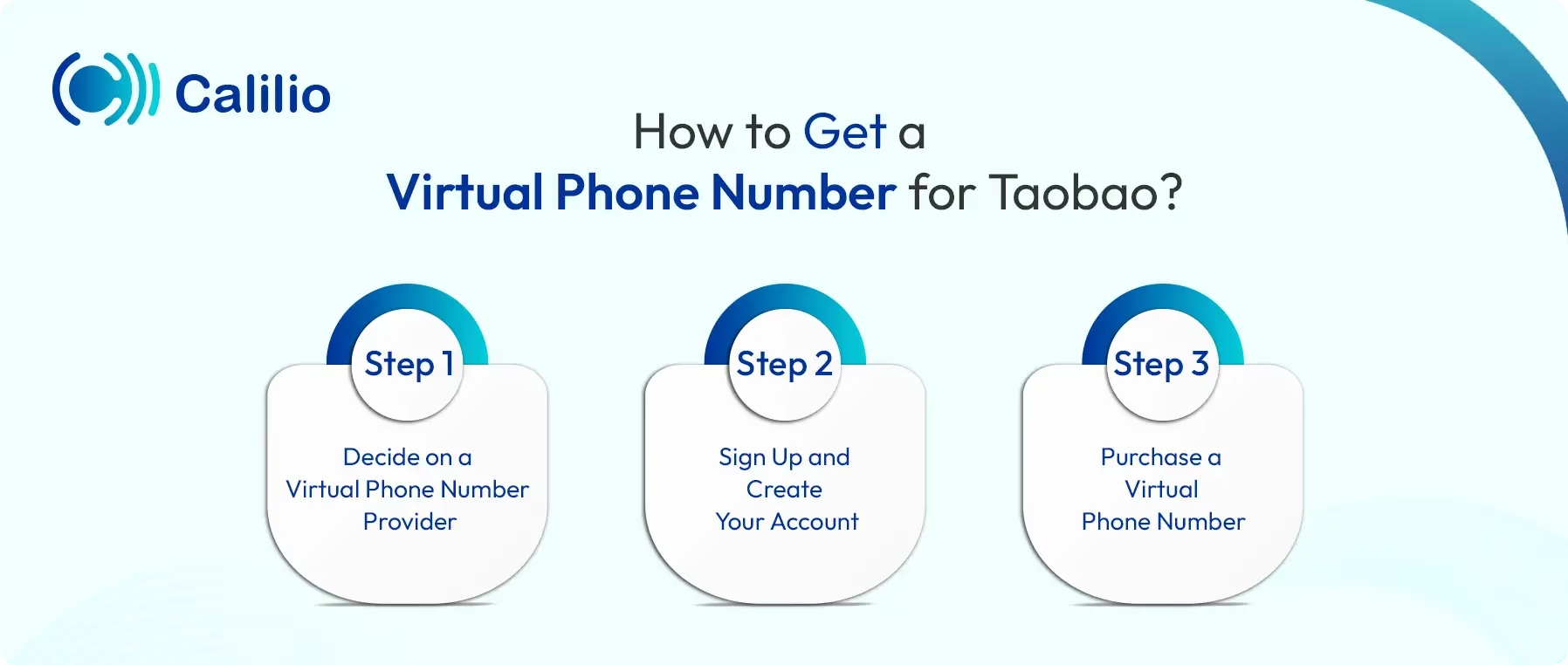
- Step 1 - Decide on a Virtual Phone Number Provider: Choose a reliable provider that offers SMS-enabled numbers for OTP verification and supports international use. First, check their delivery rates, pricing, number availability, and whether the number suits long-term use.
- Step 2 - Sign Up and Create Your Account: Register using your email and basic details, then create your login credentials. Complete any required verification, so your account is ready to access numbers and plans.
- Step 3 - Purchase a Virtual Phone Number: Go to the number purchasing section and choose an SMS-enabled number based on your preferred country and plan. Some providers ask for basic documents before activation, then complete the payment to get your number ready.
*Disclaimer: OTP delivery is handled by Taobao, not by Calilio. Receiving the verification code depends on Taobao’s system and may vary based on the number’s country or type, and in some cases, VoIP numbers may not be supported.
Get a Virtual Phone Number from Calilio for Your Taobao Account
To get a virtual phone number from Calilio to verify your Taobao account, first download Calilio’s app or visit its website. Then, set up your account, choose a plan, and obtain an SMS-enabled number from your preferred country. Finally, complete any required steps and payment to activate your number.
Next, sign up on Taobao using this number, request the verification code, and enter the OTP from your Calilio dashboard to complete your account setup.
- Download the Calilio app or visit its official website to get started.
- Quickly set up your account using your email and basic details.
- Choose a suitable plan, such as Standard or Premium, and activate your subscription.
- Go to Settings > My Numbers and click Add a New Number, or click the “+” icon beside Numbers in the left sidebar to purchase a new number.
- Select a country from the available options and pick a number with SMS receiving capability.
- Provide any required documents, complete the payment, and wait for your number to activate.
- Install the Taobao app or open its official website on your browser.
- On the homepage, choose the option to create a new account.
- Select mobile number sign up and enter the virtual number you acquired from Calilio.
- Request the verification code, then check Calilio’s dashboard to view the message.
- Enter the OTP to complete verification.
- Provide any additional details if prompted and start exploring products.
Why Use a Virtual Phone Number for Taobao?
A virtual phone number helps you keep your personal number private during Taobao signup and verification. It also reduces unwanted messages and keeps your main number secure. At the same time, it gives you the flexibility to use a number from a supported country and complete verification without hassle. This makes the whole signup process simpler and more convenient.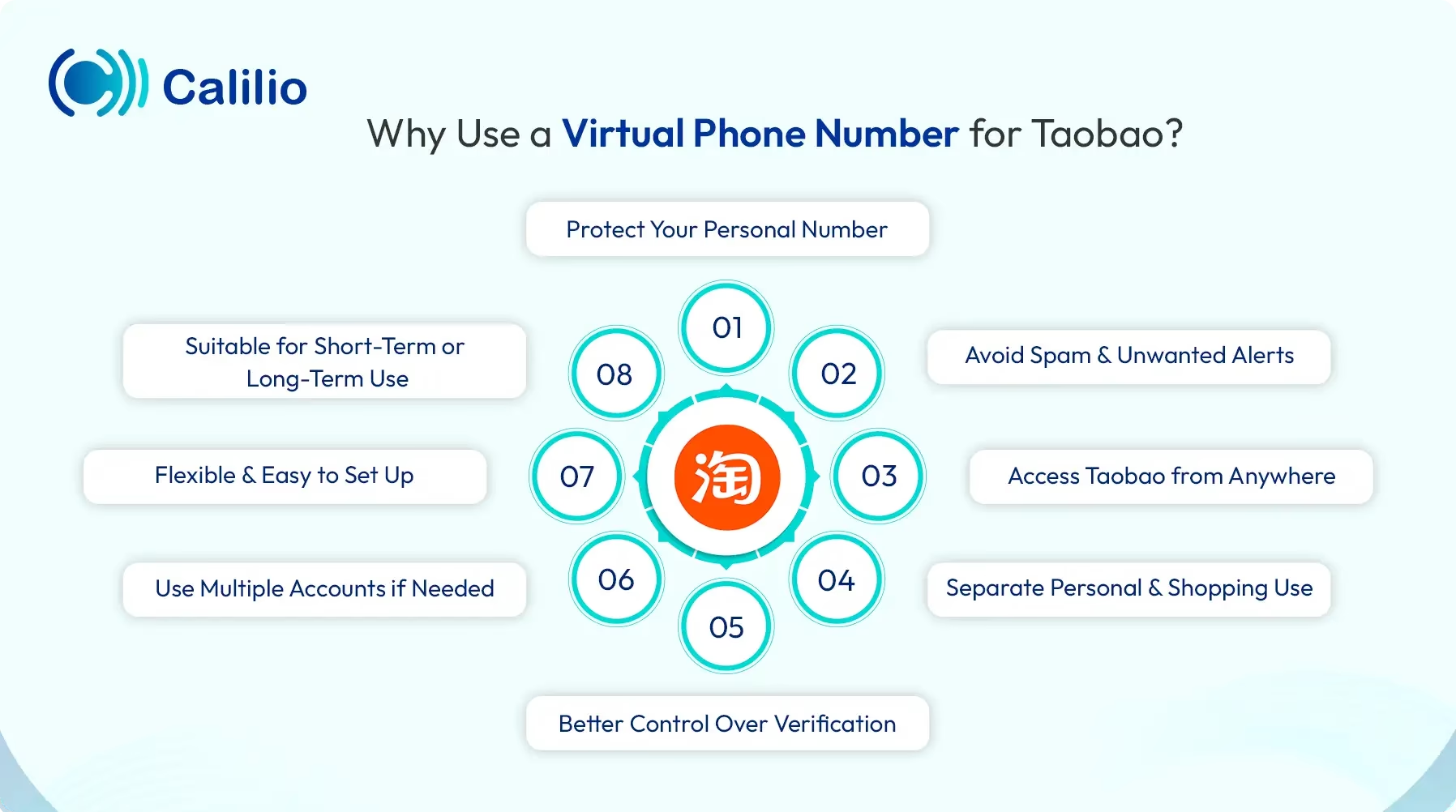
- Protect Your Personal Number: Keep your real number private during signup and verification to avoid unwanted calls or messages.
- Avoid Spam and Unwanted Alerts: Reduce promotional or random messages so your main number stays clean.
- Access Taobao from Anywhere: Use a number from a supported country without being physically present there.
- Separate Personal and Shopping Use: Keep Taobao activity separate from daily communication for better organization.
- Better Control Over Verification: Receive OTPs in your dashboard instead of relying on your SIM.
- Use Multiple Accounts if Needed: Manage different accounts using separate numbers for different purposes.
- Flexible and Easy to Set Up: Get started quickly without complex steps or technical setup.
- Suitable for Short-Term or Long-Term Use: Pick a plan that fits both temporary use and ongoing access.
Common Issues & Their Solutions When Using a Virtual Number for Taobao
When using a virtual number, you may face issues like number rejection, OTP not arriving, delays in code delivery, or the number already being in use. These problems usually happen due to unsupported numbers, network delays, or reused numbers.
To fix this, use a reliable provider with SMS support, choose a suitable country number, and avoid repeated verification attempts. Also, keep access to your number active so you can receive codes if Taobao asks for verification again later.
Number Rejected (“Invalid Number” Error)
- Problem: Taobao rejects some virtual numbers, especially if they are widely used or flagged as VoIP (Voice over Internet Protocol).
- Solution: Use a reliable provider that offers stable, SMS-enabled numbers and avoid free or temporary options.
OTP Not Received
- Problem: The verification code does not arrive due to network delays or unsupported numbers.
- Solution: Double-check the country code, request the OTP again, and ensure your number supports SMS.
Delayed OTP Delivery
- Problem: Sometimes the code arrives late, after the session expires.
- Solution: Wait for a few moments before retrying, or request a new code for a fresh session.
Number Already in Use
- Problem: Since virtual numbers are reused, the number may already be linked to another account.
- Solution: Choose a new number or use a provider that offers fresh, unused numbers.
Verification Fails Repeatedly
- Problem: Multiple failed attempts can block further verification temporarily.
- Solution: Wait for some time before retrying and avoid repeated requests in a short period.
Region or Country Mismatch
- Problem: Some numbers do not align with Taobao’s supported regions.
- Solution: Select a number from a commonly supported country to improve acceptance chances.
Limited Access After Signup
- Problem: Certain features require additional verification later.
- Solution: Keep access to your virtual number active for future OTPs or account checks.
Conclusion
Using a virtual phone number for Taobao gives you a simple way to sign up without sharing your personal number. It helps you stay private while keeping your account setup smooth and flexible. You can also choose a number from a supported country and manage your shopping activity with better control.
Summarize this blog with:
Frequently Asked Questions
Everything you need to know about Calilio. Can't find your answer? .
Yes, you can register for Taobao using Gmail, Facebook, or your email without a phone number. However, at some point, Taobao will still ask for a number for verification.
Stay in the loop
Get the latest call insights, trends, and updates delivered straight to your inbox.
By subscribing, you agree to receive updates from Calilio.
You can unsubscribe anytime.
Enter the World of AI Business Phone System with Calilio
Improve your business operation with Calilio's advanced virtual phone system. Join today for a better way to connect.