
How to Verify Afterpay Without Using Your Personal Number?

Afterpay is one of the easiest ways to split purchases into interest-free installments, but there’s one step that can complicate the sign-up process: phone number verification. Afterpay requires a valid mobile number to send authentication codes, confirm your identity, and protect your account from fraud.
But what if you don’t want to use your personal phone number? Or you simply don’t have access to it anymore?
The good news is that you can still create and verify your Afterpay account using safe alternatives. Whether you're concerned about privacy, lost access to your number, or just prefer not to use your personal line, there are practical workarounds that still meet Afterpay’s verification requirements.
This guide will show you how to verify your Afterpay account using secure alternatives, without exposing your personal phone number.
Key Highlights:
Afterpay requires a phone number to verify your identity, secure your account with SMS authentication, prevent fraud, help with account recovery, and send important notifications.
The simplest way to create an Afterpay account without exposing your own number is by using a virtual phone number.
Select a virtual number provider, sign up for a plan, get a number, use it in Afterpay, and complete the verification.
You can also use free temporary phone number services or numbers of your friends/family to verify your Afterpay account.
Why Does Afterpay Require Your Phone Number?
Afterpay requires your phone number to verify your identity, enable secure SMS authentication, and prevent unauthorized access to your account. It’s also used for account recovery and to send important updates like payment reminders and security notifications.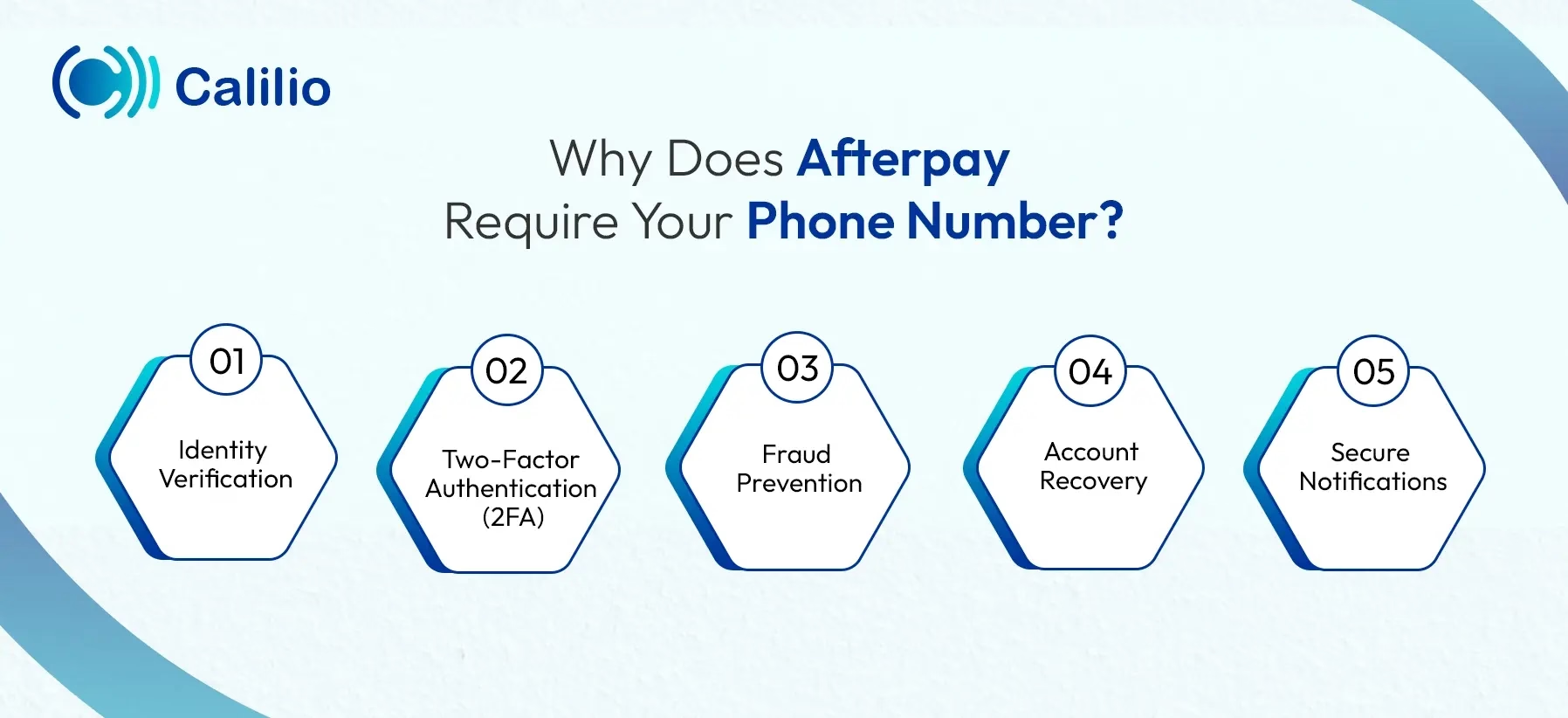
- Identity Verification: Afterpay uses your phone number to confirm that you’re a real user tied to a verifiable contact point. This helps prevent duplicate, fake, or automated accounts from being created.
- Two-Factor Authentication (2FA): The platform sends verification codes through SMS to protect your account from unauthorized access. This helps to keep your payments and personal data secure.
- Fraud Prevention: Your phone number adds an extra layer of protection against unauthorized access or suspicious activity. It allows the platform to verify that actions taken on the account are genuinely from you.
- Account Recovery: If you forget your login details or lose access to your device, your phone number helps Afterpay confirm your identity. This allows them to securely restore your account access.
- Secure Notifications: This installment payment platform uses your phone number to send essential alerts, such as payment reminders and approval updates. These notifications help you stay on top of your account activity in real time.
Can I Verify Afterpay Without Using a Phone Number?
No, you cannot set up or verify an Afterpay account without a phone number, as Afterpay requires it for identity verification, security checks, and authentication codes.
Some sources claim you can bypass this step, but that’s incorrect. Afterpay strictly requires a valid mobile number to create or verify an account. The good news is, you still have alternatives.
Note: Afterpay is responsible for sending OTP codes, not virtual number providers. Some platforms may restrict OTPs to VoIP numbers, so delivery depends on Afterpay’s system.
How to Sign Up to Afterpay without Your Phone Number?
If you don’t want to use your own number or don’t have access to it, you can sign up for Afterpay with a virtual phone number. You can also try a temporary number for a quick one-time OTP or use a trusted friend’s or family member’s number and update it later.
1. Register with a Virtual Phone Number
If you prefer not to use your personal number, signing up for Afterpay with a virtual phone number can be a reliable alternative. A virtual number functions just like a standard mobile number but operates entirely over the internet, so there’s no need for a physical SIM card.
There are two types of virtual phone numbers, depending on your usage needs:
I. Temporary Virtual Numbers (For Quick One-time Use)
If you only need a number to receive a single verification code, temporary phone numbers are ideal. These numbers are disposable and mostly free. You don’t even need to create an account.
All you need to do is visit a provider’s website, such as Receive SMS Online and Quackr, select a number, and paste it into the phone number field during the Afteray signup or verification step. Once Afterpay sends the OTP (One-Time Passcode), go back to the same provider’s page to view the SMS instantly. This lets you complete the verification without using your personal phone number.
II. Permanent Virtual Numbers (For Long-term Reliable Use)
Permanent virtual numbers are private, secure, and recommended if you plan to use Afterpay regularly. You can use these numbers for secure logins, payment updates, account alerts, and smooth recovery whenever Afterpay needs verification.
Services like Calilio, RingCentral, and Nextiva provide reliable permanent virtual numbers, allowing you to choose a number from your preferred country and area code.
Here is how you can get a permanent or long-term virtual phone number for Afterpay and create your account.
- Create an account with a trusted virtual number provider.
- Choose your preferred country and area code, then select a suitable number.
- Subscribe to a plan if required and complete payment or verification steps.
- Once your virtual number is activated, ensure it can receive SMS messages.
- Visit Afterpay’s official sign-up page and begin the registration process.
- Enter your personal information as required.
- When asked for a phone number, input the virtual number you purchased.
- Check your provider’s dashboard for the OTP (verification code).
- Enter the OTP on Afterpay to complete registration.
2. Use a Trusted Friend’s or Family Member’s Number
If you don’t have access to your own phone number, another simple option is to sign up for Afterpay using the number of someone you trust, such as a close friend or a family member.
During registration, the service requires a phone number to send verification codes and notifications. By using a number you have permission to access, you can complete the sign-up process and receive important account alerts.
Simply ask the person for permission and let them know you’ll need them to share the OTP code they receive. Enter their number when prompted by Afterpay, wait for the verification code to arrive on their phone, and then use it to complete your account setup.
Conclusion
Creating an Afterpay account without your personal phone number comes down to three alternatives: using a temporary number, borrowing a friend or family member’s number, or choosing a permanent virtual phone number.
Temporary numbers may seem convenient, but they expire quickly, can’t be reused for re-verification, and can easily lock you out of your account. Borrowing someone else’s number also compromises your privacy and leaves you dependent on them for important verification messages.
A permanent virtual phone number is the most reliable and secure option. Among the many providers available, Calilio stands out as a trusted and stable platform offering virtual numbers from over 100 countries.
Summarize this blog with:
Frequently asked questions
How do I change my Afterpay password without a phone number?
You can change your Afterpay password without a phone number by using your email. Open the Afterpay login page, click "forgot password," and follow the instructions. You will get the password reset link via email.
Can I use Afterpay without verification?
Can I use an email address instead of a phone number for verification?
Can I have two Afterpay accounts with the same phone number?
How to change your phone number on Afterpay without logging in?
How to recover my Afterpay account?

Still have questions?
Can’t find the answer you’re looking for? Please chat with our friendly team.
Stay in the loop
Get the latest call insights, trends, and updates delivered straight to your inbox.
By subscribing, you agree to receive updates from Calilio.
You can unsubscribe anytime.
Enter the World of AI Business Phone System with Calilio
Improve your business operation with Calilio's advanced virtual phone system. Join today for a better way to connect.