




BUSINESS HOUR

Set Business Hours to Manage Calls Based on Your Schedule

Take control of your availability by setting business hours that align with your schedule, ensuring calls are handled only when you're ready. Configure working hours by day and time zone so calls ring during open hours, and redirect after-hours calls to voicemail or playback a customized message.

Eliminate interruptions during non-business hours for better focus and productivity.
Automatically send after-hours calls to voicemail.
Customize call handling rules for weekdays, weekends, and holidays.
Improve customer experience by setting clear expectations for response times.
Easily adjust hours for seasonal or temporary business changes.
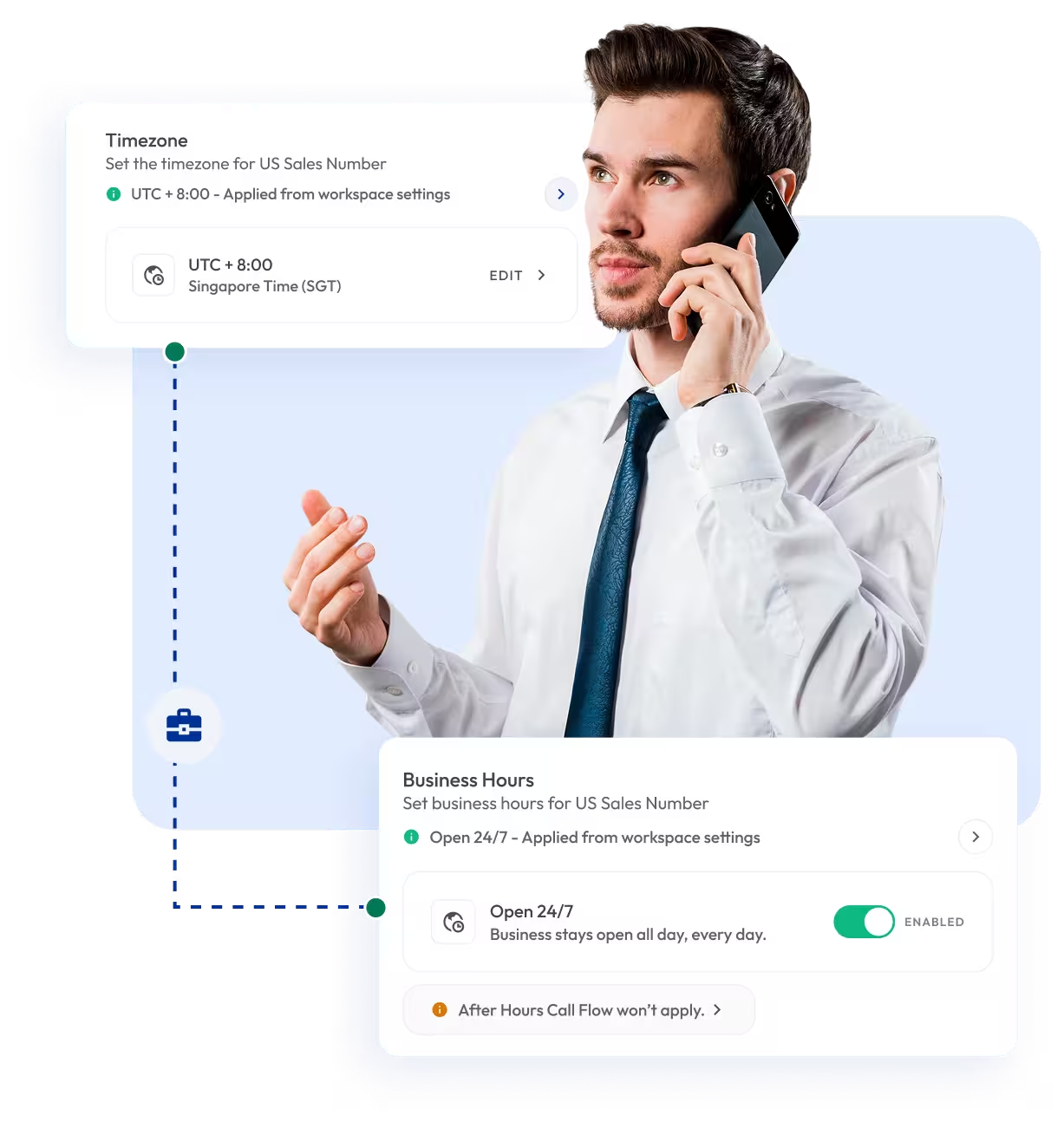
a man speaking on the phone, with a text message displayed on the screen in front of him

Telephony Partner of 1000+ Businesses Worldwide

adgs logoexpress carpet repairsleveraged and equity logoaaxiom infotech logofencyx logocartechstudio logoadgs logoexpress carpet repairsleveraged and equity logoaaxiom infotech logofencyx logocartechstudio logo

Set Business Hours with Virtual Phone Numbers

Get local, mobile, or toll-free virtual numbers from over 100+ countries and manage them with business hours settings. Ensure all your calls are answered during the working hours and handled professionally after hours, no matter where your customers are located.

Your first US or Canada phone number is free🤑 — Claim Now!

No Numbers Found

Note:

1.

The first USA or Canada local number is free for each user after sign-up. Additional numbers are charged at $2 per number/month.

2.

Some numbers require ID and address verification to comply with local regulations. Certain numbers may also require A2P 10DLC registration to send SMS or MMS to the United States.

3.

Some numbers may not appear in the search results because they are available only upon request and are not generally offered to customers. Please contact Support for assistance.

Also, you can port your existing number to Calilio, and use the number for outbound calling — Port Your Number Now!

background globe image

How to Set Up Business Hours on Calilio?

To set up Business Hours on Calilio, first, log in to your account. Afterward, get virtual numbers, go to their number settings, and configure working hours by day, apply time zones, and send your calls outside business hours to voicemail.

Step 1

Log in to Calilio and buy or port a number.

Step 2

Hover over the three-dot [⋮] next to your number.

Step 3

Go to Number Settings and toggle on Business Hours.

Step 4

Set your time zone, working days, and operating hours.

Step 5

Record or upload a voicemail greeting to be played outside the business hours.

Step 6

Click Save to activate the feature.

What are Business Hours in Telephony?

Business hours in telephony refer to the specific time frames when your business lines are available to take calls. During office hours, calls ring directly to your agents or teams, while after-hours calls are automatically redirected to voicemail, alternate numbers, or custom messages.

With Calilio, you can configure business hours for each number, department, or team, ensuring calls are always managed according to your schedule. It helps you set clear expectations for customers, improves efficiency, and ensures no call goes unanswered.

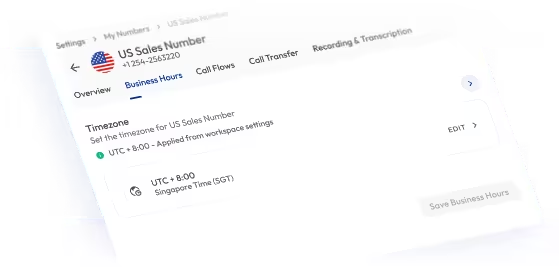
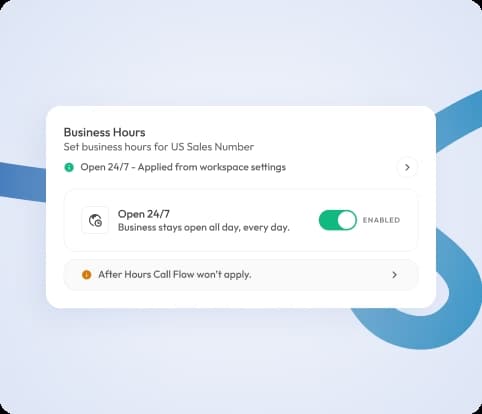
business hours app interface displaying operating times for a business, with clear labels and user-friendly design

How Do Business Hours Work?

When customers call your business number, Calilio checks whether the call comes in during your configured working hours.

  • During business hours → Calls are routed to the assigned users or teams for immediate handling.
  • Outside business hours → Calls are automatically sent to voicemail.

For example, if your office hours are from 9 AM to 6 PM, calls received during that time will ring your team. Any calls that come in after hours go straight to voicemail, so customers can leave a message for follow-up.

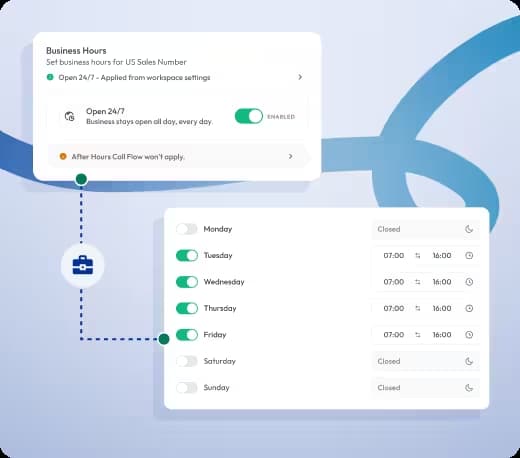
screenshot of a business hours app showing the days and times a business is open, designed for easy navigation

Who Can Take Advantage of Calilio’s Business Hours?

Integrate Business Hours with CRM Business Tools

You can integrate Calilio with your existing CRM and automation tools to keep workflows organized. Calls received during and outside business hours are logged, routed, and tracked so your team never misses important follow-ups.

Zapier

Automation

Pipedrive

CRM

Pabbly Connect

Automation

LeadHeed

LeadHeed

CRM

HubSpot

CRM

Salesforce

CRM

Mailchimp

Marketing

Crisp

Customer Support

Zendesk

Helpdesk

Request Integration

View all Integration
Select Plan

Calilio’s Pricing for VoIP Phone Service with Business Hours

Calilio allows businesses to control call availability and route after-hours calls without extra costs. With our premium VoIP plan, you can access business hours and other call management tools.

Calilio Pricing: Best VoIP Plans for Cloud Telephony

Calilio provides transparent, predictable VoIP pricing for your cloud-based business phone system. Our VoIP plans combine a low cost per-user subscription with pay-as-you-go call and SMS rates.

Business calls
SMS/MMS
Virtual numbers
Call center workflows

Save 20% on annual plan

Free 300 minute call offer

Standard

$15User/Month

billed monthly

Ideal for solopreneurs, startups, and small businesses.

Value: $6.75

Free Calls & SMS/MMS

200 outgoing & 100 incoming minutes

100 outbound & 100 inbound SMS

Get Started with:

  • User Limit: 10
  • Free 1 Local Number
  • Phone Number Sharing
  • Buy or Port Virtual Numbers
  • Internal Team Communication
  • Phone Number Sharing
  • Call Forwarding
  • Call Recordings
  • Basic Call Analytics
Get Started
Free 1500 minute call offer

Premium

$35User/Month

billed monthly

Ideal for growing businesses, franchises, and call centers.

Value: $33.74

Free Calls & SMS/MMS

1000 outgoing & 500 incoming minutes

500 outbound & 500 inbound SMS

Everything in the Standard Plan, plus:

  • Unlimited Users
  • Inbound Call Management
  • Outbound Call Management
  • Live Call Monitoring
  • AI Call Reporting
  • Saved Replies
  • Call Transfer
  • Dedicated Account Manager
  • AI-powered Call Analytics
Get Started
Free 300 minute call offer

Enterprise

Custom Plan

for your business telephony

Large organizations and enterprises can get a customized plan based on feature requirements and higher usage. Pay only for what you use.

Custom additional add-ons package monthly per user.

Everything in the Premium Plan, plus:

  • Dedicated Account Manager
  • Developer Support
  • Phone and Whatsapp Support
  • Additional Free Calls/SMS
  • API and Webhook AccessComing Soon
Contact Sales
Your subscription only covers the plan and includes a complimentary $1 credit. When your free calls & SMS bundle is used up, calling charges are deducted from your wallet. Once your $1 credit is finished, you must load your wallet to make and receive calls/SMS. Phone numbers and call & SMS charges are billed separately.

Frequently asked questions

What are business hours in a phone system?

Business hours are the defined times when your phone system is available to receive calls. Calls outside these hours are redirected to voicemail, alternate numbers, or custom messages.

How do I set business hours for calls?

What happens to calls after business hours?

Can I set different hours for different departments?

Can business hours handle multiple time zones?

Is business hours available on mobile and desktop?

Does Calilio support holiday or special schedule settings?

Avatar Group

Still have questions?

Can’t find the answer you’re looking for? Please chat with our friendly team.

Enter the World of AI Business Phone System with Calilio

Improve your business operation with Calilio's advanced virtual phone system. Join today for a better way to connect.

4.6
125+ Reviews16+ Badges