
How to Get a Virtual Phone Number for Bumble?

Signing up for Bumble always requires a phone number for verification, which helps the platform maintain genuine profiles and reduce spam. However, many users prefer not to share their personal number due to privacy concerns or the desire to keep their dating activity separate from their everyday contacts.
If you're looking for a way around this, using a virtual phone number is a practical solution. It allows you to complete Bumble’s verification process without exposing your primary number.
In this guide, you will learn how to get a virtual number for Bumble, what to look for in a reliable number, and how to avoid common verification issues.
Highlights
You can sign up on Bumble using a virtual number without sharing your personal phone number, which helps protect your privacy.
To get a virtual number for Bumble, first choose a reliable VoIP provider, create an account, select a number from your preferred country, and make a payment to activate the number.
Choosing a reliable virtual number helps you avoid common issues like OTP delays, number rejection, or failed verification.
Why Use a Virtual Number for Bumble Verification?
Using a virtual phone number for Bumble verification helps safeguard your privacy by keeping your personal phone number separate from your dating profile. It reduces the chances of spam, phishing attempts, and unwanted exposure while allowing you to stay anonymous.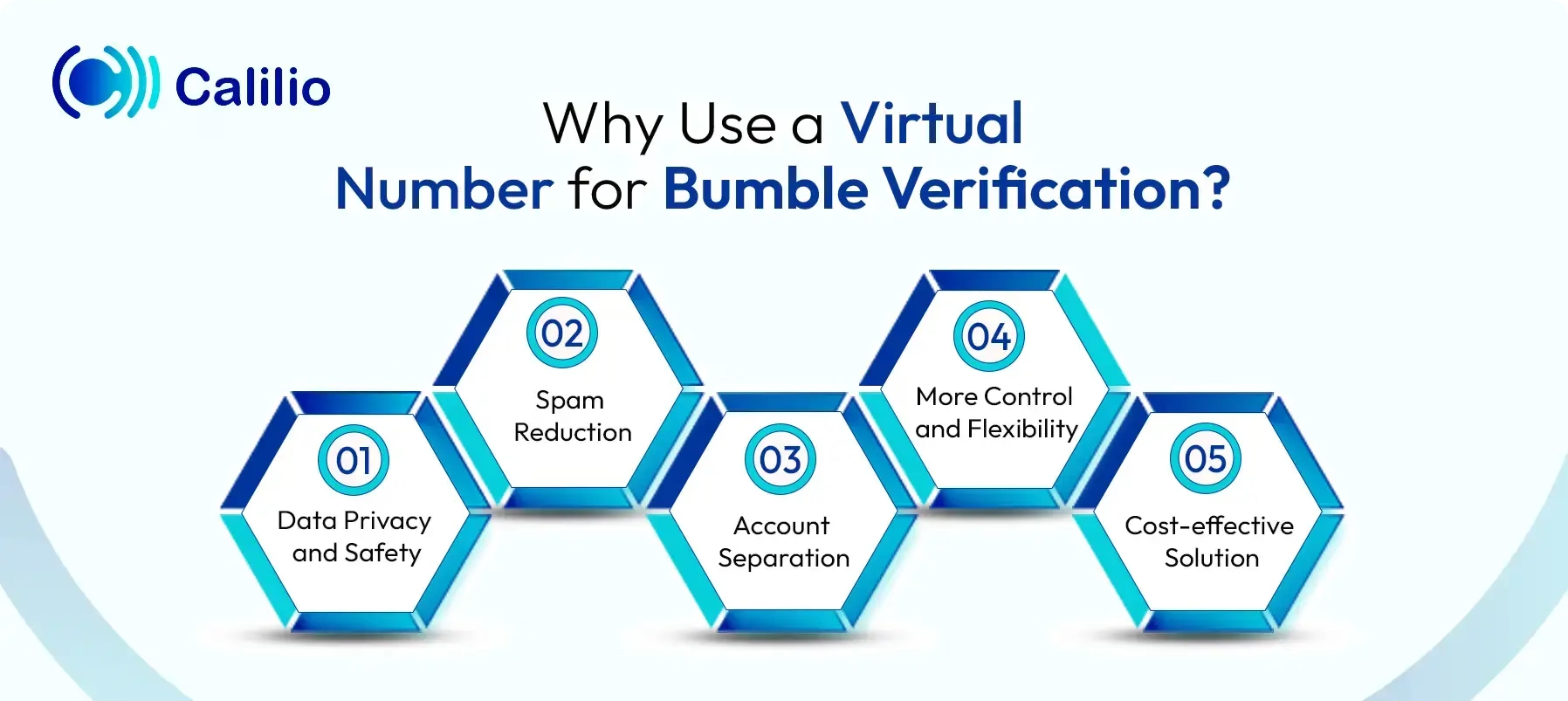
- Data Privacy and Safety: A virtual number helps protect your real phone number from being exposed or compromised in data breaches. It ensures your personal contact details remain private while using Bumble.
- Spam Reduction: It reduces the risk of receiving unwanted marketing messages or spam calls that often occur when your personal number is shared across apps and platforms.
- Account Separation: It helps you keep your dating activity separate from your personal or professional life by avoiding direct linkage between Bumble and your main phone number.
- More Control and Flexibility: With a virtual number, you can easily deactivate it when no longer needed, something that’s much harder to do with a traditional phone number.
- Cost-effective Solution: A virtual number is a budget-friendly option compared to getting a new SIM card. It lets you complete the Bumble signup without long-term costs or commitments.
How to Get a Virtual Number for Bumble?
To get a virtual number for Bumble, choose a reliable virtual number provider, sign up, and select a number from your preferred country. Then, activate the number so you can receive OTP messages and complete the verification process.
- Step 1 - Select a Reliable Provider: Choose a trusted VoIP provider that supports SMS and OTP verification.
- Step 2 - Sign Up and Create an Account: Register on the provider’s platform using your email and basic details.
- Step 3 - Select a Country: Choose a virtual number based on the country you want.
- Step 4 - Activate the Virtual Number: Once selected, activate your number through a subscription or one-time purchase. After activation, the number will be ready to receive SMS messages.
Disclaimer: The delivery of OTP codes is handled by Bumble, not Calilio. Receiving a verification code depends on Bumble’s system, and some services may not send OTPs to VoIP or virtual numbers.
How to Get a Virtual Number from Calilio & Use It for Bumble Sign Up?
To get a virtual number from Calilio, first create an account on Calilio, select an SMS-enabled virtual number, and complete the required purchase and verification process to activate it. Once activated, use the number to sign up on Bumble, enter it for OTP verification, and finish your profile setup to start using the app.
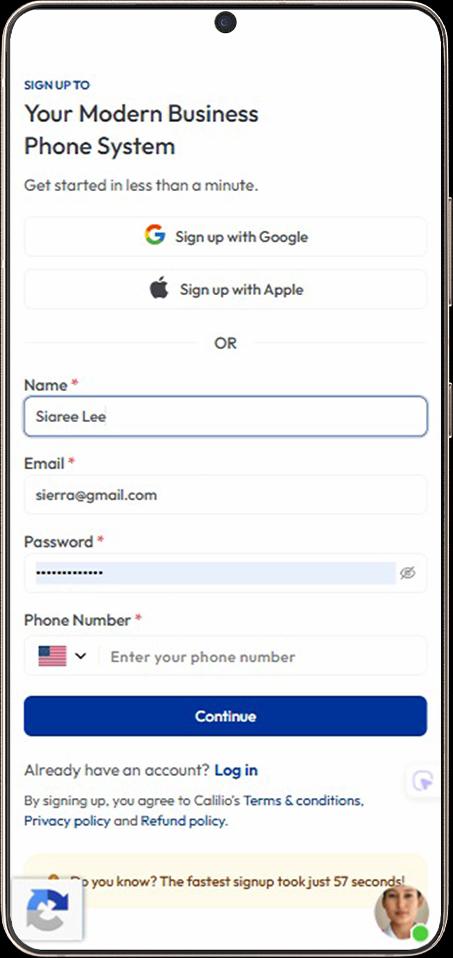
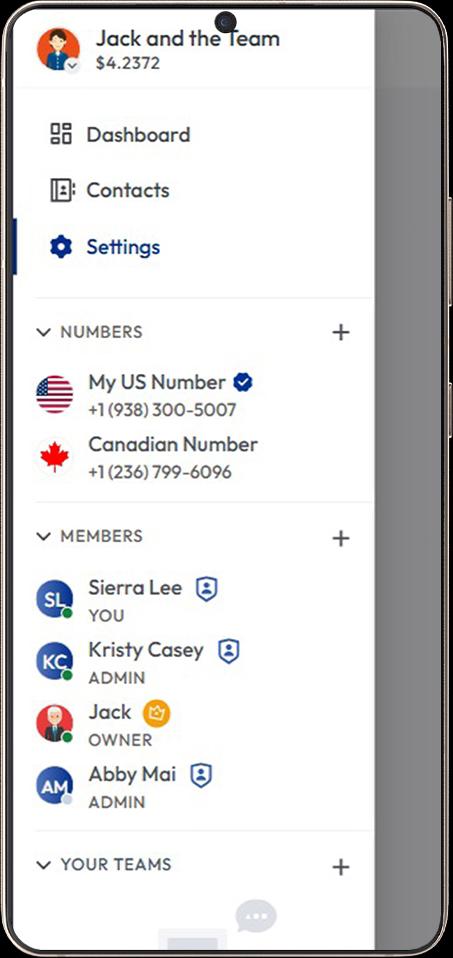
- Sign up on Calilio using your email address and basic details, then choose a subscription plan that suits your needs.
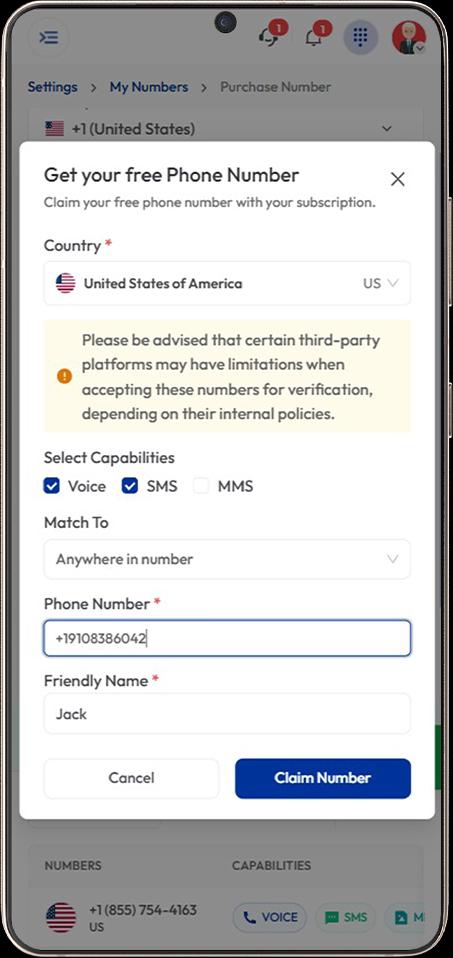
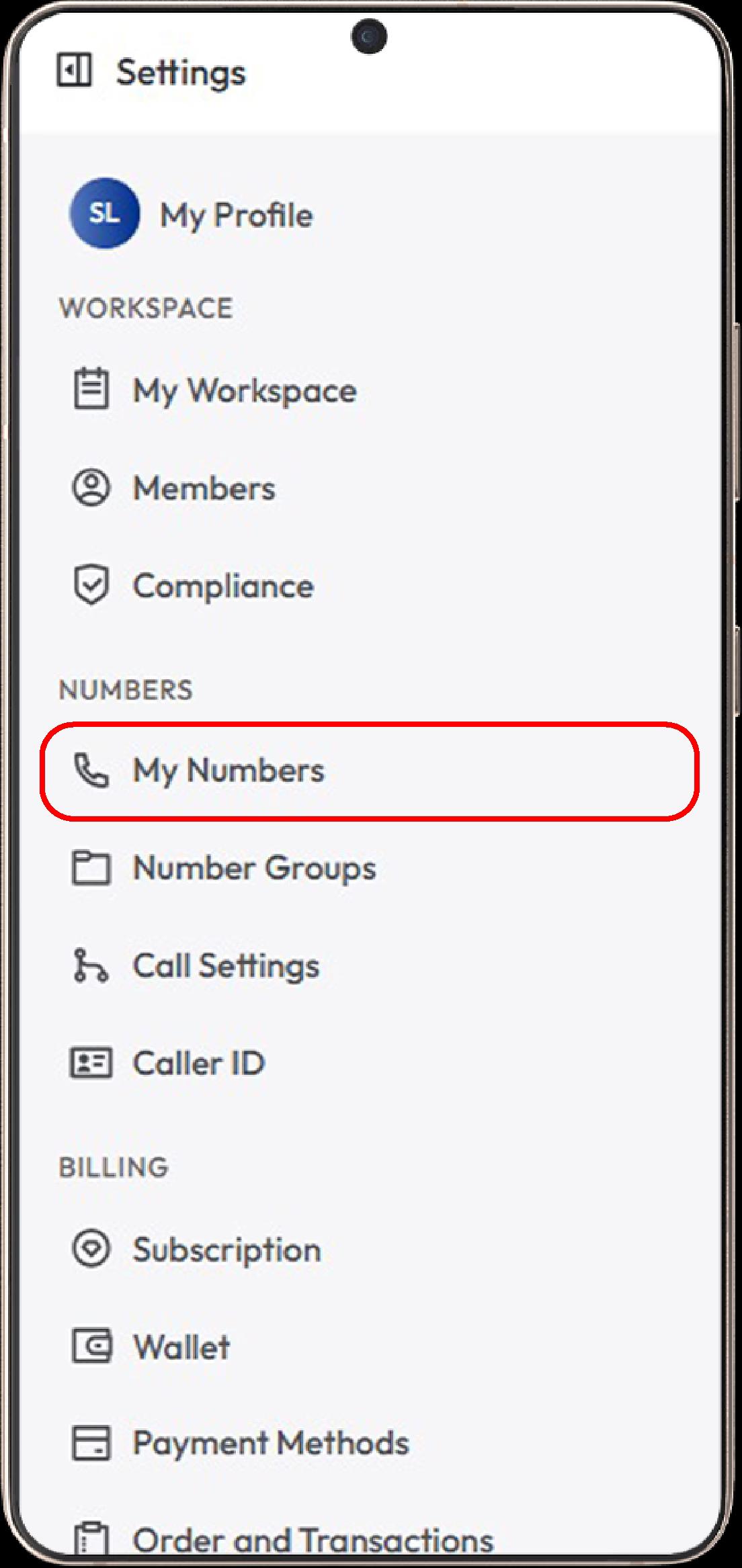
- Go to Settings > My Numbers and click Add a New Number, or click the “+” icon beside Numbers in the left sidebar to purchase a new number.
- Select a country supported by Bumble and choose a virtual number with SMS capability so it can receive verification codes.
- Complete any required verification or document submission, then proceed with the payment and wait for activation; once activated, you can start using the number.
- Install the Bumble app or open the official website in your browser to begin the signup process.
- Enter your acquired virtual number directly during signup and proceed to confirm it for verification.
- Enter the six-digit OTP sent by Bumble to your virtual number to complete verification.
- Choose whether to set a passkey or skip it. Allow location access and adjust notification settings based on your preference.
- Add your details, upload photos, set your preferences, and accept the terms to complete your profile.
Common Issues When Using a Virtual Number for Bumble & How to Fix Them
When using a virtual number with Bumble, you may face issues such as not receiving OTP codes and numbers being rejected during signup. To fix this, use a reliable SMS-enabled number, check details carefully, and switch to a new or supported number if needed.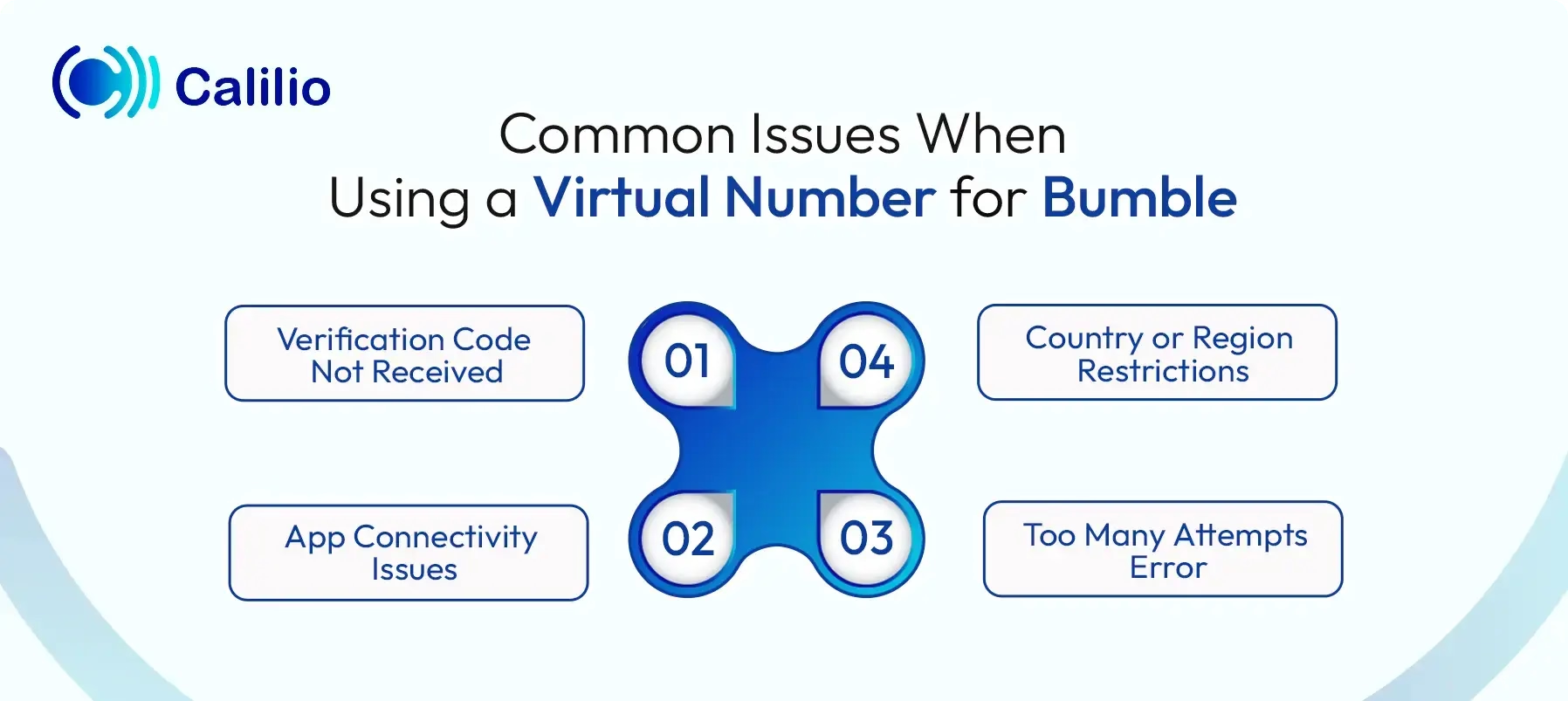
1. Verification Code Not Received
Sometimes Bumble does not deliver the SMS code after you enter your number. This usually happens when the number is incorrect, not fully supported or has been flagged due to previous usage.
To fix this, try switching to the “Phone Call” verification option if available. If that does not work, wait a few minutes and request the code again or use a fresh, dedicated number from a reliable provider.
2. App Connectivity Issues
Sometimes verification fails due to unstable internet or temporary app connection problems. These glitches interrupt the OTP process even when the number is valid.
Refreshing your connection by switching between Wi-Fi and mobile data or restarting the app usually resolves the issue. Turning Airplane Mode on and off can also help reset connectivity.
3. Too Many Attempts Error
Making multiple signup attempts in a short time can trigger temporary restrictions. Bumble may block further attempts to prevent automated or suspicious behavior.
To fix this, stop trying for a while and allow the system to reset. After some time, try again with a different number and avoid repeated rapid attempts.
4. Country or Region Restrictions
Virtual numbers from regions like Iran, Saudi Arabia, China, and the UAE may not work well with Bumble because the app isn’t fully supported there. This can lead to issues such as failed verification or not receiving OTP codes.
To avoid this, select a number from a country where Bumble is fully supported. Matching your number’s region with a stable connection improves success rates.
Conclusion
Using a virtual number for Bumble signup helps you keep your personal number private and avoid unwanted calls or messages. At the same time, it lets you manage your dating activity separately without linking it to your everyday communication.
Summarize this blog with:
Frequently Asked Questions
Everything you need to know about Calilio. Can't find your answer? .
Yes, using a virtual number for Bumble is generally safe and recommended for protecting your privacy. It prevents sharing your primary number with strangers, reducing risks of harassment, stalking, and spam.
Stay in the loop
Get the latest call insights, trends, and updates delivered straight to your inbox.
By subscribing, you agree to receive updates from Calilio.
You can unsubscribe anytime.
Enter the World of AI Business Phone System with Calilio
Improve your business operation with Calilio's advanced virtual phone system. Join today for a better way to connect.