
How to Get a Virtual Number for Zoosk: A Comprehensive Guide

Online dating apps like Zoosk make it simple to connect with new people, but they also rely on verification steps to keep accounts secure. One of the most common methods is phone number verification. It usually appears at the beginning when you sign up. After that, it may show up again from time and again, especially when you log in from a new device or try to access certain features.
For users who prefer to keep their personal number private, this requirement feels inconvenient. That’s where virtual phone numbers come in. They offer a reliable way to verify your account without sharing your real number.
In this guide, you will learn how to get a virtual number for Zoosk, use it for verification, and avoid common verification issues.
Key Highlights:
A virtual number helps you complete Zoosk verification without exposing your personal number, which gives you more privacy and control.
To get a virtual phone number for Zoosk, choose a reliable virtual number provider, create your account, select a number, make a payment and activate it.
To get a virtual number from Calilio for Zoosk verification, create an account, add a number from the dashboard, activate it, and use it when the dating platform asks for phone verification.
When using a virtual number for Zoosk verification, you can face OTP delays, temporary blocks, or region mismatch issues, but the right number setup usually fixes them.
Can You Create a Zoosk Account without a Phone Number?
Yes, you can create a Zoosk account without a phone number at the initial signup stage using email, Google, Facebook, or Apple ID. This allows users to quickly register and explore the platform without immediately sharing personal contact information, making the process more convenient and accessible.
However, this option is usually only temporary. As you continue using the platform, Zoosk may prompt you to provide a phone number for verification. This typically happens when you log in from a new device, trigger security checks, or try to unlock certain features. At that stage, you’ll need to enter a valid number and confirm it using a one-time SMS code.
This added step is part of Zoosk’s efforts to maintain a safe and authentic environment. While email and social logins verify access, they are not always sufficient to prevent fake accounts or misuse. Phone verification helps confirm that each account is linked to a real person, strengthens security, and reduces the chances of suspicious activity on the platform.
How to Get a Virtual Phone Number for Zoosk?
To get a virtual phone number for Zoosk, first choose a trusted virtual number provider, create your account, and pick a number based on your preferred country or region. Then, complete the required verification and payment to activate the number for use.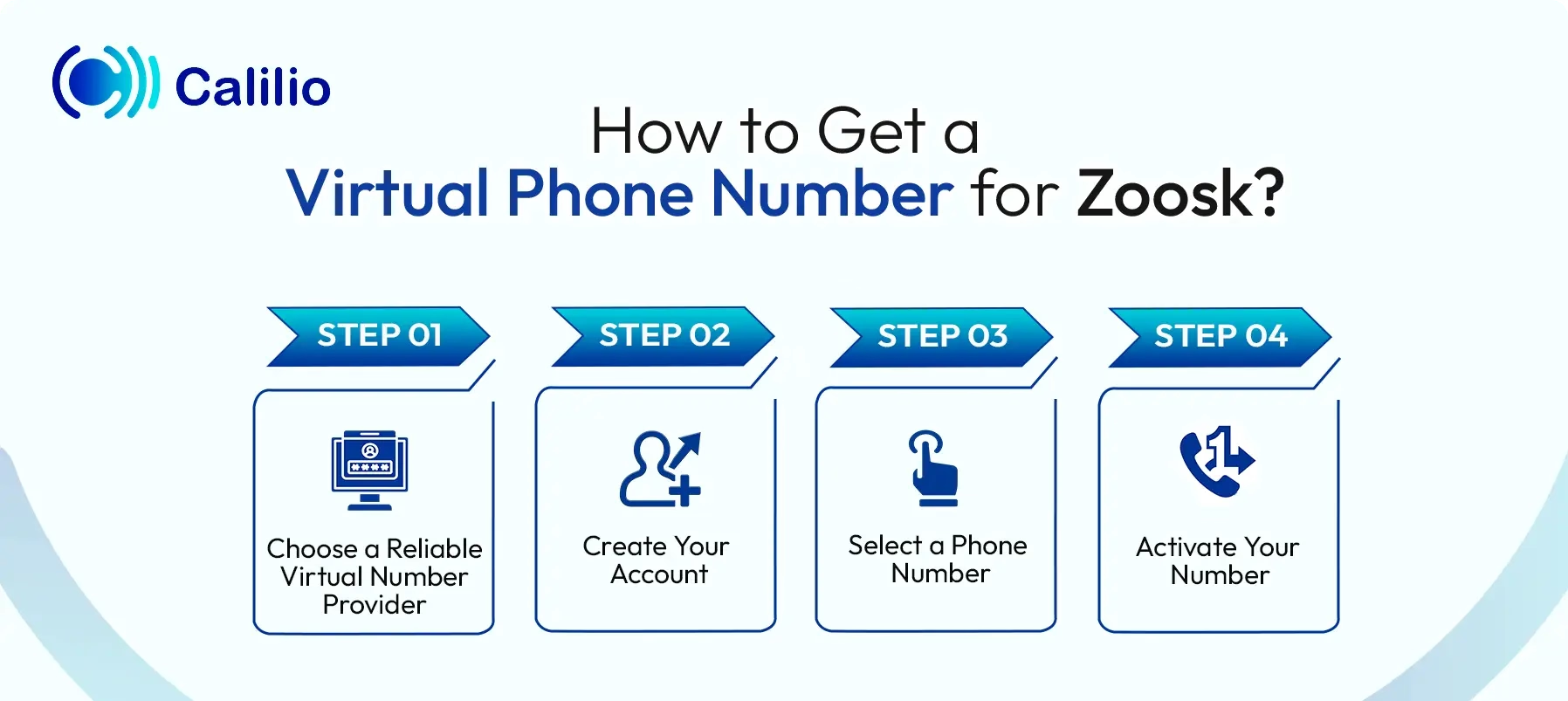
- Step 1 - Choose a Reliable Virtual Number Provider: Start by selecting a trusted virtual number provider, such as Calilio, Quo, or OnlineSim, that supports SMS verification.
- Step 2 - Create Your Account: Register using your email address and complete the basic required details to access your dashboard.
- Step 3 - Select a Phone Number: Pick a number based on your preferred country or region.
- Step 4 - Activate Your Number: Complete any required verification steps and finalize the payment to activate your number.
Disclaimer: Zoosk handles the delivery of OTP codes, not Calilio. Receiving a verification code depends on the application you are signing up for, and some service providers may restrict sending OTPs to VoIP numbers.
How to Get a Virtual Number from Calilio for Zoosk Verification?
To get a virtual number from Calilio, create an account and acquire a number that supports SMS verification. Then, enter that number during verification, access the code in your dashboard, and use it to complete the process.
- Step 1 - Create a Calilio Account: Create a Calilio account using your email address and basic details. After that, choose a subscription plan based on your needs.
- Step 2 - Open My Numbers: After logging in, open your dashboard and navigate to Settings > My Numbers and click Add a New Number, or click the “+” icon beside Numbers in the left sidebar to purchase a new number.
- Step 3 - Select a Virtual Number: Select a country supported by Zoosk and choose a virtual number that supports texting capabilities.
- Step 4 - Complete Activation: Finish any required verification or document submission, complete the payment, and wait for the number to be activated.
- Step 5 - Enter the Number on Zoosk: When Zoosk shows a phone verification prompt, enter your acquired virtual number in the required field.
- Step 6 - Check the SMS Code: Once you submit the number, Zoosk will send a verification code. Check your dashboard or message inbox to view the SMS.
- Step 7 - Complete Zoosk Verification: Copy the verification code and enter it on Zoosk. After the code is accepted, the verification process will be complete.
Why a Virtual Number is the Best Option for Zoosk Verification?
A virtual phone number helps you verify your Zoosk account without linking it to your real phone number, which gives you more privacy and better control over your personal information. It is also quick to get, simple to manage, and often cheaper than using a second SIM.
- Protects Your Personal Privacy: A virtual number keeps your real phone number separate from your Zoosk account. This reduces the chances of your personal contact details being exposed or misused.
- Easy to Set Up and Use: Most virtual number services are quick to activate and require minimal setup. You can start using them for verification almost immediately.
- Adds an Extra Layer of Control: With a virtual number, you can choose when to keep or discard it. This gives you more flexibility in managing your online identity.
- Cost-effective Solution: Virtual numbers are often more affordable than getting an additional SIM card. Many services offer low-cost or pay-as-you-go options, making them a budget-friendly choice.
- Keeps Your Personal and Dating Life Private: Using a virtual number helps you maintain a clear boundary between your private life and your online dating activity, so your personal contacts and dating interactions stay separate.
Common Zoosk Verification Issues & How to Fix Them
When using a virtual number for Zoosk verification, you can face issues like not receiving the OTP, temporary blocks after repeated attempts, or country-region mismatches. To fix them, use a fresh SMS-enabled number from a supported country, enter details correctly, and wait before retrying if blocked.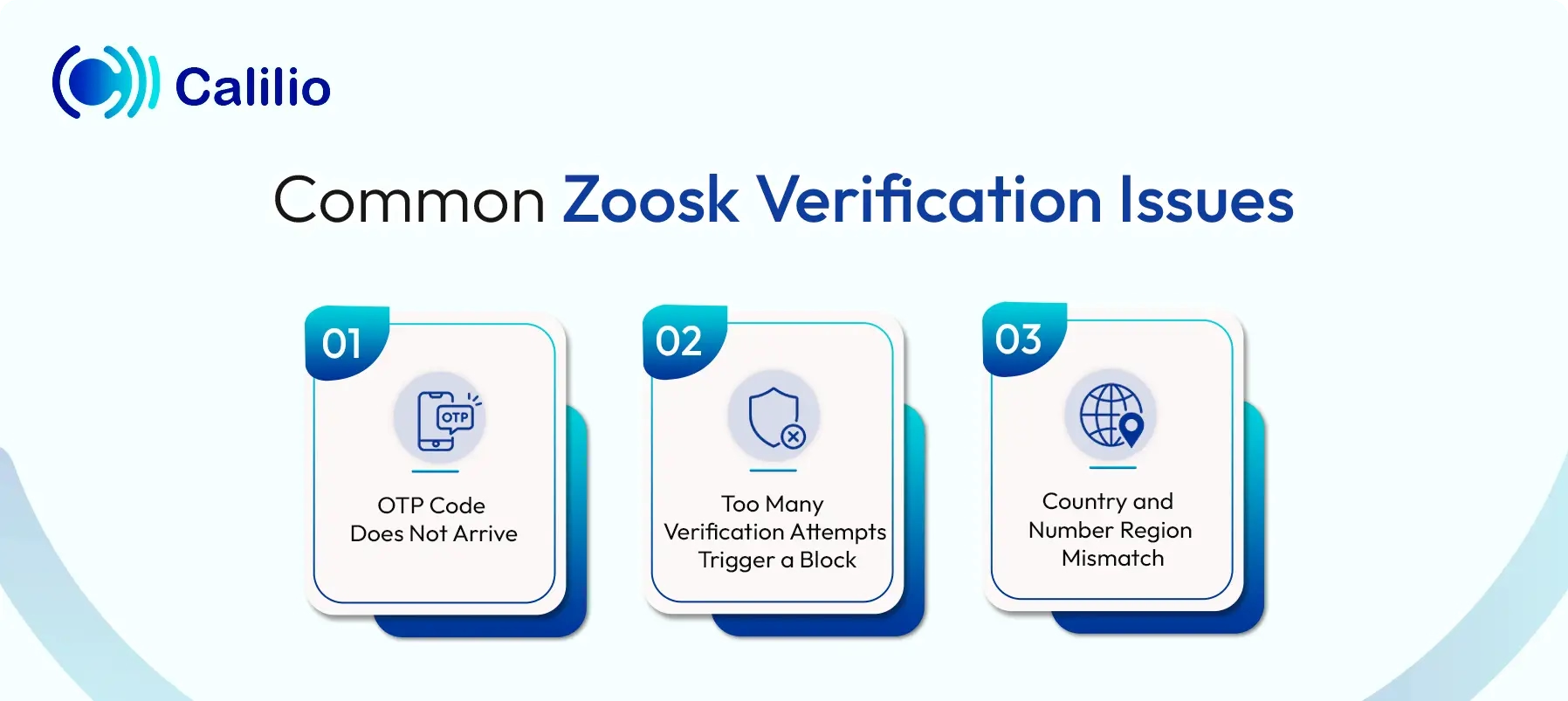
1. OTP Code Does Not Arrive
One of the most common issues when using a virtual number for Zoosk verification is not receiving the OTP after entering the number. This happens if the number does not support SMS, has poor delivery performance, or is not accepted by Zoosk’s system. It also occurs if the number has already been used previously for verification.
To fix this, use an unused virtual number that supports SMS verification and is active for OTP delivery. Also, double-check the country code and number format before submitting it.
2. Too Many Verification Attempts Trigger a Block
If you request the code again and again in a short time, Zoosk temporarily blocks further attempts. This usually happens when the system detects unusual behavior and tries to protect the account from misuse.
To fix this, stop retrying and wait for some time before trying again. You can also clear your app or browser cache, restart the app, or reinstall it to remove any temporary glitches before making another attempt.
3. Country and Number Region Mismatch
Zoosk verification fails when the country of your virtual number does not match your account activity or expected location. This makes the platform treat the number as unusual, which affects OTP delivery.
To solve this, choose a virtual number from a country that Zoosk supports, and that matches the region you want to use for your account.
Conclusion
Getting a virtual number for Zoosk is a smart way to complete phone verification without sharing your personal number. Since Zoosk can request verification at different stages, having a virtual number ready helps you stay prepared while keeping your contact details private.
If you are looking for a reliable virtual number provider, Calilio is a solid choice. It offers virtual numbers from 100+ countries, and you can choose a number based on your region at an affordable price.
Summarize this blog with:
Frequently Asked Questions
Everything you need to know about Calilio. Can't find your answer? .
Zoosk photo verification is a feature that helps confirm that a profile belongs to a real person. To get it, open the Verification section of your profile in the Zoosk mobile app or on the website, choose Verify Photos, record the requested short selfie video, and wait for Zoosk’s moderators to review it.
Stay in the loop
Get the latest call insights, trends, and updates delivered straight to your inbox.
By subscribing, you agree to receive updates from Calilio.
You can unsubscribe anytime.
Enter the World of AI Business Phone System with Calilio
Improve your business operation with Calilio's advanced virtual phone system. Join today for a better way to connect.