
Small Business Phone System Cost: Full Pricing Breakdown


A small business phone system usually costs $10 to $80 per user per month for a cloud-based system. Traditional landlines and on-premise PBX systems often cost more because they need hardware, wiring, setup, and ongoing maintenance.
The final cost depends on your team size, phone system type, calling volume, business numbers, advanced features, and contract terms. A small team with basic calling needs may only pay a simple monthly subscription, while a growing support or sales team may pay more for routing, recording, analytics, integrations, and AI tools.
Key Highlights:
Cloud-based small business phone systems often cost $10 to $80 per user per month, depending on the provider and plan.
VoIP systems usually cost less upfront than landlines because they do not need heavy wiring or on-site PBX hardware.
Landline and on-premise PBX systems can become expensive because of installation, desk phones, maintenance, and IT support.
The real monthly cost can include add-ons such as phone numbers, SMS, international calls, call recording storage, number porting, taxes, and compliance fees.
Small businesses can reduce costs by choosing only the features they need, using softphone apps, and avoiding long contracts before testing the system.
How Much Does a Small Business Phone System Cost?
A business phone system for small businesses usually costs $10 to $80 per user per month for a cloud-based service. Basic VoIP plans sit on the lower end, while advanced plans with AI, analytics, integrations, call recording, and call center features cost more.
Traditional landlines can look cheaper at first because the monthly line fee may seem simple. The total cost often rises when you add installation, wiring, desk phones, maintenance, long-distance charges, and extra services.
Phone system type | Typical monthly cost | Set-up or hardware cost | Good fit |
| Cloud VoIP phone system | $10-$80 per user/month | Low or none if you use mobile and desktop apps | Small businesses, remote teams, startups, sales teams, and support teams |
| Virtual phone system | $10-$50 per user/month or per number | Low or none | Solo owners, small teams, and businesses that forward calls to existing devices |
| Business landline | $20-$60 per line/month | $100-$300 per line for installation in many cases | Businesses that need a basic fixed office phone line |
| On-premise PBX | $70+ per user/month after setup and support | Often thousands of dollars for servers, phones, installation, and IT work | Larger offices that want full control over on-site infrastructure |
Small Business Phone System Cost by Team Size
Team size has the biggest impact on your monthly phone bill. Most cloud phone providers charge per user, so your base cost increases as you add more employees. The final cost may also rise depending on call usage, SMS volume, extra phone numbers, and compliance-related fees.
Team size | Estimated monthly cost | What the cost usually includes |
| 1 user | $10-$80/month | One business number, calling app, voicemail, basic call handling, and sometimes SMS |
| 3 users | $30-$240/month | Shared calling features, basic routing, voicemail, and team access |
| 5 users | $50-$400/month | Multiple users, business numbers, call forwarding, call history, voicemail, and light reporting |
| 10 users | $100-$800/month | More users, call routing, recordings, analytics, integrations, and higher call volume |
| 20 users | $200-$1,600/month | Advanced features, department routing, monitoring, larger call volume, and possible onboarding support |
Cost by Phone System Type
The phone system type affects both your starting cost and long-term cost. A small business should compare monthly fees, setup work, hardware needs, maintenance, and the flexibility to add or remove users.
Landline Phone System Cost
A business landline usually costs $20 to $60 per line per month, and installation can add $100 to $300 per line. Landlines work for basic office calls, but they are less flexible for remote work, call analytics, SMS, and modern call routing.
Landlines can also become costly when your business adds more locations or needs call forwarding, voicemail, long-distance calling, or maintenance support. For many small businesses, the total cost is higher than the basic monthly line fee suggests.
Cloud VoIP Phone System Cost
A VoIP phone service usually costs $10 to $80 per user per month. Most small businesses pay somewhere in the middle of that range after choosing the plan, users, numbers, call volume, and extra features they need.
A cloud phone system runs through the internet, so your team can use desktop apps, mobile apps, web dialers, or IP phones. This lowers upfront costs because you do not need a traditional office phone setup.
On-Premise PBX Cost
An on-premise PBX system has a higher upfront cost because the business must buy and maintain its own phone infrastructure. Costs include the PBX server, desk phones, cabling, software licenses, installation, configuration, upgrades, and IT support.
For small businesses, setup typically ranges from $1,000 to $10,000+, depending on the number of users, hardware requirements, and installation work. Ongoing costs include maintenance, software updates, repairs, license renewals, and technical support.
The final cost depends on the number of extensions, office wiring, phone models, and how much in-house or external IT support your business needs.
Virtual Phone System Cost
A virtual phone system can cost $10 to $50 per user per month or per number, depending on the provider. It is usually cheaper than a full office phone system because it can forward calls to your existing mobile phone, laptop, or desktop app.
Some small teams only need a virtual phone number, voicemail, call forwarding, and business texting. Growing teams may need more complete VoIP features such as IVR, call queue, call recording, analytics, and integrations.
What Costs Should You Include Before Choosing a Phone System?
The plan price is only one part of the total phone system cost. A good comparison should include setup, hardware, phone numbers, usage, add-ons, contracts, and support.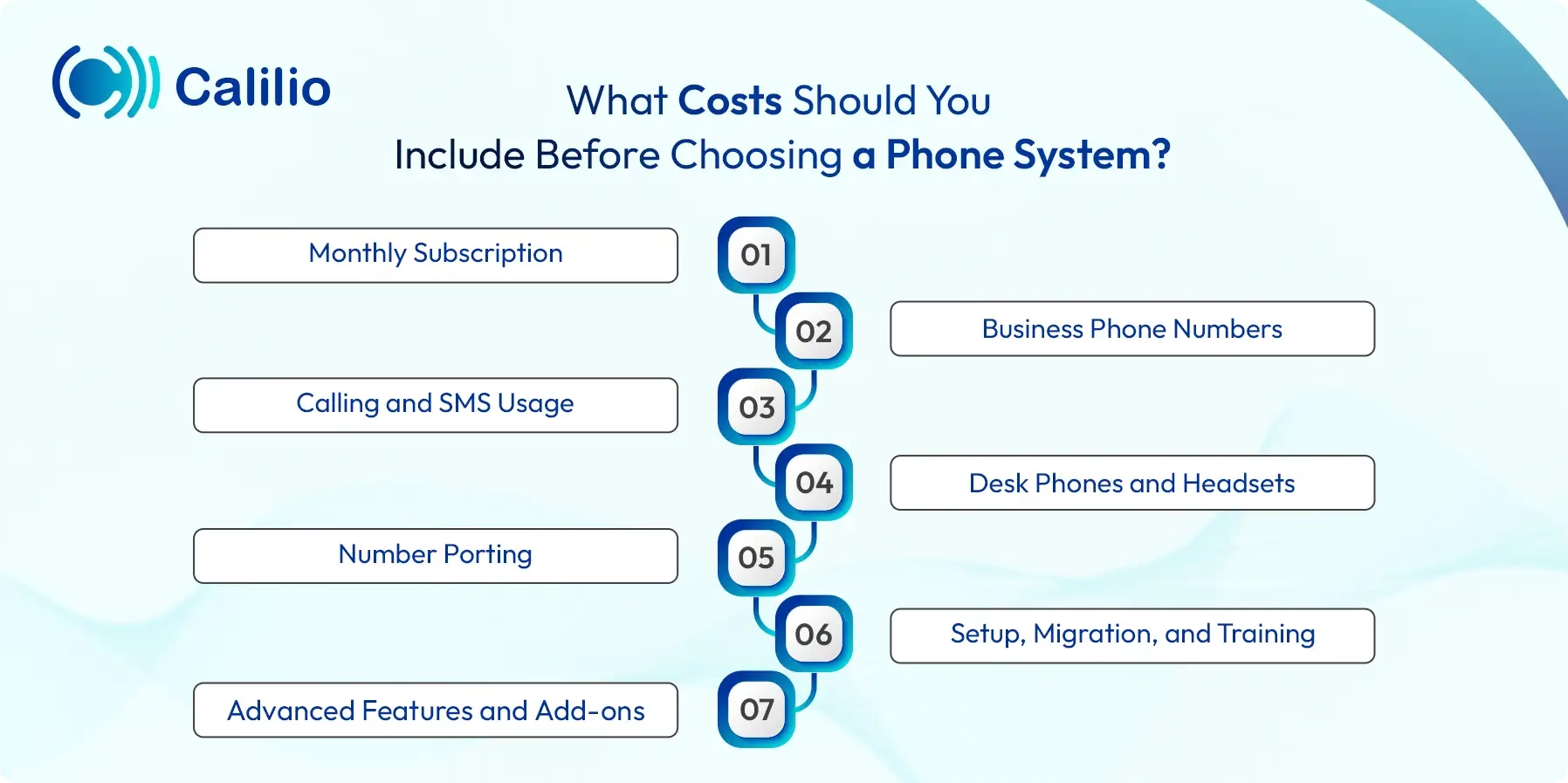
1. Monthly Subscription
Most cloud phone systems charge per user per month. A low entry price can work well for small teams, but you should check which features are included and which features require a higher plan.
2. Business Phone Numbers
Some providers include one phone number in the plan, while others charge separately for local, toll-free, mobile, or international numbers. Extra numbers can increase the monthly bill if your business needs different numbers for sales, support, locations, or campaigns.
3. Calling and SMS Usage
Some plans include call minutes and SMS credits, while others charge per minute or per message. Always check call and SMS rates before you estimate the monthly cost, especially if your business makes international calls or sends many customer messages.
4. Desk Phones and Headsets
To manage small business phone system costs, review your business needs and then find a phone system that meets those needs at a reasonable cost.
5. Number Porting
Number porting lets you keep your existing business number when you move to a new phone provider. Some providers offer porting for free, while others charge a one-time fee per number.
6. Setup, Migration, and Training
Cloud VoIP setup is usually simple, but larger teams may still need help with call flows, business hours, IVR menus, routing rules, voicemail, user roles, and team training. On-premise systems often require more setup work and technical support.
7. Advanced Features and Add-ons
Advanced features can increase the plan price. Common paid or higher-tier features include call forwarding, IVR, call queue, call recording, voicemail transcription, CRM integration, analytics, power dialer, live monitoring, AI call summaries, and sentiment analysis.
Hidden Phone System Costs Small Businesses Often Miss
Hidden phone system costs usually come from usage, add-ons, contracts, and setup details that are not obvious from the plan price. Small businesses should check the full cost before switching providers.
Consider the following hidden cost before you select your phone system:
- Taxes, surcharges, and telecom compliance fees
- International calling charges
- SMS and MMS charges
- Extra local, mobile, toll-free, or international numbers
- Number porting fees
- A2P 10DLC registration fees for business texting in the US
- Desk phones, headsets, adapters, and shipping
- Call recording storage fees
- Premium integrations and workflow automation
- Early cancellation fees on long-term contracts
- Professional onboarding or migration support
Stop Overpaying for Business Phone Systems
Choose a cloud phone system with the features your team actually needs, clear pricing, and the flexibility to scale as your business grows.
Which Features Affect Business Phone System Pricing?
Basic calling and voicemail usually cost less than advanced call management and analytics. The more your phone system supports sales, support, reporting, automation, and AI, the more likely you are to pay for a higher plan.
Feature | How does it affect cost | When you need it |
| IVR or auto-attendant | Often included in mid-tier or higher plans | When callers need to reach sales, support, billing, or another department |
| Call queue | May require a business or call center plan | When many customers call at the same time |
| Call recording | May include storage limits or extra storage cost | When teams need training, quality checks, or compliance support |
| Voicemail transcription | Often part of advanced plans | When teams want to read messages quickly |
| CRM integration | Usually included in higher plans | When sales or support teams need call records inside CRM |
| Call analytics | Basic analytics may be included, detailed analytics may cost more | When managers need to track call volume, missed calls, and team performance |
| AI call reports | Often tied to premium plans | When teams want call summaries, transcriptions, reasons for calls, and sentiment insights |
| International numbers | Usually billed separately | When your business serves customers in different countries |
How to Reduce Small Business Phone System Costs
A small business can reduce phone system costs by matching the plan to real needs instead of buying the longest feature list. However, note that the cheapest plan is not always the best value if it misses important call handling, reporting, or support features.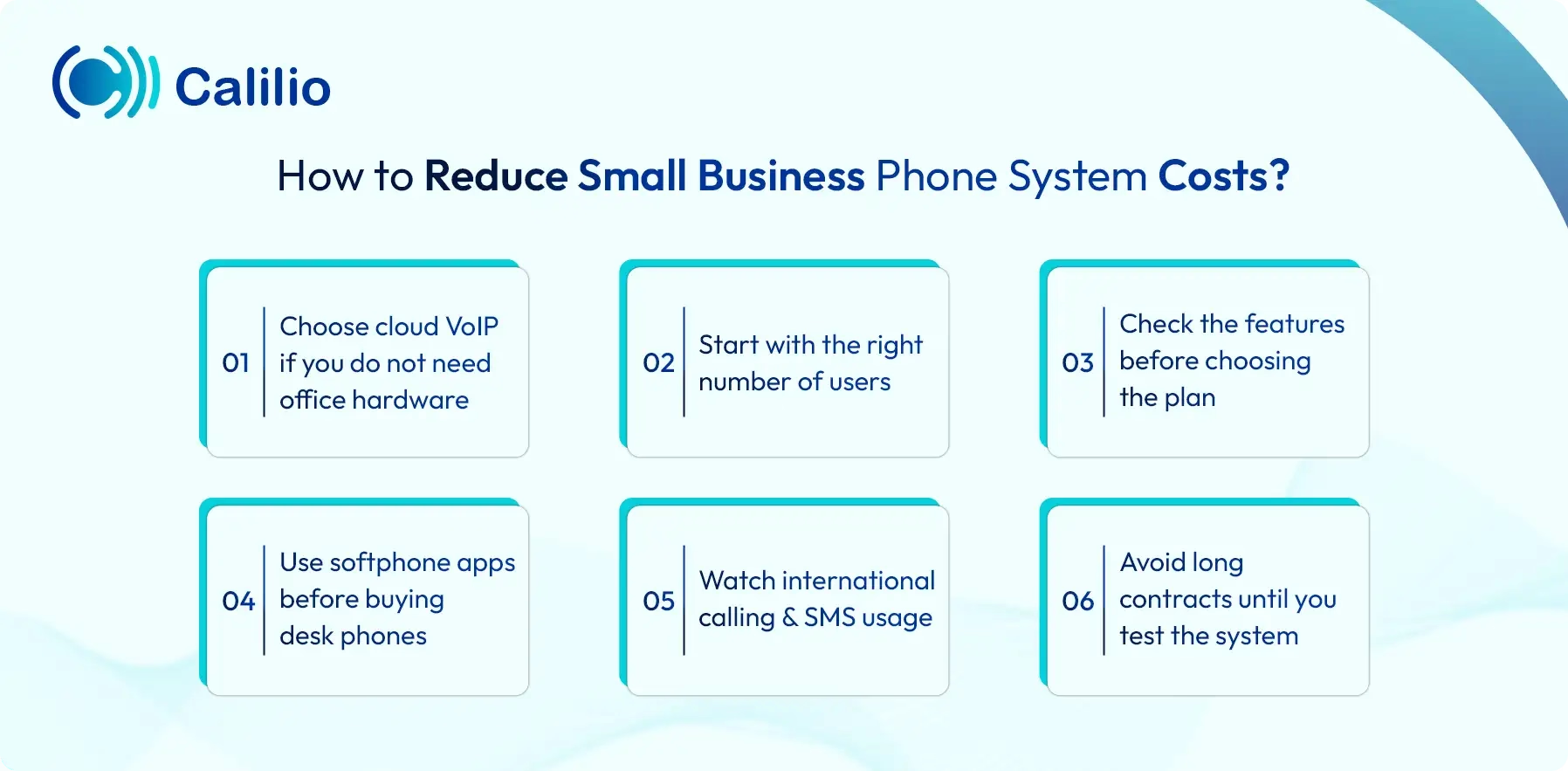
Choose cloud VoIP if you do not need office hardware
Cloud VoIP removes many upfront costs because your team can make and receive calls through apps. You can avoid desk phones at the start and add them later only where needed.
Start with the right number of users
Do not pay for users who do not need daily phone access. Add users as your team grows, and review inactive users every month.
Check the features before choosing the plan
Compare what each plan includes before paying. A slightly higher plan may cost less in the long run if it includes recording, analytics, integrations, or call routing that you would otherwise buy as add-ons.
Use softphone apps before buying desk phones
Mobile, desktop, and browser apps are enough for many teams. Physical phones are useful for reception desks, front offices, and shared work areas, but they are not always required for every employee.
Watch international calling and SMS usage
International calls, SMS, and MMS can change your monthly bill. Review call rates before choosing numbers or launching messaging campaigns.
Avoid long contracts until you test the system
Annual plans can lower the monthly price, but long contracts can be painful if the system does not fit your workflow. Test usability, call quality, routing, and support before committing.
Simple Cost Examples for Small Businesses
These examples show how the monthly cost can change by team size and plan type. They are estimates only, but they make the buying decision easier.
Scenario | Possible setup | Estimated monthly cost |
| Solo consultant | One virtual number, one user, mobile and desktop app | $10-$80/month |
| 5-person sales team | Five users, call recording, shared number, call notes, basic analytics | $75-$400/month |
| 10-person support team | Ten users, IVR, call queue, voicemail, call forwarding, call analytics | $150-$800/month |
| 20-person call-heavy team | Twenty users, recordings, advanced routing, analytics, integrations and AI reports | $300-$1,600/month |
| Office with on-premise PBX | PBX hardware, desk phones, server, cabling and IT maintenance | High upfront setup plus ongoing support costs |
Is VoIP Cheaper Than a Landline for Small Businesses?
VoIP is usually cheaper than a landline for small businesses because it reduces hardware, installation, maintenance, and long-distance calling costs. VoIP also gives small teams more flexibility because employees can call from laptops, mobile phones, or desk phones.
A landline may still work if your business only needs a fixed office phone. But if your team needs remote access, call routing, voicemail transcription, SMS, analytics, or CRM integration, VoIP usually gives better value for the monthly cost.
How Much does a Small Business Phone System Cost with Calilio?
Calilio can fit small businesses that want a cloud-based phone system with business calling, SMS, virtual numbers, call routing, call recording, and AI-powered call insights. The Standard plan starts at $12 per user/month when billed annually and $15 per user/month on the monthly plan, while the Premium plan starts at $28 per user/month annually and $35 per user/month monthly.
Phone numbers, calling, SMS, MMS, and some compliance-related charges are billed separately, so businesses should check plan limits and usage rates before estimating the final monthly bill.
How to Choose the Right Phone System for Your Budget?
The right phone system is the one that supports your daily calls without forcing your business to pay for unused tools. Start with your real call needs, then compare the total cost instead of only looking at the starting price.
- List how many users need calling access every day.
- Decide whether you need local, toll-free, mobile, or international numbers.
- Check whether your team needs SMS, MMS, voicemail, call recording, or call routing.
- Choose whether mobile and desktop apps are enough or if you need desk phones.
- Estimate local, international, and outbound call volume.
- Review number porting, compliance, taxes, and messaging fees.
- Compare support quality, uptime, contract terms, and cancellation rules.
- Pick a system that can scale without forcing a complete migration later.
Conclusion
A small business phone system usually costs $10 to $80 per user per month for a cloud-based service. The final price depends on your users, phone numbers, call volume, SMS usage, features, hardware, and setup needs.
VoIP is often the most cost-friendly option for small businesses because it works over the internet and reduces the need for heavy office hardware. Before choosing a provider, compare the full monthly cost, not only the advertised plan price.
Calilio offers an affordable business phone system starting at just $15 per user/month. It includes basic call management features such as call forwarding, voicemail, call analytics, and more. For teams that need advanced tools like call recording, integrations, and AI-powered call reports, Calilio offers higher plans at reasonable pricing.
Summarize this blog with:
Frequently asked questions
How much does a small business phone system cost?
A small business phone system usually costs $10 to $80 per user per month for a cloud-based service. Landline and on-premise systems can cost more because they often need installation, wiring, desk phones, hardware, and maintenance.
What is the cheapest phone system for a small business?
Is VoIP cheaper than a business landline?
How much does a business phone line cost per month?
Do small businesses need desk phones?
What hidden fees should I check before buying a phone system?
How many phone lines does a small business need?
Does a cloud phone system need installation?

Still have questions?
Can’t find the answer you’re looking for? Please chat with our friendly team.
Stay in the loop
Get the latest call insights, trends, and updates delivered straight to your inbox.
By subscribing, you agree to receive updates from Calilio.
You can unsubscribe anytime.
Enter the World of AI Business Phone System with Calilio
Improve your business operation with Calilio's advanced virtual phone system. Join today for a better way to connect.