
How to Get a Virtual Phone Number for TikTok in 2026?

TikTok offers different ways to create an account, such as using an email, Facebook, Google, or other social platforms, skipping phone number verification. Because of this, many users believe that the platform does not require a phone number during signup. However, as you continue, TikTok will eventually ask for a number, especially during security checks or when accessing certain features.
At the same time, many users do not want to use their personal number due to privacy concerns or because they want to keep their accounts separate. In such cases, a virtual phone number becomes a practical solution, as it lets you receive verification codes or calls without using your main contact number.
So, let’s learn how to get a virtual phone number for TikTok and use it to create your account. You will also find ways to avoid common verification issues and complete the process without problems.
Key Highlights:
You can create a TikTok account using email, Google, or Facebook. But the social media platform eventually still asks for a number for OTP verification.
A virtual number helps you protect your privacy, manage accounts better, and sign up without using your personal number.
You can get a virtual number for TikTok by choosing a trusted virtual number provider, signing up for its service, and activating a number capable of receiving SMS.
Can You Create a TikTok Account without a Phone Number?
Yes, you can create a TikTok account without a phone number. TikTok allows you to sign up using your email address or by connecting your Google or Facebook account. This means you can start using the platform without entering your mobile number at the beginning.
However, this does not always remove the need for a phone number. TikTok asks you to add and verify a number later for security reasons, especially if it detects unusual activity or if you try to access certain features.
This extra verification step is mainly used by TikTok to strengthen account security and ensure users are genuine. While email or social logins allow quick access, phone verification helps reduce fake, duplicate, and spam accounts, making the platform safer and more reliable for all users.
How to Get a Virtual Phone Number for TikTok?
You can get a virtual phone number for TikTok by choosing a trusted provider, creating an account, and selecting an SMS-enabled number from a supported country.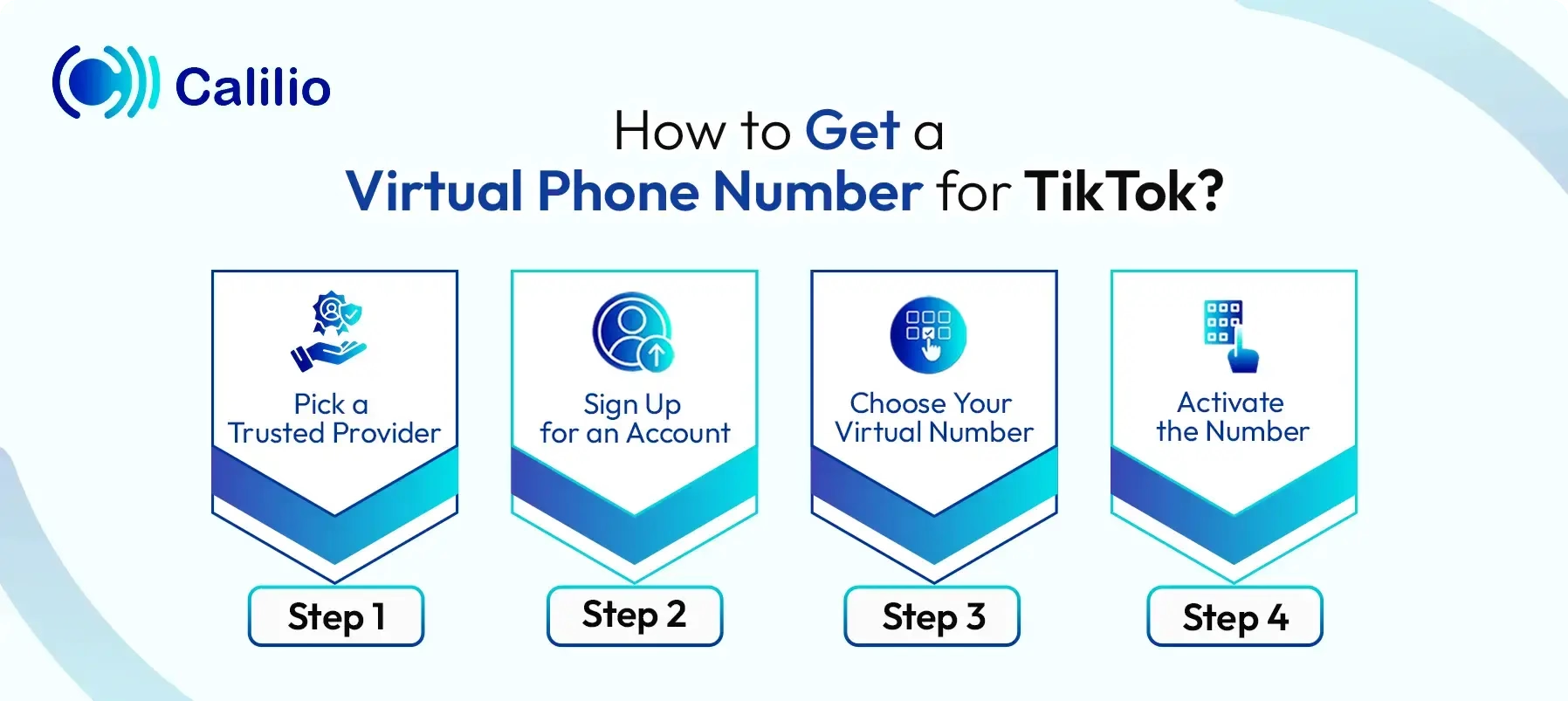
- Step 1 - Pick a Trusted Provider: Choose a trustworthy virtual number provider that supports SMS verification. A trusted service improves your chances of receiving TikTok verification codes without issues.
- Step 2 - Sign Up for an Account: Create your account using your email and basic details. Once you register, you can access your dashboard to manage your numbers.
- Step 3 - Choose Your Virtual Number: Select a phone number from your preferred country or region. Choose a country with a higher TikTok verification success rate to avoid delays.
- Step 4 - Activate the Number: Complete the setup by providing the required documents and completing the payment. After activation, your virtual number will be ready to use for TikTok signup.
Disclaimer: TikTok handles the delivery of verification codes, not Calilio. Receiving the OTP depends on TikTok’s system, and in some cases, it may not send codes to virtual numbers.
How to Get a Virtual Phone Number from Calilio for Your TikTok Account?
To get a virtual number from Calilio to create your TikTok account, first, sign up for Calilio. Then, select a virtual number with texting capabilities from a supported country, and complete the payment. Finally, use the number on TikTok to receive the OTP, complete verification, and finish setting up your account.
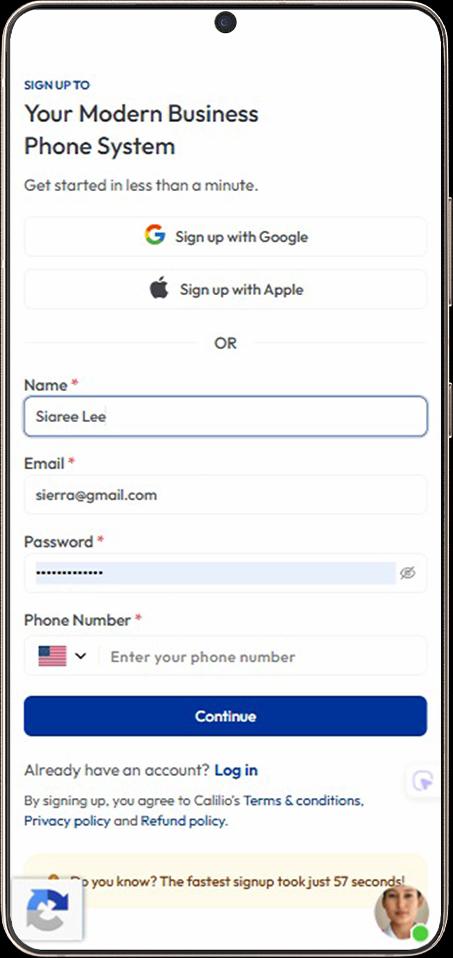
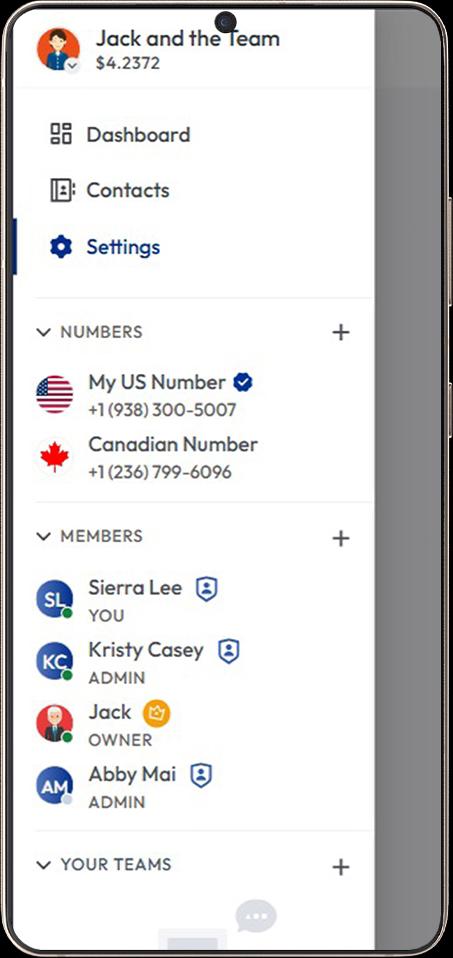
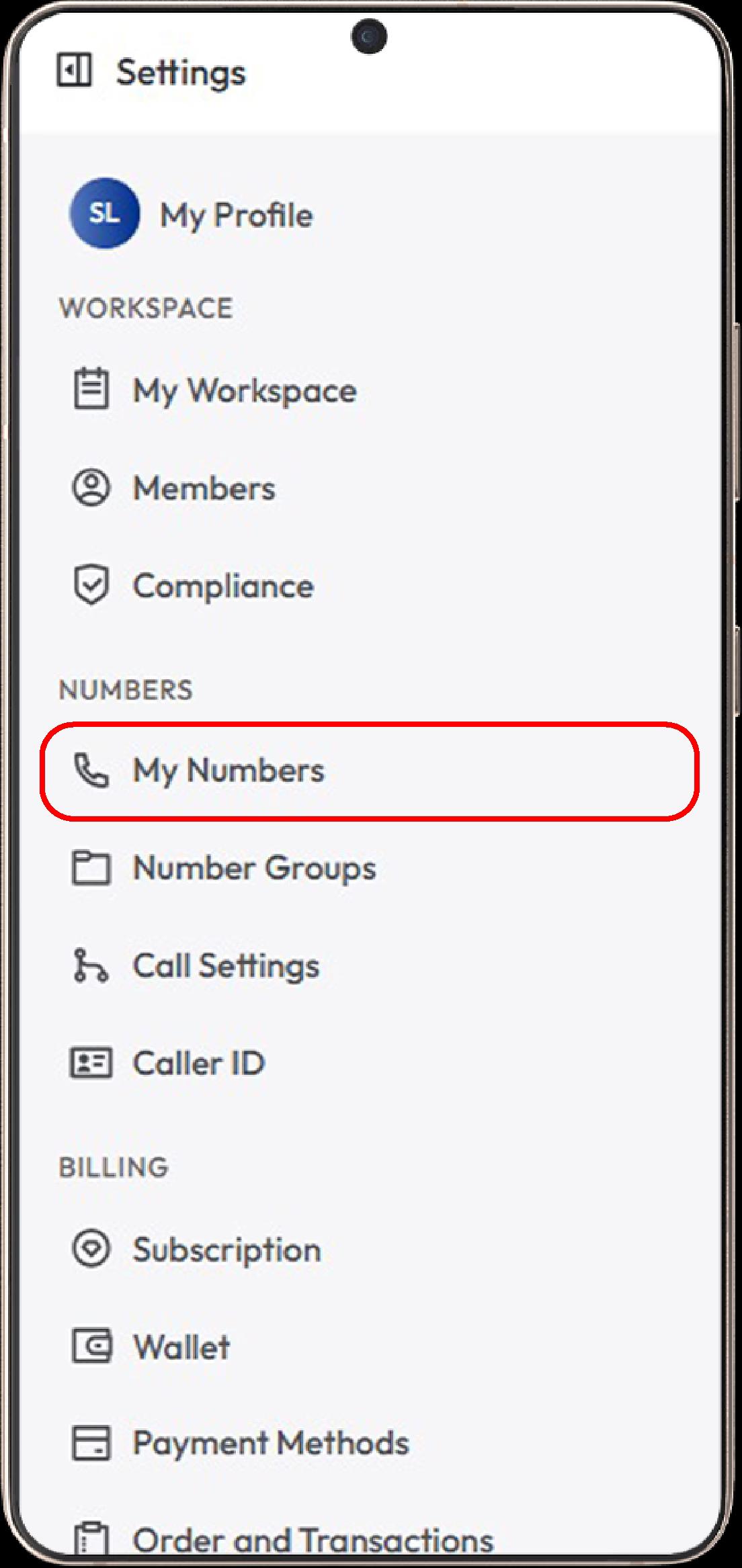
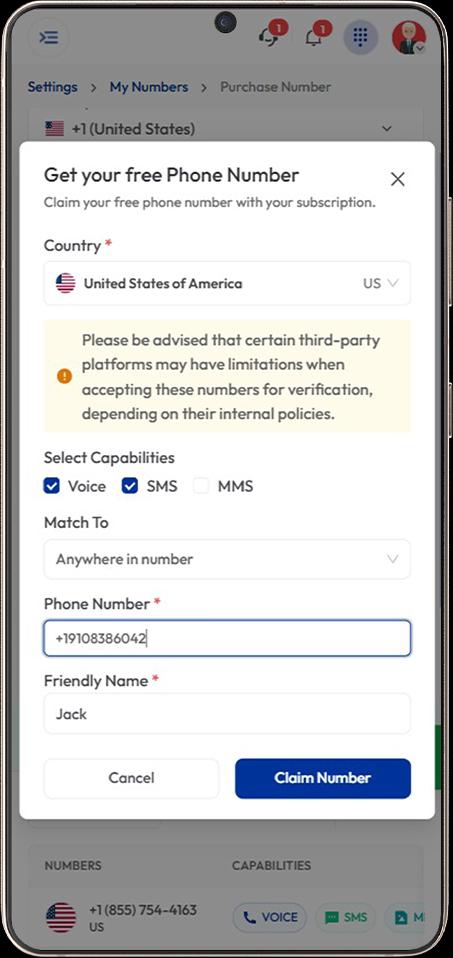
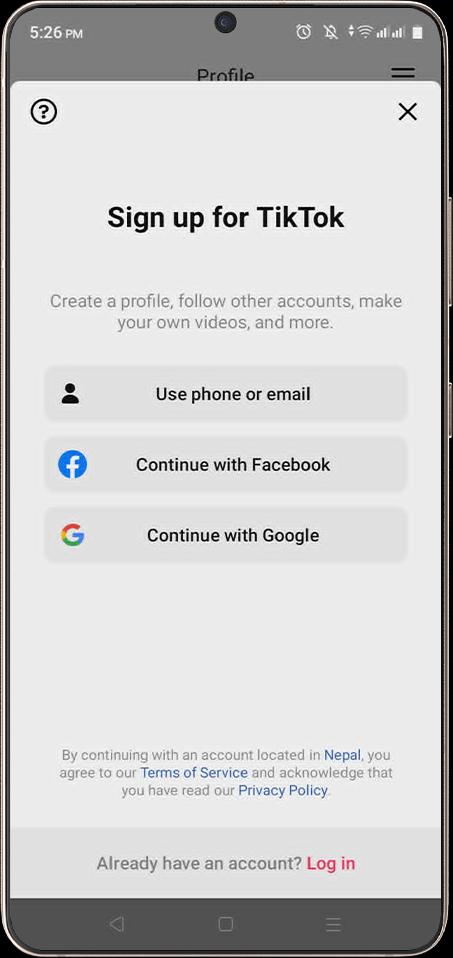
- Step 1 - Sign Up for Calilio:
Create your Calilio account using your email address and basic details. After signing up, choose a subscription plan that fits your needs. - Step 2 - Open the “My Numbers” Section: Go to Settings > My Numbers and click Add a New Number, or click the “+” icon beside Numbers in the left sidebar to purchase a new number.
- Step 3 - Select a Country:
Choose a country where TikTok is allowed, such as the United States, Canada, or the United Kingdom, depending on availability. - Step 4 - Choose an SMS-Enabled Number:
Select a virtual phone number that can receive SMS, so you can get TikTok verification codes or OTP messages. - Step 5 - Complete Purchase and Activate the Number:
Submit ID verification if required and complete the payment process. - Step 6 - Use the Number on TikTok:
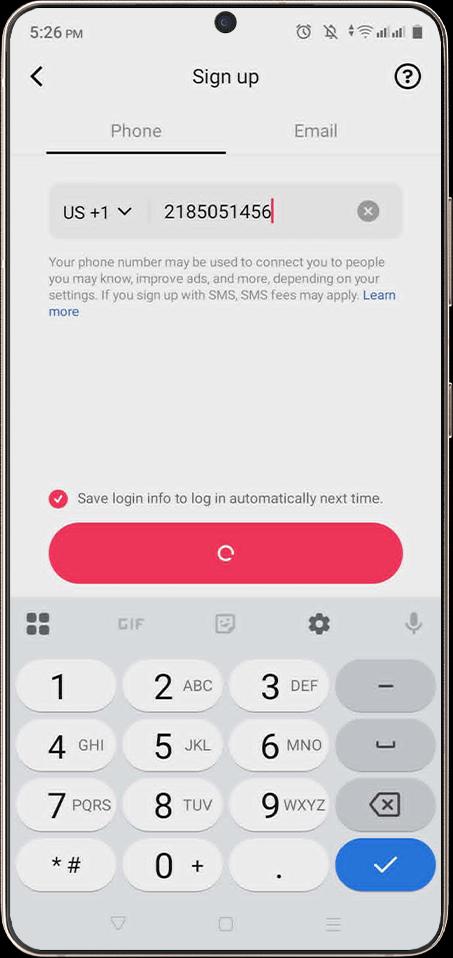
Open TikTok and tap Sign up, then select Use phone. - Step 7 - Enter Your Virtual Number:
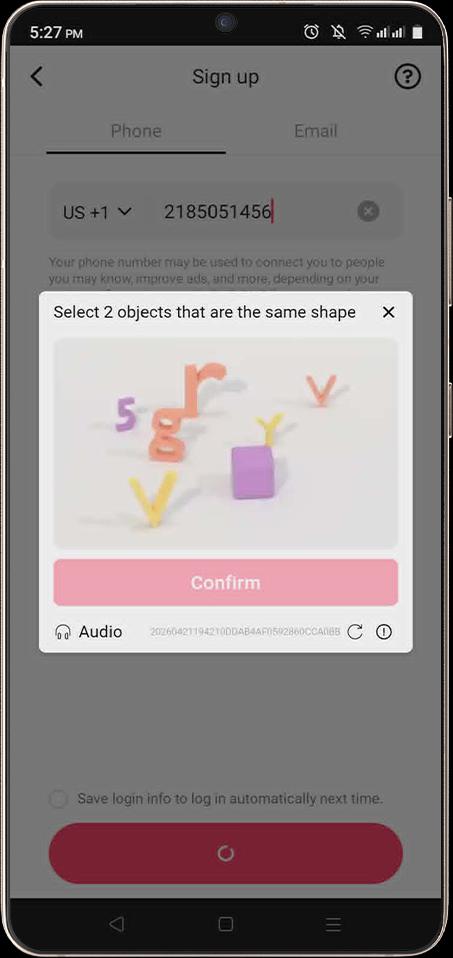
Enter the acquired virtual phone number in the TikTok phone number field. - Step 8 - Verify You are not a Robot:
Solve the security check or CAPTCHA if TikTok asks for one. - Step 9 - Receive the OTP Code:
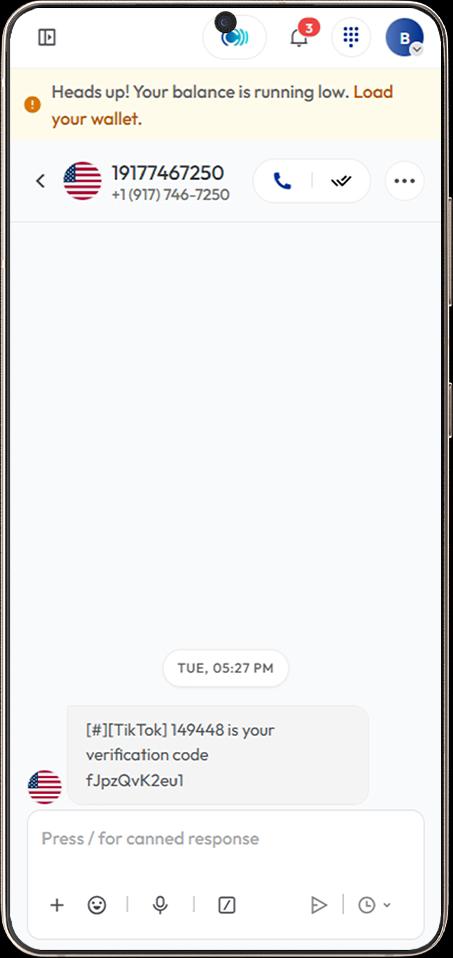
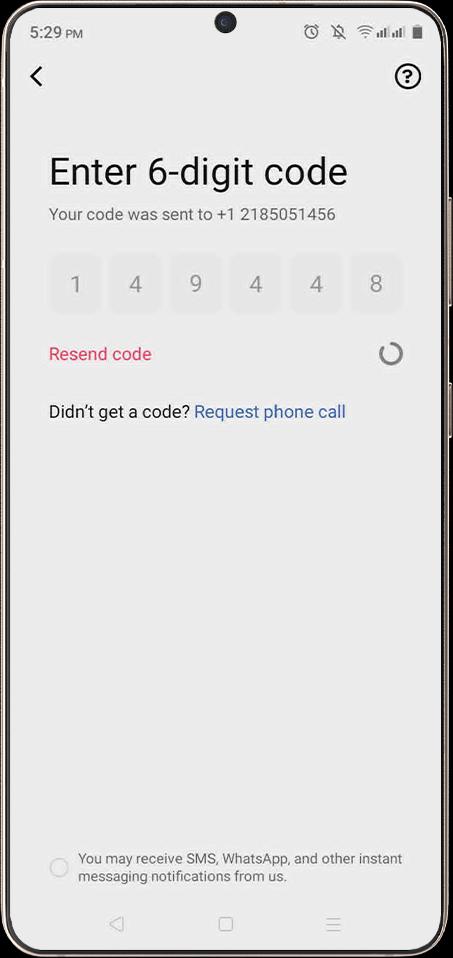
Go to your dashboard and check your SMS inbox. Copy the TikTok verification code sent to your virtual number. - Step 10 - Enter the 6-Digit Code on TikTok:
Return to TikTok and enter the verification code. Alternatively, you can also complete verification through an automated call if SMS is not received. - Step 11 - Finish Account Setup:
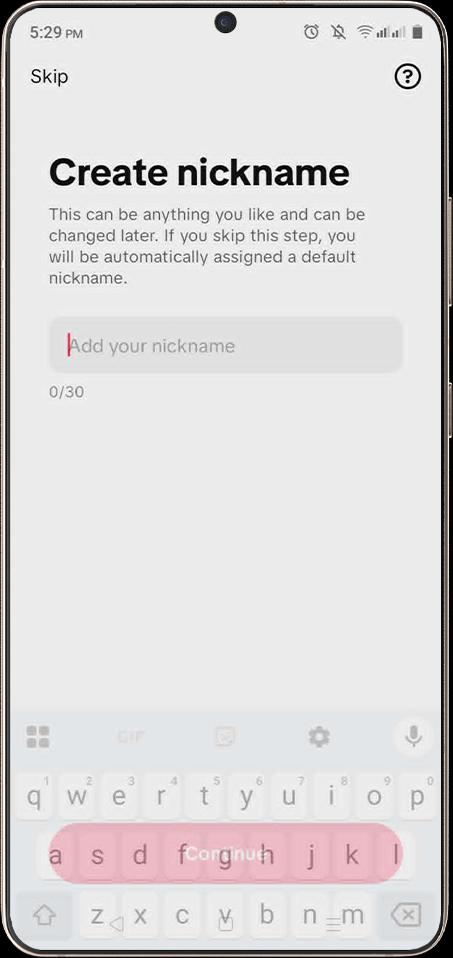
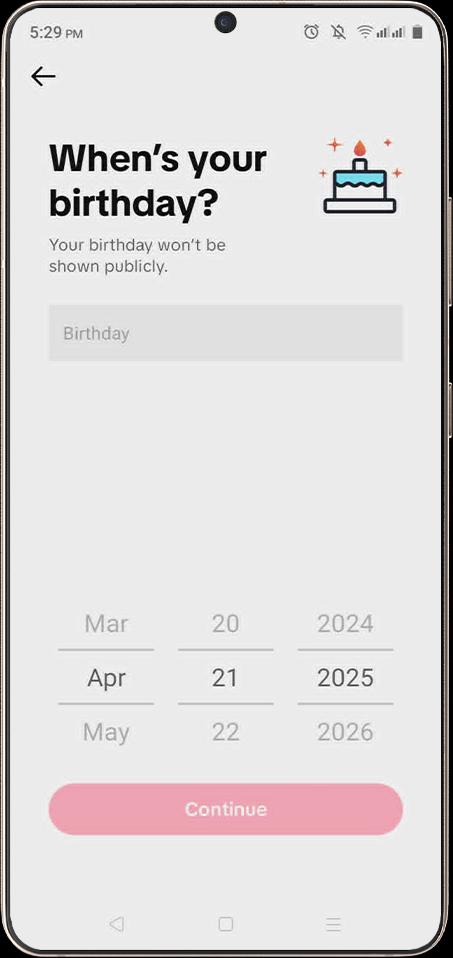
Add your birthday, create a nickname, and complete the remaining TikTok profile setup steps.
Why a Virtual Number is the Best Option for TikTok Sign Up
A virtual number lets you sign up for TikTok without using your personal number, so you can keep your details private and avoid unwanted messages. It also gives you the option to use a number from another country and saves you from buying a new SIM card.
- Protects Your Personal Number: A virtual number helps you sign up for TikTok without using your personal phone number. As a result, you can keep your private contact details separate from your social media account.
- Helps Avoid Unwanted Messages: Using a virtual number reduces the chance of getting unwanted calls or texts from TikTok on your main number. This gives you better control over your communication.
- Supports Account Separation: A virtual number lets you separate your TikTok activity from your personal or business number. This is useful if you want to manage content, testing, or brand accounts.
- Offers Country Flexibility: If TikTok does not support sign-up in your country, you can use a virtual number from another supported country. This helps you create your account without needing a local SIM card from that region.
- Cost-Effective: A virtual number is usually more affordable than buying a new SIM card. It gives you the ability to receive verification codes without extra hardware or long-term phone costs.
Common TikTok Verification Issues & How to Fix Them
TikTok verification is often affected by missing OTPs, too many requests, expired codes, or delayed SMS delivery. To fix this, use a correct number format, try a fresh SMS-enabled virtual number, avoid repeated requests, and enter the code quickly once received.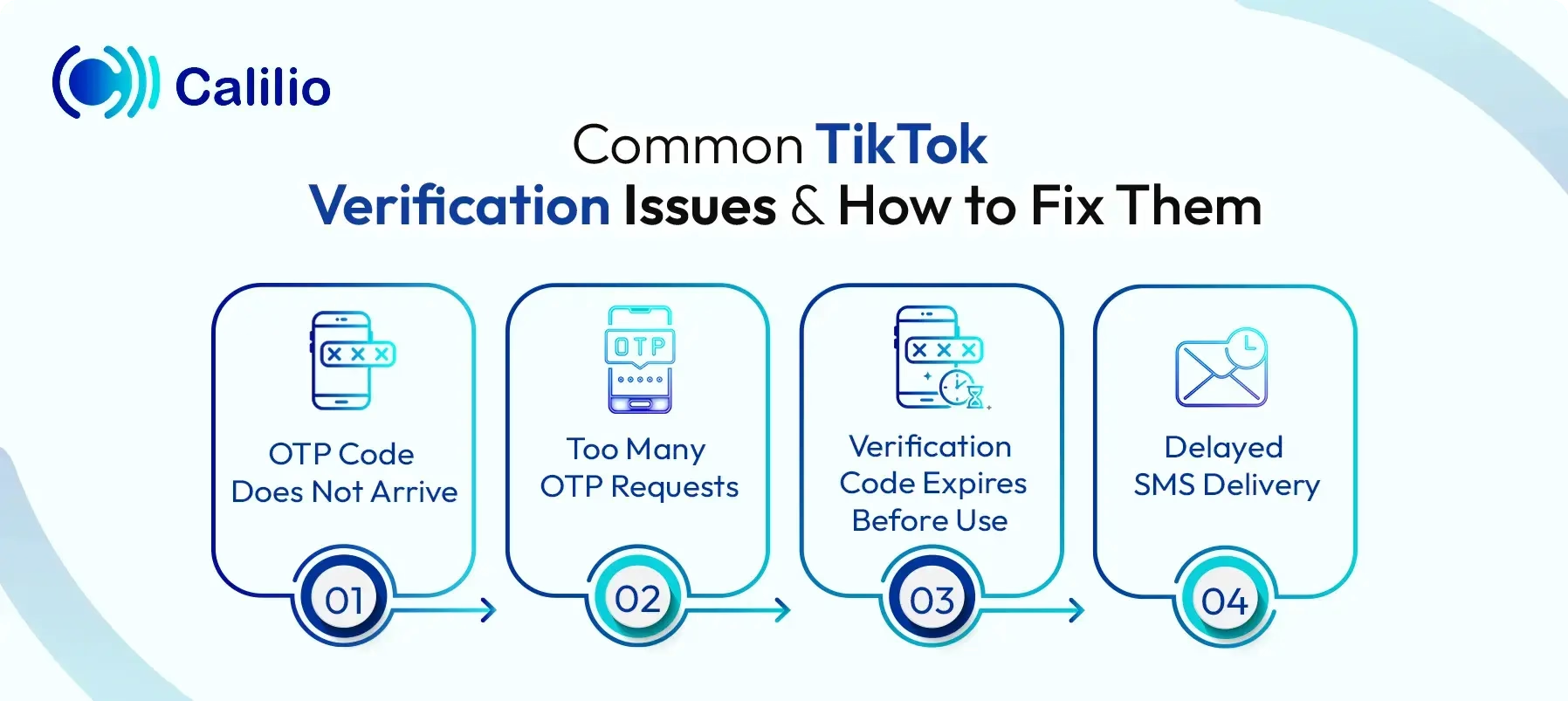
1. OTP Code Does Not Arrive
Sometimes, TikTok may not send the verification code to your virtual number. This happens due to wrong number details, poor SMS delivery, or platform restrictions.
To fix this, check the country code and number format before requesting the code again. Also, try a fresh virtual number from a TikTok-supported country if the current one is blocked or unsupported.
2. Too Many OTP Requests
If you request the verification code several times in a short period, TikTok may temporarily pause further attempts.
To fix this, wait for some time before trying again. You can also clear the app cache or reinstall TikTok if the issue continues. After that, enter the number details carefully before requesting a new code.
3. Verification Code Expires Before Use
TikTok OTP codes are valid only for a short time, so delays can cause the code to expire before you use it.
Keep your SMS inbox open after requesting the code and avoid closing the TikTok verification page. Once the code arrives, enter it immediately to complete the verification process.
4. Delayed SMS Delivery
The verification message arrives after a short delay due to network or provider issues.
Refresh your virtual number’s inbox, wait a few minutes, and request a new code only if the first one does not arrive.
Conclusion
Getting a virtual phone number for TikTok is a smart way to create an account without using your personal number. It helps protect your privacy, keeps your social media activity separate, and gives you more control during the signup process.
However, TikTok verification may not always work smoothly. You may face issues like delayed OTPs, rejected numbers, expired codes, or too many verification attempts. Most of these problems can be reduced by using a reliable SMS-enabled virtual number.
Summarize this blog with:
Frequently Asked Questions
Everything you need to know about Calilio. Can't find your answer? .
Yes, you can create multiple TikTok accounts with different virtual numbers. However, each account should use a separate number to avoid verification issues.
Stay in the loop
Get the latest call insights, trends, and updates delivered straight to your inbox.
By subscribing, you agree to receive updates from Calilio.
You can unsubscribe anytime.
Enter the World of AI Business Phone System with Calilio
Improve your business operation with Calilio's advanced virtual phone system. Join today for a better way to connect.