
How to Change a Phone Number? Step-by-Step Guide

Changing your phone number is sometimes unavoidable. Maybe you’re getting nonstop spam calls, switching carriers, moving to a new area, or trying to separate personal calls from business ones. Whatever the reason, changing your number can feel like a hassle if you’re not sure what’s involved.
The good news is that the process is usually straightforward. Most mobile carriers let you request a new number through customer support, an online account portal, or a mobile app. If you’re using a virtual number, the change can often be done even faster, sometimes in just a few clicks from an online dashboard.
In this guide, we’ll walk you through how to change your phone number with traditional carriers and Voice over Internet Protocol (VoIP) providers, explain when a number change makes sense, and highlight a few important things to keep in mind before you make the switch. That way, you can change your number confidently without losing access, missing important calls, or running into unexpected issues.
Highlights
Before changing your phone number, determine the reason for the switch, notify important contacts, back up necessary data, and consider activation timelines and any related fees. After the change, update your new number across all linked accounts and services.
You can change your number with your current carrier by visiting a store, contacting customer service, or using the carrier’s online account portal if supported.
Many traditional carriers allow you to change your phone number for free within the first 30 days. After that, they may apply a fee for number changes.
To change your number while staying with the same VoIP provider, simply log in to your account, go to the number settings, select a new number, complete the payment, and deactivate the old one.
When Do You Need to Change Your Phone Number?
You may need to change your phone number to protect your privacy or avoid persistent spam and scam calls. A number change can also be necessary when moving to a new location or when you want to separate personal communication from professional or business use.
- Privacy Reasons: Privacy concerns arise when you provide your phone number to different unwanted parties. It can lead to harassment or security risks. So, getting a new number can safeguard your personal information.
- Receiving Spam Calls: Spam calls are unwanted calls from telemarketers or scammers. These calls are not only annoying but can also cause financial damage. So, if you feel your number is exposed to scammers, get a new number immediately.
- Moving to A New Location: When you move to a new location, you’ll need to adjust to a new local network and community. A local phone number can improve your communication with local contacts and services.
- Professional Reasons: Using a separate phone number for professional and personal communication helps maintain work-life balance. So, if you own a business, you may want to use a separate business phone number to manage your work-related calls without mixing them with personal calls.
Things to Consider While Changing Your Phone Number
When changing your phone number, identify the purpose behind the switch, inform important contacts, back up necessary data, and consider activation time as well as any potential fees. After the change, remember to update your new number across all linked accounts and services to avoid access issues.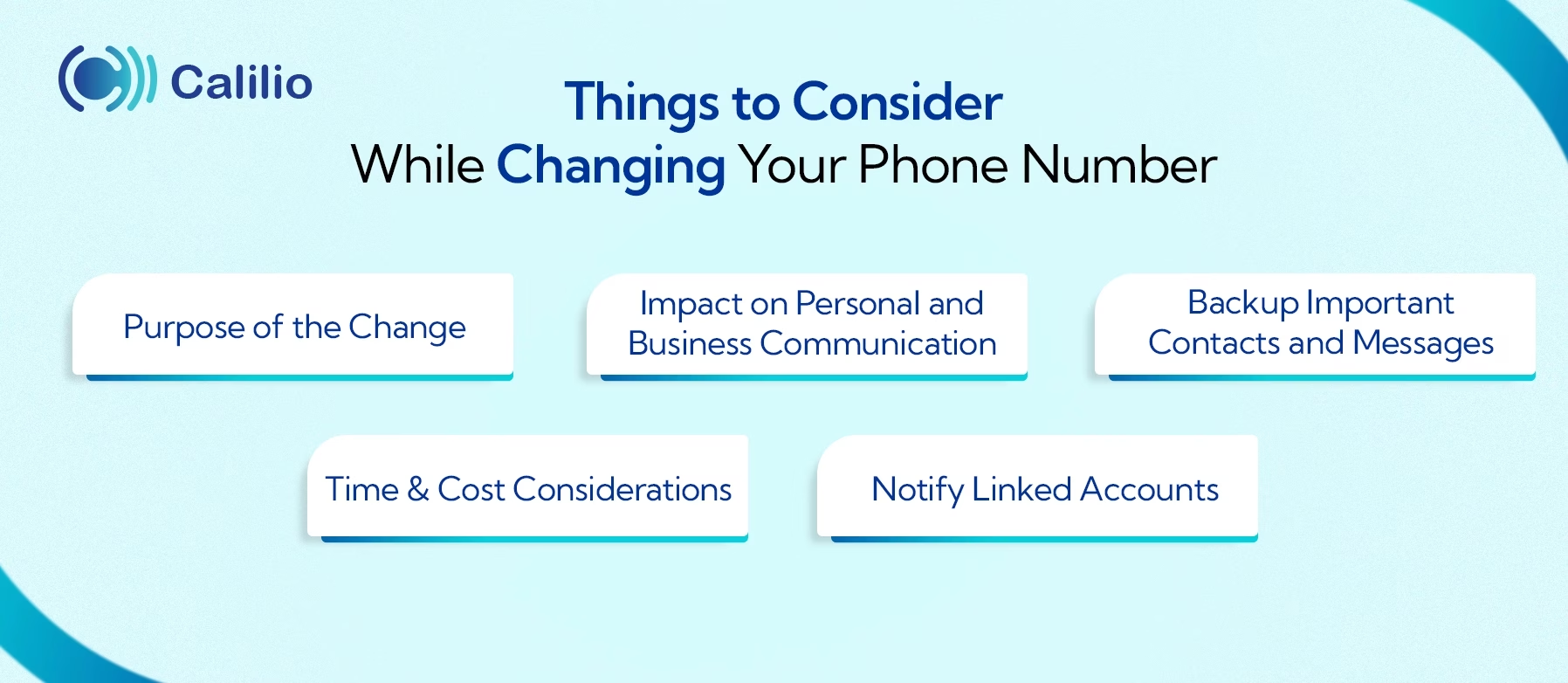
1. Purpose of the Change
Before switching your number, identify why you need a new one, whether for privacy, relocation, spam reduction, or business use. Your reason can influence what type of number you should choose, such as a new area code, mobile plan, or virtual number. Understanding this helps ensure you select the most suitable option.
2. Impact on Personal and Business Communication
To avoid disruptions, make sure to inform the people who regularly contact you, such as friends, family, coworkers, and customers, before switching to a new number. Doing this helps prevent missed calls, unanswered messages, and verification issues that may occur when they try to reach your old number.
3. Backup Important Contacts and Messages
Contacts, voicemails, and other data saved on your old number won’t automatically carry over to the new one, so backing them up is essential. Using cloud sync or account-based backups makes it easy to restore your information later and prevents the loss of important personal or professional data.
4. Time & Cost Considerations
When changing your phone number, keep in mind that carriers may take some time to activate the new number, which can temporarily affect your ability to make or receive calls. The activation period can vary depending on the provider and may range from a few minutes to several hours. In addition to time, check whether your carrier charges a fee for issuing a new number, as some plans include it for free, while others apply service or administrative costs.
5. Notify Linked Accounts
If your phone number is linked to banking services or other online accounts, make sure to update those platforms with your new number. This prevents issues with logging in, two-factor authentication, or receiving important alerts in the future.
How Do You Change Your Number Through Your Carrier?
To change your phone number, you can visit the carrier store or contact customer support and request a number change. Most carriers also let you do this through their online account portal or mobile app.
Below are the steps for some of the most popular carriers and how they handle number changes.
I. AT&T
You can change your AT&T wireless number by placing a request online, visiting an AT&T store, or contacting customer support. For AT&T Prepaid users, the change must be processed through customer support. The cost is free if you change within the first 30 days of activation; otherwise, it’s $36 for postpaid service, while AT&T Prepaid may charge up to $25.
Here are the steps to follow for changing your wireless number online:
- Step 1: Go to your wireless hub and sign in.
- Step 2: Select Switch to choose the number you want to update.
- Step 3: Go to Device options and choose Change phone number.
- Step 4: Complete the form and select Search for available numbers.
- Step 5: Scroll down, choose your preferred number, and follow the prompts to submit the request.
II. T-Mobile
If you want to change a number with T-Mobile, then you’d need to contact their customer service. Here’s a step-by-step guide to help you through the process:
- Step 1: Call T-Mobile customer service at 1-800-937-8997.
- Step 2: Request the number change.
- Step 3: Provide the details the agent asks for, such as your current phone number, account PIN, and the reason for the change.
- Step 4: Review the information you provided to the agent.
- Step 5: Confirm your request once everything looks correct.
III. Verizon
You can change your Verizon phone number for free using the My Verizon app or by signing in online to My Verizon. If you choose to make the change at a Verizon store, it may cost up to $15.
Here are the steps to change your mobile number directly in the My Verizon app:
- Step 1: Open the My Verizon app and select the mobile number you want to change.
- Step 2: Go to Device Management → Change mobile number and choose Get a new number.
- Step 3: Enter the ZIP code and choose the preferred number.
- Step 4: Pick the date for the change, review the details, and submit the request.
- Step 5: On the selected date, restart your device to activate the new number; you’ll also receive a confirmation email with instructions.
IV. Comcast (Xfinity)
To swap an Xfinity mobile number, call 1-888-936-4968 or chat with Xfinity Assistant. The request must be made by the account holder, primary user, or manager. The change can also be initiated in the Xfinity app.
Follow these simple steps:
- Step 1: Open the Xfinity app.
- Step 2: Sign in using your Xfinity ID.
- Step 3: Go to Account and then Account settings.
- Step 4: Select Xfinity ID & security and choose the mobile number.
- Step 5: Tap Change mobile number to submit the request.
V. UScellular
Changing a phone number with UScellular can be done through the My UScellular Account portal, and only one number can be updated at a time through the Subscriber Dashboard.
Here are the steps to guide you through the process:
- Step 1: Sign in to your My UScellular Account.
- Step 2: On the portal landing page, click Subscribers, search for the phone number or line, and select the correct subscriber to open the Subscriber Dashboard.
- Step 3: Under Subscriber Info, select Change Phone Number.
- Step 4: Enter the required details, such as State, City, and Area Code, then submit the request.
- Step 5: Review the confirmation message on the dashboard and check your email for order details and further instructions.
VI. Vodafone
Vodafone allows customers to request a phone number change through customer support. The step-by-step process is detailed below:
- Step 1: Call Vodafone customer service at 03333 040 191 or dial 191 from your Vodafone mobile.
- Step 2: Request a phone number change.
- Step 3: Provide the details the agent asks for, such as your current number and account information.
- Step 4: Review the information with the agent.
- Step 5: Confirm the request once everything is correct
VII. EE
EE customers need to contact customer service to request a number change, as the process cannot be completed online through self-service. Here’s how you do it:
- Step 1: Call EE customer service at 150 from an EE phone or 07953 966 150 from another phone.
- Step 2: Request a phone number change.
- Step 3: Provide the account details the agent asks for.
- Step 4: Review the information with the agent.
- Step 5: Confirm the request once everything is correct.
VIII. O2
To change your O2 number, you can use the My O2 app or website, call customer support, or visit their store.
Below are the steps to change your number through O2 customer support:
- Step 1: Call O2 customer support by dialing 202 from your O2 mobile or 0844 463 02 02 from a regular phone.
- Step 2: Connect with a customer support agent.
- Step 3: Request a mobile number change.
- Step 4: Provide any account or verification details the agent asks for.
- Step 5: Confirm the request once everything is correct.
How Do I Change My Number While Staying with the Same VoIP Service?
If you’re using a VoIP number, you can usually change it online through your service provider’s app or website. You can also contact the support team directly if you need assistance. While the exact steps vary by provider, the process is typically as follows:
- Step 1: Log In to Your VoIP Account
Access your VoIP service’s website or app and log in using your account credentials. - Step 2: Navigate to Account Settings
Go to your account’s settings section. Look for options like ‘Change Number,’ ‘Manage Numbers,’ or ‘Edit Numbers.’ - Step 3: Enter Your New Number
Choose the new number you want to use. You may need to provide additional details like your current number, account PIN, or basic account information. - Step 4: Make Payment and Confirm
Review your selection, complete any required payment, and submit the request. - Step 5: Cancel the Old Number
Once the new number is active and working, cancel or remove the old number from your account.
Conclusion
Changing a phone number is a straightforward process, whether you’re using a traditional carrier or a VoIP service. By accessing your account settings or contacting customer support, you can quickly update your number while keeping your existing service.
Summarize this blog with:
Frequently asked questions
How can I change my SIM phone number?
To change your SIM phone number, contact your carrier for a new number. The carrier will instruct you to activate a new number on your existing SIM.
How to get a new phone number online?
How long does it take to change my phone number?

Still have questions?
Can’t find the answer you’re looking for? Please chat with our friendly team.
Stay in the loop
Get the latest call insights, trends, and updates delivered straight to your inbox.
By subscribing, you agree to receive updates from Calilio.
You can unsubscribe anytime.
Enter the World of AI Business Phone System with Calilio
Improve your business operation with Calilio's advanced virtual phone system. Join today for a better way to connect.