
RingCentral vs OpenPhone (Quo): Which Is Better in 2026?
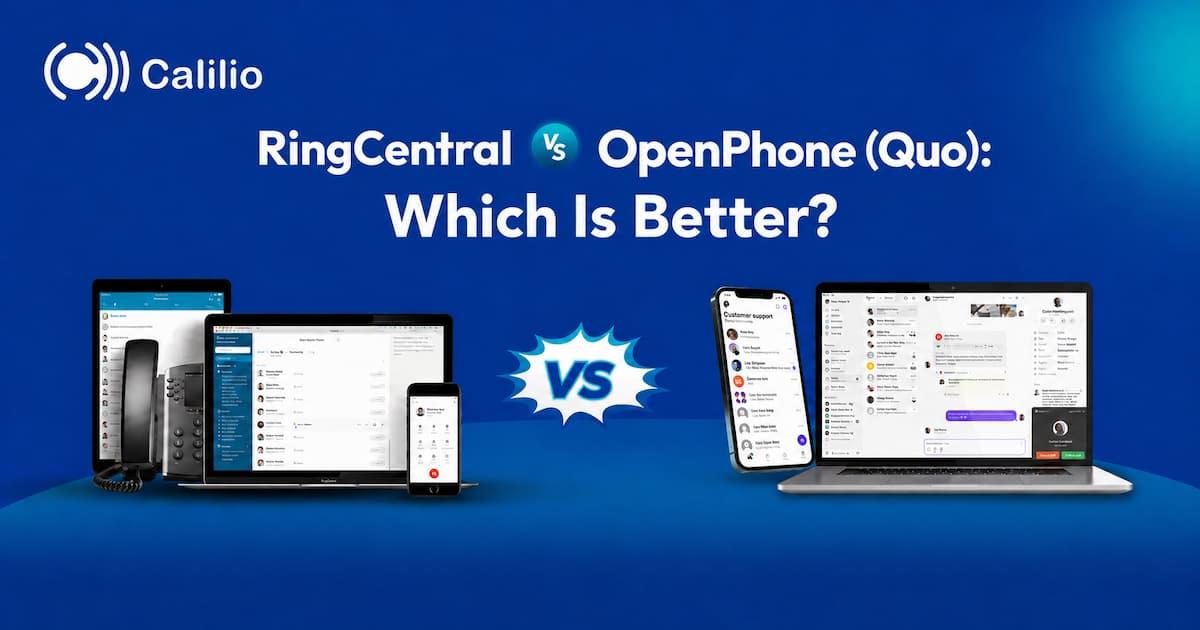

Choosing between RingCentral and Quo depends on how your team communicates with customers and coworkers. Both platforms offer business calling, messaging, and call management, but they are not built for the same type of workflow.
RingCentral is the better fit for companies that need a full communications platform with business calling, video meetings, team messaging, fax, advanced administration, and a large integration ecosystem. Quo is better for lean teams that want shared business numbers, calling, texting, voicemail, and customer context in one simple workspace.
Key Highlights:
RingCentral brings voice, video, team messaging, fax, analytics, and more than 330 integrations into one system.
Quo centers daily work around a shared number and inbox for calls, texts, voicemails, and customer history.
RingCentral offers AI assistance across calls, messages, and meetings, while Quo combines its AI tool, Sona, with plan-based call summaries, transcripts, and tags.
RingCentral may require separate add-ons for some AI and call-management needs, while Quo places several advanced calling, AI, analytics, and CRM features behind higher-tier plans.
RingCentral vs Quo: Key Differences
RingCentral and Quo overlap on business calling and messaging, but they are built around different operating models. RingCentral acts as a company-wide communications system. Quo acts as a shared customer conversation workspace for smaller teams.
Decision Area | RingCentral | Quo |
| Product focus | Unified communications across phone, video, team messaging, fax, analytics, and administration. | Shared customer communication across calls, texts, voicemails, contacts, and internal context. |
| Best fit | Growing companies, multi-location teams, IT-managed environments, and larger sales or support operations. | Startups, service businesses, small remote teams, and teams that share customer numbers. |
| Call handling | Auto attendants, IVR, queues, forwarding, monitoring, desk-phone support, and deeper administration. | Phone menus, ring orders, group calling, transfers, forwarding, and shared numbers on the required plan. |
| Customer conversation view | Calls, SMS/MMS, CRM activity, and analytics can connect through integrations and add-ons. | Shared inbox keeps calls, texts, voicemails, notes, threads, and contact history together. |
| Internal collaboration | Built-in team messaging, video meetings, file sharing, and fax. | No built-in video meetings, fax, or full team messaging suite. |
| AI | AI Assistant supports call, message, and meeting workflows; additional AI products cover reception and conversation intelligence. | Sona handles calls, while higher plans add call summaries, transcripts, and tags. |
| Integrations and administration | Large app marketplace, APIs, enterprise administration, compliance controls, and multi-site management. | API access plus common CRM, automation, and productivity integrations. |
| International use | Broader global deployment and enterprise communications support. | Core calling and messaging focus on the US and Canada; international use is an add-on. |
What RingCentral Is Built For
RingCentral RingEX is built for businesses that want one platform for external calls and internal communication. A company can manage business phone service, video meetings, team chat, fax, analytics, user permissions, and integrations without combining several separate tools.
The wider feature set is useful for businesses with multiple departments, office locations, or remote teams. However, it can feel too broad for a very small team that only needs a shared business number, calling, texting, and voicemail.
What Quo Is Built For
Quo is built around shared customer conversations. Team members can use the same business number, see calls and texts in one inbox, review voicemail transcripts, add notes, and keep customer history visible to the people responsible.
Quofits startups, local service providers, agencies, and small remote teams that want to respond quickly without running a full communications stack. Quo can support structured calling on higher plans, but it does not try to replace RingCentral’s broader video, fax, administration, and enterprise communication tools.
Where Quo and RingCentral Differ in Daily Use?
RingCentral and OpenPhone may look similar when you compare basic calling and messaging features. The real differences appear in call handling, customer texting, internal communication, AI, integrations, and the level of admin control each platform gives your team.
Call Handling and Routing
RingCentral supports structured call operations with auto attendants, IVR, call queues, forwarding, monitoring, desk phones, and administrative controls. It is a better fit when calls must move through departments, locations, or formal support workflows.
Quo keeps routing simpler. Phone menus, custom ring orders, group calling, transfers, analytics, and automatic recording are available from the Business plan, which covers many small-team needs without requiring an enterprise-style setup.
Texting and Shared Customer Context
Quo makes texting part of the core shared-inbox experience. Agents can see prior calls and messages, use internal threads, add notes, and avoid replying without context. That workflow is valuable when several people share a customer-facing number.
RingCentral supports SMS and MMS, but businesses should check plan allowances and registration requirements. RingCentral offers more communication channels overall, while Quo gives small teams a more focused shared conversation view.
Video, Fax, and Internal Collaboration
RingCentral includes team messaging, video meetings, file sharing, conferencing, and fax alongside business calling. It can replace several communication tools when employees need to collaborate internally as well as speak with customers.
Quo supports internal notes and threads around customer conversations, but it is not designed as a complete collaboration suite.
AI and Automation
RingCentral’s AI Assistant can support call transcriptions, summaries, action items, message drafting, translation, and meeting highlights, depending on the plan and workflow. RingCentral also sells separate AI products for reception and deeper conversation analysis.
Quo includes Sona on every plan with a limited credit allowance. A business plan includes AI call summaries and transcripts, while Scale adds AI call tags.
Integrations, Administration, and Compliance
RingCentral offers more than 330 integrations, APIs, and connections with platforms such as Microsoft Teams, Salesforce, HubSpot, Zendesk, and ServiceNow. Its administration, reporting, and documented compliance support suit organizations with IT, security, or multi-site requirements.
Quo provides API access on every plan and adds HubSpot and Salesforce integrations from the Business plan. Its lighter structure is easier for a small team to manage, but companies with complex permissions, compliance programs, or many systems may need RingCentral’s broader controls.
Setup and Support
RingCentral usually needs more planning because it covers more channels, users, devices, departments, and integrations. It offers 24/7 phone support, which is useful for businesses that rely on the system across locations or shifts.
Quo is faster to set up for shared calling and texting. Support increases by plan: Starter includes email support, Business adds live chat, and Scale adds dedicated onboarding, priority support, and inbound phone support.
RingCentral vs Quo: Pricing
RingCentral and Quo both offer different levels of plans, each with different features and capabilities.
RingCentral may require a higher tier or separate product for advanced call operations and AI. Quo may require Business for structured routing and adds separate charges for extra numbers, international use, messaging registration, and higher Sona usage.
Provider and Plan | Monthly Billing | Annual Billing | Important Buyer Note |
| RingCentral Core | $30/user/month | $20/user/month | Fits teams that need core calling, messaging, video, and basic administration. |
| RingCentral Advanced | $35/user/month | $25/user/month | Adds features for teams that need deeper call handling, integrations, recording, or analytics. |
| RingCentral Ultra | $45/user/month | $35/user/month | Fits larger teams that need higher limits, storage, analytics, and device visibility. |
| Quo Starter | $19/user/month | $15/user/month, billed annually at $180 | Includes one local or toll-free number per user, voicemail transcripts, API access, and email support. |
| Quo Business | $33/user/month | $23/user/month, billed annually at $276 | Required for call transfers, phone menus, group calling, analytics, automatic recording, AI summaries, and CRM integrations. |
| Quo Scale | $47/user/month | $35/user/month, billed annually at $420 | Adds AI call tags, dedicated onboarding, priority support, and inbound phone support. |
Limitations to Check Before You Buy
Both products can work well, but their limitations appear in different places. RingCentral can introduce more tools and administration than a small team needs. Quo keeps the experience simpler but places important call-management, support, and AI capabilities behind higher plans or usage limits.
RingCentral | Quo |
| The broad suite can feel heavy when a team only needs a number, calling, and shared texting. | Call transfers, phone menus, analytics, automatic recording, and CRM integrations require Business or Scale. |
| Some AI, queue, and high-volume SMS capabilities are separate products or paid boosters. | The included Sona allowance covers a limited number of calls; heavier use creates additional charges. |
| Plan selection and configuration can take more administrative work across users, sites, devices, and integrations. | International calling and messaging require an add-on, and the platform remains centered on US and Canada workflows. |
Which One Should You Choose?
Choose the platform that matches the way your team communicates today and the controls it will need later. RingCentral is stronger when communication spans departments, channels, locations, and administrators. Quo is stronger when a smaller team needs one clear place to manage customer calls and texts.
Your Main Need | Better Fit | Why |
| Multi-department or multi-location phone operations | RingCentral | It offers deeper routing, administration, device support, analytics, and centralized control. |
| Voice, video, team messaging, and fax in one platform | RingCentral | The unified suite can replace several separate communication tools. |
| A shared customer number and inbox for calls and texts | Quo | The conversation history, notes, threads, and shared ownership are central to the product. |
| Fast setup for a startup or service business | Quo | The narrower customer communication workflow is easier to configure and maintain. |
| Broad integrations, compliance controls, and IT administration | RingCentral | Its ecosystem and enterprise controls support more complex environments. |
| US- and Canada-focused customer communication for a small team | Quo | Core calling, messaging, voicemail, and shared context match this use case directly. |
Limitations to Check Before You Buy
Choose the platform that matches the way your team communicates today and the controls it will need later. RingCentral is stronger when communication spans departments, channels, locations, and administrators. Quo is stronger when a smaller team needs one clear place to manage customer calls and texts.
Your Main Need | Better Fit | Why |
| Multi-department or multi-location phone operations | RingCentral | It offers deeper routing, administration, device support, analytics, and centralized control. |
| Voice, video, team messaging, and fax in one platform | RingCentral | The unified suite can replace several separate communication tools. |
| A shared customer number and inbox for calls and texts | Quo | The conversation history, notes, threads, and shared ownership are central to the product. |
| Fast setup for a startup or service business | Quo | The narrower customer communication workflow is easier to configure and maintain. |
| Broad integrations, compliance controls, and IT administration | RingCentral | Its ecosystem and enterprise controls support more complex environments. |
| US- and Canada-focused customer communication for a small team | Quo | Core calling, messaging, voicemail, and shared context match this use case directly. |
Need a Better Business Phone System?
Calilio gives your team calling, SMS, call routing, voicemail, recordings, analytics, and AI call reports in one simple workspace, without the heavy setup.
Final Verdict
RingCentral suits businesses that run communication across departments, locations, and channels: voice, video, messaging, fax, analytics, and integrations managed from one administered platform. The broader scope makes it a more practical investment for structured teams with formal IT, compliance requirements, or multi-site operations that need room to scale without switching systems.
Quo is the sharper fit for lean teams that want shared business numbers, calls, texts, voicemails, and customer history in one straightforward workspace without the overhead of a full communications suite.
If your priority is global business calling with built-in call routing, recordings, and AI-generated call reports, Calilio’s cloud phone system is also worth considering. It gives sales and support teams virtual numbers from 100+ countries and helps them review conversations with call summaries, transcripts, sentiment analysis, call reasons, and call conclusions.
Summarize this blog with:
Frequently Asked Questions
Everything you need to know about Calilio. Can't find your answer? .
Yes. Each Quo user receives one new or ported local or toll-free number. Additional numbers cost extra.
Stay in the loop
Get the latest call insights, trends, and updates delivered straight to your inbox.
By subscribing, you agree to receive updates from Calilio.
You can unsubscribe anytime.
Enter the World of AI Business Phone System with Calilio
Improve your business operation with Calilio's advanced virtual phone system. Join today for a better way to connect.