
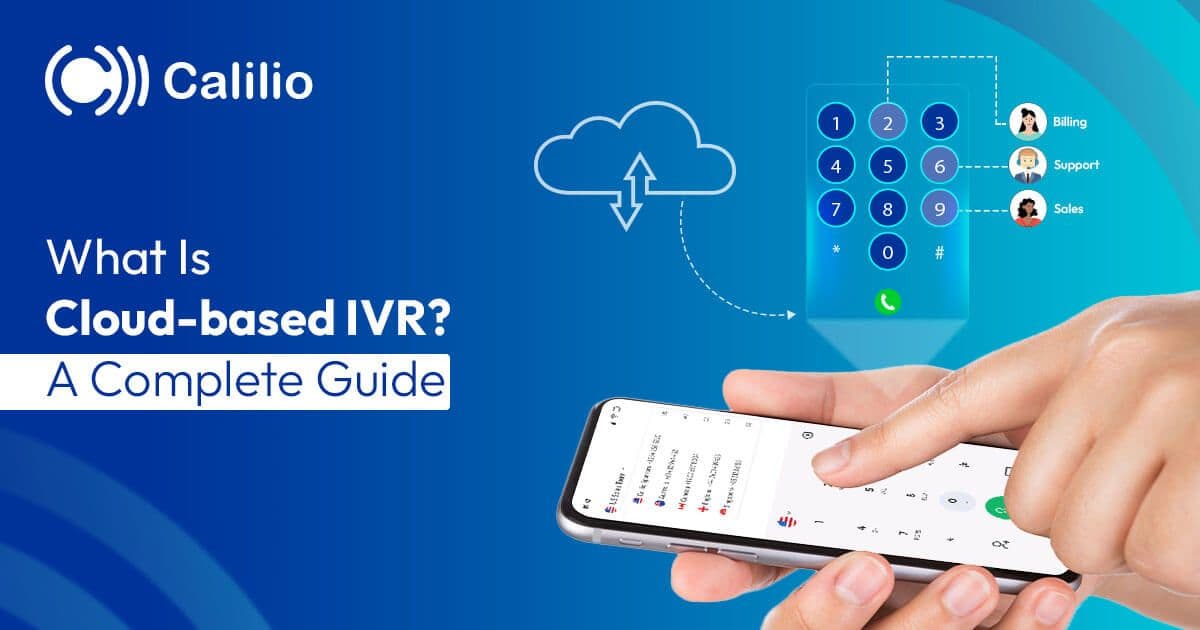

What Is Cloud-Based IVR?
Cloud-based IVR is an automated phone menu delivered as an online service. Instead of running on a physical box in your building, the software lives on servers operated by a provider. Incoming calls reach it over the internet, and it plays prompts, listens for keypresses or speech, and sends the call where you have told it to go.
The main idea is that you rent the capability instead of owning it. You log in, record or type your prompts, link each option to a person, group or number, and publish. The provider keeps the system running, applies updates and adds capacity when call volume rises. The menu, keypad input and routing rules are the same ones any IVR system uses; only where the software runs changes.
Cloud IVR, hosted IVR and virtual IVR
These terms overlap. Hosted IVR is the older label for an IVR run by a provider rather than on your premises, and for most buyers it means the same as cloud IVR. A small technical difference exists: some hosted systems run on a single dedicated server for one customer, while cloud systems usually spread many customers across shared, scalable infrastructure with automatic failover. Virtual IVR is simply another name used by some phone providers. In practice, judge the service by what it offers rather than by the label.
How Does Cloud-Based IVR Work?
The call travels through five stages.
- The call arrives: A caller dials your business number. Your phone provider receives it and passes it to the IVR service over the internet.
- The greeting plays: The cloud IVR answers instantly with your recorded or synthesized greeting.
- The caller chooses: The caller presses a key, which sends a DTMF tone, or says an option if speech recognition is enabled.
- Rules run: The platform checks your settings, such as business hours, the chosen option and the destination you assigned.
- The call is delivered: It is sent to a person's app or phone, a team using a ring strategy, voicemail, or another route, or the caller gets the information they needed.
Because all of this happens on the provider's servers, team members can be anywhere. A call can ring a desk app in one city and a mobile in another within the same flow. Voice quality depends on the internet connection of the people answering, so a stable network matters.
Cloud IVR vs On-Premise IVR
On-premise IVR is hardware and software you buy, install and maintain yourself, usually connected to a traditional phone system. The comparison below shows the practical differences.
| Factor | Cloud IVR | On-premise IVR |
| Upfront cost | Low, often none | High: equipment, installation, licenses |
| Setup time | Hours to days | Weeks to months |
| Changing a menu | Self-service in a browser | Often needs an engineer or vendor |
| Maintenance | Provider handles updates | Your team or a contractor |
| Scaling | Add lines or capacity on demand | Buy more hardware |
| Remote teams | Works from anywhere | Tied to the office network |
| Control | Within the provider's features | Full control and customization |
| Uptime and failover | Provider's infrastructure, check the terms | Depends on your own backup |
| Cost pattern | Ongoing subscription or usage | Large initial spend, then upkeep |
On-premise systems still make sense for organizations with strict data-residency needs, heavy customization or existing infrastructure to protect. For most small and mid-sized businesses, the cloud removes cost and complexity, which is why it is the default choice for new setups.
Benefits of Cloud-Based IVR
Fast, low-cost start: There is no hardware to buy or install, so a menu can go live the same day. This matters most for small teams without IT staff.
Easy changes Updating a holiday message or adding an option takes minutes in a dashboard. On older systems, the same edit might wait on a vendor visit.
Built for remote and hybrid teams Calls follow the person, not the desk. Staff can answer in an app on a laptop or mobile, wherever they work.
Scales with demand A seasonal rush needs more capacity for a few weeks, not new equipment. Cloud services usually let you add users or lines and remove them later.
Better use of data Call logs, option usage and routing results are collected for you, which helps you improve the menu over time.
Cloud IVR Features to Look For
Not every service includes the same tools. Check for these when comparing.
Visual flow builder A drag-and-drop editor lets non-technical staff build and change menus.
Business hours and holiday rules Closed periods should route differently from open ones.
Flexible routing Look for ring strategies such as simultaneous, sequential and round robin, plus fallback to voicemail.
Voicemail with notifications Messages should reach email, ideally with a transcript.
Reporting Call volume, option usage and abandonment help you tune the menu.
Integrations Connections to a CRM or help desk let callers' details appear for the agent.
Speech recognition and text-to-speech These are optional extras that may carry extra charges.
How Much Does Cloud IVR Cost?
Pricing models vary, and the right comparison is total cost for your usage rather than the headline rate.
- Included in a phone plan: Some business phone plans add a basic menu to a higher tier.
- Per user per month: A flat fee for each person on the system.
- Per minute or per call: Usage charges for inbound minutes, often alongside a monthly fee.
- Add-on fees: Speech recognition, text-to-speech, extra numbers and advanced reporting may cost more.
Ask what the base price includes, how many menu levels and flows you can create, whether inbound minutes are metered, and how costs change when your team grows. A cheap base plan with metered extras can end up costing more than a higher flat price. Per-minute and add-on charges are what push IVR cost above the advertised rate.
Security, Compliance and Reliability
A cloud provider holds your call data, so ask a few direct questions before signing.
Data protection Look for encryption of calls and stored data, role-based access for your staff and a clear data-retention policy.
Call recording If you record calls, know where recordings are stored, for how long and who can access them. Recording consent rules vary by region, so announce recording clearly where it is required.
Payments Do not collect full card numbers through a general menu unless the platform is built for secure card handling. Route payments to a dedicated secure process.
Uptime and failover Ask for the provider's uptime commitment and what happens if a data center fails. Also set your own backup route, such as sending calls to a mobile number or voicemail if the IVR cannot be reached.
Your internet Cloud voice depends on connectivity. A reliable connection and a backup, such as mobile data, protect against outages. This is general information, not legal advice, so check requirements that apply to your industry and location.
How to Move to Cloud IVR Without Disrupting Callers
- List current call reasons and routes so the new menu matches real demand.
- Choose a provider that supports the routing, hours and integrations you need, and check the trial or refund period.
- Build the new flow and record the prompts before touching your live number.
- Test on a spare number from different phones and at different hours.
- Port or forward your number. Moving a number to a new provider can take days, so start early. Until the port completes, forwarding the existing line to a new number lets you run a pilot.
- Run both in parallel for a short period if possible, and keep the old route ready to restore.
- Switch over at a quiet time and review the first day's calls.
- Tune after two weeks using option usage and abandonment data.
Common Mistakes with Cloud IVR
Copying the old menu exactly: A cloud move is a chance to simplify. Cut options nobody uses.
Ignoring the fallback Always plan what happens when nobody answers or the network is down.
Choosing on price alone Metered minutes and add-on fees can change the real cost.
Skipping testing Call every route before go-live, including after-hours and invalid keys.
Forgetting the team Tell staff what the menu says and who owns each option.
Frequently Asked Questions
What is cloud-based IVR in simple terms?
It is an automated phone menu that runs on a provider's servers over the internet. You set it up in a browser, and callers are guided by keypad or voice to the right person or information, with no equipment at your office.
What is the difference between cloud IVR and hosted IVR?
For most buyers there is none. Hosted IVR is an older term for an IVR run by a provider. Cloud IVR usually implies shared, scalable infrastructure with automatic failover, but vendors use the terms loosely.
Is cloud IVR better than on-premise IVR?
For most small and mid-sized businesses, yes, because it costs less upfront, goes live faster and is easier to change. On-premise can suit organizations that need full control or have strict data-residency rules.
How much does cloud IVR cost?
It ranges from being included in a business phone plan to per-user or per-minute pricing. Speech recognition and text-to-speech often cost extra. Compare the total for your expected users and minutes, not only the base rate.
Is cloud IVR secure?
It can be, when the provider encrypts data, controls access and has reliable failover. Review the provider's security terms, recording and retention policies, and avoid collecting card details through a general menu.
Can a small business use cloud IVR?
Yes. It is often the best fit for small teams because there is no hardware and no need for IT staff. A short menu with three or four options can be built in an afternoon.
What happens to my IVR if the internet goes down?
Calls cannot reach cloud systems from the provider's side if their service is down, and your team may be unable to answer if your own connection fails. Set a backup, such as forwarding to a mobile number or voicemail, and keep a backup internet connection.
How long does it take to move to cloud IVR?
Building and testing the menu can take a day or two. If you move an existing number, porting can take several days, so plan for that before the switch date.
Can cloud IVR connect to my CRM?
Many services connect to CRMs and help desks so caller details appear for the agent. Check which tools are supported before you choose.