
Blog9 Best Cloud PBX Providers in 2026 (Hosted PBX Compared)

9 Best Cloud PBX Providers in 2026 (Hosted PBX Compared)

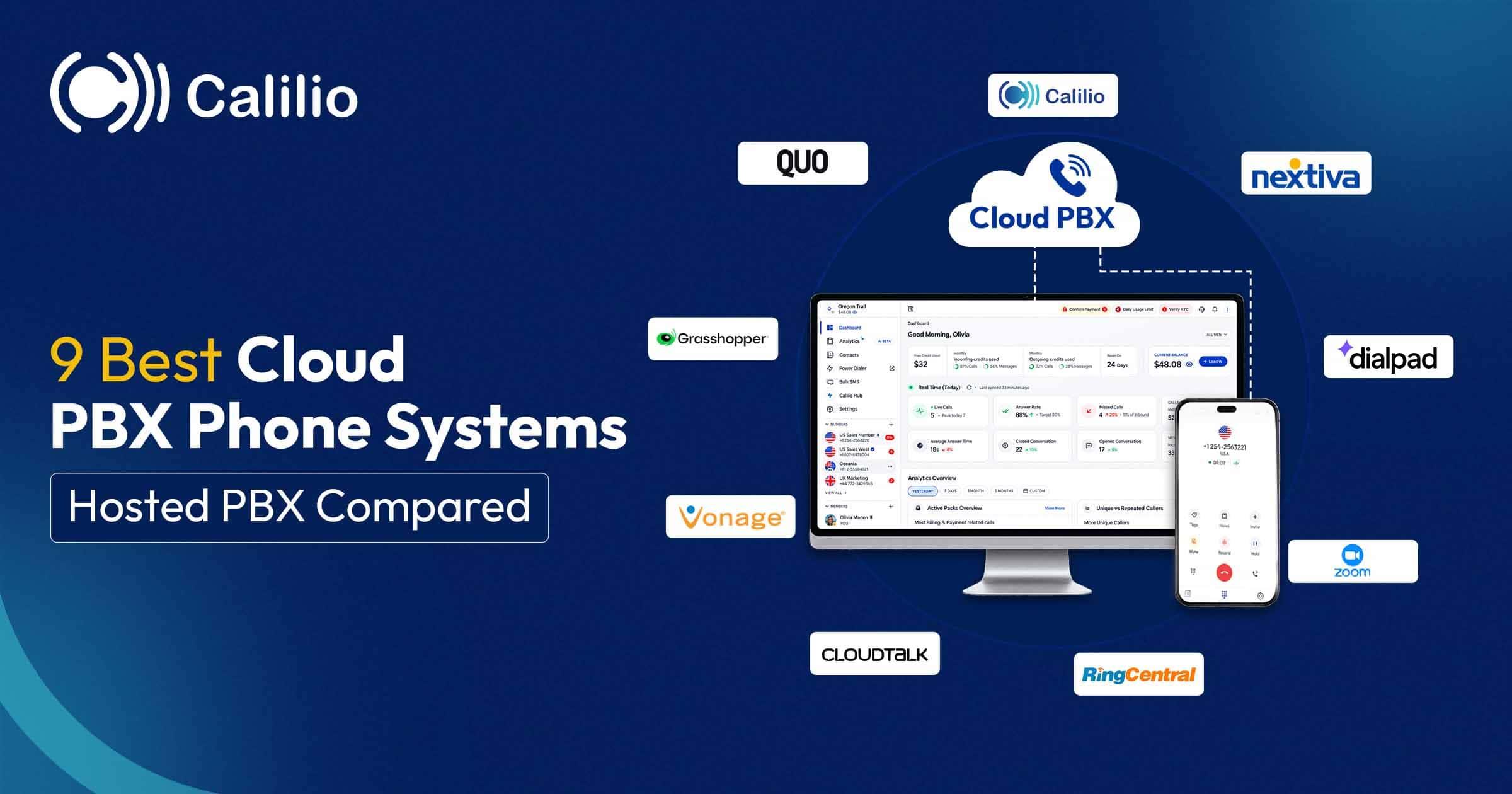
9 Best Cloud PBX Phone Systems (Hosted PBX Compared)

Every cloud PBX provider advertises a per-user price, and almost none of them include the features you are shopping for at that price. Call recording, CRM integrations and analytics are routinely held back a higher tier, so the plan you actually buy is rarely the one on the homepage.

We compared 21 providers and kept the 9 best, pricing the plan that genuinely includes what a business needs and flagging the fees that land on top.

Quick Answer

There is no single best cloud PBX provider. Three shortlists cover almost every business:

You want the lowest cost for a complete system
Calilio ($12/user/mo) includes multi-level IVR, call recording, business hours and voicemail on its entry plan — the features most competitors hold back a tier. Zoom Phone is cheaper still if your outbound calling is light.
You want a big brand your IT team will approve
RingCentral and Nextiva are the mid-market defaults, with the largest integration libraries and strongest support reputations. Budget one tier above entry, because recording and analytics usually sit there.
You are replacing a complex on-premise PBX
8x8 includes a multi-level auto attendant in its base plan and handles multi-site estates well, and GoTo Connect’s visual dial plan editor makes rebuilding intricate routing far easier than filling in forms.
You want to keep the PBX under your own control
3CX is the outlier here — licensed per system rather than per user, and installable on your own server or a cloud instance you rent. Cheapest at scale, and you own the administration.

Cloud PBX, hosted PBX, hosted phone system: what is the difference?

Almost none. All of these describe the same arrangement — the PBX software that routes your calls runs on your provider’s infrastructure rather than on a box in your building, and you reach it over your internet connection.

The names differ because they were coined at different times for different audiences. It is worth knowing which is which so you can tell when a vendor is describing something genuinely different rather than just using a newer word.

Hosted PBX
The original term, coined when moving a PBX off site was the novel part. Still common in telecoms and reseller channels, and still the phrase most IT buyers search for.
Cloud PBX
The same product renamed once “cloud” became the standard marketing word. If a vendor offers both, they are almost certainly describing one service.
Hosted phone system / hosted VoIP
The plainest wording, aimed at buyers who do not know what a PBX is. Functionally identical to the two above.
Cloud VoIP
The same category described by how calls travel rather than where the switchboard sits. VoIP is the transport; PBX is the switching and routing layer on top of it.
UCaaS
Unified Communications as a Service — cloud PBX plus team messaging, video meetings and presence. A superset, though most cloud PBX vendors now bundle those features anyway.
SIP trunking
Genuinely different. SIP trunking supplies the connectivity to your own PBX, so you still own and run the PBX. Cloud PBX replaces the PBX itself.
The one distinction that can be real: a few vendors use “hosted PBX” for a single-tenant instance dedicated to you and “cloud PBX” for multi-tenant shared infrastructure with your configuration isolated. If a provider makes that distinction explicitly, ask which you are buying — single-tenant sometimes matters for compliance or heavy customisation. If they do not raise it, they are using the terms interchangeably like everyone else.

How we compared cloud PBX providers

We weighted six criteria to compare 21 cloud PBX and hosted PBX providers and kept the 9 best options. We reviewed current official product, pricing and support documentation rather than relying on reseller estimates.

Which plan includes what: The most misleading figure in this category. We price only the tier where recording, integrations and analytics actually exist.
Call routing depth: Multi-level IVR, business hours, ring groups, queues and whether routing can read caller data — not just a single greeting.
Migration and porting: Whether numbers port cleanly, what porting costs, and whether existing SIP handsets can be reused.
Reliability and support: Published uptime commitments, support hours, and what current reviewers say about outages and response times.
Global reach: Whether you can buy local numbers in the countries you operate in, and how international calling is priced.
Real total cost: Seat price plus numbers, minutes, regulatory and E911 fees, seat minimums and contract length.

The 9 best cloud PBX providers in 2026

Ordered by overall buyer value, the completeness of the entry plan, price transparency, routing depth and suitability for common business sizes.

Note: Every price below is for the plan that actually includes the features described, not the vendor’s cheapest advertised tier. This is desk research from published documentation.

#

Provider

Best for

Price

Key detail

1CalilioBest value — full feature set on the entry plan$12/user/monthIVR, recording, voicemail included
2RingCentralSafest mid-market choice$20/user/month annualRecording needs Advanced tier
38x8Large multi-site organisationsCustom quoteMulti-level attendant in base plan
4NextivaGrowing multi-location teamsFrom ~$15/user/monthSub-menus need Professional
5Zoom PhoneCheapest entry pointFrom ~$8.5/user/monthMetered plan bills per minute
6DialpadMost AI at a low priceFrom ~$15/user/monthLive transcription at entry
7GoTo ConnectRebuilding complex call flowsCustom quoteVisual dial plan editor
8VonageModular, pay-for-what-you-addFrom ~$13.99/user/monthMany features are add-ons
93CXTeams wanting to self-hostLicensed per systemNot per user — cheap at scale

Pricing reflects each provider’s published rates as of August 2026. Numbers, minutes, regulatory and E911 fees are billed on top by most providers, and several quote privately — confirm the fully loaded cost before signing.

No feature upsell at any tier

A complete cloud phone system from $12 per user

Multi-level IVR, call recording, business hours, voicemail and number groups on the entry plan. Port your existing numbers, no PBX hardware to buy.

1. Calilio

Best value — the features competitors gate behind a mid tier are on the entry plan

Calilio is a cloud phone system with no on-site hardware at all. You buy numbers from within the workspace, filtering by country, type and area code or pattern, then build call flows that greet callers, present a IVR menu, apply business hours and route to a member, a team or voicemail. Each menu option carries its own “If Unanswered” fallback, so a ringing extension never becomes a dead end.
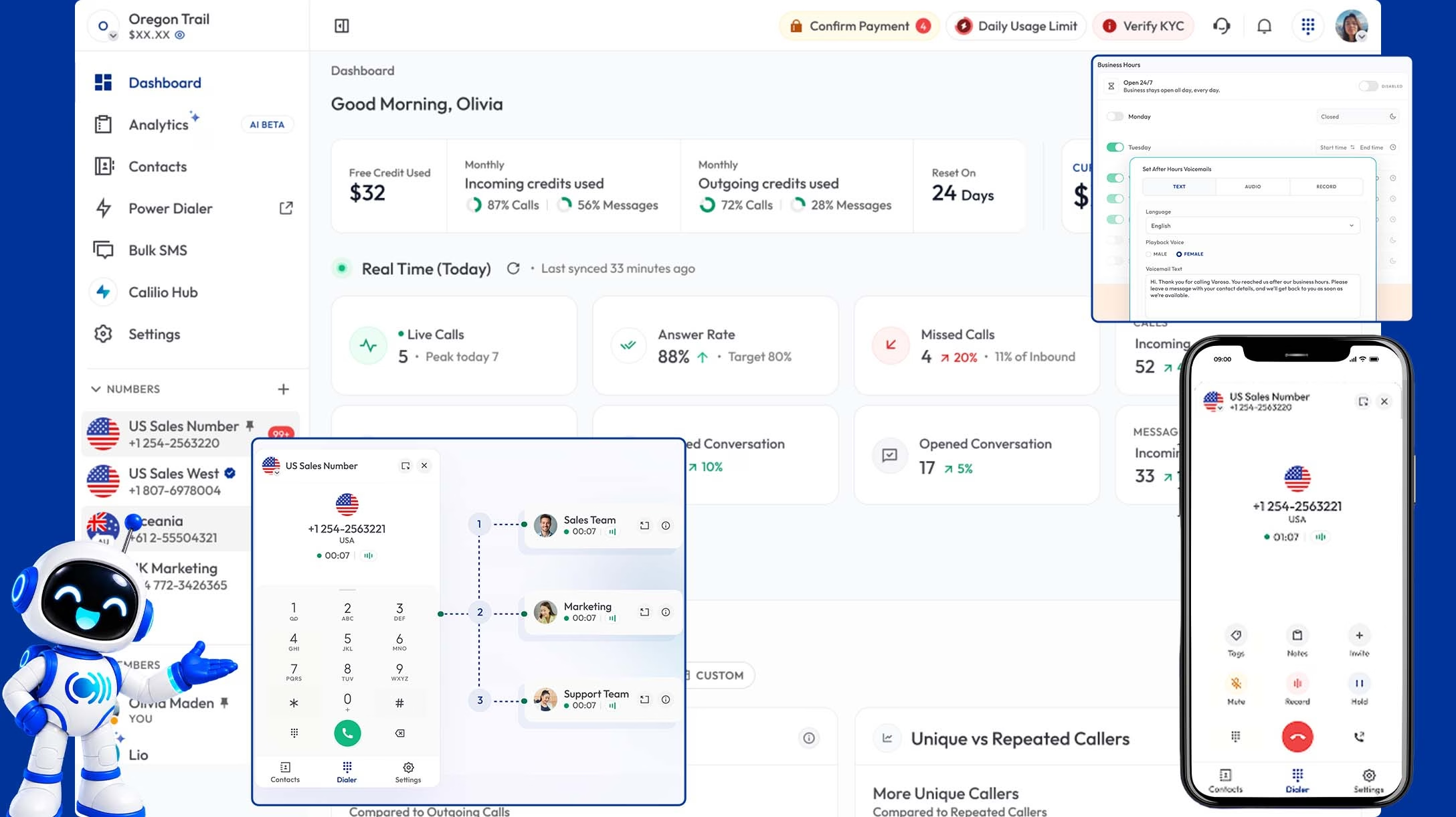
What earns the top spot is the tier structure rather than any single feature. Multi-level IVR, call recording, business hours, voicemail, call forwarding and number groups are all on the $12 per user per month Standard plan — the exact set that RingCentral, Nextiva and CloudTalk each hold back at least partly for higher tiers. Premium at $28 adds Power Dialer, live monitoring and AI call reports, but there is no plan you must upgrade to simply to get a working phone system.

What works
Multi-level IVR, recording, business hours and voicemail on the $12 plan
Local, mobile and toll-free numbers across 100+ countries
Number groups let each line or brand run its own greeting and routing
Desktop, mobile and tablet apps with one shared inbox
Per-option “If Unanswered” fallbacks on every menu key
Existing numbers can be ported in
No IVR or recording upsell at any tier
What to watch
No speech recognition or conversational AI IVR
No visual drag-and-drop call flow designer
Smaller integration library than RingCentral or Nextiva
Newer entrant than the long-established incumbents
Pricing:
Standard $12/user per month billed annually — full phone system
Premium $28/user per month adds Power Dialer, monitoring and AI reports
1 free US or Canada number on every plan; other numbers priced by country
Verdict:Best value if you want a complete system rather than an entry tier you must upgrade out of.

2. RingCentral

The lowest-risk choice when procurement needs a familiar name

RingCentral is the default mid-market cloud PBX and it earns that position on breadth. Every RingEX plan includes IVR menus and call queues, the integration ecosystem is the largest in business telephony, and AI live call transcription appears even on the entry tier, which is unusually generous.

The catch is what Core leaves out at $20 per user per month billed annually, or $30 monthly. There is no automatic call recording, no CRM integrations, no analytics dashboards and a cap of 25 SMS per user per month. Multi-site management and deeper automation begin on Advanced at $25 annual or $35 monthly, which is where most teams actually land. Contact centre routing is a separate product, RingCX, at $65 per user per month.

What works
IVR menus and call queues on every plan
AI live call transcription even on the entry tier
Largest integration ecosystem in the category
Strong brand trust and well-established support
What to watch
Core has no call recording, CRM integrations or analytics dashboards
Multi-site routing requires Advanced at $25 annual or $35 monthly
SMS capped at 25 per user per month on Core
Contact centre is a separate product at $65/user/mo
Pricing:
Core $20/user per month with annual billing, $30 monthly
Advanced $25/per user per month with annual billing, $35 monthly — adds recording and analytics
Ultra $35/per user per month with annual billing, $45 monthly
Verdict:Buy Advanced, not Core — then it is genuinely hard to fault.

3. 8x8

The strongest fit for large, multi-site organisations

8x8 includes a multi-level auto attendant in its base plan, which is genuinely unusual since most vendors hold sub-menus back for higher tiers. It also bundles voicemail transcription, single sign-on and free calling to 14 countries. For organisations spanning many sites, being able to mix and match plans across departments is a real structural advantage over one-size tiers.

The problem is buying it. 8x8 does not publish clear tier pricing, with reported figures spanning a very wide range depending on configuration and contract length, and quotes are required for everything. That opacity is the recurring complaint in buyer comparisons and makes genuine side-by-side evaluation difficult without engaging sales first.

What works
Multi-level auto attendant included in the base plan
Voicemail transcription and SSO at entry level
Free calling to 14 countries
Plans can be mixed and matched across departments
What to watch
No transparent published pricing — quotes required for everything
Reported pricing spans a very wide range by configuration
Harder to evaluate against published-price competitors
Contract terms vary significantly deal to deal
Pricing:
8X8 requires you to request a custom quote for official pricing.
User reports and industry data suggests basic plans ata round $15/user per month.
Advanced contact center packages range from $85-$140+ per user per month.
Verdict:Strong capability, frustrating procurement.

4. Nextiva

Best for growing teams across several locations

Nextiva pairs a solid cloud PBX with particularly good multi-location routing. IVR call routing and AI voicemail transcription are on the base Core plan, which covers a straightforward single-menu setup well, and the platform scales comfortably as sites are added.

Two things to pin down. Multi-level auto attendants with sub-menus require Professional or above, alongside the Salesforce and HubSpot integrations. And Nextiva prices by both tier and team size, with published figures moving around and buyers routinely reporting meaningful discounts on multi-year commitments — so treat any advertised per-seat number as an opening position and get a written quote.

What works
IVR routing and AI voicemail transcription on the base plan
Strong multi-location and multi-site support
More price transparency than 8x8 or GoTo Connect
No annual commitment required on some plans
What to watch
Multi-level auto attendants need Professional or above
Per-seat price varies by team size and contract length
Regulatory and E911 fees add real cost on top
Documented auto-renewal and porting friction in user reviews
Pricing:
Starts at $15/user per month when billed annually
Higher-tier plans are required for advanced reporting and contact center capabilities.
Regulatory and E911 fees billed in addition
Verdict:Solid multi-site choice — get your tier and seat count quoted in writing.

5. Zoom Phone

The cheapest way into a cloud PBX, with one important caveat

Zoom Phone is unusually generous on routing for its price. Unlimited auto attendants and phone trees are available on all plans, including the Metered plan at roughly $10 to $12 per user per month, and voicemail transcription is included at entry level. Calls escalate to a Zoom meeting in one click, which is genuinely useful if your team already lives there.

The Metered plan is the caveat. Every outbound call is billed pay-as-you-go at around three cents a minute, so a rep making more than roughly three hours of outbound calls a month costs more than they would on the Unlimited tier. It is an excellent choice for inbound-heavy or low-outbound teams and a poor one for a calling team.

What works
Unlimited auto attendants and IVR trees on every plan
Lowest entry price among the published-price providers
Voicemail transcription included at entry level
Tight integration with Zoom Meetings
What to watch
Metered plan bills outbound calls at around $0.03 per minute
More expensive than Unlimited past roughly 180 outbound minutes
Weaker outbound and sales tooling than dedicated phone systems
Contact centre features are a separate product
Pricing:
Starts at $8.50/user per month when billed annually
Outbound calls are billed per minute on the Metered plan
Unlimited plan includes unlimited domestic calling
Verdict:Great for inbound-heavy teams; check your outbound minutes first.

6. Dialpad

The most AI capability per dollar at the entry tier

Dialpad starts around $15 per user per month and already includes multi-level IVR, call queues, ring groups and international numbers. What makes it unusual at that price is the AI layer — live call transcription and real-time analytics are included at entry, where most vendors reserve them for a top tier.

The trade is breadth rather than depth. Dialpad is a leaner platform than RingCentral or Nextiva, its standard tiers top out around $25 per user per month, and its contact centre product is priced separately. Teams needing heavy multi-site administration or deep compliance controls will outgrow it, but for a business that wants AI without an enterprise contract it is the strongest value here.

What works
Multi-level IVR and call queues from the entry plan
Live transcription and real-time analytics included at entry
Clean, well-regarded admin experience
International numbers available at entry
What to watch
Leaner platform than RingCentral or Nextiva
Contact centre features are a separately priced product
Fewer multi-site administration controls
Some integrations sit behind higher tiers
Pricing:
Starts at $15/user per month when billed annually
Contact center priced as a separate product
Verdict:Best pick if you want AI features without enterprise rates.

7. GoTo Connect

The easiest platform for rebuilding complicated call routing

GoTo Connect’s standout feature is its visual dial plan editor. You build call flows on a canvas by dragging nodes — greeting, menu, schedule, ring group, voicemail — and see the whole routing tree at once. For anyone migrating an intricate on-premise PBX with a decade of accumulated rules, that is significantly less painful than reconstructing the logic through nested settings forms.

Beyond the editor it is a competent, unremarkable cloud PBX. Published pricing starts around $26 per user per month, international calling to a large number of countries is included on higher tiers, and the feature set is mid-market rather than deep. Reviewers consistently praise the routing builder and are less enthusiastic about reporting and support responsiveness.

What works
Visual drag-and-drop dial plan editor — best in this comparison
Whole call flow visible at once, easier to audit and hand over
International calling included on higher tiers
Straightforward published pricing
What to watch
Higher entry price than most published-price rivals
Reporting is thinner than RingCentral or Nextiva
Mixed reviewer sentiment on support responsiveness
Fewer AI features than Dialpad at a similar price
Pricing:
GoTo Connect offers quote-based pricing
Industry data suggests plans start at $26 per user per month.
Contact center plans are priced separately and typically cost $80/user per month or more 
Verdict:Worth it specifically for migrating complex legacy call flows.

8. Vonage

Modular pricing — you pay for what you switch on

Vonage takes a different approach to packaging. The base plan is deliberately lean at roughly $20 per user per month, and capabilities are added individually from an à la carte list — call recording, call groups, visual voicemail, receptionist console and others each carry their own fee. If you genuinely need only two of those, you pay for two.

That is either the main attraction or the main problem depending on your requirements. A team wanting recording, groups and analytics can find the total climbs past providers that bundle the same features, and forecasting a bill requires knowing your feature list up front. Vonage also has a strong developer story through its APIs, which matters if you plan to build telephony into your own product.

What works
Lean base plan for teams with genuinely simple needs
À la carte add-ons mean no paying for unused features
Strong API and developer platform alongside the phone system
Established provider with long track record
What to watch
Add-on pricing can total more than bundled competitors
Recording, call groups and other basics are separate charges
Harder to forecast a bill without a fixed feature list
Base plan is thin compared with rivals at the same price
Pricing:
Base plans start at $13.99/line per month
Call groups and some advanced features are charged as add-ons
API products billed separately by usage
Verdict:Good if your needs are narrow, expensive if they are not.

9. 3CX

The self-hosted option, licensed per system rather than per user

3CX is the outlier in this comparison because it inverts the pricing model. Instead of paying per user per month, you license the system itself based on simultaneous calls, then install it wherever you like — your own server, a cloud instance you rent, or 3CX’s hosting. At larger headcounts that arithmetic becomes very favourable, since adding users does not add licence cost.

What you take on is the administration. Someone has to install it, patch it, secure it and manage the SIP trunk provider you buy calling from separately. For an organisation with in-house IT capability and a preference for control, that is a reasonable trade. For a small team with no technical staff, it reintroduces exactly the maintenance burden most businesses move to the cloud to escape.

What works
Licensed per system, not per user — cheap at scale
Self-host, or run on a cloud instance you control
Bring your own SIP trunk provider and shop the call rates
Full-featured PBX including queues, IVR and recording
What to watch
You own installation, patching and security
SIP trunking and numbers bought separately from another vendor
Needs in-house technical capability to run safely
Not the right fit for a small team with no IT staff
Pricing:
Starts at $300 per year for 8 simultaneous calls 
SIP trunks and phone numbers purchased separately
Verdict:Excellent economics at scale if you have the IT capability.

How to migrate without downtime

Choosing the provider is the easy half. Almost every disruptive migration comes from skipping steps one and two below, then discovering the problem in the final week.

1 
Document your existing call flows first
Before touching anything, write down how calls currently reach people — every menu option, every after-hours rule, every extension. On an old PBX this knowledge often lives in one person’s head, and rebuilding it from memory mid-migration is where most disruption comes from.
2 
Audit everything on your phone lines
Lift alarms, card terminals, door entry, fax machines and alarm diallers frequently share business lines. Each needs checking, and lift and alarm engineers book up weeks ahead — so start this before you choose a provider, not after.
3 
Check your internet connection is stable
Voice needs roughly 100 kbps up and down per concurrent call, so bandwidth is rarely the constraint. Stability is. If your connection drops regularly, fix that before it carries your phones.
4 
Start the number port early
Porting typically takes one to four weeks depending on the losing carrier. Submit it as soon as your new account exists, and confirm in writing that numbers will be registered to you as the end user.
5 
Run both systems in parallel
Keep the old lines live while you build and test call flows on the new system. Forward a single number across first, verify routing and recording, then move the rest in batches rather than all at once.
6
Cut over outside your busiest period
Never migrate during your peak week. Test alarms and payment devices after the switch, and keep the old system available for a short overlap in case something was missed.

The Verdict

Cloud PBX is a mature category, so the differences are less about capability than about which tier hides what. Once you price only the plan containing the features you need, the field narrows quickly. RingCentral and Nextiva are the safe mid-market picks provided you budget one tier above entry, 8x8 and GoTo Connect are the ones to shortlist when you are unpicking a complex legacy PBX, and 3CX is genuinely cheaper at scale if you have the IT capability to run it.

For most small and mid-sized teams the deciding question is simply what the entry plan gives you. Zoom Phone is the cheapest way in if your outbound calling is light, Dialpad offers the most AI for around $15, and Calilio is the value pick at $12 because multi-level IVR, recording, business hours and voicemail are all on that plan rather than one tier up. It has no speech recognition and no visual flow designer, which is the honest trade at that price.

Replace your PBX, not your phone numbers

Port your existing numbers to Calilio and get multi-level IVR, business hours, call recording, voicemail and desktop and mobile apps with no hardware to buy. From $12 per user per month with a 14-day money-back guarantee.
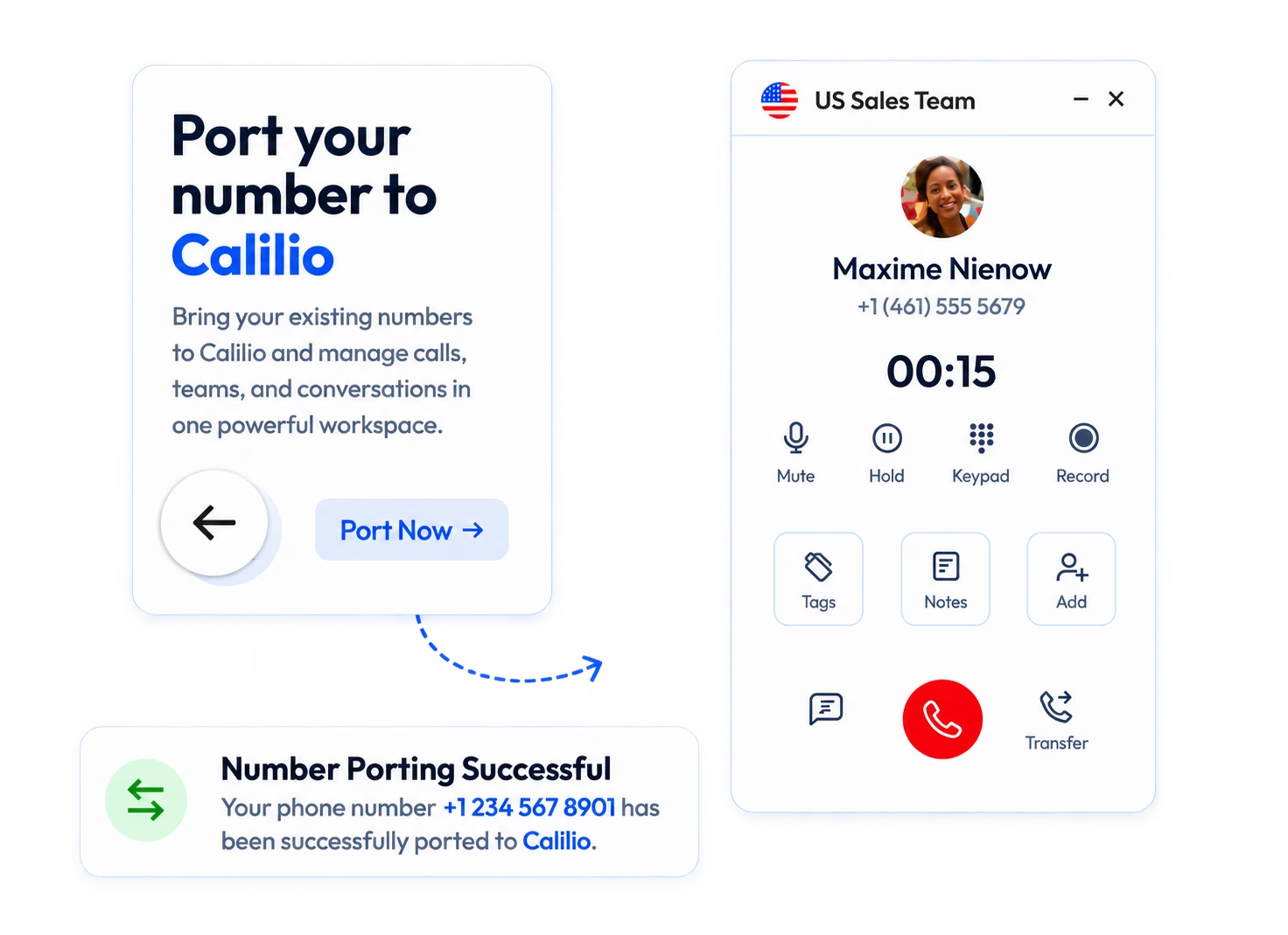
Calilio call settings with greeting, business hours and number groups

Frequently Asked Questions

What is a cloud PBX?
A cloud PBX is a phone system where the switchboard that routes your calls runs on your provider’s servers instead of hardware in your building. You reach it over your internet connection, and your team uses desktop and mobile apps or IP handsets. Because there is no box on site, there is nothing to buy, patch or replace when it fails.
Is cloud PBX the same as hosted PBX?
In practice, yes. Cloud PBX, hosted PBX, hosted phone system and hosted VoIP all describe the same arrangement — the PBX software runs on your provider’s infrastructure rather than on site. Some vendors use hosted PBX for a single-tenant dedicated instance and cloud PBX for multi-tenant shared infrastructure, but most use the terms interchangeably and few buyers are affected by the difference.
How much does a cloud PBX cost?
Cloud PBX is priced per user per month, generally from about $12 to $35 for standard business plans, with contact centre tiers running considerably higher. The figure that matters is the plan containing the features you actually need, since recording, CRM integrations and analytics are frequently held back from entry tiers. Phone numbers, calling minutes and regulatory fees are usually billed on top.
What is the difference between cloud PBX and SIP trunking?
They solve different halves of the problem. SIP trunking supplies connectivity to a PBX you still own and operate, so it is a way to keep an existing PBX running after ISDN is retired. Cloud PBX replaces the PBX itself, so there is no on-site system to maintain. If you have recently invested in PBX hardware, SIP trunking extends its life; if you have not, cloud PBX is usually the simpler path.
Do I need to replace my desk phones?
Not necessarily. Every provider here works through desktop and mobile apps, so a laptop and a headset is enough to start. Many SIP handsets from Yealink, Poly and Cisco can be reused, though compatibility varies by provider and model, so confirm your exact model before assuming. Analogue handsets from a traditional PBX will not work without an adaptor.
Can I keep my existing phone numbers?
Yes. Business numbers are portable, and every provider in this comparison supports porting in. Expect the process to take between one and four weeks depending on your current carrier, and confirm two things in writing before committing: any porting fees, and that the numbers will be registered to you as the end user rather than held under the provider’s own account.
What happens to my phones in a power cut or internet outage?
A cloud PBX needs both power and internet, so on-site handsets stop working in an outage. The practical protection is that routing lives with your provider rather than in your building, so you can set calls to fail over to mobile numbers automatically and keep taking them on the mobile apps. Confirm that failover behaviour during a demo rather than assuming it.
How much internet bandwidth does a cloud PBX need?
Roughly 100 kbps upload and download per concurrent call, so ten simultaneous calls need about 1 Mbps each way — well within any modern business connection. Bandwidth is rarely the problem; jitter and packet loss are. A connection that streams video fine can still produce poor calls if it is unstable, so test call quality before migrating everyone.
get your first uk number for free

Summarize this blog with:

Avatar Group

Still have questions?

Can’t find the answer you’re looking for? Please chat with our friendly team.

Stay in the loop

Get the latest call insights, trends, and updates delivered straight to your inbox.

By subscribing, you agree to receive updates from Calilio.
You can unsubscribe anytime.

Enter the World of AI Business Phone System with Calilio

Improve your business operation with Calilio's advanced virtual phone system. Join today for a better way to connect.

4.6
125+ Reviews16+ Badges