- Partners
- Contact Us
- Log in
Cloud Contact Center Migration: A Complete Guide for 2026

On-premise contact centers rely on dedicated hardware and software installed directly at your business location. This setup often means higher costs, regular maintenance, and challenges when it’s time to scale or upgrade. In contrast, a cloud contact center runs entirely online, offering easier management, lower upfront costs, quick upgrades, and greater flexibility for remote teams.
However, many businesses may still hesitate to migrate due to concerns about downtime, service interruptions, or unexpected costs. In reality, these risks mostly arise only if the migration isn’t carefully managed. With the right planning, moving to the cloud can be smooth and rewarding.
In this blog, you’ll find everything you need to know about cloud contact center migration, including a step-by-step guide to ensure a successful transition. Additionally, we’ll also cover its benefits, common challenges, and best practices.
Key Highlights:
Cloud contact center migration refers to moving a contact center’s operations, systems, and data to the cloud to enhance efficiency, scalability, and customer experience.
Businesses migrate to cloud contact centers to reduce costs, enhance customer experience, support remote teams, and gain flexibility and scalability.
The migration process begins with defining your goals and choosing a cloud provider that fits those needs. Then, migrate your data and numbers, and configure the call flow before launching.
Common challenges that arise when migrating a contact center to the cloud include data migration issues, system downtime, agent adoption difficulty, security and compliance risks, and cost management.
What is Cloud Contact Center Migration?
Contact center cloud migration is the process of moving a contact center’s core operations, systems, data, and applications from a traditional on-premise infrastructure to a cloud-based platform to access advanced AI features, better analytics, and save costs. It involves adopting a Contact Center as a Service (CCaaS) model, a subscription-based solution that provides all essential contact center tools without the need for physical servers or in-house IT maintenance.
A cloud-based contact center enables businesses to manage customer interactions over the internet and take advantage of advanced features such as AI-powered call routing, IVR (Interactive Voice Response), omnichannel support, and real-time analytics.
Why are Businesses Migrating to Cloud Contact Centers?
Businesses are migrating to cloud contact centers to reduce costs, improve customer experience, and access advanced features with remote flexibility. It helps organizations deliver high-quality, reliable, and modern support to the customers.
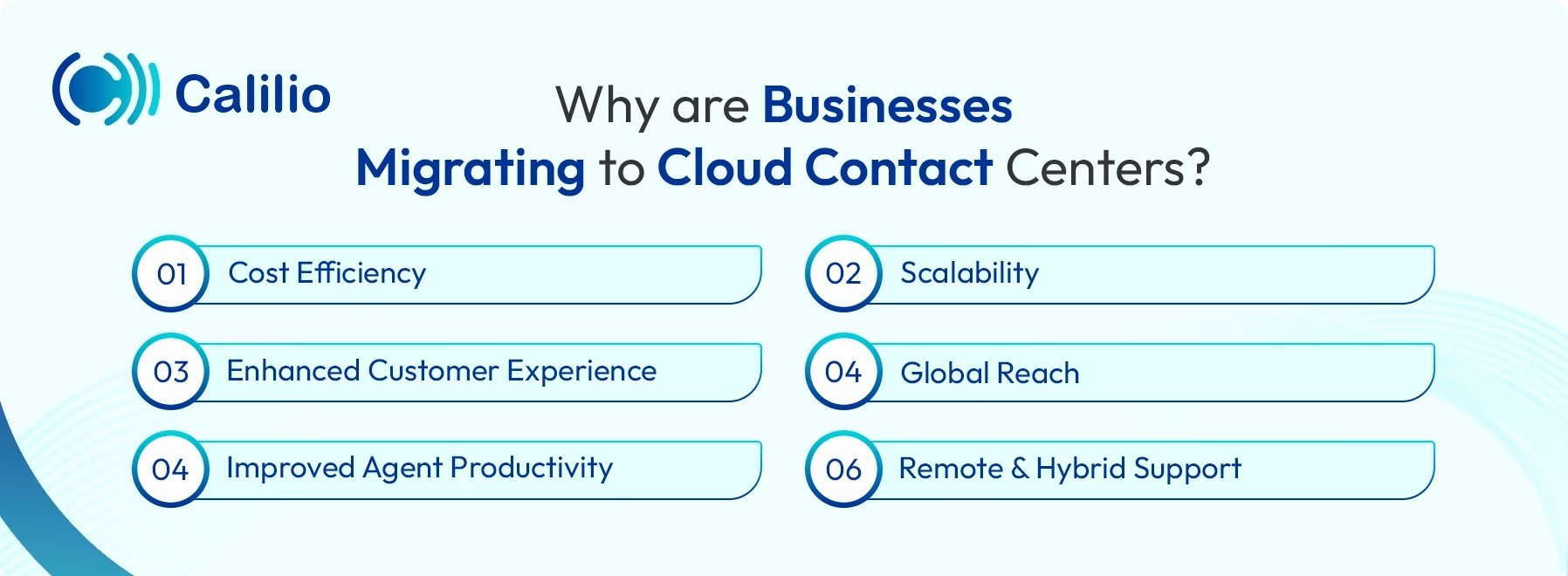
- Cost Efficiency: Cloud contact centers remove the need for physical servers, on-premise hardware, and extensive IT maintenance. It helps businesses save on upfront infrastructure costs and ongoing operational expenses, making it a more affordable solution.
- Scalability: Cloud solutions allow organizations to scale resources up or down according to demand. Whether during peak seasons, marketing campaigns, or business expansion, companies can adjust capacity without disruptions.
- Enhanced Customer Experience: Businesses are moving to cloud contact centers to provide faster responses, consistent service, and personalized interactions across multiple channels. It also uses features like call routing, omnichannel support, and real-time analytics, which help improve customer experience.
- Global Reach: Cloud contact centers allow businesses to serve customers across different regions without the need for local infrastructure. You can stay connected via the internet from any location worldwide.
- Improved Agent Productivity: By automating repetitive tasks and providing unified communication tools, cloud contact centers allow agents to focus on complex issues. It boosts efficiency, reduces stress, and enhances overall employee satisfaction.
- Remote and Hybrid Support: Cloud-based systems enable agents to work efficiently from any location using a secure internet connection. It supports flexible work models and ensures uninterrupted operations during disruptions or emergencies.
Signs Your Business Needs Cloud Migration
Upgrade to a cloud contact center if your business is dealing with high costs, limited scalability, or outdated technology. Recognizing these signs early can help your business improve efficiency, support remote teams, and improve customer experience.
- Rising Infrastructure and Maintenance Costs: If your business is spending heavily on hardware upgrades, server maintenance, or IT support, it may be a sign that on-premise systems are no longer cost-effective. Cloud migration reduces initial investment costs for physical infrastructure and shifts expenses to a predictable, subscription-based model.
- Frequent System Downtime or Reliability Issues: Switch to a cloud contact center if your hardware-based system regularly faces outages or system failures that disrupt operations and harm customer trust. By adopting cloud solutions, your business gains enhanced reliability, automatic backup systems, and advanced disaster recovery, ensuring seamless and uninterrupted operations.
- Slow Implementation of Updates and Changes: You may have faced frequent delays when updating old systems manually. Cloud solutions provide automatic updates and faster deployment.
- Data Management Issues: If your system frequently faces challenges with storing, backing up, or securing data, it may be time to upgrade. Cloud solutions simplify data management while improving security and reliability.
- Call Center Compliance and Security Concerns: Keeping up with call center compliance regulations like Payment Card Industry Data Security Standard (PCI DSS), General Data Protection Regulation (GDPR), or industry-specific standards is complex with outdated systems. Cloud platforms help manage compliance with secure data storage, encryption, and monitoring, reducing risks and simplifying audits.
How to Migrate to a Cloud Contact Center? Step-by-Step Process
To migrate a contact center to the cloud successfully, first, assess your business needs, choose the right provider and then transfer your numbers and data. Configure call flows and test the system before implementing it fully.
- Step 1: Define Your Business Goals and Assess Needs
Start by identifying your business objectives for the migration, such as to reduce costs, improve customer experience, or enable remote work. Evaluate your current contact center systems, workflows, and technology gaps to understand what is required for a successful transition. - Step 2: Choose the Right Cloud Provider
Once your goals are clear, choose a trusted cloud contact center provider that aligns with your business requirements to ensure a smooth migration and long-term success. - Step 3: Migrate Numbers and Data
Port your phone numbers and transfer customer data and historical records to the cloud platform. - Step 4: Configure Call Flows
Once you’ve chosen a provider and transferred your numbers, configure call management functionalities, including call routing, IVR menus, and skill-based agent assignments, according to your business requirements. - Step 5: Train Agents, Test, and Launch
Train agents and supervisors on the new system, focusing on both tool usage and workflow benefits. Then, conduct thorough testing by running real-world scenarios such as handling peak call volumes or multi-channel interactions. Resolve any issues that arise, and once everything runs smoothly, launch the system.
Boost Agent Productivity, Enhance Operations, and Improve Customer Experience. Upgrade to Calilio’s Cloud Contact Center.
Common Challenges When Migrating Your Contact Center to the Cloud
The common challenges when migrating a contact center to the cloud include ensuring data security and compliance, controlling costs, avoiding vendor lock-in, and helping agents adapt to new tools and workflows.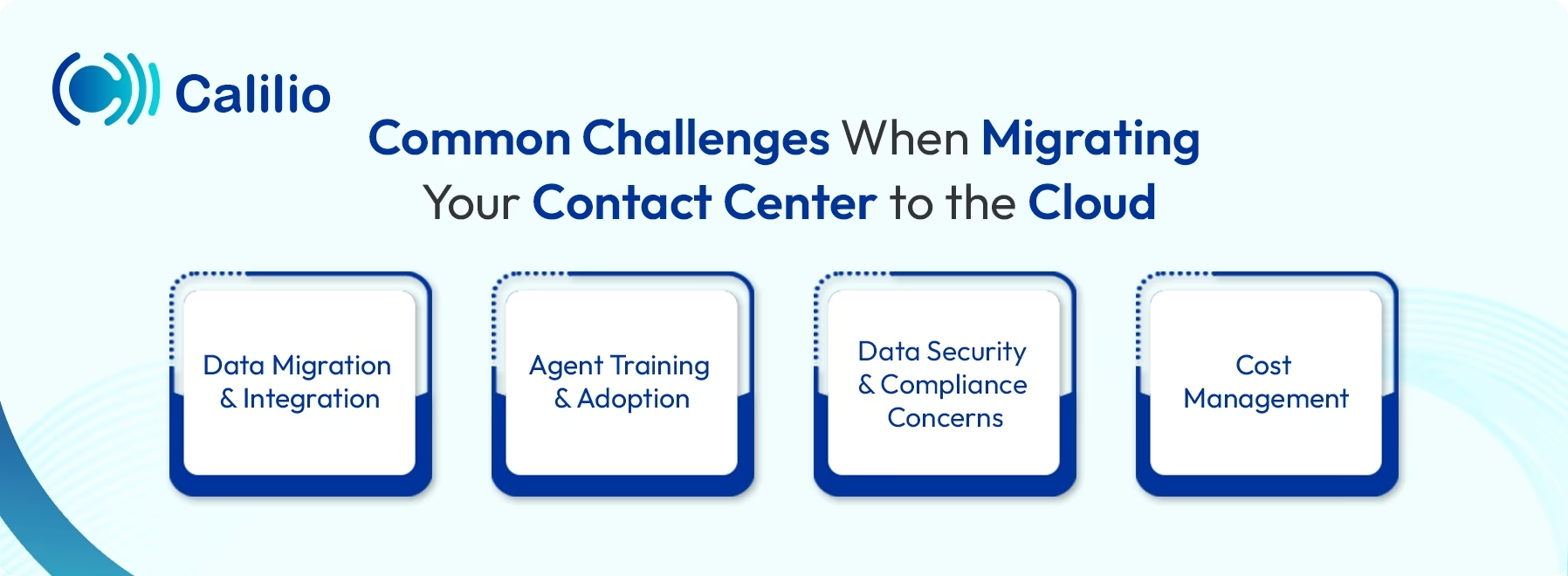
1. Data Migration and Integration
Moving customer records, call histories, and other critical data from legacy systems to a cloud platform can be complicated. Improper handling can lead to errors or even data loss.
Tip to Overcome: Conduct a data audit before migration and organize all information. Work closely with your cloud provider to use secure transfer protocols. Test the migration with a small dataset first to ensure accuracy.
2. Agent Training and Adoption
Teams may struggle with new workflows, AI features, and tools if proper training isn’t provided. Without guidance, agents and supervisors can face confusion, reduced efficiency, and slower response times.
Tip to Overcome: Start training early with role-specific sessions, hands-on practice, and step-by-step guides. If possible, let them try out the new system in a safe test environment before the real launch.
3. Data Security and Compliance Concerns
Protecting customer data is critical when moving a contact center to the cloud. Businesses must ensure providers follow regulations like GDPR, PCI DSS, Telephone Consumer Protection Act (TCPA), or Health Insurance Portability and Accountability Act (HIPAA) to prevent breaches, fines, and reputational damage.
Tips to Overcome: Choose a trusted cloud provider that offers strong encryption, secure access controls, and reliable disaster recovery. Implement regular audits, staff training, and continuous monitoring to keep data safe and maintain customer trust.
4. Cost Management
Though less costly than on-premise contact centers, migrating to the cloud can bring unexpected expenses, such as subscription fees, add-on features, or scaling costs.
Tips to Overcome: Before selecting one, compare the different service providers to find the best value. Choose the provider that offers a flexible pricing model that meets your business needs and budget.
Cloud Contact Center Migration Checklist
Here are some dos and don’ts for when you’re migrating your contact center to the cloud:
Dos
- Plan Thoroughly: Define your goals, assess current systems, and map out a phased migration strategy to minimize disruption.
- Define Clear Migration Goals: Set specific objectives for your cloud migration, such as reducing costs, improving call quality, enabling remote agents, or scaling operations faster.
- Choose the Right Provider: Select a cloud provider with proven experience, robust security measures, and support for integrations with your existing tools.
- Train Your Team: Provide role-specific training for agents and supervisors before and after migration to ensure smooth adoption.
- Test Before Going Live: Test the system before going live to identify and fix potential issues.
- Monitor and Optimize: After launch, use analytics and feedback to improve workflows, agent performance, and customer experience.
Don’ts
- Rush the Migration: Avoid moving all operations at once. It can cause downtime, errors, and poor customer experiences.
- Ignore Data Security: Don’t ignore encryption, compliance, or access control needs, as it is essential for keeping sensitive customer information secure.
- Underestimate Costs: Avoid ignoring hidden costs for integrations, licenses, training, or scaling resources, which can exceed budget expectations.
- Migrate without a Backup Plan: Do not transfer your call data, recordings, and customer information without proper backup.
Conclusion
Cloud contact center migration moves a company’s contact center operations to a cloud-based platform, allowing calls, messages, and customer interactions to be managed online instead of on-premises. It helps improve customer experience, boosts agent productivity, and provides flexibility to scale operations, support remote teams, and leverage advanced features like call routing and omnichannel communication.
If you’re looking for an advanced yet affordable cloud contact center system, consider migrating to Calilio. You’ll get powerful features such as AI-driven sentiment analysis, advanced analytics, intelligent call routing, and multi-channel support in one platform. Calilio’s basic plan starts at just $15, making it accessible for businesses of all sizes. You can also schedule a demo to explore the platform and its features before making the switch.



Summarize this blog with:
Frequently asked questions
Who should migrate to a cloud contact center?
Businesses facing high costs, limited scalability, outdated systems, or growing customer demand should migrate to a cloud contact center to improve flexibility, efficiency, and customer experience.
How much does cloud contact center migration cost?
How long does a cloud contact center migration take?
What trends should businesses consider when migrating to the cloud?

Still have questions?
Can’t find the answer you’re looking for? Please chat with our friendly team.
Stay in the loop
Get the latest call insights, trends, and updates delivered straight to your inbox.
By subscribing, you agree to receive updates from Calilio.
You can unsubscribe anytime.
Enter the World of AI Business Phone System with Calilio
Improve your business operation with Calilio's advanced virtual phone system. Join today for a better way to connect.