
6 Types of Business Phone Systems Explained
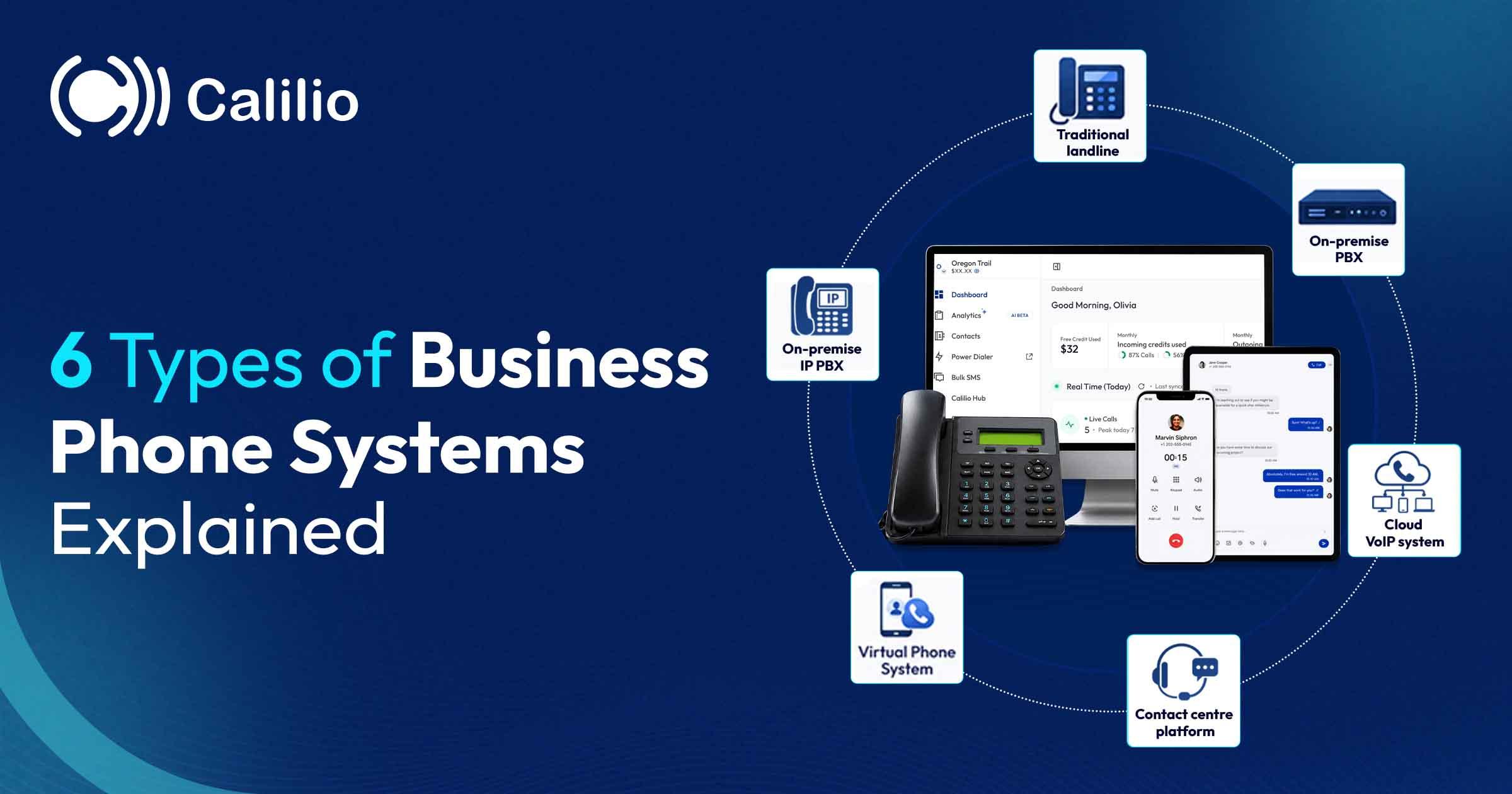

Every type of business phone system does the same basic job: get a call from outside to the right person inside. What separates them is where the switching happens, who owns the equipment, and how much of your money goes into hardware rather than features.
Here are the six types still in use, in the order they appeared, with what each costs and who it genuinely suits. Two of them are being retired as analogue networks close, which narrows the choice more than most comparisons admit.
The Short Answer
There are six types: traditional landline, on-premise PBX, on-premise IP PBX, cloud VoIP, virtual phone systems, and contact centre platforms. For most businesses buying today the real choice is between the last three.
- Traditional landline and analogue PBX systems are being retired as copper networks close.
- The difference that matters is whether the switching hardware sits in your building or your provider’s.
- Cloud systems cost roughly $10–30 per user per month with no upfront hardware.
- A contact centre platform is a different product from a phone system — buy it only if you run queues.
First, the jargon
This category has more acronyms than it needs, and vendors use several of them loosely. Nine terms cover everything in this guide — worth two minutes now, because the rest of the article stops being confusing once these are clear.
All six types at a glance
The quickest way to place yourself is by team size and whether you want to own hardware. Full explanations of each type follow below.
# | Type | Where it runs | Typical cost | Team size | Status |
| 1 | Traditional landline | Copper lines to the exchange | Line rental + call charges | 1–10 | Being retired |
| 2 | On-premise PBX | Hardware in your building | $500–1,000+ per user upfront | 20–500 | Being retired |
| 3 | On-premise IP PBX | Hardware in your building | Upfront hardware + licences | 50–1,000 | Niche |
| 4 | Cloud VoIP system | Your provider’s software | ~$10–30/user/month | 1–500+ | Standard choice |
| 5 | Virtual phone system | Provider forwards to mobiles | ~$10–25/month flat | 1–5 | Good for solo |
| 6 | Contact centre platform | Provider, with queue routing | ~$65–200+/user/month | 25+ agents | Specialist |
Costs are indicative ranges based on published market pricing as of August 2026. Hardware systems vary enormously by site size and installer, and cloud pricing varies by tier and features.
1. Traditional landline system
Being retired
Analogue calls carried over the PSTN copper network
A traditional landline system runs on the PSTN — the Public Switched Telephone Network. Physical desk phones connect by copper wire to your local telephone exchange, and the exchange switches each call through to whoever you dialled. Small offices often added a key system, a box in a cupboard that let a handful of handsets share two or three PSTN lines and press a button to pick up a specific one.
The PSTN is genuinely reliable and famously simple, and a basic corded handset keeps working in a power cut because the copper line itself carries a small voltage from the exchange. What it cannot do is anything modern. Features stop at hold, transfer and voicemail, every new line or extension needs an engineer visit, and a number is tied to the building it is wired into. It is also the oldest technology in this list, and carriers worldwide are progressively retiring it in favour of digital alternatives.
2. On-premise PBX
Being retired
A private switchboard in your building, running over analogue or ISDN lines
A PBX — private branch exchange — is the switchboard that connects calls between people inside a business and out to the public network. In the traditional form it is a physical unit installed on site, connected to analogue or ISDN lines, with extensions wired to every desk. This is the system that gave businesses internal extensions, hunt groups and the first automated attendants.
For a mid-sized office it worked well and lasted decades, which is exactly the problem. The hardware is expensive upfront, needs a maintenance contract and a specialist to change anything, and ISDN is being retired alongside analogue. Businesses still running one are the group most affected by the switch-off, because replacing it is a project rather than a swap.
3. On-premise IP PBX
Niche
Calls travel over internet protocol, but the switching hardware stays on your site
An IP PBX is the middle ground. Calls are carried as data using internet protocol, so you get the features of a modern system — IVR menus, call recording, softphone apps, SIP trunking instead of ISDN lines — but the server doing the work still lives in your building and belongs to you. Platforms like 3CX made this approach popular by licensing the software per system rather than per user.
It suits organisations with reasons to keep voice in-house: strict data residency requirements, an existing investment in hardware, unusual integrations with on-site systems, or an internal IT team that would rather control the stack. The cost is that you own the whole problem — updates, security patching, hardware failure and capacity planning are all yours.
4. Cloud VoIP phone system
Standard choice
The PBX is software run by your provider; you use apps and handsets
In a cloud VoIP system — also sold as a hosted PBX or UCaaS — the switchboard is software running in your provider’s infrastructure. You get numbers, IVR menus, business hours routing, call recording, voicemail and desktop and mobile apps, and there is nothing to install beyond signing in. Adding a person is a checkbox rather than an engineer visit.
This is what most businesses buying today should choose, and the reason is feature economics rather than fashion. Because the provider maintains one platform for everyone, capabilities that used to be expensive projects — multi-level menus, recording, analytics, AI transcription — arrive as standard for roughly $10 to $30 per user per month. The genuine trade-off is that calls depend on your internet connection, so a flaky line becomes a phone problem.
5. Virtual phone system
Good for solo
A business number and simple menu that forwards to phones you already own
A virtual phone system is the lightest option here. You get a business number — often toll-free — plus an auto attendant, extensions and voicemail, and calls forward to whatever phones your team already carries. There is no handset to buy and frequently no per-user pricing, just a flat monthly fee for the account.
For a consultant, tradesperson, small practice or a two-person startup it does the important job: callers reach a professional-sounding business rather than a personal mobile. It runs out of room quickly, though. Reporting is minimal, recording is limited or absent, integrations are few, and there is no real concept of teams or queues.
6. Contact centre platform
Specialist
Built for queues, agents and volume rather than for an office
A contact centre platform, sold as CCaaS, is a different product that happens to include telephony. Its purpose is managing large volumes of inbound contact: skills-based routing that matches a caller to the right agent, queue management, workforce scheduling, quality-management scorecards, speech analytics and compliance recording, usually across email and chat as well as voice.
The features are genuinely powerful and genuinely heavy. Pricing typically starts around $65 per user per month and runs well beyond it, implementation is a project with professional services attached, and administration needs a named owner. Buying one to run a thirty-person office phone system means paying for machinery nobody will operate.
How to choose the right type
Team size and whether you run queues settle this faster than any feature list. Find your situation below.
The bottom line
Six types exist, but only four are live options and only two suit most buyers. Landline and analogue PBX systems are on their way out with the copper networks. An on-premise IP PBX is a reasonable choice if you have specific reasons to keep voice in your building and the IT capability to run it. A contact centre platform is a different purchase entirely, worth it only when someone’s job is managing queues.
That leaves cloud VoIP for teams and virtual phone systems for individuals, and the honest reason cloud has won is not that it is newer — it is that features which used to be installation projects now arrive as standard for a monthly fee. The one real trade-off is your internet connection: if it is unreliable, fix that before it starts carrying your phone calls.
A cloud phone system with nothing to install
Numbers in 100+ countries, multi-level IVR menus, business hours, call recording, voicemail and desktop and mobile apps. Port your existing numbers and keep them. From $12 per user per month with a 14-day money-back guarantee.
Frequently Asked Questions
What are the main types of business phone systems?
What is the difference between a PBX and a VoIP phone system?
Which type of business phone system is cheapest?
Which business phone system should a small business choose?
What is the difference between UCaaS and CCaaS?
Do I need desk phones for a cloud phone system?
How much internet speed does a VoIP phone system need?
Can I keep my existing phone numbers when changing system?
Summarize this blog with:

Still have questions?
Can’t find the answer you’re looking for? Please chat with our friendly team.
Stay in the loop
Get the latest call insights, trends, and updates delivered straight to your inbox.
By subscribing, you agree to receive updates from Calilio.
You can unsubscribe anytime.
Enter the World of AI Business Phone System with Calilio
Improve your business operation with Calilio's advanced virtual phone system. Join today for a better way to connect.