
What is a Softphone & How Does It Work?
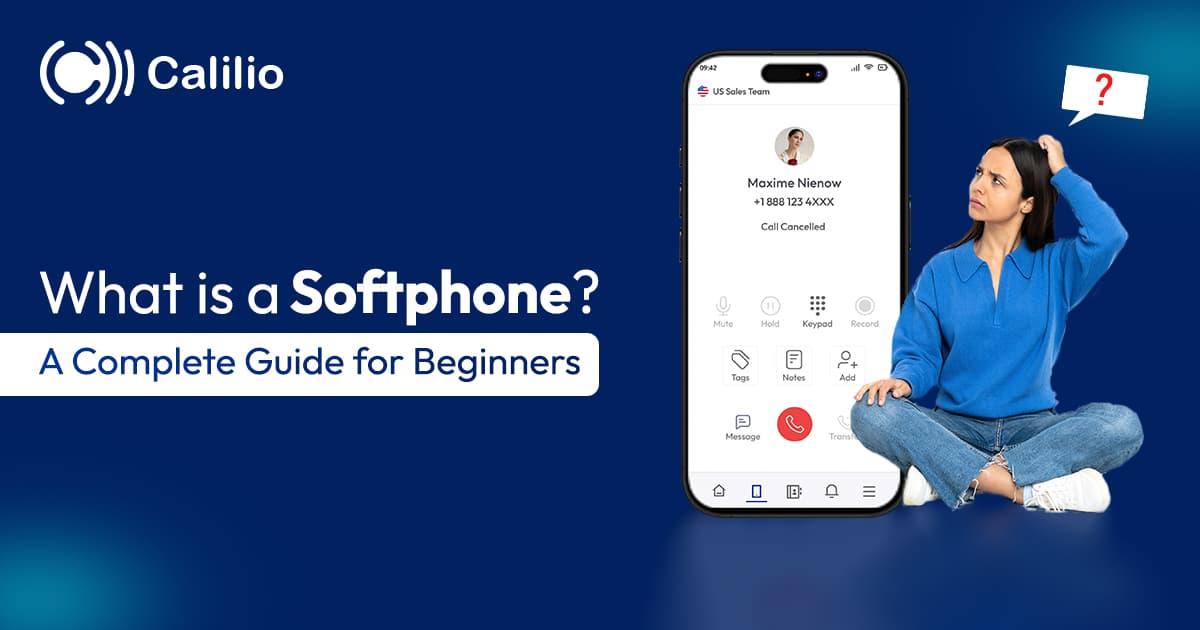

Most people have used a softphone without knowing the word for it. If you have ever taken a work call through an app on your laptop, that was a softphone. The term matters mainly when you are choosing a business phone system and someone asks whether you want desk phones.
This guide covers what a softphone actually is, how it works underneath, how it compares to a physical handset, what you need to run one properly, and how to judge whether it suits your team.
A softphone is software that makes and receives phone calls over the internet from a computer, tablet or mobile, instead of a physical desk phone. It shows a dial pad on screen, uses a headset for audio, and connects to your business number so calls carry your company caller ID.
→
A softphone is the app; VoIP is the service it connects to. They are not the same thing.
→
No telephony hardware needed — a laptop or phone, an internet connection and a headset.
→
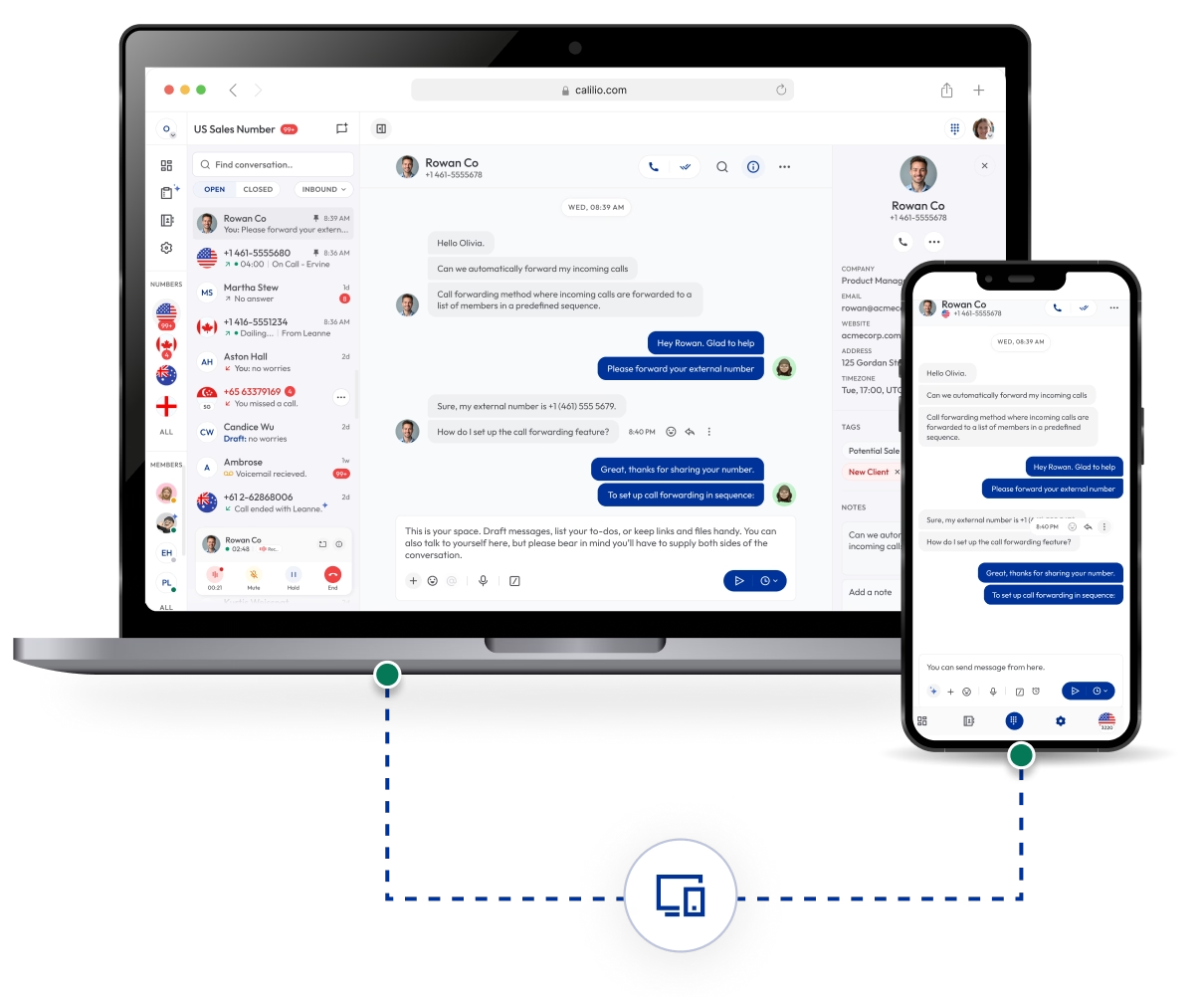
Because the number lives on your account, the same line can ring several devices at once.
→
Call quality depends on network stability and your headset, far more than on the app itself.
How a softphone works
A softphone does the same job as the electronics inside a desk phone, in software. Understanding the four steps is worth ten minutes, because almost every call-quality problem people blame on their softphone actually comes from one specific step in the chain.
You sign in and the app registers with your provider
When you log in, the softphone tells your phone provider’s servers that this device is now reachable on your business number. That registration is what makes an incoming call ring your laptop rather than somewhere else, and it is why signing out means calls stop arriving.
Your voice is captured and compressed
The app takes audio from your microphone or headset and runs it through a codec, which compresses it into small packets. Modern systems typically use Opus for its resilience to imperfect networks, or G.711 for maximum fidelity when bandwidth is plentiful.
Packets travel over the internet
Those packets cross your network to your provider, which either connects the call to another internet user directly or hands it to the traditional phone network so it can reach an ordinary mobile or landline. This step is where jitter, packet loss and Wi-Fi congestion do their damage.
Audio is reassembled at the other end
The receiving side buffers the packets briefly to smooth out uneven arrival times, decodes them, and plays the audio. The whole round trip needs to stay under roughly 150 milliseconds each way, or people start talking over each other.
Where quality problems actually come from: the codec and the network, almost never the app. Voice is unusually sensitive to jitter — packets arriving at uneven intervals — and far less sensitive to raw bandwidth. A call needs only around 100 kbps in each direction, which is why a softphone can sound terrible on a fast but congested Wi-Fi connection and perfect on a modest wired one.
Softphone vs hardphone
This is the decision most businesses are really making when they ask what a softphone is. Neither option is universally better — the answer depends on whether your people sit at fixed desks and whether they need context on screen while they talk.
# | Softphone | Hardphone (desk phone) |
| What it is | An app on a device you already own | A physical handset on your desk |
| Upfront cost | None — included with your phone plan | Roughly $80–$300 per handset |
| Where it works | Anywhere with internet | Wherever it is plugged in |
| Setup | Install, sign in, done | Provision, connect, sometimes configure |
| On-screen context | Call history, notes, contact record, transcripts | A small display with the number |
| Audio quality | Depends heavily on your headset | Consistent, purpose-built hardware |
| Works in a power cut | Yes on a charged mobile with data | No — needs power and network |
| Best for | Remote, hybrid and mobile teams | Reception desks, meeting rooms, fixed roles |
In practice most businesses now run softphones by default and keep a handful of desk phones for reception, meeting rooms and anyone who genuinely prefers one. Because the number lives on the account rather than the device, mixing both is normal — the same line can ring a desk phone and a laptop at once.
What a softphone can do
Feature depth varies by provider and by plan, but this is the range you should expect to find. The last group is what a desk phone genuinely cannot replicate, and it is usually the reason teams switch.
Core calling
- Make and receive calls on your business number
- Hold, mute, and blind or warm transfer
- Three-way and conference calling
- Call history with every inbound and outbound call
Routing and availability
- Ring on multiple devices at once
- Call forwarding to a mobile or colleague
- Do not disturb and availability status
- Voicemail with notifications and transcription
Context while you talk
- Contact record, notes and tags on screen
- Previous calls and messages with that person
- CRM integration showing deal or ticket context
- Click-to-call from a browser or CRM record
Team and oversight
- Call recording where enabled
- Live monitoring, whisper and barge-in for supervisors
- Shared inbox for calls, voicemails and messages
- SMS and MMS from the same business number
What you need to run one
The list is short, which is much of the appeal. Note that the third item is the one businesses skip and then regret.
A device
Any reasonably modern computer, tablet or smartphone. Softphones are light on processing power — the bottleneck is almost never the hardware.
A stable connection
Around 100 kbps up and down per concurrent call. Stability matters far more than speed: a consistent 5 Mbps line beats an erratic 500 Mbps one every time.
A proper headset
The single biggest quality upgrade available, and the one most often skipped. A wired USB headset with a boom mic eliminates the echo and room noise that laptop microphones produce.
A phone service account
The softphone is only the interface. You need a provider supplying the number, the routing and the connection to the wider phone network.
Why businesses switch to softphones
Cost is the reason people give, but it is rarely the reason that matters most six months in. These are the advantages that hold up in practice.
No hardware to buy or replace
A desk phone costs somewhere between $80 and $300 per person and eventually needs replacing. A softphone costs nothing extra beyond the phone plan you were already paying for, which is why the saving is most obvious when hiring quickly.
Your work number goes where you do
The number belongs to your account, not a device. You can take a call at a desk, in a car park or in another country, and the customer sees and reaches the same business number throughout.
Personal numbers stay private
Staff can take work calls on their own phones without ever exposing their personal number, and calls stop arriving when they sign out — a cleaner boundary than call forwarding to a mobile.
Context on the screen while you talk
A desk phone can show a number. A softphone can show who is calling, what they last contacted you about, the notes from that conversation and the open deal or ticket — which is the real productivity difference.
Onboarding takes minutes
Adding a person means creating an account and sending an install link. There is no handset to order, ship, provision or recover when someone leaves.
Everything is recorded in one place
Because calls run through software, call history, recordings, notes and transcripts land in the same system automatically rather than living in someone’s handset.
The honest drawbacks
Softphones are the right choice for most teams, but not for every person in every role. These are the limitations worth planning around rather than discovering later.
It is only as good as your network
A desk phone on a wired connection is more forgiving than a laptop on shared Wi-Fi. Congested networks, VPNs and video calls competing for the same connection all degrade voice quality noticeably.
Audio quality depends on the headset
Built-in laptop microphones pick up keyboard noise, room echo and background conversation, and callers hear all of it. This is the most common reason softphones get an undeserved reputation for sounding poor.
No power, no calls
A power cut or a dead laptop battery takes the phone with it. Mobile softphones on cellular data mitigate this, but it is a genuine difference from a wired handset on a backed-up network.
Emergency calling needs attention
Because a softphone travels, the address registered for emergency services may not match where you actually are. Every provider handles this differently — check how yours manages E911 or its local equivalent before relying on it.
Some people simply prefer a handset
Reception desks, older staff and anyone who spends the day on the phone often work better with physical hardware. Forcing a single approach across a whole company tends to cause avoidable friction.
Best softphones for business in 2026
Almost nobody buys a softphone on its own — the app comes with a phone service, so this is really a shortlist of business phone providers judged on the quality of their apps. Prices are for the plan the softphone arrives on.
# | Softphone | Best for | Platforms | Stands out for | Price |
| 1 | Calilio | Best value for small and mid-sized teams | Windows, macOS, iOS, Android | IVR, recording and voicemail included at entry price | From $12/user/mo |
| 2 | RingCentral | Largest integration ecosystem | Windows, macOS, iOS, Android, web | AI live transcription even on the entry plan | From $20/user/mo annual |
| 3 | Dialpad | Most AI at a low entry price | Windows, macOS, iOS, Android, web | Live transcription and real-time analytics at entry | From ~$15/user/mo |
| 4 | Nextiva | Multi-location businesses | Windows, macOS, iOS, Android | Strong multi-site routing and admin | From ~$20/user/mo |
| 5 | Zoom Phone | Cheapest entry point | Windows, macOS, iOS, Android, web | One-click escalation to a Zoom meeting | From ~$10–12/user/mo |
| 6 | CloudTalk | International number coverage | Windows, macOS, iOS, Android, web | Local numbers in 160+ countries | From $25/user/mo |
| 7 | Aircall | Simple setup for growing teams | Windows, macOS, iOS, Android | Very large app marketplace, clean admin | Three-licence minimum applies |
| 8 | 3CX | Teams wanting to self-host | Windows, macOS, iOS, Android, web | Self-hosted or hosted, licence-based pricing | Licence per system, not per user |
Pricing reflects published rates as of August 2026 and several providers charge numbers, minutes or seat minimums on top. Feature availability varies by tier, so confirm the plan containing what you need before signing.
How to choose a softphone
In almost every case you are choosing a phone provider rather than a softphone, since the app comes with the service. Six things to check before committing.
Check every platform your team uses
Windows, macOS, iOS, Android and a browser version. A provider with a strong desktop app and a weak mobile one is a problem you will discover after signing.
Test call quality on your actual network
Not on the vendor’s demo connection. Run a trial from the office and from someone’s home, with the headsets your team will really use.
Confirm the features you need are in your plan
Recording, monitoring, transcription and CRM integrations are routinely gated to higher tiers. Price the plan that contains them, not the entry tier.
Look at what appears during a call
Contact history, notes, tags and CRM context on screen is the main advantage over a handset. If the app only shows a number, you are giving up the reason to switch.
Check the numbers you can get
Local, mobile and toll-free numbers in the countries you operate in, and whether your existing numbers can be ported across.
Ask how emergency calling is handled
Specifically how the service address is registered and updated when people work from different locations.
The bottom line
For most businesses in 2026 the softphone is simply what a business phone is now. The hardware saving is real but secondary — the durable advantage is that your number stops being tied to a desk, and that the person answering can see who is calling and what happened last time.
Two things decide whether it works. Buy proper headsets, because that is where perceived call quality actually comes from. And keep a few desk phones for reception and meeting rooms rather than forcing one approach on everyone — since the number lives on the account, running both costs nothing extra.
Turn your Laptop into Your
Business Phone
Calilio runs on desktop, mobile and tablet with the same business number, plus IVR menus, call recording, voicemail and a shared inbox. No handsets to buy. Plans from $12 per user per month with a 14-day money-back guarantee.
Summarize this blog with:
Frequently Asked Questions
Everything you need to know about Calilio. Can't find your answer? .
A softphone is software that lets you make and receive phone calls over the internet from a computer, tablet or mobile instead of a physical desk phone. It shows a dial pad and call controls on screen, uses your device’s microphone and speakers or a headset for audio, and connects to your business number through your provider so calls carry your company caller ID rather than a personal number.
Stay in the loop
Get the latest call insights, trends, and updates delivered straight to your inbox.
By subscribing, you agree to receive updates from Calilio.
You can unsubscribe anytime.
Enter the World of AI Business Phone System with Calilio
Improve your business operation with Calilio's advanced virtual phone system. Join today for a better way to connect.