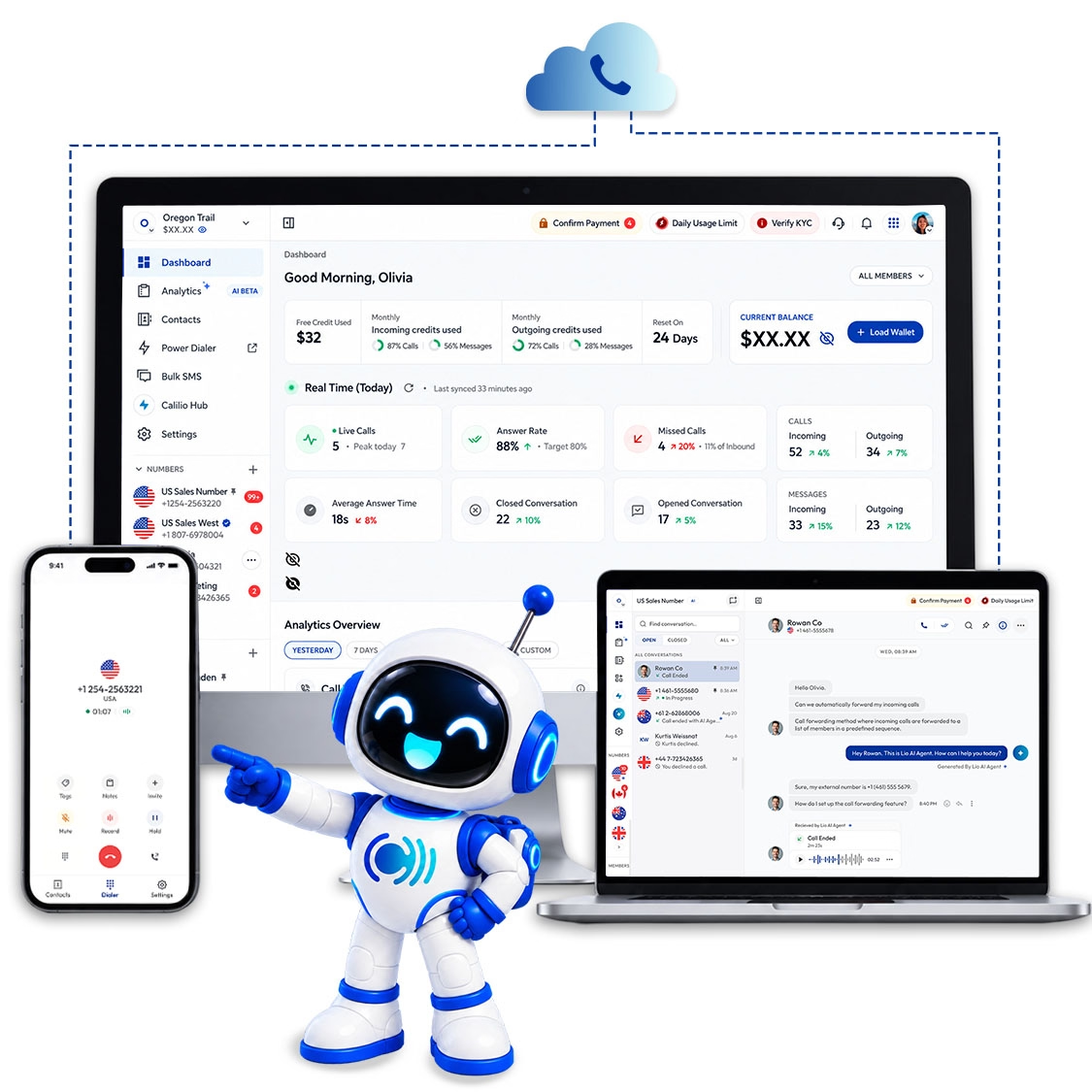
A single phone line can carry one conversation. The moment someone is on it, the next caller hears a busy tone or goes to voicemail. A multi-line phone system removes that limit: it lets a business handle several calls at the same time, on one number or many, and gives the people answering a way to hold, transfer and switch between them.
For decades that meant a box on the wall and handsets with a row of line buttons. Today it more often means cloud software and whatever device your team already has. This guide explains how a multi-line system works, the types you can choose from, the features that matter, and how to work out what your business needs.
What is a multi-line phone system?
A multi-line phone system lets a business handle more than one call at the same time, so callers never hear a busy tone. It carries several calls at once, routes each to the right person or team, and gives staff the controls to hold, transfer, and switch between them.
The system does three jobs. It carries several calls at once. It routes each incoming call to the right person or group, using rules like a menu, business hours or a ring strategy. And it gives staff controls to manage the calls in front of them: hold, transfer, park, conference and switch between lines.
It is worth separating two things people often blur together. A multi-line phone is a handset with buttons for several lines. A multi-line phone system is the whole arrangement behind it: the numbers, the routing rules, the voicemail, and the devices people answer on. You can have the system without a single desk phone.
How a multi-line phone system works
Whatever the technology underneath, an incoming call goes through the same four stages.
1
The call reaches your number
Whether the number is a local, toll-free or mobile number, the system accepts the call even if other calls are already in progress. That is the core of "multi-line": there is no busy tone.
2
Routing rules decide where it goes
Business hours, an IVR menu, or a ring strategy send the call to a person, a team or a fallback. A sales line might ring three reps in rotation; a main line might go to reception first.
3
Someone answers on their device
On a traditional system that is a desk phone with line buttons. On a cloud system it is whichever device the person is signed in on: a browser, a mobile app or a desk phone.
4
The call is managed alongside the others
The person can hold it to take a second call, transfer it to a colleague, park it for someone else to pick up, or flip it to another device. The system keeps every conversation separate.
Types of multi-line phone system
There are four ways to get multiple lines. They differ mainly in where the equipment lives and how the calls travel.
☎
Traditional multi-line (KSU)
Key system unit with analogue lines
A hardware box in the office connects to several phone-company lines, and each desk phone has a button per line. The oldest approach, and still in a lot of small offices.
Good for
Very small offices that already own the equipment and rarely change staff.
Watch out for
Each line is a monthly rental, adding lines means an engineer, and analogue lines are being switched off in many countries.
⌂
KSU-less system
Multi-line phones with no central unit
The line-handling electronics sit inside each handset rather than a central box. You plug two to four lines into each phone and they share them without extra hardware.
Good for
Two to ten people who want line buttons on a desk phone and nothing to install.
Watch out for
Caps out quickly, usually at four lines and around ten phones, and offers few routing features.
▦
On-premises PBX
Private branch exchange in your building
A server in your office handles many lines, extensions and features like voicemail, transfer and auto attendant. Historically the mid-size and enterprise choice.
Good for
Larger organisations with IT staff and a reason to keep call handling in-house.
Watch out for
Upfront cost, maintenance and upgrades are yours, and remote staff need extra setup to join.
☁
Cloud VoIP system
Hosted phone system over the internet
The provider runs the phone system in the cloud and delivers calls over your internet connection. Lines are virtual, so capacity grows with users rather than wiring.
Good for
Most small and mid-sized businesses, especially with remote or mobile staff.
Watch out for
Depends on a solid internet connection, and no emergency calling on some providers, Calilio included.
Most new small-business systems today are cloud VoIP. If you want the full picture of how these options compare, see our guide to the types of business phone systems.
Features that make a multi-line system useful
Taking several calls at once is only half of it. What matters is what the people answering can do with those calls.
Hold and resume
Park one caller while you answer or make another call. The most basic multi-line action, and the one used most.
Call transfer
Pass a call to a colleague, warm (you speak to them first) or blind (straight through). On Calilio, transfer is on the Premium plan.
Ring strategies
Decide how a call to a shared number is spread across a team: everyone at once, one after another, or in rotation.
Auto attendant or IVR
A menu that lets callers pick sales, support or billing and sends them to the right group. Premium on Calilio.
Business hours and greetings
Ring the team during the day, play a greeting and take a message at night. Set per number.
Voicemail to email
Missed calls become a recording in the inbox of whoever should follow up.
Call flip
Move a live call from your desk to your mobile without hanging up, so you can leave the office mid-conversation.
Call logs and analytics
See who called, when, how long it took to answer, and which lines are busiest.
How many lines does your business need?
On a traditional system this was the expensive question, because every line was a monthly charge whether or not you used it. The usual rule of thumb was one line for every three to four people who use the phone regularly, plus one spare for growth. A ten-person office would rent three or four lines.
Two other numbers matter more than headcount. Peak concurrent calls: how many conversations happen at your busiest moment, not on average. And call type: a sales desk on the phone all day needs more capacity per person than an office that mostly emails.
Cloud systems largely remove the question. Capacity scales with use rather than with lines you rent in advance, so a five-person team and a fifty-person team both start with the same setup and simply add users. On Calilio you pay per user, and each user can be on a call while others are too; there is no separate line count to size.
Who needs a multi-line phone system?
Any business where more than one call can arrive at once, or where more than one person needs to be on the phone at the same time. In practice that covers most companies with two or more people. A few signs that you have outgrown a single line:
Callers regularly hear a busy tone or go straight to voicemail during working hours.
Two or more people need to make or take calls at the same time.
You have distinct functions, such as sales and support, that callers should reach directly.
Staff put callers on hold with a hand over the mouthpiece because there is no real hold.
People work from different locations and the office phone cannot follow them.
How to choose a multi-line phone system
The brochures all list the same features. These are the questions that actually separate systems for a small business.
How is capacity priced: per line or per user?
Per-line pricing means paying for concurrent calls you may not use. Per-user pricing means every person can be on a call at once. For most small teams per-user is simpler and cheaper.
Which devices can answer?
Desk phone only, or also a web browser and a mobile app? A system that follows people to their laptop and phone is what makes remote and hybrid work possible.
Which routing features are on which plan?
Ring strategies, IVR, call transfer and business hours are often split across tiers. Check that the features you need are in the plan you can afford.
Can you keep your existing number?
Number porting should be included. Losing the number on your signage and invoices is a hidden cost of switching.
Where are your callers and your team?
If you serve more than one country, look for local numbers in each and clear per-minute rates for international calls.
What happens when nobody answers?
Voicemail is the minimum. Forwarding to a mobile or an AI voice agent that takes the details means a missed call still ends somewhere useful.
How Calilio works as a multi-line phone system
Calilio is a cloud phone system, so the "lines" are handled in software. You add numbers in the countries you serve, add your team as users, and each user answers from the web app, the mobile app or a desk phone. Several people can be on separate calls on the same number at once, and one person can hold a call while taking another.
Routing is set per number. A Ring Strategy decides how incoming calls are shared across a team (simultaneous, sequential or round robin), business hours and greetings shape the caller's experience, and on the Premium plan an IVR menuand call transferlet a receptionist or a menu send callers to the right department. Call flipmoves a live call from a desk to a mobile without the caller noticing.
Pricing is per user rather than per line: the Standard plan is $15/user/month ($12 billed annually) and the Premium plan is $35/user/month ($28 billed annually). Each paid subscription includes one free local number in the US, Canada or the UK.
Conclusion
A multi-line phone system is what stops your business sounding busy. It carries several calls at once, sends each one to the right person, and gives your team the controls to hold, transfer and juggle them. The choice used to be about how many copper lines to rent; today it is mostly about which cloud system fits your team and which devices you want to answer on. Start from your peak call volume and the features your callers will notice, and the rest of the decision tends to fall into place.
Multiple lines, no hardware to install
Add a number, add your team, and answer from a browser or your phone. Ring strategies, business hours and greetings are set per number in a few minutes.
A multi-line phone system lets a business handle more than one call at the same time. Instead of a single line that is busy whenever someone is on it, the system carries several calls at once, so one person can hold a call while answering another, and several people can be on separate calls on the same number.
What is the difference between a multi-line phone and a multi-line phone system? +
A multi-line phone is a handset with buttons for two or more lines. A multi-line phone system is the whole setup that manages calls across a business: the numbers, the routing rules, voicemail, transfers and the devices people answer on. Today the system is usually cloud software, and the phone can be a desk handset, a computer or a mobile app.
How many lines does a small business need? +
The traditional rule of thumb is one line for every three to four regular phone users, plus one spare. What matters more is your peak: how many calls happen at your busiest moment. Cloud systems remove the question because capacity scales with users rather than with lines you rent in advance.
Can I have a multi-line phone system without desk phones? +
Yes. A cloud phone system runs the lines in software, and each person answers on a web app, a mobile app or a desk phone if they want one. Calilio works this way: your team answers from a browser or mobile phone, with no on-site hardware.
Is a multi-line system the same as a PBX? +
A PBX is one way to build a multi-line system, historically with a server in your building. Cloud VoIP is another. Both give you multiple simultaneous calls, extensions and routing; the difference is where the equipment lives and who maintains it.
Does Calilio work as a multi-line phone system? +
Yes. Calilio is a cloud phone system where several team members can be on separate calls on the same number at once, with per-number ring strategies, business hours and greetings on every plan, and IVR and call transfer on Premium. Plans start at $15/user/month, or $12 billed annually.
Summarize this blog with:
Still have questions?
Can’t find the answer you’re looking for? Please chat with our friendly team.
Stay in the loop
Get the latest call insights, trends, and updates delivered straight to your inbox.
By subscribing, you agree to receive updates from Calilio. You can unsubscribe anytime.