- Partners
- Contact Us
- Log in
What is Teleconferencing? A Complete Guide

Good communication is the backbone of every successful business. It not only keeps ideas flowing but also ensures decisions are clear and teamwork stays strong. However, in today’s global work environment, not every team sits under one roof. In fact, employees work from different cities, while at the same time, clients are spread across various countries.
As a result, this distance often brings a new set of challenges. For instance, traveling for meetings takes a lot of time and money, and relying on emails and chat messages can cause confusion or delay important responses. Consequently, misunderstandings grow, productivity drops, and collaboration suffers.
The simple solution is teleconferencing, which offers a smart and reliable way to connect people in real time, no matter where they are. So, let’s explore what teleconferencing is, its types, how it works, its key benefits, and best practices for conducting an effective teleconference.
Key Highlights:
Teleconferencing enables people in different locations to hold meetings or discussions in real time using communication technology.
It works by connecting participants through a shared network that transmits voice, video, or data across phones, computers, or satellite systems.
There are four main types of teleconferencing: audio, video, web-based, and broadcast-style, each serving different communication needs.
Key benefits of teleconferencing include saving time and cost, improving flexibility, enhancing teamwork, supporting eco-friendly practices, and boosting productivity.
Common challenges of teleconferencing involve technical issues, lack of personal connection, time zone coordination, distractions, data security, and device compatibility.
To conduct an effective teleconference, plan ahead, choose a reliable platform, ensure technical readiness, follow meeting etiquette, and summarize outcomes clearly.
What is Teleconferencing?
Teleconferencing is a method of communication that allows people in different locations to hold meetings or discussions in real time through communication technology. So, instead of meeting face-to-face, participants connect using telecommunication tools such as phones, computers, or internet-based platforms.
In particular, businesses commonly conduct teleconferences to hold meetings, training sessions, or presentations remotely, helping teams collaborate across distances.
How Does Teleconferencing Work?
Teleconferencing works by linking people in different locations through a shared communication network, using tools like phones, computers, or satellite systems. It captures and transfers voice and visual signals in real time, allowing participants to interact instantly through audio or video channels, no matter where they are.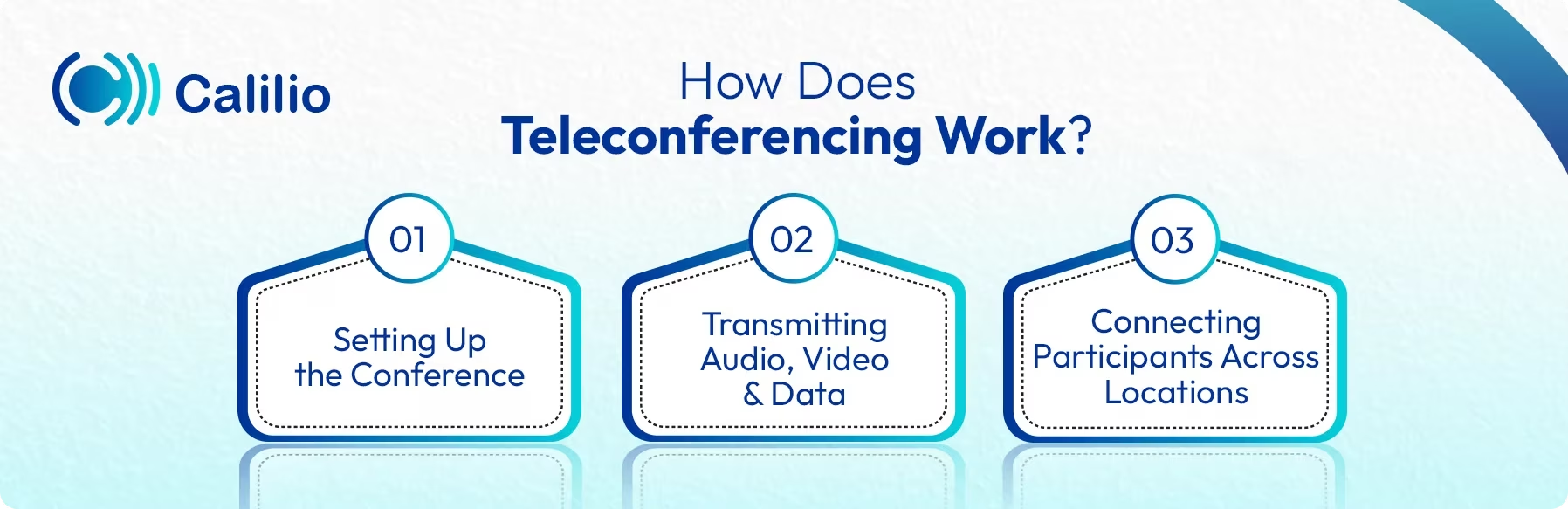
1. Setting Up the Conference
Every teleconference begins with a host or organizer setting up the meeting using a specific platform or service. This could be a phone-based, web-based platform like Zoom or Microsoft Teams, or even a satellite-based setup for large organizations. After the selection, the host schedules the session, defines its purpose, and shares the joining details, such as a phone number, access code, or meeting link, with all participants.
2. Connecting Participants Across Locations
Once the scheduled time arrives, participants join using the shared details. And, depending on the platform or conference call apps, they connect through a simple phone call, an internet browser, or dedicated conferencing equipment or app. Then, the platform establishes a secure communication channel, also known as a conference bridge, that links everyone together in a shared virtual space, enabling live interaction despite physical distance.
3. Transmitting Audio, Video, and Data
After participants connect, the system captures their voices, images, videos or other shared materials as per the platform selected. These signals are converted into digital data and transmitted through the network, whether phone lines or the internet. The system then processes and synchronizes these signals so that every participant can hear, see, and respond in real time.
Types of Teleconferencing
The different types of teleconferencing include audio, video, web, and broadcast.
1. Audio Teleconference
Audio teleconferencing refers to a voice-only meeting where participants join from different places using phones or Voice over Internet Protocol (VoIP) tools. It is often used for quick team check-ins, status updates, or when visual cues are not needed. And since it has minimal equipment and bandwidth requirements, it suits remote participants who may not have video setups.
2. Video Teleconferencing
Video teleconferencing means participants connect via real-time audio and live video, allowing them to see as well as hear each other, no matter their physical location. It works best for meetings where body language, facial expressions or detailed presentations matter. For example, client discussions, team brainstorming sessions, or remote interviews.
3. Web Teleconferencing
Web conferencing combines audio and video teleconferencing with additional features such as screen/file sharing and live chat. Plus, it also offers interactive tools like whiteboards and polls, making it a dynamic option for online meetings and training. It is commonly used for online presentations, training sessions, product demos, and collaborative projects where participants need to share documents or demonstrate tasks on screen.
4. Broadcast-style Teleconferencing
Broadcast-style teleconferencing involves connecting a large audience with a presenter or panel, using webcast or satellite links or specialised virtual-event platforms. It is ideal for company-wide announcements, training thousands of remote participants at once, or virtual conferences where interaction is limited and the focus is on information delivery.
What are the Benefits of Teleconferencing?
The key advantages of teleconferencing include saving travel costs and time while allowing meetings from any location. Moreover, it also helps enhance teamwork, increase productivity, and promote eco-friendly practices by minimizing physical travel.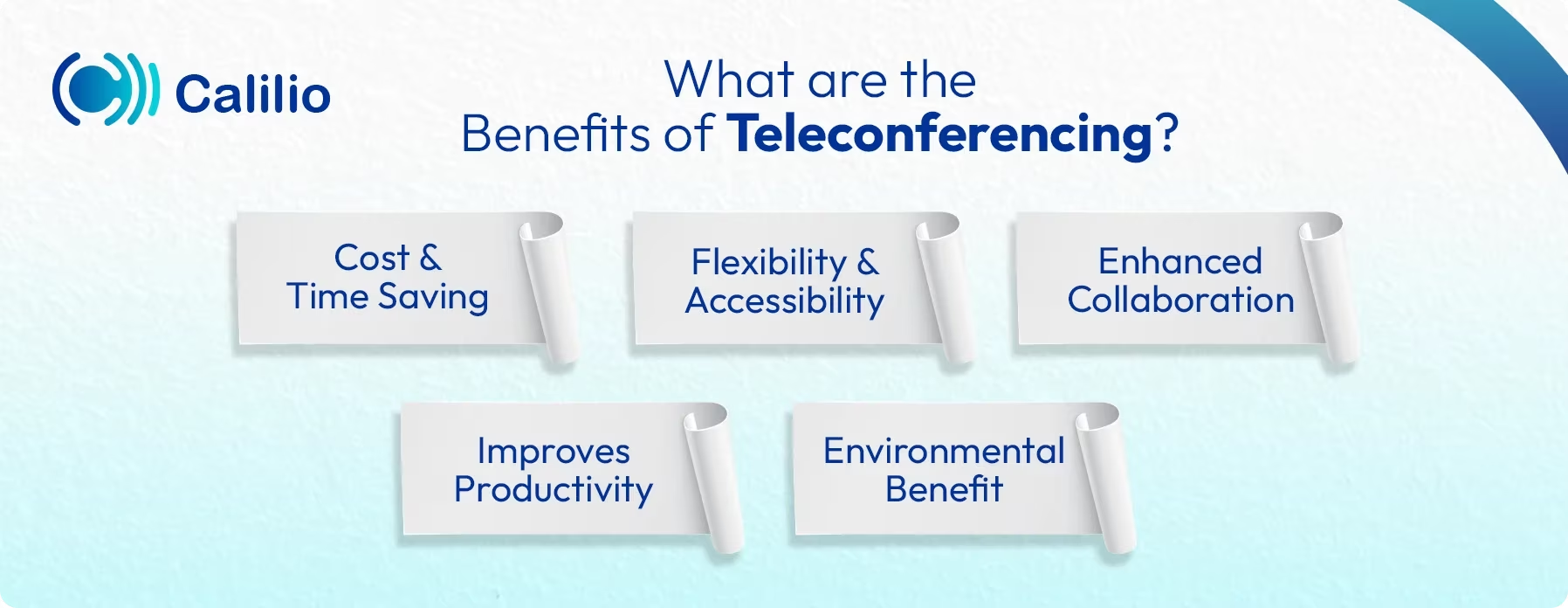
1. Cost and Time Saving
Teleconferencing helps businesses cut down on expenses such as flights, hotels, and transport. Moreover, when team members don’t spend hours commuting, they save valuable time that can be redirected to core tasks. As a result, companies encounter fewer logistics delays and can begin meetings on schedule.
2. Flexibility and Accessibility
One of the benefits of teleconferencing is that it allows participants to join from virtually any location, be it home, office, or while traveling. In addition, many platforms support phones, tablets, or laptops, which means individuals aren’t tied to one device or one room.
Consequently, scheduling becomes more manageable, and remote workers can participate fully. This flexibility breaks down geographical barriers and expands meeting accessibility.
3. Enhanced Collaboration
The latest teleconferencing options support video, screen sharing, chat and file exchange. Therefore, teams or clients across locations can view the same materials, discuss revisions live, and respond in real time.
Furthermore, being able to see participants in real time adds a layer of clarity that email or chat often lacks. All in all, teleconferencing strengthens teamwork and client relations by making remote collaboration more interactive and inclusive.
4. Improves Productivity
When teams spend less time on travel and more time on actual discussion, productivity naturally rises. In addition, fewer delays, less misunderstanding, and smoother communication mean decisions get made faster and actions get taken sooner. As a result, the entire team moves from talking about work to doing the work more efficiently.
5. Environmental Benefit
As the need for physical travel and venue use decreases, teleconferencing contributes to sustainable business practices. In fact, fewer flights and less commuting mean a lower carbon footprint. Plus, this aligns well with corporate responsibility goals and supports green policy initiatives. So, embracing virtual meetings not only benefits businesses but also benefits the environment.
What are the Challenges of Teleconferencing?
Teleconferencing often faces problems like unstable network connections, audio-visual delays, and the absence of natural in-person cues. Additionally, participants may get distracted or multitask, while issues like data security risks and incompatible devices can further impact smooth collaboration.
- Technical Issues: Poor internet connectivity, audio, and video lags, or software glitches can disrupt the flow of a teleconference.
- Lack of Personal Interaction: Although video conferencing helps bridge the gap, it still cannot fully replace face-to-face communication. So, it becomes harder to read body language or maintain natural engagement.
- Time Zone Coordination: Scheduling meetings across different time zones can be difficult, often leading participants to join at inconvenient times.
- Distractions and Multitasking: Participants can face distractions like background noise, or they could be multitasking, which can divert their focus. Furthermore, without physical presence, it’s easier for attention to drift during long sessions.
- Security Concerns: Unsecured teleconferencing platforms can be vulnerable to hacking or data breaches, especially when discussing sensitive information.
- Equipment Compatibility: Not all devices or operating systems support the same teleconferencing software, which can lead to connection errors or audio-visual mismatches.
How to Conduct an Effective Teleconference?
To conduct an effective teleconference, plan ahead with a clear agenda, choose a reliable platform, and check all technical setups beforehand. Plus, maintain proper meeting etiquette, keep discussions focused, involve every participant, and end with a concise summary and follow-up to ensure clarity on next steps.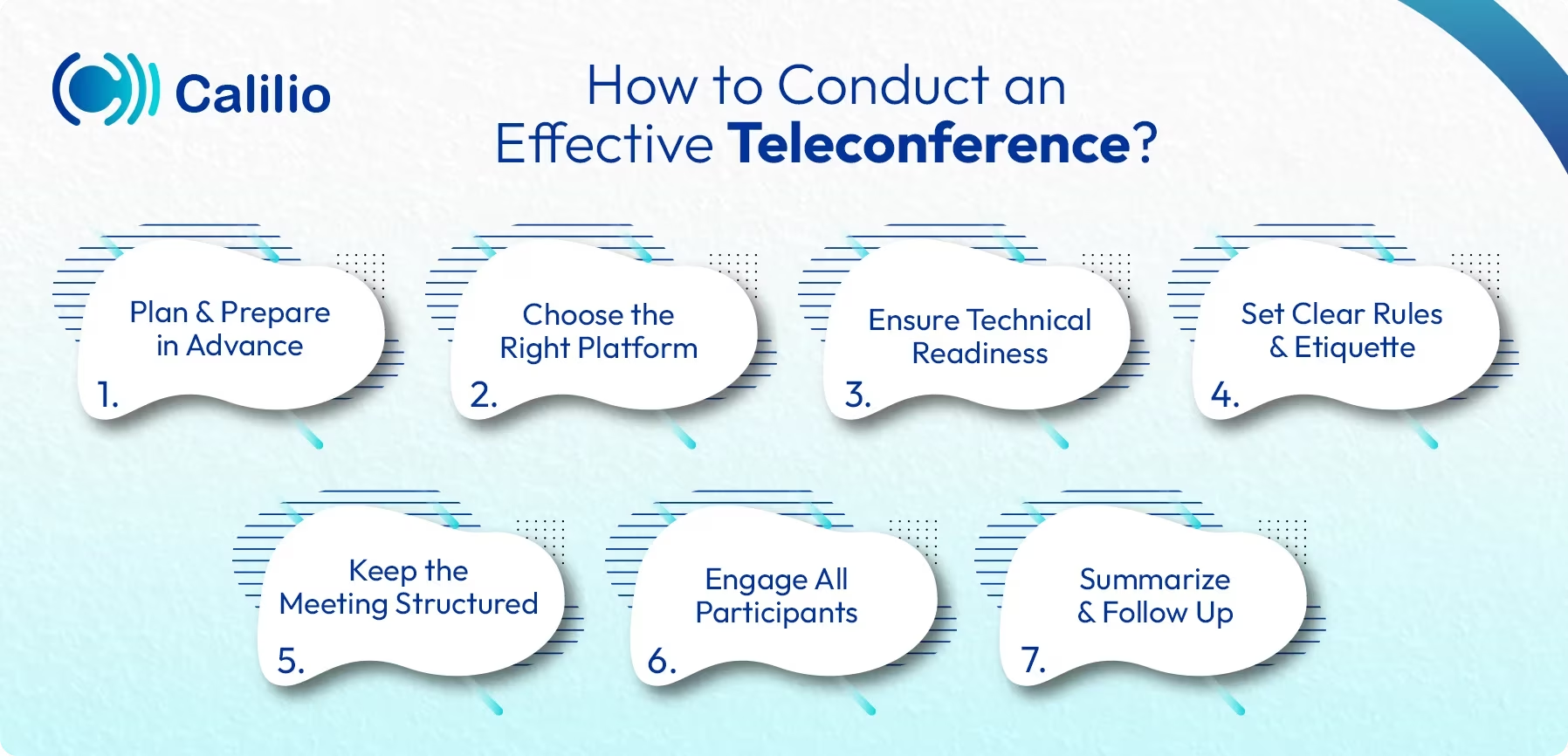
- Plan and Prepare in Advance: Before the meeting, define a clear agenda and share it with all participants. Plus, include the main discussion points, objectives, and any materials needed to review.
- Choose the Right Platform: Select a teleconferencing tool that fits your needs, whether it’s audio-only, video-based, or web-based. Make sure it also supports the required features like screen sharing, file sharing, or recording. Additionally, test the platform in advance to avoid technical issues during the session.
- Ensure Technical Readiness: Check your internet connection, microphone, camera, and software before the meeting begins and encourage participants to do the same. Plus, a quick test run can prevent unnecessary interruptions and ensure the teleconference runs smoothly.
- Set Clear Rules and Etiquette: Establish meeting etiquette, such as muting microphones when not speaking, being punctual, and avoiding background noise. Likewise, encourage participants to stay engaged, listen actively, and avoid multitasking.
- Keep the Meeting Structured: Start on time and follow the agenda closely. Give each speaker a fair opportunity to share their input and manage time wisely. If the discussion drifts off-topic, gently bring it back to the main points.
- Engage All Participants: Involve everyone in the conversation by asking for feedback, opinions, or questions. Plus, use tools like polls, chat, or screen sharing to make the session interactive.
- Summarize and Follow Up: End the meeting by summarizing key takeaways, decisions made, and assigned tasks. Moreover, send a follow-up email or summary document so that everyone is clear on the next steps.
Conclusion
Teleconferencing is a vital communication tool for businesses as it allows people to connect, share ideas, and make decisions efficiently, no matter where they are.
While it offers numerous benefits such as cost savings, flexibility, and improved collaboration, it also comes with a few challenges that require careful planning and management. By using the right tools, following best practices, and maintaining good meeting etiquette, these obstacles can easily be overcome.
Ultimately, it’s a modern solution that enhances teamwork, saves valuable time, and helps businesses stay connected in a fast-moving digital world. So, start adopting effective teleconferencing practices today and experience smoother, smarter communication.



Summarize this blog with:
Frequently Asked Questions
Is a teleconference a phone call?
A teleconference is usually an audio phone call, but it can also include video or web-based meetings, depending on the type of teleconferencing used.
Is Zoom a teleconference?
What is an example of a teleconference?
What is the name of the device used for teleconferencing?
What type of network does a teleconference typically rely on?
How much does teleconferencing cost?

Still have questions?
Can’t find the answer you’re looking for? Please chat with our friendly team.
Stay in the loop
Get the latest call insights, trends, and updates delivered straight to your inbox.
By subscribing, you agree to receive updates from Calilio.
You can unsubscribe anytime.
Enter the World of AI Business Phone System with Calilio
Improve your business operation with Calilio's advanced virtual phone system. Join today for a better way to connect.