- Partners
- Contact Us
- Log in
10 Best Conference Calling Services (Free + Paid)

Every office relies on meetings to share ideas and keep projects moving forward. Thankfully, you no longer need to crowd into a stuffy boardroom to collaborate effectively. Modern conference call services have transformed how we work by bringing the meeting directly to your screen.
These tools save your team’s time and slash travel costs instantly. Moreover, they ensure that remote employees never feel left out of the conversation.
The real challenge is picking the right partner. Selecting the best software for your specific needs is often difficult because there are so many conference call service providers in the market. Don't worry; we have researched the top options and listed them in this article to make your choice simple and fast.
(Methodology: We used a data-driven approach to build this list with 2026 in mind. First, we validated authority by cross-checking top providers across trusted sources, including Forbes. Next, we matched each provider to a clear user intent, such as AI features, budget needs, or ecosystem fit. Finally, we filtered out outdated tools and kept only services with 99.9% uptime, strong scalability, and quick setup.)
Highlights:
Premium business conference call services such as Nextiva, RingCentral, Dialpad, GoTo Connect, and Vonage deliver audio and video conferencing with advanced enterprise-grade features like AI-powered analytics and deep CRM (Customer Relationship Management) integrations.
Free conference calling services include Zoom, FreeConferenceCall, Google Meet, Cisco Webex, and Microsoft Teams, all of which offer a free plan with essential features such as audio and video conferencing, screen sharing, and participant controls.
Choose the right conference call service by evaluating your business needs, key features, call quality, integrations, pricing, security, and customer support.
Quick Comparison Between the Best Conference Call Services
Service Top Feature Capacity (Users) Best ForNextiva Built-in audio and video conference calling with simple host controls 250 Small businesses and professional services that run regular internal calls RingCentral High-capacity conference calling with strong call moderation tools 500 Large businesses hosting high-capacity conference calls Dialpad AI-powered transcription and call summaries for meetings 1,500 Tech companies and modern service firms that rely on documented calls GoTo Connect Easy-to-join conference calls with browser access 1,000 Companies that want simple joining (especially “no install” browser access) for recurring conference calls Vonage Conference calling with recording and collaboration features 200 Teams that want conference calls with collaboration tools, but don’t need huge video conferencing Zoom Scalable, high-quality audio and video conference calls 1,000 Client-facing businesses hosting large meetings Google Meet Browser-based conference calls with minimal setup 500 Businesses hosting large conference calls or webinars FreeConferenceCall Free, large-capacity audio conference calling 1,000 Nonprofits and budget-conscious organizations hosting large group calls Cisco Webex Secure, enterprise-grade conference calling with PSTN (Public Switched Telephone Network) options 1,000 Fortune 500 companies and government sectors prioritizing security Microsoft Teams Full Office 365 Integration for seamless file collaboration 1,000 Mid-to-large corporate businesses using Microsoft 365
Top Conference Call Service Providers [Free & Paid]
The best conference call services include paid solutions such as Nextiva, RingCentral, and Dialpad. Free options like Zoom, FreeConferenceCall, and Google Meet provide reliable conferencing, with the option to upgrade to paid plans for access to more advanced features and a higher meeting limit.
1. Nextiva
Nextiva is a cloud-based business communication company that offers a Voice over Internet Protocol (VoIP) phone system with built-in conference calling for teams of all sizes. It allows users to host HD-quality conference calls and video meetings directly from their desk phones, computers, or mobile devices.
Key Features:
- Large conference rooms: Host up to 200 participants in a single conference call.
- VoIP-based calling: Uses a cloud-based phone system, so no PBX (Private Branch Exchange) or special hardware is required.
- Moderator controls: Mute lines, lock meetings, manage participants, and control call flow.
- Video conferencing: Built-in video conference call services with HD video, lag-free screen sharing, browser-based guest access, mobile and desktop apps, and no time limits on meetings.
Pros and Cons:
Pros | Cons |
|
|
Pricing:
Plans | Pricing (Per user/month) |
|
|
2. RingCentral
RingCentral is an all-in-one, AI-powered communications platform and offers one of the best conference call services available today. It supports both audio and video conferencing, making it suitable for everything from small team meetings to large virtual events. The platform provides dedicated plans specifically for video conferencing, separate from its business phone plans.
Key Features:
- Large-scale conferencing: Host audio conference calls with up to 1,000 participants at the same time.
- In-meeting messaging: Use private and group chat during calls for quick questions or side discussions.
- Screen and document sharing: Share screens, presentations, and files in real time for better collaboration.
- Advanced analytics: Access meeting data to improve call structure and engagement.
Pros and Cons:
Pros | Cons |
|
|
Pricing:
Plan | Sub-Plan | Pricing |
| Business Phone | Core | $30 |
| Advanced | $35 | |
| Ultra | $45 | |
| Customer Engagement | Contact for pricing | |
| Video Collaboration | Meetings | Free |
| Town Halls | $40 | |
| Rooms | $49 | |
| Webinars & Events | $119 |
3. Dialpad
Dialpad provides a robust video conferencing solution that supports unlimited meetings with up to 150 participants and seamless integration with Google Workspace and Microsoft 365. Its platform delivers high-definition video and audio, enabling efficient communication for businesses, while offering flexible options like browser-based access and mobile apps to join meetings without downloads.
Key Features:
- AI call transcription: Automatically transcribes calls in real time so teams don’t miss important details.
- AI meeting recaps: Generates post-meeting summaries with key points and action items.
- Conference call dial-out: Automatically dials participants at the scheduled time, ensuring everyone joins the meeting on time.
- Meeting recording: Lets you record and share meetings for later review or for those who couldn’t attend.
- In-meeting chat & waiting rooms: Chat with participants and manage access with waiting rooms.
- PSTN dial-in & large meetings: Add-on support for telephone dial-in and meetings with up to 1,500 participants.
Pros and Cons:
Pros | Cons |
|
|
Pricing:
Plans | Pricing (Per user/month) |
|
|
4. GoTo Connect
GoTo Connect is a cloud-based VoIP communication platform that lets businesses host audio and video conference calls from any device, anywhere in the world. It supports conference bridging, allowing participants to join via desktop, mobile, desk phone, or dial-in numbers from over 50 countries.
Key Features:
- Conference call bridging: Host phone and video conferences from one platform and turn any call into an instant multi-party meeting with up to 250 participants.
- Transcript localization: Supports meeting transcription in multiple languages for global teams.
- Miro integration: Collaborate on virtual whiteboards directly during meetings.
- Call me & dial-out: Automatically calls attendees so meetings start on time.
- Noise cancellation: Filters background noise for clearer conversations.
Pros and Cons:
Pros | Cons |
|
|
Pricing:
Plans | Pricing (Per user/month) |
|
|
5. Vonage
Vonage is a cloud-based business phone system that streamlines team collaboration with effortless three-way and multi-party calls. Participants can be added instantly from desktop apps, mobile apps, or VoIP desk phones, no separate setup or interruptions required.
Key Features:
- Three-way calling: Add a third participant to an ongoing call easily.
- Conference bridge: Lets you host secure calls for up to 30 participants with password protection.
- Expandable conferencing: Conference with up to five additional participants on supported Yealink or Polycom phones.
- Seamless call management: Merge calls, add participants without hanging up, and continue conversations smoothly.
Pros and Cons:
Pros | Cons |
|
|
Pricing:
Plans | Pricing (Per user/month) |
|
|
6. Zoom
Zoom is one of the best free conference call services that offers a range of Workplace plans designed to simplify video conferencing, messaging, and collaboration across any device. Additionally, it provides separate paid plans for advanced tools like AI Companion, Phone, Scheduler, Docs, Whiteboard, Clips, and Workvivo. Furthermore, Zoom’s Business Services plans and Spaces plans also include meeting capabilities, ensuring video conferencing is central across all Zoom offerings.
Key Features:
- HD audio and video conferencing: High-quality meetings with noise suppression, virtual backgrounds, and video effects.
- Zoom AI companion: Built-in AI assistance for meeting summaries, insights, and improved collaboration at no extra cost on paid plans.
- Screen sharing and annotation: Share screens, collaborate on content, and annotate in real time.
- Continuous meeting chat: Keep conversations going before, during, and after meetings.
Pros and Cons:
Pros | Cons |
|
|
Pricing:
Plans | Pricing (Per user/month) |
|
|
Note: This pricing table only includes the Workplace plans. For full pricing details, please check their official pricing page.
7. Google Meet
Google Meet is a free conference calling service from Google that enables video and audio calls for work, classes, and group discussions. On the free plan, anyone with a Gmail account can join instantly, with meetings supporting up to 100 participants for up to 60 minutes.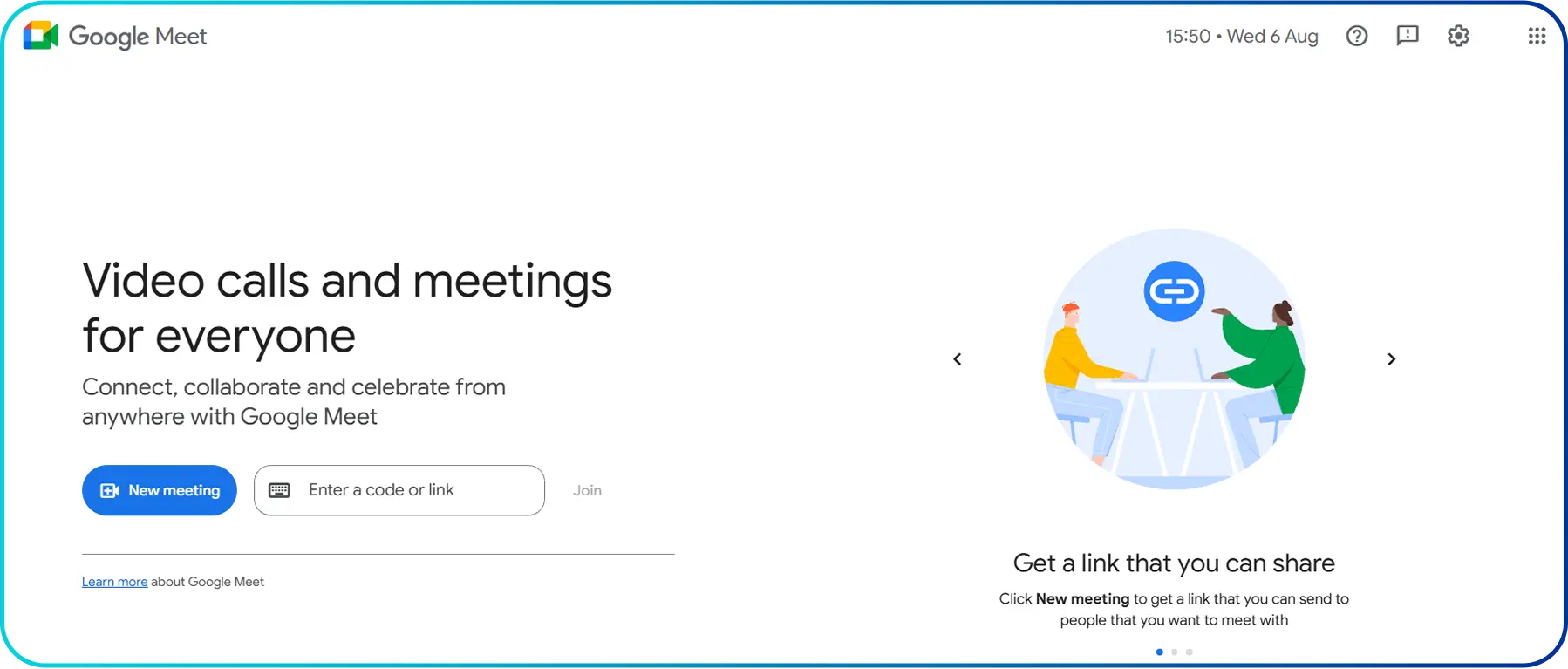
Key Features:
- Conference calls in HD quality: High-quality meetings with noise cancellation, studio lighting, and visual enhancements.
- Screen sharing and collaboration: Collaborate directly within Google Docs, Sheets, and Slides during meetings.
- Scalable meeting capacity: Host meetings with up to 1,000 participants on premium plans.
- Meeting recording and transcripts: Record meetings and generate transcripts on paid plans.
Pros and Cons:
Pros | Cons |
|
|
Pricing:
Plans | Pricing (Per user/month) |
|
|
8. FreeConferenceCall
Just like the name suggests, FreeConferenceCall is a conference calling service that lets you host free audio and video meetings. It supports large group calls with simple setup, international dial-in numbers, and strong moderator controls. In addition to its free service, it also offers paid plans with extra features and enhanced support for business users.
Key Features:
- International dial-in numbers: Access over 15 free dial-in numbers worldwide.
- Moderator controls: Manage participants, mute lines, and control meetings easily.
- Screen sharing: Share your screen in real time for better collaboration.
- Meeting recording: Record conference calls and video meetings for later playback.
Pros and Cons:
Pros | Cons |
|
|
Pricing:
Plans | Pricing (Per user/month) |
|
|
9. Cisco Webex
Webex by Cisco is an enterprise-grade collaboration platform designed for hybrid work. It integrates video conferencing, cloud calling, and team messaging into a single interface. Known for its “security-first” approach, it is a staple for large organizations and industries requiring high levels of compliance.
Key Features:
- Scalable webinars & events: Host large-scale virtual events with support for up to 10,000 participants.
- AI-powered Webex assistant: Automatic note-taking, transcripts, highlights, and action items.
- Real-time translation & captions: Supports translation into 100+ languages for inclusive meetings.
- Advanced engagement tools: Polling, Q&A, reactions, breakout rooms, and immersive sharing.
Pros and Cons:
Pros | Cons |
|
|
Pricing:
Plans | Pricing (Per user/month) |
|
|
10. Microsoft Teams
Microsoft Teams is a cloud-based collaboration and conference calling platform designed to support modern, hybrid work. With built-in video conferencing, audio calling, and integration across Microsoft 365, Teams helps organizations stay connected and productive.
Key Features:
- Virtual events & webinars: Host events for up to 1,000 attendees and broadcasts for up to 10,000.
- Screen sharing & chat: Share screens, files, and use live chat during meetings.
- Together Mode & reactions: Improve engagement with shared virtual spaces and emojis.
- Meeting recording: Record meetings for later review and sharing.
- Cross-device support: Works on desktop, mobile, browser, and dedicated meeting devices.
Pros and Cons:
Pros | Cons |
|
|
Pricing:
Plans | Annual Pricing (Per user/month) |
|
|
How to Choose the Right Conference Call Service?
To choose the right conference call service, start by assessing your business needs and the features you require. Consider factors like call quality, ease of use, pricing, security, and customer support to find a solution that fits both your requirements and budget.
- Understand Your Business Needs: Start by identifying how your team will use the platform. Consider the number of users, meeting size, and whether you need audio-only calls, video conferencing, or webinars.
- Check Call Quality: Look for platforms with high-quality audio and video calls, noise cancellation, and automatic bandwidth adjustment so meetings stay clear even on slower connections.
- Look for Essential Features: Choose a platform that includes useful tools such as screen sharing, call recording, chat, file sharing, and virtual backgrounds. Advanced features like live captions, meeting transcripts, and AI call summaries can also save time and improve productivity.
- View Pricing and Plans: Compare free vs. paid plans. Some services offer free plans and unlock advanced tools only with a subscription. Consider what features you need before paying.
- Consider Ease of Use: Choose a platform that’s intuitive and easy to join, especially for external guests who shouldn’t need to install software or create accounts.
- Review Security and Privacy: Security is especially important for business meetings. Choose a service that offers encryption, password-protected meetings, waiting rooms, and compliance with data protection standards.
- Check Customer Support: Reliable support is essential if something goes wrong. Check whether the provider offers 24/7 help, live chat, or phone support.
Conclusion
Choosing the best conference call service for your business depends on factors like meeting size, communication needs, and budget. Free conference calling services work well for small teams and basic meetings, offering essential audio and video features without added costs.
However, paid business conference call services provide better call quality, higher participant limits, advanced meeting controls, and enhanced security. Investing in the right solution can improve collaboration, professionalism, and overall meeting efficiency as your business grows.



Summarize this blog with:
Frequently asked questions
What is the difference between audio conference call services and video conference call services?
Audio conference call services support voice-only meetings, while video conference call services combine audio with video, screen sharing, and interactive collaboration features.
How do free conference call services make money?
Is there a free conference call service?

Still have questions?
Can’t find the answer you’re looking for? Please chat with our friendly team.
Stay in the loop
Get the latest call insights, trends, and updates delivered straight to your inbox.
By subscribing, you agree to receive updates from Calilio.
You can unsubscribe anytime.
Enter the World of AI Business Phone System with Calilio
Improve your business operation with Calilio's advanced virtual phone system. Join today for a better way to connect.