



- Partners
- Contact Us
- Log in
Simultaneous Ring for Business Phones
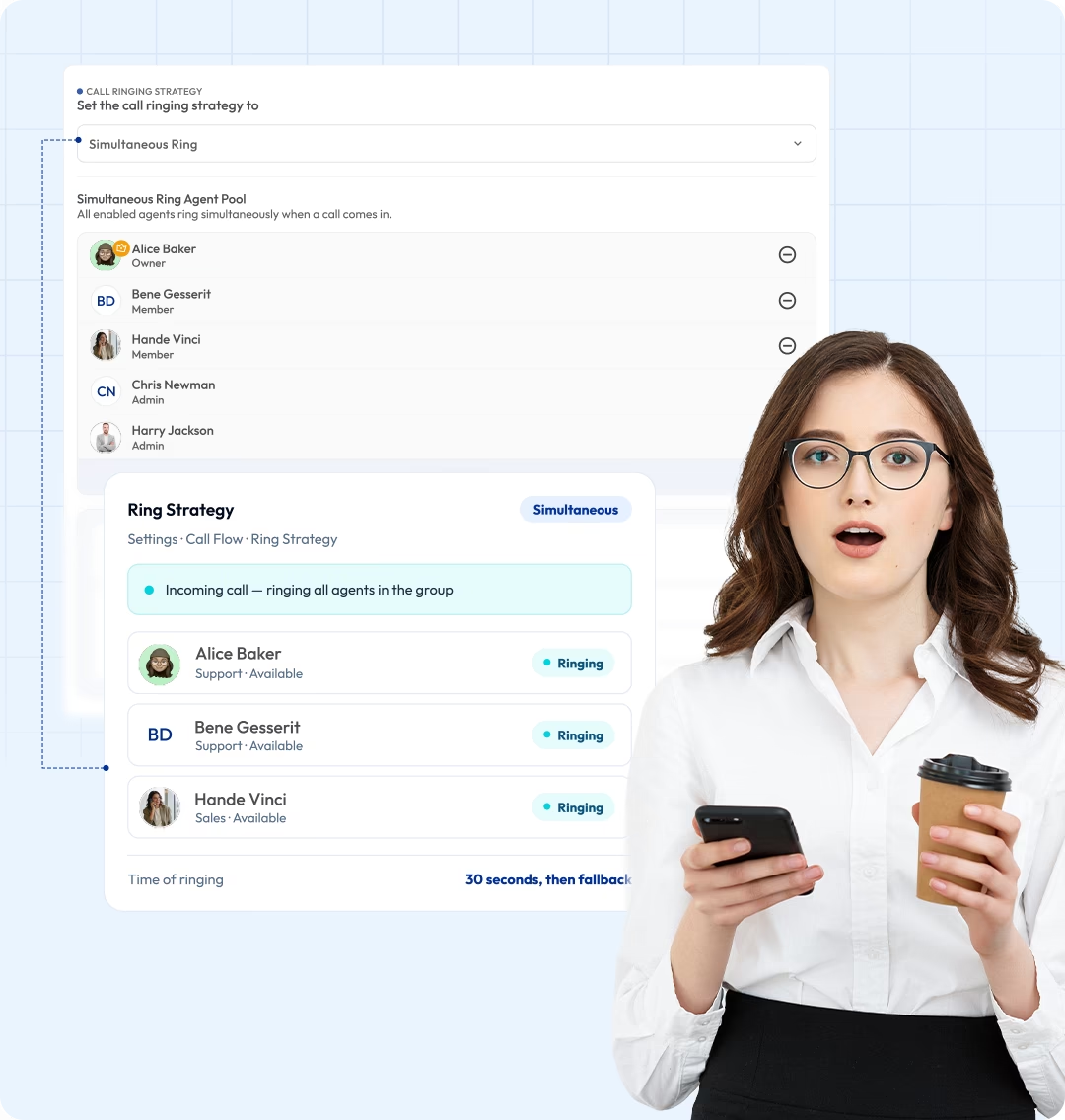
Never miss a call by ringing multiple devices at the same time. Send incoming calls to your entire team at once and let any available user answer to ensure all calls are answered on time. Perfect for remote teams, busy offices, and businesses that need reliable call coverage.

Telephony Partner of 1000+ Businesses Worldwide
Get Virtual Numbers to Manage Your Inbound Calls with Simultaneous Ring
Secure a virtual phone number, with options from over 100 countries. Reach customers in different geographical regions with familiar local numbers to build instant trust.
No Numbers Found
Some numbers require ID and address verification under local laws. Certain numbers also require A2P 10DLC registration to send SMS or MMS to the United States. Moreover, some numbers may not appear in this search because they are not generally offered to customers and are available only on request. Please for assistance.
Also, you can port your existing number to Calilio, and use the number for outbound calling — Port Your Number Now!

How to Set Up Simultaneous Ring in Calilio?
To set up simultaneous ring in Calilio, create an account, get or port a number, and assign it to multiple team members. Once the number is shared, all the incoming calls ring on all assigned devices at the same time.
Get StartedStep 1
Create an account and log in to your Calilio dashboard.
Step 2
Go to My Numbers, then port your existing number or get a new one.
Step 3
Once your number is active, navigate to Settings → Members.
Step 4
Invite team members via email and assign roles (Admin or Member).
Step 5
Click the three-dot menu next to a member and select Assign Number.
Step 6
Assign the same number to multiple members.
Step 7
Once assigned, incoming calls to that number will ring on all assigned members’ devices at the same time (unless DND is enabled or call restrictions are set).
What is a Simultaneous Ring?
Simultaneous ring is a VoIP feature that allows an incoming call to ring on multiple devices, phone numbers, or extensions at the same time. Instead of routing calls one by one, simultaneous ring alerts all assigned team members at once.
Simultaneous ring helps businesses reduce missed calls and stay responsive. It is especially useful for remote teams and mobile employees. You can also customize it to ring only selected users or devices by using Do Not Disturb or other call restriction features on different devices.

How Does Simultaneous Ring Work?
Simultaneous ring works by forwarding an incoming call on a phone number to all assigned or shared devices. Each device rings together, and the first available person to answer gets connected, and the other devices stop ringing.
- Incoming call reaches your number: A call reaches your business number.
- Call Sent to Assigned Members: The system sends the call to all assigned team members at the same time.
- Availability Check: Members with Do Not Disturb or call restrictions enabled will not receive the call.
- Devices Ring Simultaneously: Every connected device, such as a desktop or mobile, rings at once.
- First Response Connects: Any of the available members can pick up the call to get connected.
- Fallback Handling: If no one answers, the call follows the next step in your settings, such as forwarding it to voicemail or another number.


What are the Benefits of Simultaneous Ring for Your Business?
Simultaneous ring helps your business handle calls without delays. It helps prevent missed calls, keeps your team reachable from different locations, and improves how quickly customers get support.
Reduced Missed Calls
Let any team member answer the call and avoid missing calls. Keep important calls from going unanswered, even when one team member is busy or unavailable.
Increased Mobility and Flexibility
Improved Customer Experience
Reliable Call Coverage During Peak Hours
Where Can You Use Calilio’s Simultaneous Ring?
Integrate Calilio with CRM & Business Tools
Use Calilio with your CRM to handle simultaneous ring calls more clearly. When a call is answered, the system logs the activity and updates customer records. As a result, your team can track calls and manage follow-ups with less effort.
Zapier
Automation
Pipedrive
CRM
Pabbly Connect
Automation
LeadHeed
CRM
HubSpot
CRM
Salesforce
CRM
Mailchimp
Marketing
Crisp
Customer Support
Zendesk
Helpdesk
Request Integration
Best Practices for Simultaneous Ring
Set up a simultaneous ring with a clear plan, so calls reach the right people quickly without creating confusion for your team or callers. Use it to improve availability and shorten response times, but avoid ringing too many people or devices at once, as it can lead to chaos
Do's
Ring only the team members or devices that are responsible for handling those calls.
Group users by role (sales, support) and use simultaneous ring within each group.
Use business hours or routing rules to control when simultaneous ring is active.
Include a backup plan, like forwarding the calls to voicemail in case no one answers.
Don'ts
Don’t ring too many users at once if it creates confusion over who should answer.
Don’t use it without defining a clear call handling responsibility for each call.
Don’t ring unavailable or inactive devices.
Don’t rely only on simultaneous ring without backup options like voicemail or fallback routing.
Get an Affordable Business Phone System with Simultaneous Ring
Subscribe to Calilio’s cloud phone system starting at $15 per user per month. Simultaneous ring feature is included in every plan.
Standard Plan
- 200 minutes Outbound
- 100 minutes Inbound
- 100 SMS Outbound
- 100 SMS Inbound
$12 Per user/per month
billed annually at $144
Get Started with:
- User Limit: 10
- Free 1 Local NumberUS or Canada
- Free Bundled Calls & SMS (Saver Lite Package)
- Basic Realtime Dashboard

Premium Plan
- 1000 minutes Outbound
- 500 minutes Inbound
- 500 SMS Outbound
- 500 SMS Inbound
$28 Per user/per month
billed annually at $336
Everything in the Standard Plan, plus:
- CRM Integration
- Unlimited Users
- Live Call MonitoringComing Soon
- Free Bundled Calls & SMS (Saver Pro Package)
- Detailed Realtime Dashboard

Enterprise Plan
Custom
Everything in the Premium Plan, plus:
- Developer Support
- All Call Strategy Features
- Dedicated Account Manager
- Phone and WhatsApp Support

Frequently asked questions
Can two cell phones receive the same incoming call?
Yes, with the simultaneous ring feature in a VoIP phone system, two cell phones can receive the same incoming call. Since VoIP allows number sharing, the same calls can be routed to multiple phones, too. Any users on the shared number can answer the call.
What happens if no one answers the call on the shared phone number?
Does simultaneous ring work with IVR?
What is the difference between simultaneous ring and call forwarding?

Still have questions?
Can’t find the answer you’re looking for? Please chat with our friendly team.
Enter the World of AI Business Phone System with Calilio
Improve your business operation with Calilio's advanced virtual phone system. Join today for a better way to connect.
