



Custom Caller ID | Mask Your Number and Display Another Number
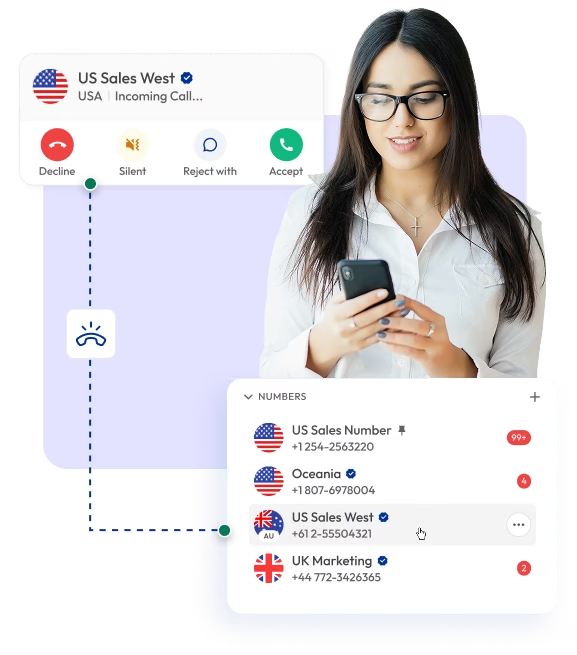
Display your official business number on every outbound call. With Calilio’s Custom Caller ID, you can mask the phone numbers and control how your calls appear to the recipients. Showing a familiar local or branded caller ID improves answer rates and ensures consistent branding across all customer interactions.

Telephony Partner of 1000+ Businesses Worldwide
Get Virtual Phone Numbers for Custom Caller IDs
Get virtual phone numbers for campaign-specific or department-based caller IDs. You can choose a local, mobile, or toll-free number from 100+ countries.
Your first US or Canadian number is free. Claim it today!
Some Numbers May Require Proof Of ID And Address Registration According To Local Laws.
Some Phone Numbers May Not Be Available Through This Search, As They Are Not Generally Offered To Customers. These Numbers Are Available On Order Request. Please Contact Support To Request Them.
Also, you can port your existing number to Calilio, and use the number for outbound calling —Port Your Number Now!

How to Set Up a Custom Caller ID on Calilio?
You can add and verify caller IDs from your dashboard, then assign them to your business numbers for outbound calls. You can also use external numbers as your caller ID.
Get StartedStep 1
Create your Calilio account and access the dashboard.
Step 2
Purchase a new virtual number or port your existing business number.
Step 3
From the Settings menu, select Caller ID.
Step 4
Click Add a new Caller ID and enter the number you want to use as your caller ID.
Step 5
Calilio will provide a 6-digit verification code.
Step 6
Enter the code when Calilio calls you on that number—the number will be added as your caller ID.
Step 7
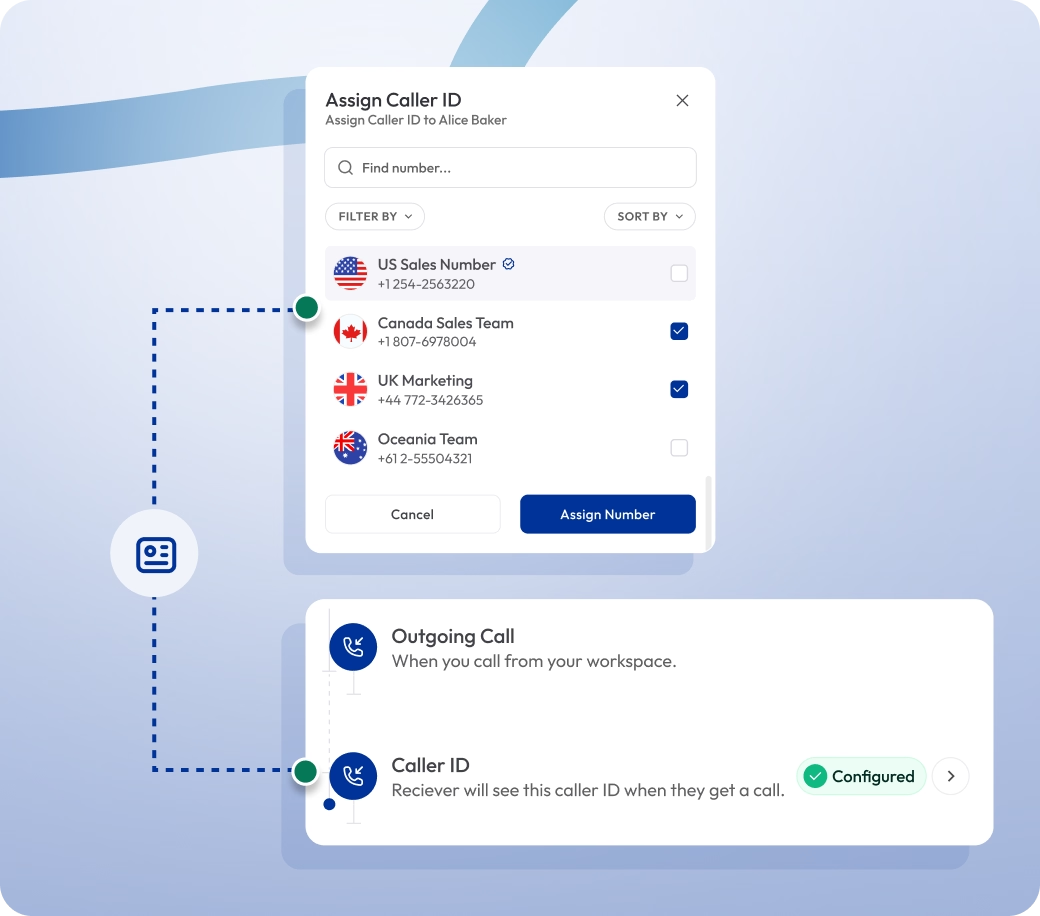
Go to My Numbers from Settings and select the caller ID (number) you want the receiver to see.
Step 8
After that, the new caller ID will be displayed on all your outbound calls.
Call From Any Device
Create custom caller IDs and make calls with any device — desktop, smartphone, or tablet — ensuring your business identity stays intact wherever your team is calling from.
Build Customer Trust
Display your verified business number on every call. With a familiar caller ID, customers instantly recognize your brand and trust your number to pick up the call.
Strengthen Brand Identity
A custom caller ID unifies your outbound calls, and when paired with a power dialer and call disposition, it supports automated dialing and organized follow-ups for better sales efficiency.
Increase Answer Rates
Showing familiar caller IDs boosts pickup rates and ensures more calls connect with customers, improving engagement and conversions.

What is a Custom Caller ID?
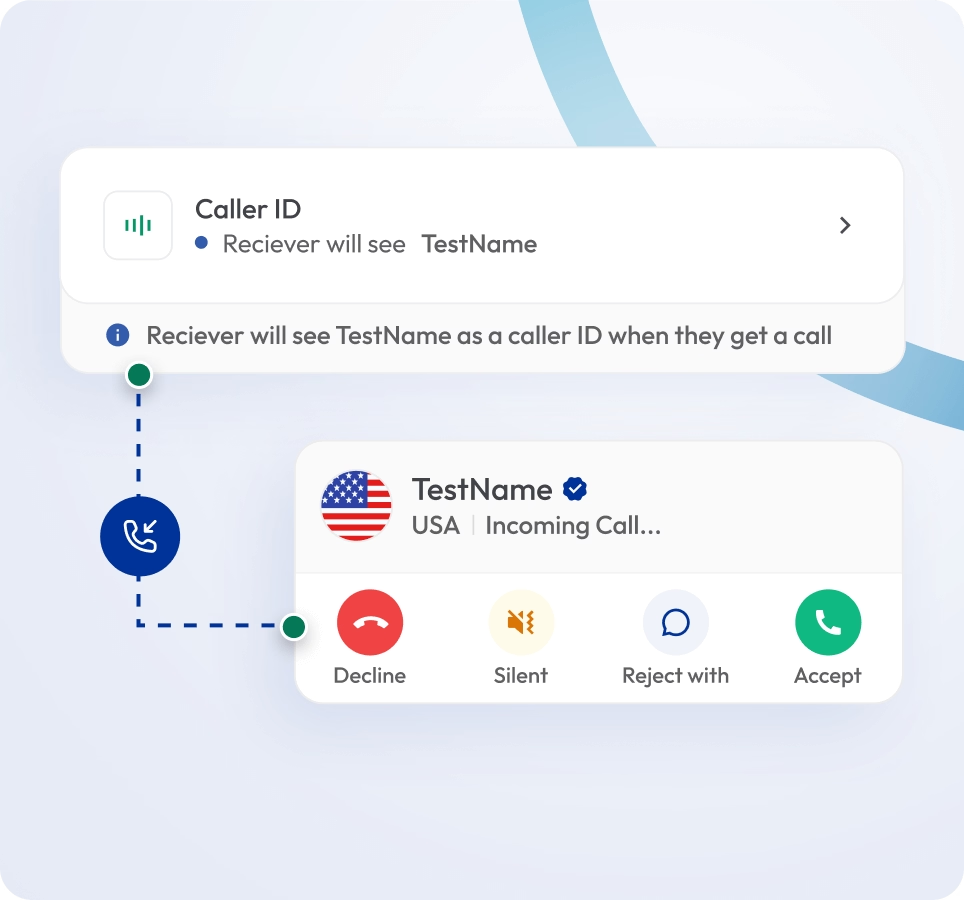
A custom caller ID is a telephony feature that allows you to choose what phone number appears when making outbound calls. Instead of showing a personal line or random number, businesses can display their official local, mobile, or toll-free number.
With Calilio, you can assign caller IDs for teams, departments, or campaigns, ensuring every outbound call reflects your business identity.

How Does Custom Caller ID Work?
When you make an outbound call, Calilio replaces your agent’s personal or default number with the custom caller ID you’ve assigned.
For example:
A sales rep calling prospects in New York can display your local New York number to increase pickup rates.

Who Can Create Custom Caller IDs?
Integrate Calilio with CRM Tools
Calilio integrates with your CRM and business tools to keep every interaction consistent and trackable. Every call made with a custom caller ID is logged with the displayed number.
Zapier
Automation
Pipedrive
CRM
Pabbly Connect
Automation
LeadHeed
CRM
HubSpot
CRM
Salesforce
CRM
Mailchimp
Marketing
Krispchat
Sales Automation
Zendesk
Helpdesk
Request Integration
Best Practices for Custom Caller ID
Caller IDs must align with departments or campaigns, and you should regularly review analytics to avoid misleading or outdated IDs.
Do’s
Use recognizable business numbers (local or toll-free) to build trust and improve answer rates.
Assign caller IDs by department or campaign to keep communication organized and trackable.
Regularly review call analytics to measure caller ID performance and optimize strategies.
Keep the caller ID consistent across teams to strengthen brand identity.
Dont’s
Don’t use misleading or spoofed numbers — it can damage trust and risk compliance issues.
Don’t change caller IDs too often, as it may confuse customers.
Don’t leave outdated caller IDs active across campaigns.
Calilio’s VoIP Pricing for Custom Caller ID
Custom Caller ID is available with Calilio’s premium VoIP plan that costs $35 per month ($28 per month on the annual plan) — no extra cost or add-ons required.
Premium Plan
$28 Per user/per month
billed annually at $336
Everything in the Standard Plan, plus:
- All Standard Plan Features
- Unlimited Users
- Advance ReportingComing Soon
- Live Call Monitoring
- Detailed Realtime Dashboard
Enterprise Plan
Custom
Everything in the Premium Plan, plus:
- Queue Call BackComing Soon
- All Call Strategy Features
- Dedicated Account Manager
- Phone and WhatsApp Support
Frequently asked questions
What is a VoIP caller ID?
A VoIP caller ID is the phone number or name displayed when you make a call over the internet. With Calilio, you can customize it to show your official business number instead of a personal line.
Can I display a local number for outbound calls?
Does custom caller ID work internationally?
Is it legal to use a custom caller ID?
Can I change caller ID per campaign or department?
What’s the difference between spoofing and custom caller ID?

Still have questions?
Can’t find the answer you’re looking for? Please chat with our friendly team.
Enter the World of AI Business Phone System with Calilio
Improve your business operation with Calilio's advanced virtual phone system. Join today for a better way to connect.
Phone numbers
Get International Phone Numbers
Singapore
|Australia
|New Zealand