
Automated Calling System: Types, Benefits, Features, & Use Cases

Customer outreach is a vital part of business success, especially in sales, real estate, healthcare, education, finance, and customer support, where timely communication directly impacts conversions and customer trust. From lead follow-ups to reminders and support calls, consistent outreach keeps the business growing.
However, manual outreach is not efficient. It requires large teams, repetitive dialing, constant oversight, and time. This often results in missed follow-ups, human errors, inconsistent messaging, limited personalization, and difficulty scaling outreach efforts as business demand grows.
An automated calling system addresses these issues by automating outbound communication. The latest systems also offer additional inbound call handling features to manage incoming calls through IVR and smart routing.
So, let’s explore what an automated calling system is, how it works, its features, benefits, and use cases, and practical tips to help you choose the right solution.
Key Highlights:
An automated calling system streamlines outbound communication by automatically dialing numbers, delivering voice messages, and routing calls using predefined rules and workflows.
These systems use technologies like auto-dialers, IVR (Interactive Voice Response), text-to-speech, analytics, and cloud infrastructure to handle high call volumes efficiently with minimal human effort.
Automated calling solutions are available in three main types: outbound systems, inbound systems, and hybrid systems.
Businesses benefit from lower operational costs, faster message delivery, improved productivity, scalable outreach, and a more consistent customer experience.
Automated calling solutions are widely used for sending reminders, alerts, billing notifications, and also to run marketing campaigns.
What is an Automated Calling System?
An automated calling system is a technology that automatically calls phone numbers and plays pre-recorded messages to the recipients. The system automates these processes using predefined rules, workflows, and voice technologies instead of manually dialing numbers or routing calls.
At its core, an automated calling solution can deliver pre-recorded or text-to-speech voice messages, connect calls using auto-dialers, and guide callers through menus using IVR. Additionally, it can also intelligently route calls to the right team or agent, based on the input of the IVR.
How Does an Automated Calling System Work?
An automated calling system takes your contact list data, applies predefined campaign rules, and places calls automatically at scale, delivering your message through recorded audio or text-to-speech. During this process, it identifies outcomes, captures inputs if enabled, and records all activity to generate clear performance reports.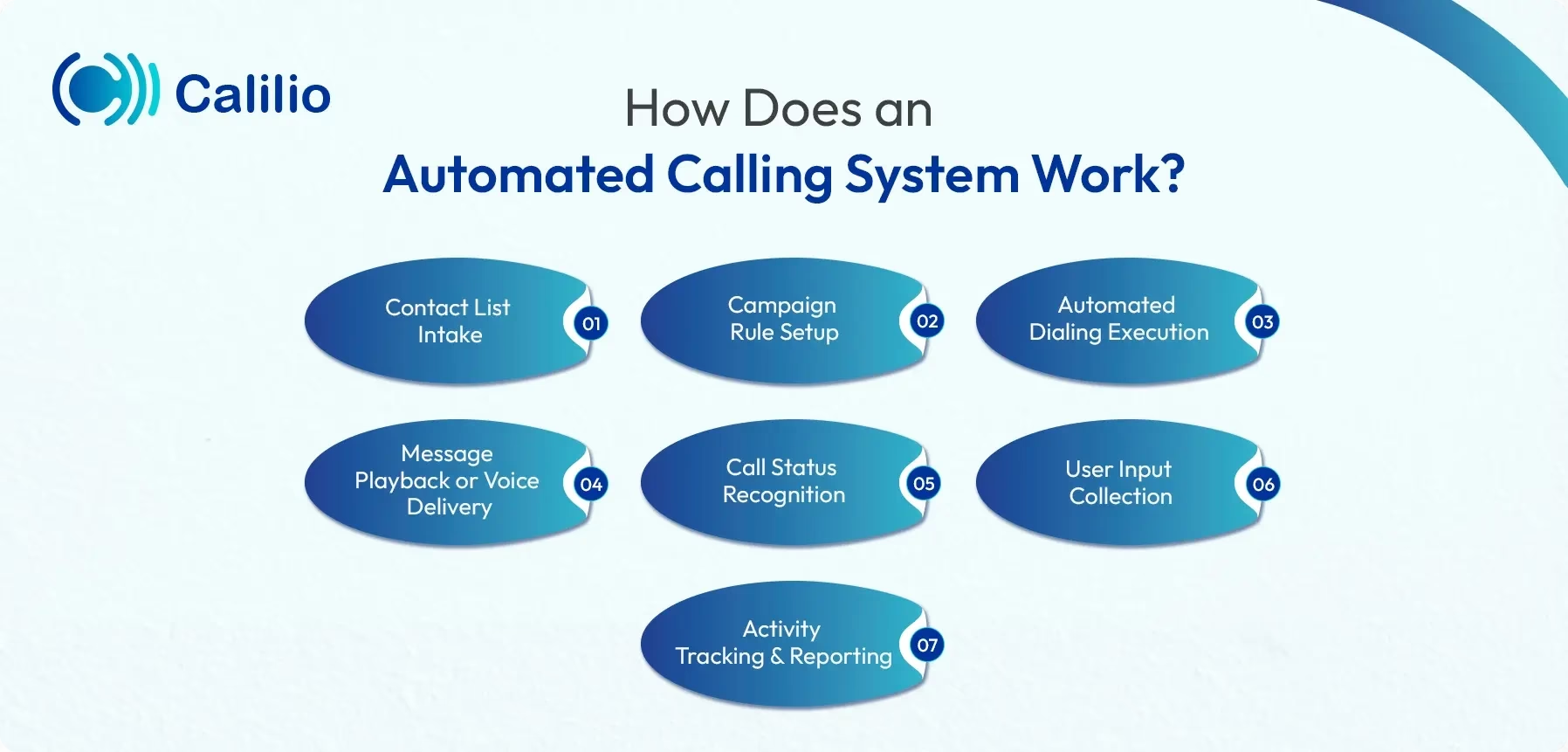
- Contact List Intake: The system receives phone numbers through a file upload, CRM sync, or database integration and prepares them for calling.
- Campaign Rule Setup: You define how calls should behave, calling hours, retry logic, pacing speed, caller ID, and compliance rules, and the system locks these settings into the campaign.
- Automated Dialing Execution: The system automatically dials numbers from the queue in bulk, adjusting call speed based on availability and system capacity.
- Message Playback or Voice Delivery: When a call connects, the system delivers your message using a pre-recorded audio file or text-to-speech voice.
- Call Status Recognition: The system detects what happens to each call answered, busy, voicemail, no response, or failed and categorizes it instantly.
- User Input Collection: If enabled, the system listens for keypad or voice responses and records user actions for next-step processing.
- Activity Tracking and Reporting: The system logs every call and generates performance data so you can measure reach, engagement, and overall campaign success.
Key Features of an Automated Calling Solution
Automated dialing, voice broadcasting, call scheduling, text-to-speech, call tracking, analytics and reporting are the main features of an automated calling system.
- Automated Dialing: The system automatically dials phone numbers from your contact list, reducing manual effort and allowing businesses to reach a large audience in less time. This feature improves agent productivity and ensures consistent call execution.
- Voice Broadcasting: Voice broadcasting enables the system to send the same voice message to thousands of recipients simultaneously. It is commonly used for alerts, reminders, promotions, and announcements where consistent messaging is essential.
- Campaign Management: This feature allows you to create and manage multiple calling campaigns from a single dashboard. You can control call flow, monitor progress, pause campaigns, and make real-time adjustments as needed.
- Call Scheduling & Retry Logic: The system schedules calls at predefined times and automatically retries calls that are unanswered or busy. This ensures maximum reach without requiring manual follow-ups.
- Text-to-Speech (TTS): Text-to-speech converts written scripts into voice messages, eliminating the need for audio recordings. This makes campaign setup faster and allows quick content updates.
- IVR: The system records recipient inputs using keypad responses, enabling basic interaction such as confirmations, opt-ins, or simple surveys during calls.
- Call Tracking & Logs: Every call is logged with details like call status, duration, and response. This helps businesses maintain accurate records and evaluate outreach effectiveness.
- Analytics & Reporting: Built-in analytics provide insights into call pickup rates, completion status, and overall campaign performance, helping businesses improve future calling strategies.
- Scalability: Automated calling systems are designed to handle increasing call volumes effortlessly, allowing businesses to scale outreach without adding additional staff or infrastructure.
- Cloud-based Access: Being cloud-based, the system can be accessed from anywhere, making it easy to manage campaigns remotely while reducing infrastructure costs.
What are the Types of Automated Calling Systems?
The automated calling systems can be divided into three types: inbound, outbound, and hybrid calling solutions.
1. Automated Outbound Calling Systems
Outbound call automation tools automatically place calls to a predefined list of contacts. Using auto dialers like predictive dialers, along with voice broadcasting solutions, they deliver scripted messages for reminders, notifications, verifications, and marketing campaigns. They require minimal human intervention and help businesses reach a large audience quickly and consistently.
Common types of outbound automated calling systems include:
- Predictive Dialer: Using intelligent algorithms, the predictive dialer dials multiple numbers simultaneously before an agent even finishes their current call, predicting when they will become available to minimize downtime.
- Progressive Dialer: This type of dialer automatically dials one number at a time only when an agent is available. Unlike predictive dialing, it avoids abandoned calls while still improving efficiency, making it suitable for teams that want automation without overwhelming agents or customers.
- Power Dialer: Calls are placed sequentially by the power dialer, with the next number dialed as soon as an agent becomes available. This approach maintains a steady calling pace and supports more personalized sales and follow-up conversations.
- Preview Dialer: Using this dialer, agents can review customer information before initiating a call. This gives them time to understand the contact’s history and context, enabling more informed, personalized, and higher-quality interactions.
- Robo Dialer: This dialer automatically delivers pre-recorded voice messages to recipients and may optionally allow simple keypad responses. It is commonly used for appointment reminders, payment notifications, surveys, and informational campaigns where limited interaction is required.
- Voice Broadcasting System: This type of system delivers pre-recorded messages to a large audience simultaneously. They are commonly used for announcements, alerts, reminders, and promotional campaigns where two-way interaction is not required.
2. Automated Inbound Calling Systems
Inbound call automation solutions handle incoming calls without constant human involvement. They use technologies such as IVR, auto attendants, Automatic Call Distribution (ACD), callback systems, and AI-powered voicebots to greet callers, present menu options, collect basic information, and route calls efficiently. These solutions are ideal for managing high call volumes and resolving common queries while reducing wait times and agent workload.
3. Hybrid Automated Calling Systems
Hybrid call automation platforms combine both inbound and outbound communication into a unified communication solution. By integrating both inbound and outbound calling systems, these platforms automate routine interactions while allowing human agents to step in when needed, offering flexibility, scalability, and complete call management.
What are the Benefits of Using an Automated Calling System?
The key benefits of call automation systems are lower operational expenses, faster and large-scale message delivery, and higher team productivity through reduced manual effort. They also expand outreach and improve response rates, scale effortlessly with business needs, and enhance customer experience through timely communication.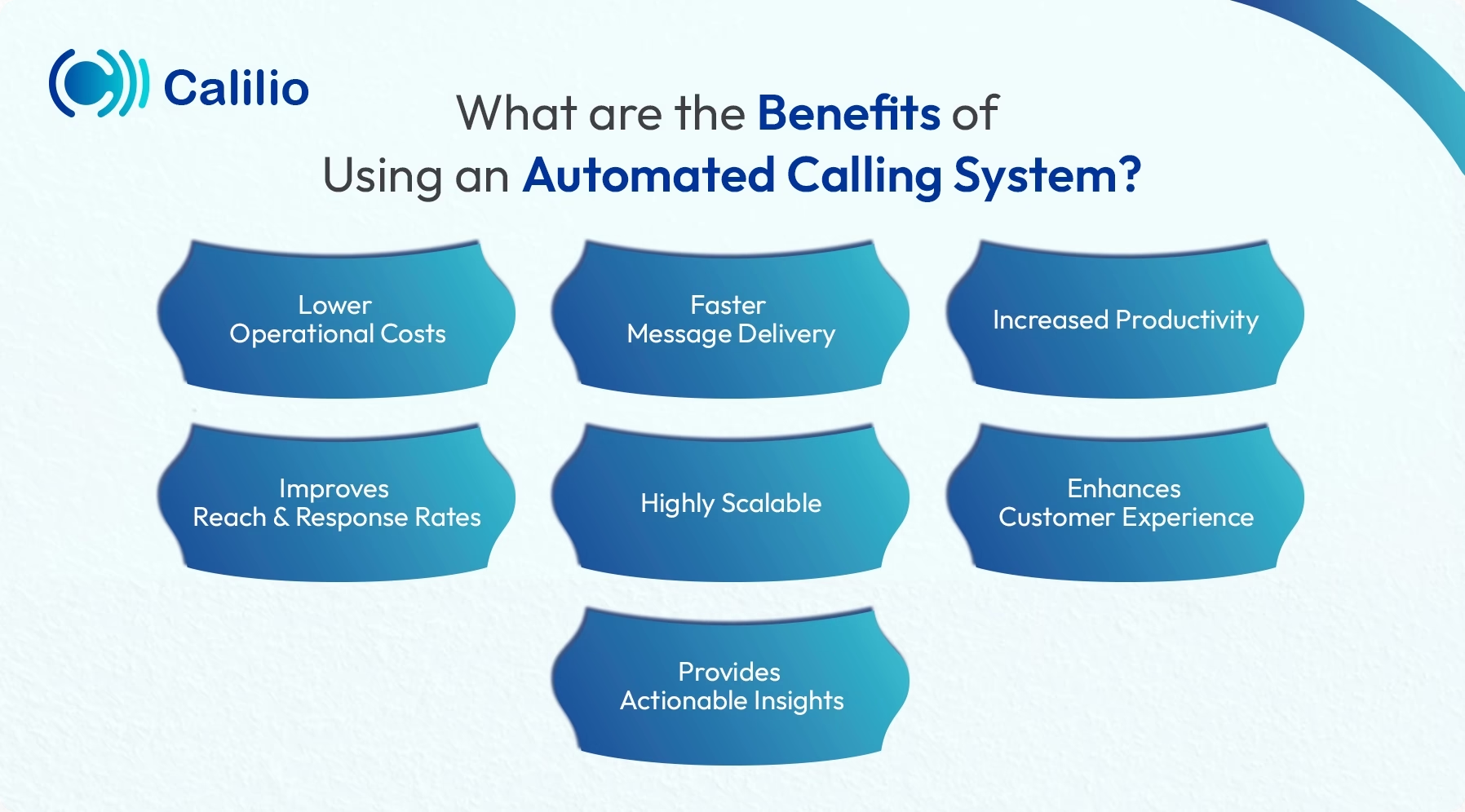
- Lower Operational Costs: With an automated calling system, you can reduce the need for manual effort on the part of agents. By automating tasks like dialing, call routing, and delivering prerecorded messages, businesses can cut down on the number of agents required to perform routine tasks, which directly brings down their operational expenses.
- Faster Message Delivery: Automated calls are significantly useful for delivering urgent messages such as emergency alerts, service updates, or any last-minute changes. Additionally, these calls reach out to a large group instantly, ensuring timely communication.
- Increased Productivity: The system automates tasks such as dialing, routing, saving time and enabling agents to focus on more complex calls. It reduces call handling time while reaching more customers, thereby enhancing productivity.
- Improves Reach and Response Rates: Automated calling systems enable businesses to send reminders, notifications, and promotional messages while collecting customer inputs through IVR without requiring human intervention. This ensures that messages reach customers on time and helps improve overall response rates.
- Highly Scalable: Whether a business needs to call a small group or thousands of customers at once, automated calling systems can scale effortlessly. This flexibility makes them suitable for both small businesses and large enterprises, especially during seasonal demand spikes or large campaigns.
- Enhances Customer Experience: Consistent and timely voice communication helps customers stay informed and prepared. Automated reminders, alerts, and notifications reduce confusion, minimize missed interactions, and create a smoother overall communication experience, leading to higher customer satisfaction.
- Provides Actionable Insights: Built-in analytics and reporting tools provide visibility into call performance, delivery status, and customer responses. These insights help businesses evaluate campaign effectiveness, identify improvement areas, and make informed decisions to optimize future communication strategies.
What are the Use Cases of Automated Calling Systems?
Automated calling systems are used for sending appointment alerts, issuing billing and payment reminders, and broadcasting urgent notifications such as service disruptions or emergencies.
- Appointment Reminders: Businesses use automated calls to remind customers about upcoming appointments in healthcare, education, and service-based industries. This helps reduce no-shows and improves schedule management.
- Payment and Billing Notifications: Automated calls are widely used to notify customers about pending payments, due dates, and billing confirmations, ensuring timely reminders without manual follow-ups.
- Alerts and Emergency Notifications: Organizations rely on automated calling for urgent alerts such as service outages, weather warnings, security updates, or emergency instructions, where immediate communication is critical.
- Marketing and Promotional Campaigns: Automated calling systems reach the customer faster in a short period. So, when more prospects are reached, the potential for sales conversion also increases.
- Verification and Authentication: Automated calls are used for OTP delivery, identity verification, and transaction confirmations, adding an extra layer of security to user interactions.
- Customer Surveys and Feedback Collection: Businesses use automated voice calls to collect feedback or conduct simple surveys, helping them understand customer satisfaction and improve services.
- Internal Communication: Automated calling is also effective for internal announcements, policy updates, or shift notifications, ensuring employees receive information on time.
How to Choose the Best Automated Calling System?
To choose the best automated calling system, clearly identify your communication goals. Compare solutions based on essential functionalities, ease of use, pricing value, and real user feedback to ensure the platform fits both your current needs and future growth.
1. Define Your Purpose
Start by identifying how you plan to use the system. Determine whether you need it for outbound calls, inbound calls, or both, and clearly outline your business goals. Having a defined purpose helps narrow down options and ensures the system aligns with your communication needs.
2. Evaluate Key Features
Identify the essential features that the automated calling system must include. Compare the features of different systems before making a final choice. Some of the key features to look for include auto dialing, call scheduling, campaign management, text-to-speech, and call transfer options.
3. Check Ease of Use
Select a system that can be easily managed and utilized by staff with straightforward instructions. The system should be simple to set up and feature a user-friendly interface to prevent issues during use.
4. Consider Scalability and Reliability
Select a system that can efficiently handle increasing call volumes, such as during campaigns, without experiencing downtime. Additionally, look for a solution that guarantees strong uptime and responsive customer support.
5. Review Pricing and Value
Consider your budget and the pricing available. Prices for the automated calling system may vary, so find one that fits your budget. Also, check if the prices are worth the features included.
6. Check User Reviews and Reputation
Research reviews and testimonials from other businesses to gain insight into the provider and the system itself. Look for feedback on reliability, customer support, ease of use, and overall satisfaction. This helps you avoid potential issues and choose a provider that other businesses trust.
Conclusion
Automated calling systems have become essential for businesses aiming to scale communication, reduce manual effort, and deliver timely, consistent messages. From reminders and alerts to large-scale outreach campaigns, call automation improves efficiency while keeping customers informed and engaged.
Summarize this blog with:
Frequently Asked Questions
Everything you need to know about Calilio. Can't find your answer? .
Yes, automated phone calls are legal for informational alerts or when the recipient has provided prior express written consent for marketing. However, calls to a Do Not Call Registry number or using AI/prerecorded voices without explicit permission are illegal and subject to heavy fines.
Stay in the loop
Get the latest call insights, trends, and updates delivered straight to your inbox.
By subscribing, you agree to receive updates from Calilio.
You can unsubscribe anytime.
Enter the World of AI Business Phone System with Calilio
Improve your business operation with Calilio's advanced virtual phone system. Join today for a better way to connect.