- Partners
- Contact Us
- Log in
Best VoIP Calling Apps in 2026: A Complete Comparison Guide

VoIP (Voice over Internet Protocol) apps allow you to make voice and video calls over the internet instead of traditional phone lines. By converting your voice into digital signals, these apps enable seamless communication across devices while reducing costs and adding advanced call management features.
Therefore, choosing the right VoIP calling app can make a huge difference in how you communicate, whether you're connecting with friends, managing a remote team, or running a small business. However, with so many options available, from free apps for personal use to advanced platforms for enterprises, finding the best fit can quickly become overwhelming.
So, we’ve handpicked the best VoIP calling apps for 2026, covering different use cases. Plus, you’ll find a detailed comparison of features, pricing, pros and cons, and real-world use cases, to help you choose the app that fits your needs perfectly.
[Methodology: To identify the best VoIP calling apps, we evaluated each option based on real-world usage and key criteria such as call quality, features, ease of use, pricing, and cross-platform compatibility. We also considered advanced VoIP capabilities like call routing, virtual numbers, integrations, and scalability. Additionally, we reviewed user feedback, customer support reliability, and performance across different use cases, including personal, business, and enterprise needs, to ensure our recommendations are practical and versatile.]
Highlights:
VoIP apps enable internet-based calling along with messaging and video communication, eliminating the need for traditional phone networks while reducing costs and increasing flexibility.
Leading VoIP platforms leverage technologies like AI, cloud infrastructure, encryption, and advanced codecs to deliver high-quality, secure, and scalable communication.
From personal use to enterprise-grade solutions, VoIP apps cater to diverse needs such as international calling, team collaboration, call center operations, and business communication.
Key features of VoIP apps like multi-device access, call routing, integrations, and AI-driven insights help improve productivity, streamline workflows, and enhance user experience.
Choosing the right VoIP app depends on factors like call quality, security, pricing, integrations, scalability, and customer support to ensure long-term efficiency and reliability.
Top VoIP Apps at a Glance (Quick Comparison)
App Name Best For Platform Free Plan Ratings Out Of 5 (Source)FaceTime Apple Users iOS, Desktop (MacOS) Completely Free 4.2 (App Store) Viber Android Users Android, iOS, Web, Desktop Yes 4.1 (G2) Calilio Small Businesses iOS, Android, Web No 4.7 (G2) Zoom Workplace Remote Teams iOS, Android, Web, Desktop Yes (Basic) 4.6 (G2) RingCentral Enterprises iOS, Android, Web, Desktop No 4.2 (G2) TextNow Personal Use iOS, Android, Desktop Yes 4.2 (TrustPilot) Microsoft Teams Video Conferencing iOS, Android, Web, Desktop Yes 4.4 (G2) WhatsApp International Calling iOS, Android, Web, Desktop Yes 4.5 (Play Store) Signal Privacy & Security iOS, Android, Desktop Completely Free 4.5 (Play Store) CloudTalk Call Centers iOS, Android, Web, Desktop No 4.4 (G2)
10 Best VoIP Apps for Different Use Cases
Calilio, Signal, WhatsApp, RingCentral, and CloudTalk are the top VoIP apps in 2026.
1. FaceTime: Best for iPhone Users
FaceTime is one of the most popular VoIP calling apps for iPhone users, offering high-quality voice and video calling with minimal VoIP latency within the Apple ecosystem. Pre-installed on Apple devices, its deep integration with Apple’s ecosystem and newer AI-powered features make it a reliable option for quick, secure communication.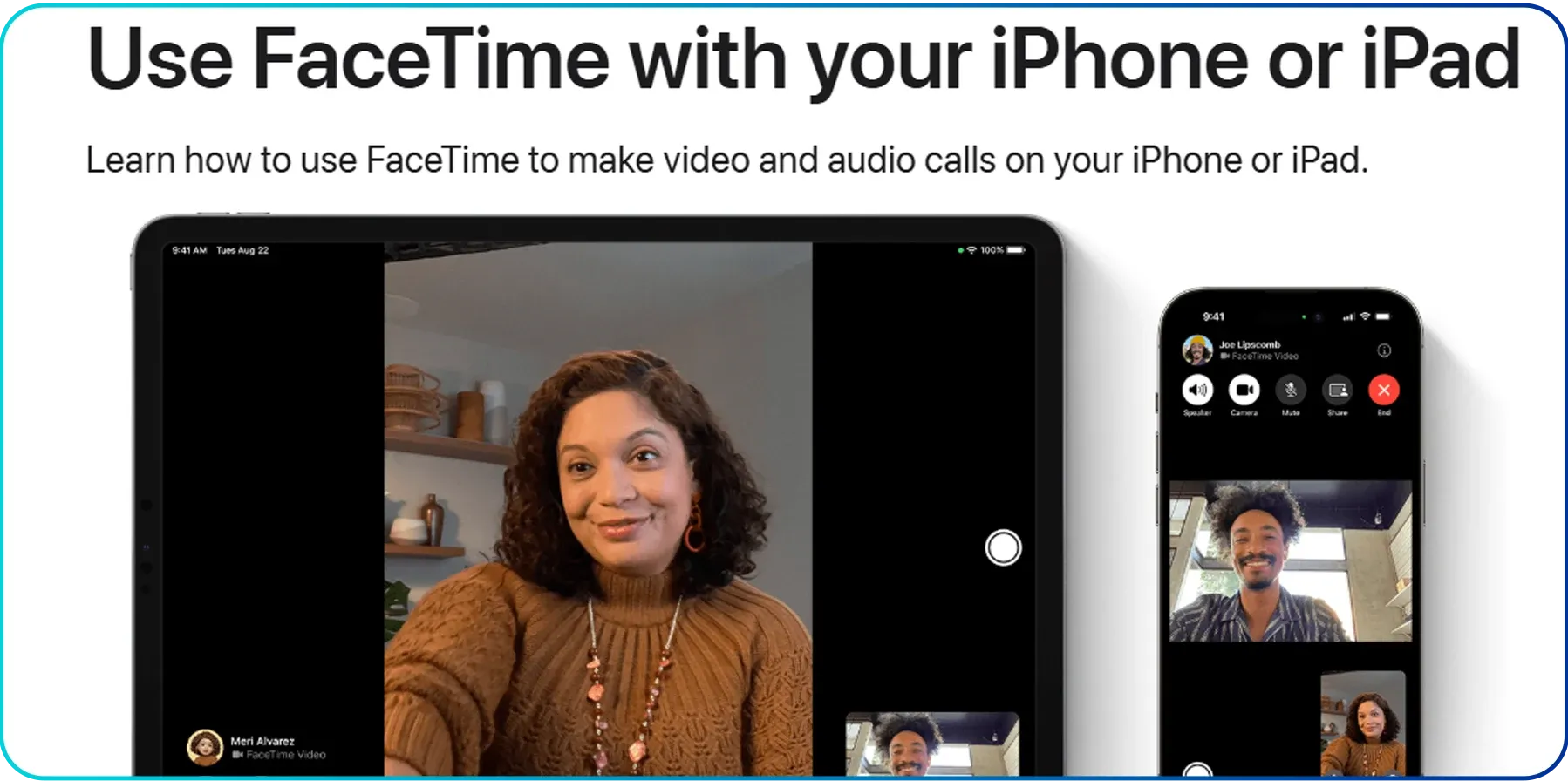
Key Features
- Native iOS Integration: Built directly into the Contacts app, allowing one-tap calling without additional setup.
- Spatial Audio & Voice Isolation: Uses AI to create a more immersive calling experience by positioning voices spatially while reducing background noise significantly.
- SharePlay Collaboration: Enables real-time screen sharing and synchronized media viewing during calls, enhancing collaboration and engagement.
- Apple Intelligence Captions: Provides on-device, real-time transcriptions and live translations for more accessible communication across languages.
Pricing
- Free but available only for Apple users
Pros & Cons
Pros | Cons |
|
|
Best Alternatives
- Calilio: For iPhone users who need a professional second line with advanced business calling features.
- WhatsApp: A strong cross-platform alternative for connecting with Android users without restrictions.
2. Viber: Best for Android Users
Viber is one of the most reliable VoIP calling apps for Android users, offering a simple and cost-effective way to make calls, send texts, and even call local numbers from a single platform. Unlike standard cellular calls, Viber uses end-to-end encryption by default for every one-on-one interaction, making it a favorite for those who want a secure alternative to traditional carriers.
Key Features
- AI-enhanced Chat Summaries: Viber’s built-in AI can generate a summary of unread messages.
- Viber Out (Global Dialing): Allows you to call any landline or mobile number in the world at low VoIP rates.
- Caller ID & Spam Protection: Automatically identifies calls from unknown numbers and flags potential fraud.
Pricing
- App-to-App: Completely Free (Unlimited voice/video calls and texts to other Viber users).
- Viber Plus: $1.99/month (Removes ads and unlocks premium features like Voice-to-Text).
- Viber Out: Pay-as-you-go credit or monthly calling plans.
Pros & Cons
Pros | Cons |
|
|
Best Alternatives
- TextNow: A solid free alternative for Android users who want a secondary phone number.
- Signal: 100% ad-free privacy with no "premium" upsells.
3. Calilio: Best for Small Businesses
Calilio is among the best VoIP calling apps for small businesses that need more than just basic calling functionality. It stands out for its professional features, like a dedicated business phone line, AI-powered insights, and advanced call management, at an affordable price. So, it is a great option for managing customer interactions and internal communication without the complexity of traditional phone systems.
Key Features
- Unified Callbox: Centralizes calls, SMS, and voicemails into a single, organized interface for efficient workflow management.
- AI Call Summaries & Reports: Automatically generates call summaries and highlights key action points after each conversation.
- Sentiment Analysis: Uses AI to evaluate the tone of conversations (positive, neutral, or negative) to improve customer service quality.
- Number Sharing: Enables multiple team members to manage calls and messages from a shared business number.
Pricing (Per user/month)
- Standard Plan: $15
- Premium Plan: $35
- Enterprise Plan: Custom pricing for large-scale teams
Pros & Cons
Pros | Cons |
|
|
Best Alternatives
- RingCentral: Better suited for businesses needing extensive integrations and global scalability.
- Zoom Workplace: For teams already using Zoom for meetings and collaboration.
4. Zoom Workplace: Best for Remote Teams
Zoom Workplace is a cloud-based VoIP calling solution useful for remote and hybrid teams that need seamless communication across locations. As part of the broader Zoom ecosystem, it combines voice, video, and messaging into a unified platform, making it a natural choice for teams already using Zoom for meetings and collaboration.
Key Features
- Global Coverage: Supports local and toll-free numbers in multiple countries, making it suitable for distributed teams.
- Call Routing & Auto-Attendant: Automatically directs calls to the right team or department using customizable workflows.
- Zoom Integration: Integrates with Zoom Meetings and Chat for smooth collaboration.
- Call Recording & Analytics: Enables call monitoring, recording, and performance tracking for teams.
Pricing (Per user/month)
- Phone + Workplace Basic: $18
- Phone + Workplace Pro: $24
- Phone + Workplace Business: $29
Note: The above pricing is specifically for the United States. Please, visit the pricing page of Zoom Workplace for country-specific pricing.
Pros & Cons
Pros | Cons |
|
|
Best Alternatives
- RingCentral: For businesses needing more advanced enterprise-level features.
- Calilio: A simpler and more cost-effective option for remote teams.
5. RingCentral: Best for Enterprises
RingCentral stands out as one of the most robust VoIP calling platforms for enterprises and rapidly scaling organizations. It is built to replace traditional on-premise phone systems with a cloud-native “Message, Video, Phone” (MVP) ecosystem. Plus, its enterprise-grade reliability, extensive customization options, and vast integration ecosystem make it a top choice for large companies. 
Key Features
- Multi-site Administrative Portal: Manage multiple office locations, time zones, and local caller IDs from a centralized dashboard.
- AI Conversation Intelligence: Analyzes call data to identify intent, sentiment, and key insights for performance improvement.
- Omnichannel Contact Center: Unifies voice calls, email, chat, and social channels into a single interface for support teams.
- Advanced Call Monitoring: Includes features like call whisper, barge, and takeover to assist agents during live calls.
Pricing (Per user/month)
- Core: $30
- Advanced: $35
- Ultra: $45
Pros & Cons
Pros | Cons |
|
|
Best Alternatives
- CloudTalk: A strong option for enterprises needing deeper global calling and compliance features.
- Microsoft Teams: For organizations already using Microsoft 365 for communication and collaboration.
6. TextNow: Best for Personal Use
TextNow is a standout VoIP calling app in 2026 for users who want to eliminate their monthly phone bill without losing the ability to call or text standard mobile and landline numbers. Unlike many app-to-app services, it provides a real local phone number that works over Wi-Fi or through its ad-supported network.
Key Features
- Free Nationwide Talk & Text: Unlimited calling and texting within the US and Canada, supported by in-app ads.
- Essential Data Access: Includes limited data for core apps like navigation, banking, and ride-sharing.
- Flexible Data Passes: Purchase high-speed data only when needed (hourly, daily, or weekly plans).
- Cross-device Syncing: Access messages and calls across mobile, tablet, and desktop with a single account.
Pricing
- Free Flex Plan: $0
- Day Pass: $2.99
- Weekly Plan: $8.99
- Unlimited Plan: $35.99
Note: While the app is free to download and use over Wi-Fi, accessing TextNow’s nationwide 5G network requires a one-time purchase of a physical SIM card (approx. $4.99) or a compatible eSIM for newer iPhone models.
Pros & Cons
Pros | Cons |
|
|
Best Alternatives
- WhatsApp: A widely used option for free messaging and voice/video calls over the internet.
- Viber: For users looking for a free app-to-app communication with affordable international calling.
7. Microsoft Teams: Best for Video Conferencing
Microsoft Teams is a powerful VoIP calling and collaboration platform designed for businesses and organizations that rely on structured communication and productivity tools. As part of the Microsoft 365 ecosystem, it combines voice calling, video conferencing, messaging, and file sharing into a single unified workspace.
Key Features
- AI-powered Call Insights: Uses built-in AI to generate call summaries, highlight action items, and provide real-time insights during conversations.
- Seamless Device Switching: Move active calls between mobile, desktop, and supported devices without interruption.
- Operator Connect: Enables businesses to connect their existing telecom provider directly within the Teams admin center.
Pricing
- For Individual (Per month)
-Free: $0.00
-Personal: $9.99
-Family: $12.99
-Premium: $19.99 - For Businesses (Up to 300 users) (Billed yearly)
-Essentials: $4.00 per user/month
-Business Basic: $6.00 per user/month
-Business Standard: $12.50 per user/month - For Enterprise (Unlimited users) (Billed yearly)
-Teams Enterprise: $8.55 per user/month
-Microsoft 365 E3: $36.00 per user/month
-Microsoft 365 E5: $57.00 per user/month
Pros & Cons
Pros | Cons |
|
|
Best Alternatives
- Zoom Phone: An intuitive option for teams focused on video-first communication.
- RingCentral: For enterprises needing advanced VoIP and integrations.
8. WhatsApp: Best for International Calling
WhatsApp is among the most widely used VoIP calling apps in the world, making it a top choice for international communication. With a massive global user base, it allows you to connect with friends, family, and even clients without worrying about traditional long-distance charges.
Key Features
- Cross-platform HD Calling: Supports high-quality voice and video calls across iOS, Android, and desktop devices worldwide.
- End-to-End Encryption: Secures all calls and messages so only participants can access them.
- Global Accessibility: Works in most countries with just an internet connection.
- Voice Messaging & Group Sync: Enables asynchronous communication through voice notes that sync across devices.
Pricing
- No subscription fees; uses Wi-Fi or mobile data for calling and messaging
Pros & Cons
Pros | Cons |
|
|
Best Alternatives
- Signal: For users prioritizing privacy and minimal data tracking.
- Viber: An alternative for international calling with features like Viber Out for low-cost calls to non-Viber users.
9. Signal: Best for Privacy
Signal is another secure VoIP calling app, trusted by users worldwide. Every call and message is protected by the open-source Signal Protocol, ensuring end-to-end encryption by default. With its minimal data collection and strong privacy-first approach, Signal remains a top choice for users who prioritize confidentiality in their digital communication.
Key Features
- Sealed Sender Technology: Hides sender information from Signal’s servers, reducing metadata exposure.
- Advanced Encryption Protocol: Uses end-to-end encryption for all communication, with ongoing updates to address emerging security threats.
- Disappearing Messages & Media: Offers flexible timers for messages and “view-once” media for enhanced privacy control.
- Privacy-focused Design: Prevents unnecessary data storage and limits tracking across devices and sessions.
Pricing
- Free: No ads, no trackers, and no subscription fees
Pros & Cons
Pros | Cons |
|
|
Best Alternatives
- WhatsApp: A more widely adopted option for international communication.
- Viber: Offers additional calling features while maintaining ease of use.
10. CloudTalk: Best for Call Centers
CloudTalk is a specialized VoIP calling platform specifically built for call centers that handle high call volumes and require a data-driven approach to communication. It offers advanced automation, analytics, and deep CRM integrations, particularly well-suited for businesses that rely on outbound sales and customer support.
Key Features
- Smart & Power Dialers: Automates outbound calling workflows, helping teams increase call volume and efficiency.
- AI Conversation Intelligence: Provides call transcription, sentiment insights, and performance tracking for better coaching.
- Voicemail Detection: Identifies answering machines quickly, allowing agents to focus on live conversations.
Pricing (Per user/month)
- Lite: $27
- Essential Plan: $39
- Expert Plan: $69
Pros & Cons
Pros | Cons |
|
|
Best Alternatives
- RingCentral: Better for enterprises needing a full unified communication platform.
- Calilio: A simpler and more affordable option for small to mid-sized teams.
Things to Consider While Choosing a VoIP Calling App
When selecting a VoIP app, focus on clear call performance, strong data protection, flexible pricing, and smooth integration with your existing tools. Also, consider responsive customer support, AI-driven features for productivity, and a scalable system that can adapt as your needs grow.
- Call Quality: When choosing a VoIP app, prioritize platforms that deliver consistent call quality across different network conditions. Look for providers that use advanced VoIP codecs like EVS (Enhanced Voice Services) and offer low latency (under 300ms round-trip time) to ensure clear, natural conversations without delays or distortion.
- Security & Compliance: Make sure the app provides strong security measures, especially if you’re handling sensitive communication. Look for end-to-end encryption and secure protocols like Transport Layer Security (TLS). For business use, check whether the provider complies with standards such as the General Data Protection Regulation (GDPR), depending on your industry.
- Pricing Structure: Evaluate how the pricing aligns with your usage. Some VoIP apps offer free or metered plans, while others use tiered subscriptions. Also, be mindful of hidden costs, such as charges for international calls, SMS, or premium features like AI analytics and call recording.
- Integration & Existing Tools: Choose a VoIP app that integrates with your existing tools instead of operating in isolation. Compatibility with platforms like Google Workspace, Microsoft 365, Salesforce, or HubSpot can streamline workflows and reduce manual effort.
- Customer Support: Reliable support is essential, especially for business users. Look for providers that offer 24/7 assistance and strong uptime guarantees (such as 99.999% reliability) to ensure minimal disruption during critical communication.
- AI Capabilities: If you handle frequent calls, consider apps with AI-powered features. Tools like real-time transcription, sentiment analysis, and automated call summaries can save time, improve productivity, and provide valuable insights.
- Scalability & Flexibility: Finally, ensure the platform can grow with your needs. A good VoIP solution should allow you to easily add users, expand to new regions, and manage multiple numbers without complex setup or infrastructure changes.
Make VoIP Calls at an Affordable Price with Calilio
Enjoy secure, global connectivity with virtual numbers and advanced call features.
Conclusion
The abundance of VoIP apps offers tools for every need, from privacy-focused apps like Signal to globally connected platforms like WhatsApp. So, choosing the right one comes down to call quality, security, and integrations that support your communication goals.
Among these, Calilio stands out as a great choice for modern businesses. It combines AI-powered insights, sentiment analysis, and a unified callbox to streamline communication, all while being accessible on Android, iOS, and the web for access across devices.



Summarize this blog with:
Frequently Asked Questions
What are the advantages of using VoIP over traditional phones?
The advantages of using VoIP are that you get significant cost savings, the ability to make calls from any internet-connected device, and access to advanced features like AI transcriptions and video conferencing that traditional phones don't offer.
Is VoIP calling free?
Can I use VoIP without a SIM card?
Can a VoIP phone app call a normal phone number?
Can the Burner app be used for VoIP calls?
How to make free VoIP calls without an app?

Still have questions?
Can’t find the answer you’re looking for? Please chat with our friendly team.
Stay in the loop
Get the latest call insights, trends, and updates delivered straight to your inbox.
By subscribing, you agree to receive updates from Calilio.
You can unsubscribe anytime.
Enter the World of AI Business Phone System with Calilio
Improve your business operation with Calilio's advanced virtual phone system. Join today for a better way to connect.