
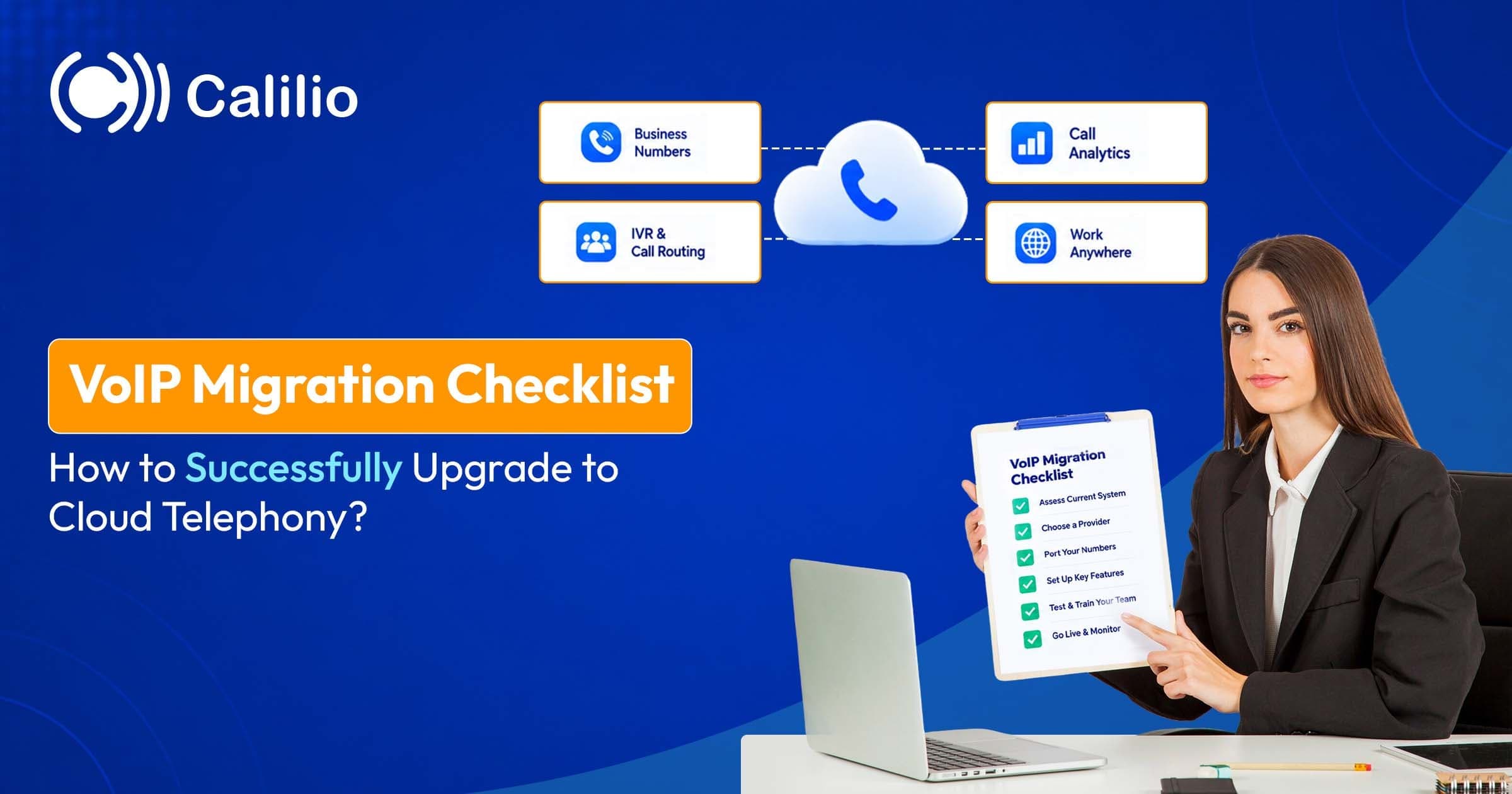

What Changes When You Move to Cloud Telephony?
In a cloud phone system, call handling runs on the provider's servers instead of a box in your office. Your team uses apps on phones and computers, or IP desk phones, and the provider handles routing, voicemail storage and software updates. The practical difference from a traditional phone system is that nothing in your office has to be maintained, expanded or replaced when staff grow, move or work remotely.
Day-to-day use changes too. Phone numbers are no longer tied to a physical line, so one number can ring on a desk phone, a mobile app and a laptop at once. Voicemail is stored on the provider's servers, delivered to email and, on some plans, transcribed into text so you can read a message in a meeting instead of listening to it.
Administration changes the most. Call routing, greetings, business hours and menus are set in a web dashboard, so features that once needed hardware or an engineer's visit, such as hunt groups and auto attendants, become settings you edit yourself.
Step 1: Audit What You Have Today
An audit is the most useful hour of the whole project, because a number you forget about on day one becomes a problem on cutover day. Build a simple inventory, ideally a spreadsheet with one tab per category, before you talk to any provider.
Phone numbers List every main, direct-dial, toll-free and fax number, and note which carrier owns each one and whose name the account is in. Include the numbers people forget, such as the line used by an alarm panel, a card terminal or a door intercom. Each of these will either move to the new provider or need a different plan, so it is far cheaper to find them now than to discover them when they stop working.
Users and devices For each person, record their extension, the device they use and whether they work from home or travel. This tells you who needs a desk phone, who is fine with a mobile or computer app, and who needs both. It also tells you how many licences you are buying, and which people share a line, such as a front desk or a warehouse phone.
Voicemail boxes List every personal and shared mailbox, who monitors it, how often it is cleared and which greetings are recorded. Pick out any saved messages that carry legal, financial or customer-service value, because these are the ones worth exporting later.
Call flows Write down how a call travels today: the greeting, the menu options, the ring groups, the after-hours rules and the fallback when nobody answers. Draw it as a simple flowchart if that helps. Most old systems have routes nobody uses any more, so mark each branch as keep, change or drop, and leave the dead ones behind rather than copying them into the new system.
Current contract Note the end date, the notice period and any early-termination fee for the existing carrier and the phone system. These dates set your timeline, because you will want the old service running in parallel until the new one is proven. If the contract runs for another year, a phased move that starts with new hires or one department may be cheaper than paying a penalty.
Step 2: Check That Your Network Is Ready
Voice over the internet depends on your own connection, so a network check belongs before you buy, not after. Run your tests at busy times of day, not first thing on a quiet morning, since a connection that looks fine at 7 a.m. can struggle at 11 when everyone is on video calls.
Bandwidth A single call uses roughly 100 kbps in each direction, so ten simultaneous calls need around 1 Mbps up and down before anything else on the network is counted. Add up the calls you expect at your busiest moment, then leave generous headroom for video meetings, cloud backups and software updates. The guide to how much bandwidth VoIP needs breaks the maths down by codec, but a good rule is to keep upload speed in particular well above your peak call load, because upload is usually the smaller number on business broadband.
Call quality Three measurements decide how a call sounds. Latency is the delay between speaking and being heard and should stay under about 150 ms one way, jitter is the variation in that delay and should stay under about 30 ms, and packet loss, the share of audio that never arrives, should stay under about 1%. You can test VoIP call quality with free browser tools, and Calilio offers its own VoIP test that reports these figures from your actual connection.
Wi-Fi and routers Most "bad VoIP" complaints are actually bad Wi-Fi. Walk the areas where people take calls and check signal strength, move desk phones and fixed workstations onto Ethernet where you can, and use a router that supports quality of service (QoS), which lets you tell the network to give voice traffic priority over downloads. Also check that the router's SIP ALG setting, a feature that rewrites call traffic and often breaks it, is turned off if your provider recommends so.
Backup connection Decide what happens when the internet goes down, because it eventually will. The cheapest fallback is automatic forwarding to mobile numbers; the next step up is using the provider's mobile app over cellular data, which works as long as there is a signal; and the strongest option is a second internet connection or a 4G/5G failover router. Write the choice down and test it in the pilot.
Remote workers Home networks are the variable you cannot control, so ask each remote person to run the same call-quality test from their desk and to make a few test calls to a colleague. A short list of tips, such as using a headset, wired Ethernet where possible and closing bandwidth-heavy apps during calls, solves most problems before they are reported.
Step 3: Choose a Provider and Set Up the Account
Choosing a provider is the decision everything else hangs on, and it is easier if you judge candidates against the audit you have just done instead of against a feature checklist from a sales page. The criteria that matter most when choosing a VoIP provider are reliability (a published uptime figure and a clear status page), the features your call flows actually need, total price including taxes, fees and per-minute usage, quality of support, security controls and how easily you can leave. Shortlist two or three, ask each the questions below, and use a free trial or money-back period to test the shortlist with real calls before committing.
Number porting support Your numbers are the most valuable thing you are moving, so check first that the provider can port them. Ask which countries and number types it supports, whether toll-free and vanity numbers are included, what documents it needs and how long it usually takes. Some providers charge per number to port, and some limit porting to higher plans, so get the answer in writing. Calilio, for example, lets you port your existing numbers on every plan and also gives you a free local number in the US, Canada or the UK, which is handy for testing before the real numbers arrive.
Voicemail features Voicemail is more than a greeting. Check how messages are delivered (in the app, by email or both), whether voicemails are transcribed into searchable text, how long they are stored and whether shared mailboxes are supported.
Call routing options This is where providers differ the most, so it deserves a proper look. Call routing decides who hears the phone ring, in what order and what happens when nobody answers. The main ingredients are:
- Simultaneous ringing, where every device or person in a group rings at once and the first to answer takes the call. It is fastest for the caller but can feel chaotic for a large team.
- Sequential ringing, where the call rings one person, then the next, in a set order. It suits a "ask the owner first, then the manager, then the front desk" structure.
- Round robin, where calls are shared evenly by passing each new call to the next person in the group, so workload stays balanced.
- Business-hours rules, which send calls to different places during the day, in the evening and on holidays.
- IVR menus, the "press 1 for sales" greeting that sorts callers before a person picks up. A good IVR saves time when you have several departments, though it should be kept short.
- Voicemail fallback, so a call that nobody answers still ends up as a message instead of a dead ring.
Match this list against your Step 1 flowchart. If the old system had a three-level menu and a provider only supports single-level menus, you need to know now.
Support during cutover: Ask who you can reach when numbers are porting and something fails, and through which channel. Phone or live chat during your working hours is worth more than a ticket queue. Whatever the provider, ask for the support channel and hours in writing before you sign.
Step 4: Configure Users, Call Flows and Features
With the account created, rebuild your phone setup in the new system. This is where the audit pays off, because you are copying what matters and leaving behind what doesn't. Work through the configuration in the order below so each piece has what it depends on.
Users and roles Add each person, assign their number or extension and decide who has admin rights. Keep admin access to a small group, since an admin can change routing for the whole company. Set up teams (for example sales, support and front desk) at this point, because you will point call flows at teams rather than individuals, and then a new hire or a departure never requires a routing change.
Devices Install the app on mobiles and computers, set up any IP desk phones and test headsets. Remote workers should confirm their setup from home before the cutover.
Call routing and business hours Recreate the greeting, menu and ring groups from your flowchart. Set business hours so calls go to people during the day and to a clear after-hours path at night, and add holiday exceptions in advance, because forgetting a public holiday is the most common reason callers reach the wrong greeting. Where the old system had confusing routes, simplify them: an IVR menu with three or four options usually works better than a long one inherited from the old system, since callers tend to hang up before they hear option seven.
Voicemail Record greetings for each number and for after-hours calls, decide who monitors shared mailboxes and switch on email delivery. A good business greeting names the company, says when you are open and tells the caller what to do next. Send a test message to confirm it arrives in the inbox rather than junk, and use strong passwords and multi-factor authentication on mailboxes that receive voicemails, since they often contain account details and payment information.
Integrations Connect the tools your team already uses so calls are logged where people work. When VoIP and CRM integration is set up properly, an incoming call can pop the customer's record on screen, and every call, note and outcome is saved automatically against the contact.
Security Cloud phones are on the internet, so basic hygiene matters. Ask the provider about its VoIP security and encryption controls, use unique passwords, turn on multi-factor authentication and limit international dialling to the countries you actually call, which prevents toll fraud if an account is ever compromised.
Step 5: Move Your Existing Contacts and Data
Contacts, call history and saved recordings rarely move on their own, so decide what to carry across before you switch off the old system.
Contacts and speed dials Export your directory to a spreadsheet and import it into the new system. Take the opportunity to remove duplicates and old numbers before importing.
Saved voicemails Most old messages aren't worth keeping, and they usually can't be transferred between systems. Where the old system allows it, save the few that matter as audio files in a shared folder before the old service is switched off, and note the date and caller for each.
Call history and recordings If you keep call logs or recordings for compliance or training, export them before cancelling anything and confirm where the new provider stores future ones and for how long. Recording also brings legal duties: the rules about call recording consent differ between regions, and some require everyone on the call to agree, so set up your greeting announcement and recording policy before you switch recording on.
Documents and signage List every place your phone numbers and extensions appear, such as your website, Google Business Profile, email signatures, invoices, packaging and printed material. If any number is changing rather than porting, this list is your update plan, and it is worth setting call forwarding from the old number for a few months to catch stragglers.
Step 6: Port Your Phone Numbers
Porting means transferring a number from your old carrier to the new provider so callers keep dialling the same digits. The new provider normally submits the request, and your job is to supply accurate information and keep the old service alive until it completes.
Gather the account details You will typically need the account holder's name, the service address, the account number, any PIN and a recent bill. These must match the old carrier's records exactly, and mismatches, such as "Street" versus "St" or an old company name, are the most common cause of rejected requests. If you cannot find the account number, ask the old carrier for a "customer service record" (CSR) that lists everything on file.
Allow time In the US, FCC rules require simple ports to complete within one business day, but business lines with multiple numbers, toll-free numbers or complicated setups can take several days or weeks, so check how long number porting takes and start the request early. A port that is scheduled to finish on the day before a long weekend is a risk, so plan around public holidays.
Keep the old service active Don't cancel the existing line before the port has completed. Cancelling early can release the number, and you may not be able to get it back. This is the most expensive migration mistake.
Agree a date and a contact Choose a port date and name one person who can answer questions from either carrier. For busy lines, consider porting in stages, starting with the less critical numbers, so you can confirm the process works before moving your main line.
Use temporary forwarding Until the port completes, you can forward calls from the old number to a temporary number on the new system, so the new setup can be tested with real callers. Carriers differ in what they ask for, so check the PIN and account details needed when porting a number from Verizon or from AT&T. In the UK, the planned PSTN switch-off makes this migration a deadline rather than an option, because lines that stay on the old copper network will stop working.
Step 7: Plan Emergency Calling
Emergency calling works differently on VoIP, and it is the part of a migration that most deserves a second look. Because a cloud number isn't tied to a fixed line, the provider needs an address to send to emergency services, and a wrong address means responders go to the wrong place.
Register addresses Set a correct physical address for each office and for each user or device that could dial an emergency number, including suite or floor where it applies. Update the address whenever someone moves, and make this part of your onboarding and offboarding checklist.
Check the local rules In the US, Kari's Law requires multi-line phone systems to let people dial 911 directly, without a prefix like 9, and to notify someone on site when a call is made. The RAY BAUM'S Act requires systems to send a dispatchable location, such as a building and floor, with a call. Other countries have their own rules, and some providers do not support emergency calling on certain numbers, so confirm in writing how your provider handles it.
Tell staff Remote workers should know that the address on file is where responders will be sent, even if they are in a different place that day, and how to update it. A short reminder in your cutover announcement is enough.
Test it Don't place live test calls to emergency services unless your provider tells you how to do it safely. Ask whether it offers a test line or an approved procedure.
Step 8: Run a Pilot Before You Switch Everyone
A pilot with a small group catches the problems that checklists miss. Pick a few people from different roles, including at least one remote worker and one person who answers a lot of calls, and give them real numbers or temporary forwarding for a week or two.
Test the basics Make inbound and outbound calls from every device type, try call transfers and hold, check caller ID and listen to the greetings from an outside phone.
Test voicemail Leave a message after hours and confirm that it is delivered by email, shows in the app and sounds clear. If transcription is included, check how accurate it is with real names and numbers.
Test call flows Walk through each menu option and each ring group, including the after-hours path, the holiday path and what happens when nobody picks up. Ask a colleague who has not seen the setup to call in and describe what they hear; they will notice confusing wording faster than the person who built the menu.
Test the fallback Switch off the pilot group's internet, or disable the primary office line, and confirm calls reach the mobile fallback. A plan nobody has tested is just a hope.
Collect feedback Ask pilot users what confused them, which settings they wanted to change and what they missed from the old system. Fix what you can, then write a one-page guide for the rest of the team.
Step 9: Cut Over With a Fallback Plan
Cutover day is calmer when the plan is written down and everyone knows their part. The goal is a boring day.
Choose a quiet window Avoid month-end, a major campaign, a public holiday or a Monday morning. A mid-week morning, with the team in and the provider's support open, tends to work well, because you have the rest of the day to fix problems.
Brief the team Send a short note beforehand with what is changing, how to log in, what the new voicemail looks like and who to contact for help. Include a screenshot of the app, since most questions are about where to click.
Switch and test Once numbers have ported, call each main number from outside, listen to the menu, leave a voicemail and confirm it arrives. Test an outbound call from several devices, and check that the caller ID shows the correct number. If you use features like business hours, check that the right schedule is active.
Keep a fallback Know how to forward calls to mobile phones if something fails, and keep the old system's login and carrier details until you are confident. If the port was staged, you can pause the next stage.
Watch closely at first Check the call log and voicemail inboxes often during the first day, then daily for the first week.
Step 10: Review and Tidy Up After the Move
The migration is not finished at cutover. A short review two to four weeks later turns a working system into a good one.
Check the numbers Compare missed calls, voicemail volume and call distribution before and after. A sudden spike in missed calls often means a routing rule or business-hours setting was missed. If you can, listen to a handful of calls to hear what the caller experienced.
Review follow-up habits Are voicemails and missed calls being returned? Assign an owner for each shared number if responses are slow. For calls that arrive out of hours, an AI receptionist that answers, takes details and routes urgent matters can cover the gap.
Cancel the old service Once all numbers have ported and everything works, cancel the old lines and equipment within the contract terms, and recycle or return hardware. Ask for written confirmation that the cancellation does not affect any ported numbers.
Update documents Update your website, email signatures and any printed material that shows phone numbers or extension lists.
Train new staff Add the phone system to your onboarding checklist so new hires learn it from day one, and keep the one-page guide from the pilot up to date.
Common Migration Mistakes to Avoid
Most migrations that go badly fail in the same few places, and they are all avoidable.
Cancelling the old line too early This is the single most expensive mistake, because the number can be lost. Wait for written confirmation that the port is complete.
Forgetting non-voice lines Alarm panels, fax machines and card terminals often use analogue lines that behave differently on VoIP. Test them with an adapter or keep a separate line for them.
Skipping the network test Poor Wi-Fi, an overloaded router or a weak upload speed will make any provider sound bad, and the provider usually gets the blame.
Leaving configuration to the last day Greetings, call flows and integrations take longer to set up than they seem, so finish them before the pilot.
Switching everyone at once A phased rollout limits the damage if something is wrong and gives you a real fallback.
Copying the old setup exactly A migration is the best chance you will get to remove dead extensions, shorten the menu and clean up greetings. Moving every old quirk across just moves the clutter.
Next step
Ready to Get Started?
A good VoIP migration is mostly preparation: an honest audit, a tested network, call flows and users configured before launch, numbers ported with the old service left running, and a small pilot before the whole team switches. Keep emergency calling and a fallback plan on the checklist from the start, and review how calls are handled a few weeks after the move.
If you are weighing providers, Calilio is a cloud phone system with number porting, a free local number in the US, Canada or the UK, web, iOS and Android apps and a 14-day money-back guarantee, with plans from $12 per user per month billed annually.
Frequently Asked Questions
What are the steps in a VoIP migration?
Audit your numbers, users and call flows, check your network, choose a provider, configure the new system, move contacts, port your numbers, plan emergency calling, pilot with a small group, cut over with a fallback plan and review after a few weeks. Keep the old service active until the port is complete.
How much does it cost to migrate to VoIP?
Costs depend on the provider's per-user plan, any porting or setup fees, new phones or headsets if you need them, and any network upgrades. Many cloud systems run on existing mobiles and computers, which keeps hardware costs down. The breakdown of how much a VoIP system costs shows typical ranges, and you should also budget for taxes, fees and usage charges that sit on top of the per-user price.
Can I keep my existing phone number when I move to cloud telephony?
In most cases yes, through number porting. The new provider submits the request with your account details, and the old service must stay active until the transfer is finished. Timelines depend on the carrier, the country and how complicated the lines are.
How long does a VoIP migration take?
A small office can move in a few weeks, including planning, network checks, a pilot and number porting. Larger or multi-site businesses, or those with complex call flows, take longer. Porting time is often the part you can't control, so start it early.
What happens to my old voicemails when I switch to VoIP?
They usually stay on the old system and don't move across. Save any you need as audio files before the old service is cancelled, and treat the rest as retired.
Do I need new phones to move to VoIP?
Not always. Many cloud systems work through apps on mobiles and computers. Some existing IP phones can be reused, while analogue phones need an adapter or replacement. Check device compatibility with your provider during the audit.
What if my internet goes down?
Set up a fallback before cutover, such as automatic forwarding to mobile numbers, the provider's mobile app on cellular data, or a second internet connection. Test the fallback during the pilot so you know it works.