
What is a Web Phone? How It Works, Features, Benefits & Setup Tips

Many businesses today still use traditional phone systems that depend on desk phones, fixed lines, and a complex setup. These systems often require expensive hardware and complex installations, which are harder to manage, especially when your teams work remotely from different locations. As a result, you may face missed calls, delayed responses, and reduced productivity.
A web phone solves this by removing the need for physical hardware and allowing you to call directly through a web browser using an internet connection, making communication more flexible and easier to manage.
In this blog, we’ll explore the web phone in detail, including its key features, benefits, and setup tips.
What is a Web Phone?
A web phone, also known as a web dialer, is a browser-based communication tool that allows users to make and receive calls directly over the internet using Web Real-Time Communication (WebRTC) and Voice over Internet Protocol (VoIP) technologies.
VoIP converts your voice into digital signals and carries over the internet, and WebRTC enables real-time audio directly within your browser. Together, these technologies enable clear calls from a browser, replacing traditional phone lines or physical devices.
A web phone comes with features like call routing, call recording, voicemail, integrations with business tools and more. Additionally, it is a cost-effective option for businesses that need to support remote teams and scale communication without complex hardware or setup requirements.
How Does a Web Phone Work?
A web phone works by converting your voice into digital data and transmitting it over the internet to another device or phone. On the other end, that data is reassembled into clear, real-time audio for two-way communication.
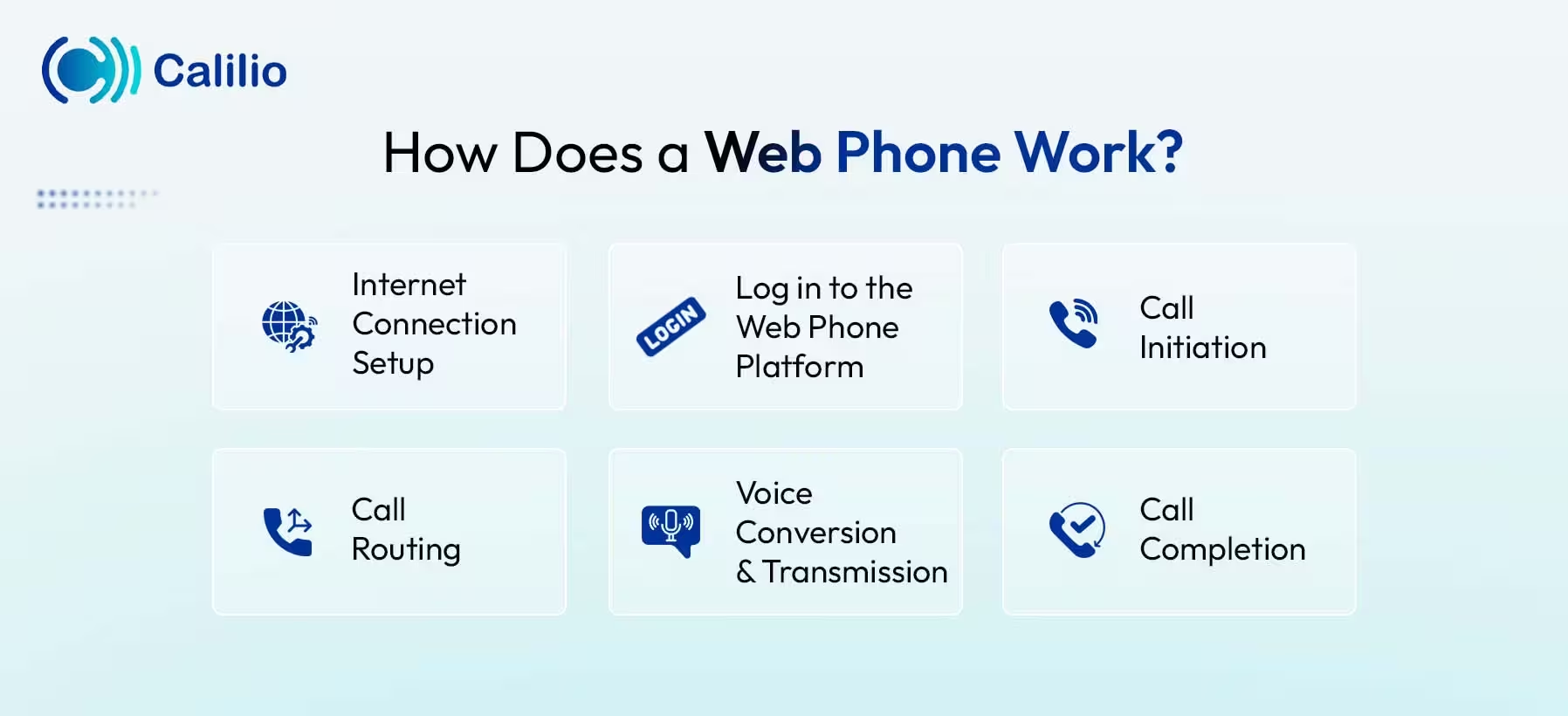
- Internet Connection Setup: Firstly, connect to a stable internet network using Wi-Fi or a wired connection on a device where you want to use the web phone, such as a laptop, desktop, or mobile phone.
- Log in to the Web Phone Platform: Then you need to log in to your registered cloud-based web phone system. Once logged in, the calling dashboard and communication features become active.
- Call Initiation: To make a call, you dial a number or select a contact from the interface. The web phone sends a call request through the internet using VoIP technology.
- Call Routing: The system routes the call to the correct destination. If the receiver uses a web phone or VoIP system, the call stays fully online over the internet. If it is a traditional phone number, it is routed through the Public Switched Telephone Network (PSTN).
- Voice Conversion and Transmission: The web phone converts your voice into digital data using VoIP and WebRTC. This data is sent over the internet in real time and converted back into clear audio for the receiver.
- Call Completion: When the call ends, the system automatically disconnects the session and releases resources, after which the web phone is ready for the next call, again.
What Features Do Web Phones Offer?
Web phones offer a variety of useful features such as call forwarding, call recording, call transfer, Customer Relationship Management (CRM) integration, and conference calling. These features help your business manage calls efficiently, improve customer support, and enable smooth communication across teams from anywhere.
Call Forwarding
Call forwarding redirects your incoming calls to another number, device, or team member based on your settings. This ensures you never miss important calls even when you are away or busy.
Call Recording
Call recording saves your conversations for quality assurance, employee training, and compliance requirements. You can review past calls to identify performance gaps and maintain consistent service standards.
CRM Integration
Web phones allow integration with customer relationship management systems to sync contact details, track call history, and store interaction data. It helps streamline workflows, improve customer insights, and enhance overall service quality.
Conference Calling
Conference calling allows multiple participants to join a single call from different locations. It's useful to conduct team meetings, client discussions, and collaborative conversations.
Call Transfer
Call transfer lets you move an ongoing call to another team member or department without disconnecting the caller. This helps you connect customers to reach the right person without requiring them to call again.
Why Do Businesses Use Web Phones?
Businesses use web phones because they offer cost-effective communication, are easy to set up, and work directly through the internet without expensive hardware. They also support remote access and provide advanced calling features, helping businesses improve customer service, manage calls efficiently, and stay connected from anywhere.
Cost-effective Communication
Web phones help your business reduce communication costs by removing the need for traditional phone lines, physical hardware, and maintenance. Since they work over the internet, companies can manage calls at a lower cost while maintaining clear and reliable communication.
Flexible Remote Access
Employees can make and receive business calls from anywhere using an internet connection. It helps remote and hybrid teams stay connected with clients and colleagues without being tied to a physical office.
Advanced Calling Features
Web phone systems provide access to advanced call management tools such as call routing, call forwarding, voicemail, call recording, and call holding options. These features help your business handle high call volumes efficiently and ensure every customer interaction is managed in a professional and organized way.
Scalability
As your business grows, web phone systems make it easy to scale your communication setup. New users, numbers, and features can be added quickly without installing new hardware.
Easy Setup and Use
You can access the web phones directly through a web browser. There is no need for any complex installation or dedicated hardware, so your team can start making and receiving calls quickly.
How to Set Up a Web Phone for Business?
To set up a web phone for business, first choose a reliable provider, create your account, and configure your business settings. Then, allow browser access to your microphone and speaker to start making calls through the web browser.
1. Choose a Web Phone Provider
Start by selecting a reliable web phone provider or a cloud-based VoIP phone system provider that offers web phone functionality and fits your business needs. When selecting the service provider, consider its features, pricing, scalability, and call quality to ensure smooth and efficient communication.
2. Create and Log In to Your Account
Sign up by entering your business details and creating your account on the provider’s platform. After registration, log in using your credentials to access the dashboard and start setting up your system.
3. Configure Business Settings
Set up your phone system by adding users, teams, extensions, and business phone numbers. You can also define call routing rules so incoming calls are directed to the right person or department.
4. Allow Device Access
Grant permission for your browser to access your device’s microphone and speaker. This allows you to hear callers and lets them hear you during the conversation.
5. Integrate Business Tools (Optional)
Connect your web phone with CRM or other business tools to manage contacts, track call history, and improve communication processes. This helps you improve workflow efficiency and get better visibility into customer interactions.
6. Test the System
Make test calls to check audio quality, call connectivity, and system settings before going live. It helps ensure the system is working properly and avoids issues during real business calls.
7. Start Using for Business Calls
Once setup and testing are complete, you can start using the web phone for business calls. Your team can make and receive calls from any internet-connected device.
What Do You Need to Use a Web Phone?
To use a web phone, you need a stable internet connection and a device such as a laptop, desktop, or smartphone. You also need access to a web phone provider or cloud-based VoIP system and an active account to log in. Additionally, a working microphone and speaker are required.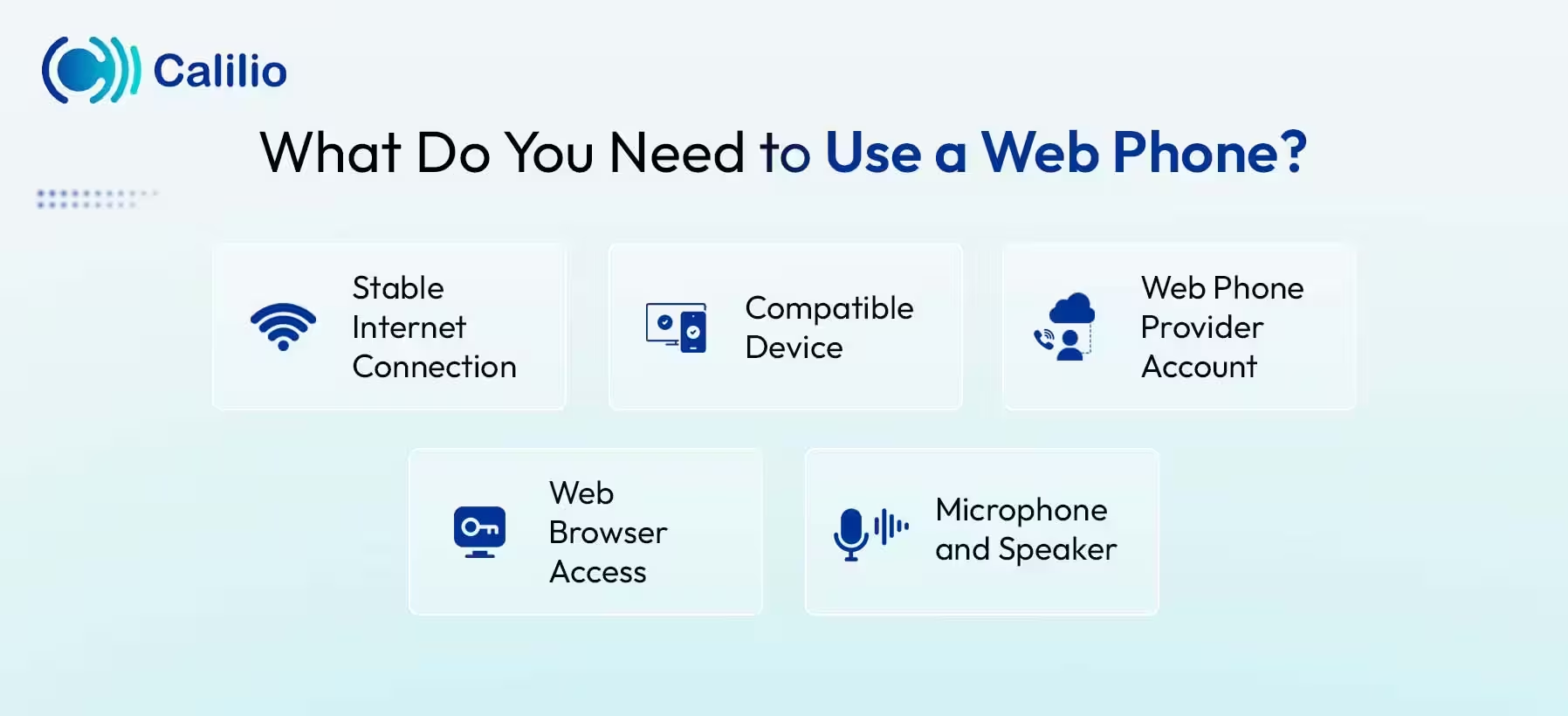
1. Stable Internet Connection
A stable internet connection is essential for using a web phone, as all your calls are transmitted over the internet instead of traditional phone lines. A good quality internet connection ensures clear voice quality and prevents issues like lag, delays, or dropped calls.
2. Compatible Device
A compatible device, such as a laptop, desktop, or smartphone, is required to use a web phone. Since it runs directly in a web browser, no other special hardware or complex installation is needed.
3. Web Phone Provider Account
You need an active account with a web phone or cloud-based VoIP service provider to use the system. It gives you access to the calling interface, business phone numbers, and essential features needed to manage communication on the web.
4. Web Browser Access
A web browser like Chrome, Firefox, or Edge is required to run the web phone system. The browser acts as the platform where you log in, manage calls, and access all communication features without installing additional software.
5. Microphone and Speaker
A working microphone and speaker are required for clear voice communication when using a web phone. The microphone captures your voice during calls, and the speaker lets you hear the other person clearly.
Web Phone vs. Softphone vs. Traditional Desk Phone
Web phones, softphones, and traditional desk phones are different communication tools used for business calling. Web phones work directly in a browser without installation, softphones require software installation on a device, and traditional desk phones use physical hardware connected to a phone line or system.
Below are the differences between web phones, softphones, and traditional desk phones.
Aspect | Web Phone | Softphone | Traditional Desk Phone |
| Definition | Works directly in a web browser using the internet. | Software installed on a device for VoIP calling. | Physical phone connected to a landline or on-premise system. |
| Setup | No installation required, works instantly in the browser. | Requires installation on a computer or mobile device. | Requires physical installation and wiring. |
| Accessibility | Can be accessed from any device with a browser. | Limited to installed devices. | Fixed to a physical location. |
| Cost | Low cost, no hardware needed. | Moderate cost (software + device). | Higher cost due to hardware and maintenance. |
| Use Case | Best for remote teams and quick access. | Best for office and mobile users. | Best for traditional office setups. |
Conclusion
A web phone allows you to make and receive calls directly through a web browser using an internet connection. It eliminates the need for traditional phone lines and physical hardware, making it a flexible solution for businesses of all sizes. It also supports remote work, improves productivity, and offers advanced calling features for better call handling.
However, your calling experience depends on the provider you choose. You need a web phone system that offers high performance, security, and scalability to meet business needs.
Calilio is a reliable option for businesses that want to use a web phone for daily communication. It runs on popular browsers like Chrome, Mozilla Firefox, and other modern web browsers. Although calls run over the internet, Calilio’s strong network technology helps reduce call quality issues and supports clear business conversations across devices.
With Calilio, you can also protect your business data, add users as your team grows, and manage calls without installing complex hardware. You can transfer your existing number or get virtual, local, toll-free, and vanity numbers from over 100 countries to get started.
Summarize this blog with:
Frequently asked questions
Do I need special equipment to use a web phone?
No, you do not need special equipment to use a web phone. It works directly through a web browser on a laptop, desktop, or smartphone with a stable internet connection. A basic microphone and speaker are enough to make and receive calls.
Is a web phone secure for business calls?
Can you keep your phone number with a web phone?
Are web phones suitable for small businesses?

Still have questions?
Can’t find the answer you’re looking for? Please chat with our friendly team.
Stay in the loop
Get the latest call insights, trends, and updates delivered straight to your inbox.
By subscribing, you agree to receive updates from Calilio.
You can unsubscribe anytime.
Enter the World of AI Business Phone System with Calilio
Improve your business operation with Calilio's advanced virtual phone system. Join today for a better way to connect.