What is a SIP phone? How Does It Work?
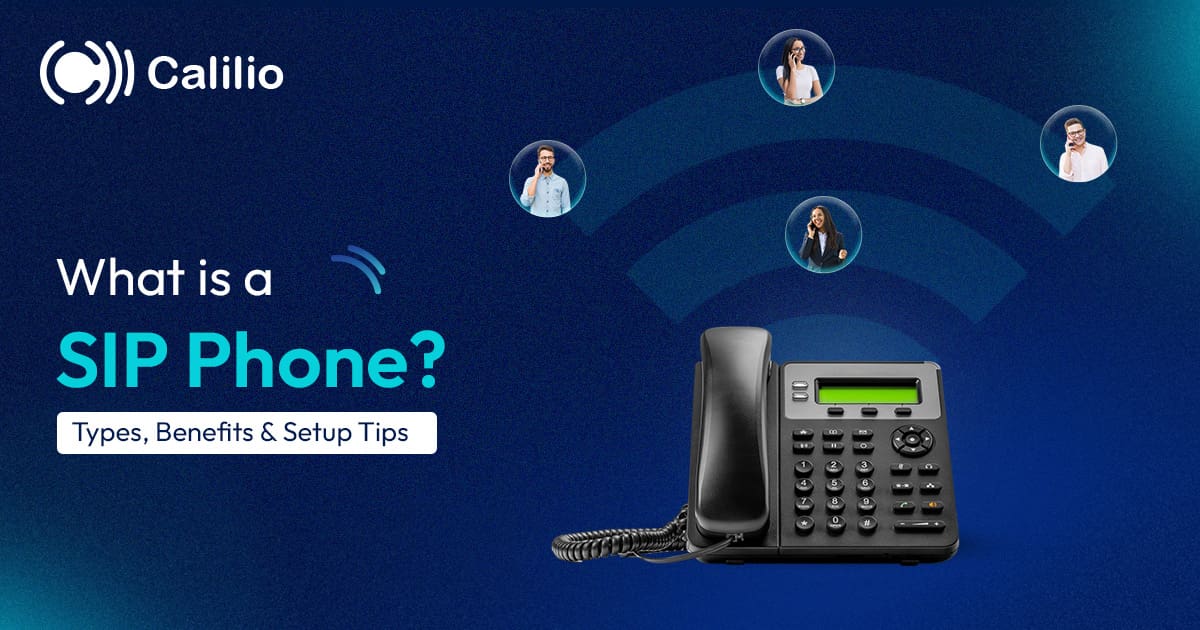

Many businesses still use phone systems that are hard to manage and no longer fit the way teams work today. A traditional phone system can feel limiting, especially when teams work across multiple office locations. Since these systems depend on fixed lines and on-site hardware, it can be harder to transfer calls smoothly, support remote staff, add new users, or manage communication across teams.
Session Initiation Protocol (SIP) phones offer a flexible solution for modern business communication. SIP phones use the internet for calling and help your business manage calls more easily and stay connected across teams and devices in different locations.
In this blog, we’ll explore what SIP phones are in detail, including their types, key benefits, and how they work.
Key Highlights:
A SIP phone is a device that uses the Session Initiation Protocol to make and receive voice calls over the internet instead of traditional landline networks.
SIP phones work by converting voice into digital data and transmitting it over the internet through a SIP server to connect calls between users.
With SIP phones, users can access advanced calling features such as call forwarding, voicemail, conferencing, call transfer, auto attendant and more.
By using SIP phones, businesses can reduce communication costs, support remote and hybrid teams, improve scalability, and provide access to advanced call management features.
Businesses can choose from different types of SIP phones, including physical desk phones and softphones that allow users to make and receive calls from computers, laptops, smartphones, and tablets over the internet.
What is a SIP Phone?
A SIP phone is a phone device or software application that uses the Session Initiation Protocol (SIP) to make and receive calls over the internet, replacing traditional phone lines. It uses Voice over Internet Protocol (VoIP) technology to transmit calls with high-quality audio over the internet and supports reliable communication across networks.
SIP phones are ideal for businesses of all sizes. They help you reduce hardware costs, lower communication expenses, and streamline operations. Additionally, these phones come with additional telephony features such as call forwarding, voicemail-to-email, auto-attendant support, call transfer, and call recording.
How Do SIP Phones Work?
SIP phones work by converting your voice into digital packets and transmitting them over the internet to another SIP device or a regular phone, where the packets are reassembled into clear, real-time audio.
- Device-Network Connection
A SIP phone needs an internet connection to work. You can connect to the network through Wi-Fi or an Ethernet router, enabling internet-based communication. - Registration with the SIP Server
Once connected, the phone signs in to a SIP/VoIP server using its account details. After this step, your phone becomes active and ready to make and receive calls. - Call Request is Sent
When you dial a number, the SIP phone sends a call request to the VoIP provider through the internet to initiate the connection. - Call Routing to the Recipient
The VoIP system routes the call to the correct destination. If the receiver is using another SIP device, such as a SIP desk phone or softphone, the call travels over the internet. If the call is going to a traditional phone number, the call is routed through the Public Switched Telephone Network (PSTN). - Voice Conversion and Transmission
Once the call connects, the SIP phone converts your voice into digital data packets and sends them over the internet in real time using SIP signaling.
At the recipient’s side, the digital packets are reassembled and converted back into clear audio, allowing smooth two-way communication. - Call Termination
When either person hangs up, the system sends a signal to end the session. This disconnects the call securely and clears the network resources being used. After that, your phone is ready for the next call.
What are the Top Features of a SIP Phone?
SIP phones support advanced features such as call forwarding, auto-attendant, music on hold, and call recording. This makes it easier for your teams to manage calls and stay connected from anywhere.
1. Call Forwarding
Incoming calls can be automatically redirected to another number or device. It ensures important calls are never missed, even when staff members are away from their desks.
2. Auto-Attendant
An automated system answers incoming calls and directs callers to the right department, extension, or employee without needing a receptionist. This ensures calls are handled efficiently, reduces wait times, and provides a professional experience for every caller.
3. Call Queuing
Incoming calls are placed in a queue and handled in order, ensuring no customer is left waiting. This feature helps manage high call volumes and improves customer satisfaction.
4. Hold Music
Callers placed on hold can hear music or personalized messages, keeping them engaged during the wait. It helps improve the caller experience and strengthens a professional and trustworthy image for your business.
5. Call Recording
Call recording allows businesses to capture and store phone conversations for review, training, or compliance purposes. This feature helps improve service quality, track important discussions, and maintain accurate records for future reference.
6. Custom Caller ID
You can set a unique caller ID that displays your brand name or number when making calls. This helps your clients immediately recognize the call, enhancing credibility and professional image.
What are the Benefits of SIP Phones for Businesses?
SIP phones help businesses cut communication costs, scale phone lines more easily, and access calling features that are often expensive or unavailable with traditional systems. They also support secure business communication and connect with CRM tools, which help teams manage calls, customer data, and follow-ups in one place.
1. Lower Communication Costs
SIP phones operate over the internet instead of traditional telephone networks, which helps businesses significantly reduce monthly phone bills. It also lowers long-distance and international call charges, making them a cost-effective choice for companies with clients and teams in different locations.
2. Easy Scalability
As your business grows, SIP phones allow you to quickly expand your communication system by adding new users or locations with minimal effort. It lets you scale without investing in additional infrastructure.
3. Advanced Call Features
By using SIP phones, businesses can access advanced features like call forwarding, call recording, voicemail, call routing, and conferencing. It helps your business streamline communication, improve call handling, and enhance overall productivity and customer experience.
4. Secure Communication
SIP phones provide secure communication through encryption protocols, helping protect calls and data from unauthorized access. This ensures confidential business conversations remain private and reduces the risk of data breaches.
5. Easy Integration with Business Tools
You can also integrate SIP phones with your Customer Relationship Management (CRM) and other tools to streamline workflows. It allows teams to access customer details during calls, reduce manual data entry, and manage interactions from a single platform.
What are the Types of SIP Phones?
SIP phones come in two main types: hard phones and softphones.
1. SIP Hard Phones
SIP Hard Phones, also known as hardware SIP phones, desk phones, or speakerphones, are physical devices that connect directly to a network using Ethernet or Power over Ethernet (PoE).
Hard phones are ideal for office environments where employees spend a lot of time on calls and need reliable, consistent performance. These devices provide a traditional phone experience with the advantages of internet-based SIP technology.
2. SIP Softphones
Softphones are software-based SIP phones that run on computers, laptops, or tablets. They don’t require physical devices, allowing users to make and receive calls using a headset or built-in microphone.
Softphones are ideal for remote workers or mobile teams who need flexibility without sacrificing functionality. They allow employees to access business calls from any location, ensuring they stay connected even outside the office.
How to Set Up a SIP Phone?
To set up a SIP phone, first choose a SIP provider and device, get your SIP account details, and connect your device to the internet. Then, enter your SIP details into your phone’s web interface and configure the settings to complete the setup.
1. Choose a SIP Provider and Device
Start by selecting a reliable SIP service provider that fits your needs. Also, choose a compatible SIP device, like a desk phone, softphone, or mobile app that supports SIP. Make sure both the provider and device work well together and meet your usage requirements.
2. Get SIP Account Details
After choosing your SIP provider, obtain the required account details such as SIP username, password, server (SIP domain), and port. These credentials are necessary to register your SIP phone and connect it to the service.
3. Connect the Device to the Network
For desk phones, plug the device into a power source and connect it to your internet via Ethernet or Wi-Fi. If you’re using a mobile or desktop app, simply install the app and ensure your device is connected to the internet.
4. Access the Configuration Settings
For desk phones, enter the device’s IP address into a web browser on your computer to open the configuration interface and make the necessary adjustments. For softphones or mobile apps, simply log in with your account credentials to access and configure the settings.
5. Enter SIP Account Details
Add the SIP username, password, SIP server, and other required information into the device or app settings.
6. How to Set Up a SIP Phone
Save your settings and wait for your device to register with the SIP server. Once connected, make a test call and try other features to ensure the setup is working properly and the audio quality is clear.
What Do You Need to Use a SIP Phone?
To use a SIP phone, you need a stable internet connection, a SIP account, a compatible device, and a router that enables your device to connect to the internet and place calls through a VoIP system.
1. Stable Internet Connection
A reliable and high-speed internet connection is the most important requirement for using a SIP phone. It’s important to ensure clear voice quality, reduce call drops, and prevent delays or echo during conversations.
2. SIP Account
A SIP account is provided by a SIP or VoIP service provider and includes login credentials such as a SIP username, password, and server address. These details allow your device to connect securely to the provider’s network and enable you to make and receive internet-based calls.
3. SIP-compatible Device
You need a device that supports SIP technology, such as a desk phone, a softphone, or a mobile SIP app on a smartphone or tablet. These devices connect to your SIP account and enable internet-based calling.
4. Router or Proper Network Setup
A properly configured router helps maintain strong call performance and stable connectivity. Many organizations set up Quality of Service (QoS) on their routers to prioritize voice traffic over other internet activities like downloads or streaming. It ensures that SIP calls remain clear and uninterrupted even when the network is busy with other tasks.
5. Headset or Microphone (Optional)
A headset or microphone is optional but can significantly improve audio clarity during SIP calls, especially in office environments or customer support roles. Using a headset helps reduce background noise and allows hands-free communication, providing comfort during long or frequent calls.
SIP Phone vs. Traditional Landline
SIP phones and traditional landlines are both used for voice communication, but they work in very different ways.
SIP phones use the Session Initiation Protocol to transmit calls over the Internet, converting voice into digital data. It allows users to make and receive calls from multiple devices, such as desk phones, mobile apps, and computers, with access to advanced features like auto attendant, video calling, and CRM integrations.
On the other hand, traditional landlines rely on the Public Switched Telephone Network (PSTN) and physical copper wires to carry analog voice signals. It is limited to a fixed location and mainly supports basic calling features like voice calls, call waiting and call forwarding.
SIP vs. VoIP
SIP and VoIP are closely related in modern internet-based communication, but they refer to different concepts. VoIP is the overall technology for internet-based calling, enabling voice communication over the internet instead of traditional phone lines. It allows users to make and receive calls using digital data across various devices.
In contrast, SIP is a specific protocol within VoIP that manages how calls are initiated, maintained, and ended between devices. It also supports additional communication methods such as video calls and messaging.
Conclusion
A SIP phone helps you make and receive voice calls over the internet. It replaces traditional telephone lines and works by converting voice signals into digital data and transmitting them through IP networks.
Overall, SIP phones are well-suited for both small businesses and large enterprises due to their cost-effectiveness, scalability, and advanced features such as call forwarding, conferencing, recording, and more. They also integrate easily with modern business tools, helping businesses improve communication, boost productivity, and overcome the limitations of traditional phone systems.



Summarize this blog with:
Frequently Asked Questions
Are SIP phones good for small businesses?
Yes, SIP phones are a great choice for small businesses. It is cost-effective, easy to scale, and offers advanced features like call forwarding, voicemail, and call management so that small businesses can improve communication, manage calls efficiently, and operate flexibly.
Is a SIP phone better than a regular phone?
Can I use a SIP phone at home?
What is a SIP phone used for?

Still have questions?
Can’t find the answer you’re looking for? Please chat with our friendly team.
Stay in the loop
Get the latest call insights, trends, and updates delivered straight to your inbox.
By subscribing, you agree to receive updates from Calilio.
You can unsubscribe anytime.
Enter the World of AI Business Phone System with Calilio
Improve your business operation with Calilio's advanced virtual phone system. Join today for a better way to connect.