
What Is a Blended Call Center and How Does It Work?

At 10 a.m. the support line is flooded. Every agent is on a call, the queue keeps growing, and customers are waiting several minutes to get through. By 2 p.m. the phones go quiet, half the support team sits waiting for the next call, and across the room the sales team still hasn't reached the list of follow-ups it promised to call this week.
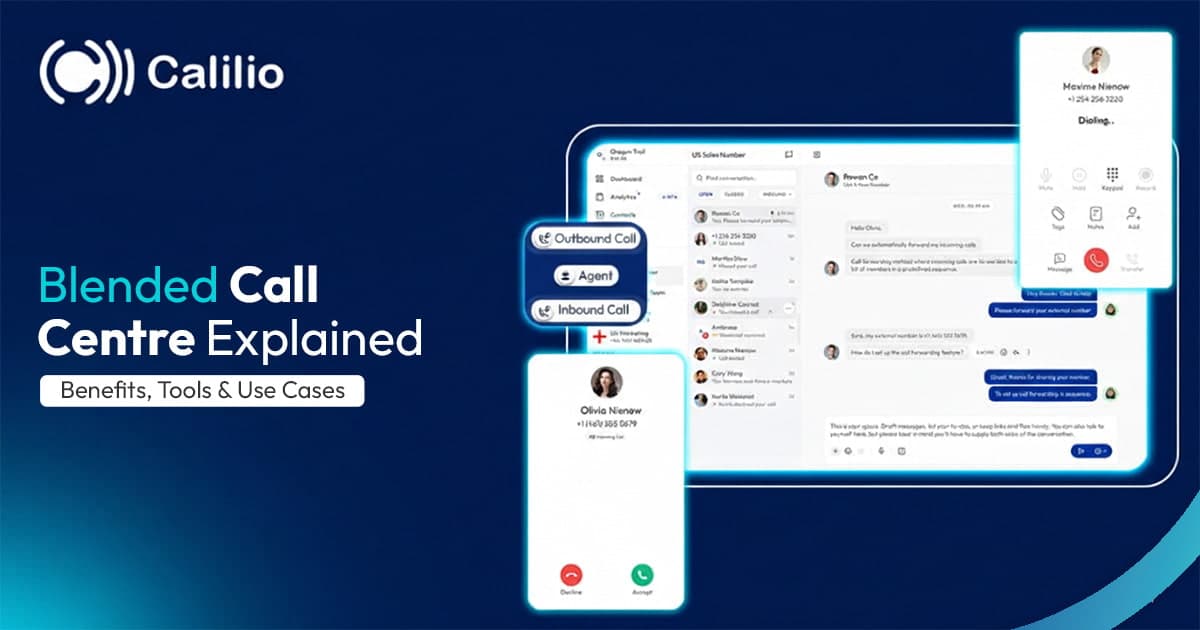
Run inbound and outbound as separate teams, and one is nearly always overloaded while the other is idle. A blended call centre solves that by letting the same agents handle both, with software that moves them between incoming and outgoing calls as demand changes. This guide explains what a blended call centre is, how call blending works, how it compares with inbound and outbound centres, its benefits and challenges, the software and features you need, and how to set one up.
What Is a Blended Call Center?
A blended call centre combines inbound and outbound calling in one operation. Instead of keeping separate support and sales teams on separate systems, agents are shared across both kinds of work, and the platform decides what each agent does next based on what's happening in real time.
Inbound work usually covers customer support, order taking, bookings, account questions, and general enquiries. Outbound work usually covers sales calls, lead follow-ups, renewals, appointment reminders, payment reminders, surveys, and callbacks to customers who couldn't get through earlier. In a blended centre, one agent might answer a billing question, then make three follow-up calls to warm leads, then pick up another incoming call, all in the same app and with the same customer records in front of them.
The idea isn't new. Large call centres have blended inbound and outbound work for decades, but it used to need expensive on-site systems. Cloud call-centre software has made blending practical for much smaller teams, because the queues, dialers, and switching rules all live in one hosted platform.
The same principle applies to contact centres that handle chat, email, and messaging as well as calls. A blended contact centre balances agents across all of those channels, not just phone calls.
How Does Call Blending Work?
Call blending works by watching inbound queues in real time and allocating each available agent to inbound or outbound work according to rules you set. The platform does the switching automatically, so agents don't have to decide what to do next or keep an eye on the queue themselves.
A typical blending set-up works like this:
- Inbound calls take priority: When calls are waiting in a queue, the system routes available agents to those calls first, because a customer waiting on hold is usually the most urgent task.
- Thresholds trigger the switch: When the queue drops below a level you set, such as no calls waiting and at least a set number of agents free, the system releases some agents to outbound work.
- The dialer feeds outbound calls: A power, progressive, or predictive dialer gives each released agent their next outbound call automatically, from a campaign or callback list.
- Agents are pulled back when demand rises: If inbound calls start queuing again, agents who finish an outbound call are routed back to inbound before taking another outbound call.
- Some agents can stay dedicated: Many centres keep a core of agents on inbound only, or outbound only, and blend the rest. This protects service levels while still filling quiet time.
The rules can be as simple or as detailed as you need. You can set service-level targets that decide when agents switch, reserve agents with particular skills for certain queues, give callbacks priority over cold outreach, or blend differently at different times of day.
Blended vs. Inbound vs. Outbound Call Centers
The difference between the three models comes down to how agents' time is used. Here's how they compare.
| # | Inbound call centre | Outbound call centre | Blended call centre |
| Main work | Taking customer calls | Making sales and outreach calls | Both, with the same agents |
| Typical tools | ACD, IVR, queues | Dialers, call lists, campaigns | ACD, IVR, queues, and dialers in one platform |
| Agent idle time | High in quiet periods | Depends on list size and dialer | Lower; quiet periods are filled with outbound work |
| Staffing | Sized for peak inbound demand | Sized for campaign targets | Shared and more flexible |
| Agent skills | Problem-solving, product knowledge | Persuasion, objection handling | Both |
| Best for | Support-heavy businesses | Sales and lead-generation teams | Businesses with fluctuating inbound volume and outbound goals |
Inbound call centres are built to answer customers quickly. Their challenge is that call volumes rise and fall through the day, so they're either short-staffed at peaks or paying for idle time in quiet periods. See inbound call handling for how they work.
Outbound call centres are built to make as many productive calls as possible. Their challenge is that customers who call back may not reach anyone, and outbound agents can't help with support when it gets busy. See outbound call centre software for the tools they use.
Blended call centres combine both, using quiet inbound periods for outbound work. They suit businesses whose inbound volume varies through the day and who also have outbound goals such as follow-ups, renewals, or sales.
Key Features of a Blended Call Center
A blended call centre depends on software that handles both directions well and switches between them smoothly. These are the features to look for.
Automatic call distribution (ACD) ACD routes each inbound call to the right available agent by skill, language, priority, or availability. In a blended centre it also needs to know which agents are on outbound calls and when they'll be free.
Call-blending engine This is the part that monitors queues and switches agents between inbound and outbound automatically, based on your thresholds and service-level targets. Without it, agents have to change their status by hand, which rarely works well at busy times.
IVR menus An interactive voice response menu greets callers, routes them to the right queue, and answers simple questions without an agent, which reduces the load on the team. See IVR.
Outbound dialers Power, progressive, or predictive dialing feeds agents outbound calls the moment they're released from inbound work, so no time is lost dialling by hand.
Call queues and callbacks Queues hold callers fairly during busy periods, and callback options let customers hang up and be called back later. Those callbacks then become outbound calls when agents are free, which suits blending perfectly.
CRM integration The customer's history appears on every call, inbound or outbound, and calls are logged automatically. Agents switching between support and sales need full context to handle both well.
Real-time dashboards Live views of queue length, wait times, agent status, and campaign progress let supervisors see whether the balance is working and adjust it during the day.
Call recording and monitoring Call recording and live monitoring support quality checks and coaching across both kinds of calls.
Workforce management Forecasting and scheduling tools help you plan for inbound peaks and outbound targets at the same time.
Benefits of a Blended Call Center
Blending is mainly about using agent time well. These are the benefits most centres see once it's working.
Higher agent productivity Quiet inbound periods are filled with outbound calls, so agents spend more of each shift talking to customers instead of waiting for the phone to ring.
Shorter wait times at peaks Because agents can be pulled back to inbound queues the moment they build up, there are more people available to answer when customers need them most.
Lower operating costs Running one team on one platform costs less than running two separate teams and systems, and there's less paid idle time.
Faster callbacks and follow-ups Missed calls, callback requests, and follow-ups are handled during quiet periods instead of piling up for days.
A fuller view of the customer Agents who handle both support and sales understand customers better, and they can spot sales opportunities during support calls, or service issues during sales calls.
More varied work for agents Some agents prefer a mix of tasks to a full day of the same kind of call, which can help engagement and reduce boredom.
Flexibility for changing demand Seasonal spikes, campaigns, and unexpected surges are easier to absorb when every agent can switch roles.
Challenges and How to Handle Them
Blending isn't right for every team, and it brings its own problems. Each one has a practical fix.
Agent fatigue from switching Constantly switching between support and sales conversations is mentally tiring, and agents can lose focus. How to handle it Set sensible thresholds so agents aren't bounced back and forth every few minutes, add a short wrap-up time between calls, and schedule proper breaks.
Skill gaps Good support agents aren't always comfortable selling, and strong sales agents aren't always patient troubleshooters. How to handle it Train everyone for both kinds of calls, and use skills-based routing so complex support issues and high-value sales calls go to the right people.
Inbound service levels can suffer If too many agents are released to outbound work, callers end up waiting. How to handle it Protect a minimum number of inbound agents at all times, and set service-level targets that trigger agents to switch back automatically.
Compliance risk on outbound calls Predictive dialing can connect calls when no agent is free, creating abandoned calls. How to handle it In the US, keep abandoned calls within 3% of answered calls per campaign, play a message identifying the seller when no agent is available, and follow calling-hour and Do Not Call rules.
More complex scheduling You're forecasting two kinds of demand at once. How to handle it Use historical call data and workforce tools to plan staffing for both, and review the plan weekly in the early months.
System dependency Everything relies on one platform. How to handle it Choose a provider with a strong uptime record, data centres in more than one region, and mobile apps agents can fall back on.
How to Set Up a Blended Call Center
Setting up a blended call centre is mostly about clear rules and good training. Once the software is configured, it does the switching for you.
Step 1: Set your goals Decide what success looks like on both sides, such as answering 80% of inbound calls within 30 seconds, and making a set number of outbound contacts or booking a target number of meetings each week.
Step 2: Choose the software Pick a platform that handles inbound queues and outbound dialing in one place, with automatic blending and the reporting you need. The section below covers what to look for.
Step 3: Connect your CRM Make sure customer history appears on every call and outcomes are logged automatically, so agents have context whichever direction the call goes.
Step 4: Define routing and blending rules Set inbound priority, the thresholds that release agents to outbound work, the minimum inbound staffing, and any skills-based rules.
Step 5: Prepare outbound campaigns Build call lists, scripts, and dialer settings, and check lists against Do Not Call and consent requirements before you start.
Step 6: Train your agents Cover support and sales skills, how to use the software, and how and why the switching works, so agents understand what to expect.
Step 7: Monitor and adjust Watch the KPIs below closely for the first few weeks, then fine-tune thresholds, staffing, and campaigns based on what the data shows.
Choosing Blended Call Center Software
Most cloud contact-centre platforms now offer some form of call blending, from small-business phone systems with queues and a power dialer to enterprise suites with fully automatic blending across channels. Check these points when comparing them.
Automatic blending Does the platform switch agents between inbound and outbound for you, based on rules, or do agents have to change their status by hand? Automatic blending is far more reliable at busy times.
Dialer types Power or progressive dialing suits most teams, because it never connects a call without an agent ready. Predictive dialing suits high-volume consumer campaigns but needs careful compliance controls.
Inbound tools Look for queues, IVR menus, skills-based routing, and callbacks, so inbound service stays strong while agents also handle outbound work.
CRM and helpdesk integration Agents should see one screen with the customer's full history, whether they're answering a support call or making a sales call.
Real-time reporting Live dashboards for queues, agents, and campaigns let supervisors adjust the balance during the day.
Compliance controls Abandoned-call limits, calling-hour rules by time zone, Do Not Call list handling, and call-recording consent settings.
Cost Small-business phone systems with call-centre tools usually cost about $15–$50 per user per month; enterprise contact-centre platforms with full blending and workforce management cost about $50–$250+ per agent per month.
Platforms commonly used for blended call centres range from SMB tools such as Calilio, Aircall, and CloudTalk to enterprise suites such as Five9, Talkdesk, and Genesys Cloud CX. The best VoIP call centre solutions guide compares leading platforms in more detail.
KPIs to Track in a Blended Call Center
A blended centre has to watch both sides at once, because improving one can quietly harm the other. These metrics show whether the balance is working.
| KPI | What it shows |
| Service level | The share of inbound calls answered within your target time |
| Average speed of answer | How long inbound callers wait before reaching an agent |
| Abandonment rate | How many inbound callers hang up before reaching an agent |
| First-call resolution | How often inbound issues are solved on the first call |
| Average handle time | How long calls take, including after-call work |
| Agent occupancy | The share of logged-in time agents spend on calls or call work |
| Contact and conversion rate | How many outbound calls reach a person, and how many succeed |
| Customer satisfaction (CSAT) | How customers rate their calls |
If service level and abandonment rate get worse while outbound numbers rise, too many agents are being released to outbound work. If occupancy is low and outbound targets are missed, the thresholds may be too cautious.
Best Practices for Running a Blended Call Center
A few habits make the difference between a blended centre that runs smoothly and one that frustrates agents and customers alike.
Train for both roles from day one Make sure every blended agent is comfortable with support and sales conversations, not just one.
Automate routine work Use IVR for simple questions, voicemail drop for outbound calls, and automatic call logging, so agents spend their time on conversations that matter.
Balance workload with live data Review dashboards through the day and adjust thresholds when demand shifts, rather than leaving the rules untouched for months.
Keep outbound work flexible Prioritise callbacks and warm follow-ups for quiet periods, since they're quick to pick up and drop when inbound calls return.
Coach with recordings Review a sample of both inbound and outbound calls each week to spot training needs.
Ask agents for feedback Agents feel the switching first-hand and often know where the rules need adjusting.
Next step
Weigh It Up for Your Business
A blended call centre keeps agents busy and callers waiting less by letting the same team handle calls in both directions. It works best with clear blending rules, agents trained for both kinds of conversations, and software that does the switching automatically.
If you'd like to try Calilio, every plan includes a free US or Canada local number and a monthly bundle of free minutes and SMS.
Frequently Asked Questions
Short answers to the questions people ask most about blended call centres.
What is a blended call center?
A call centre where the same agents handle both inbound and outbound calls from one system, with software that switches them between the two based on demand.
What is call blending?
Call blending is the automatic switching of agents between inbound and outbound calls. Agents take inbound calls first, and the system gives them outbound calls when inbound queues are quiet.
What is blended call center software?
It's contact-centre software that combines inbound tools (queues, IVR, routing) and outbound tools (dialers, call lists) in one platform, with automatic blending between them.
What are the benefits of a blended call center?
Higher agent productivity, shorter wait times at peak periods, lower costs from running one team and one system, and faster callbacks and follow-ups.
What are the disadvantages of a blended call center?
Agents can tire from constant switching, not every agent is equally good at support and sales, and inbound service can suffer if too many agents are moved to outbound work.
Is a blended call center right for small businesses?
Often, yes. Small teams already handle both calls coming in and calls going out, and a phone system with queues and a power dialer lets them do it more efficiently.
What is the difference between a blended call center and an omnichannel contact center?
A blended call centre mixes inbound and outbound calls. An omnichannel contact centre handles several channels, such as calls, chat, email, and messaging. Many modern contact centres are both.
Summarize this blog with:
Stay in the loop
Get the latest call insights, trends, and updates delivered straight to your inbox.
By subscribing, you agree to receive updates from Calilio.
You can unsubscribe anytime.
Enter the World of AI Business Phone System with Calilio
Improve your business operation with Calilio's advanced virtual phone system. Join today for a better way to connect.