
How Much Does an IVR System Cost in 2026?


An Interactive Voice Response (IVR) system acts as the first point of contact for inbound calls. It greets callers, presents menu options, and routes calls based on input, time, or caller intent. For businesses handling daily call traffic, IVR improves call flow and reduces agent workload.
While the benefits are clear, the prices are often not. IVR pricing depends on several factors, such as the subscription model, call volume, routing complexity, and the level of self-service required. In many cases, pricing also includes extra fees that are not upfront, like setup charges, usage-based costs, or add-ons for advanced features. This makes it harder to estimate the total cost.
In this blog, we’ll break down IVR cost, outline common cost structures, and highlight where hidden expenses can appear. This will help you understand what to expect and plan for an IVR system that fits both your communication needs and budget.
Key Highlights:
The total IVR system cost depends on factors such as call volume, number of users, routing complexity, automation level, and system integrations.
IVR systems may follow different pricing models, such as per-user subscriptions, usage-based billing, or tiered plans.
Beyond the base plan, additional charges may apply for setup, call minute overages, AI features, CRM integrations, premium support, and compliance requirements.
How Much Does an IVR System Cost on Average?
The cost of an IVR system usually ranges from a few dollars per month for a basic setup to several thousand dollars for enterprise-level solutions. Setup fees can range from $0 to $1,000+, depending on the provider and configuration. Monthly subscription costs typically start around $15 per user and can go beyond $100+ per user for advanced features and higher call volumes.
The average cost depends on the type of setup: whether you’re using a cloud-based or an on-premise setup. Cloud-based systems are usually more affordable upfront and easier to scale, making them a good fit for small to mid-sized businesses. On-premises solutions, while offering more control and customization, come with higher initial investment and ongoing maintenance.
1. Cloud-Based IVR System
Cloud-based IVR systems are ideal for small to mid-sized businesses that want low upfront costs and quick deployment. Most providers offer subscription-based pricing, typically ranging from $15 to $30 per user/month for standard plans. These often include basic call routing, auto-attendants, voicemail, and menu customization.
For businesses with advanced needs like AI-based routing, CRM (Customer Relationship Management) integration, or detailed analytics, premium plans can go from $100 to $200 per user/month. Some platforms also charge per-minute usage fees, which usually fall between $0.005 and $0.124.
2. On-Premise IVR System
On-premises IVR systems require a much larger investment and are usually preferred by enterprises with in-house IT infrastructure. Hardware costs alone can run between $10,000 and $30,000 or more. Businesses must also budget for system customization, which can involve scripting and integration work that costs anywhere from $5,000 to over $50,000.
Software licensing fees may add another $5,000 or more, either as a one-time cost or on a recurring basis. Additionally, maintenance, upgrades, and technical support are handled internally, adding to the long-term expense and complexity.
What Factors Influence the Total Cost of an IVR System?
The total cost of an IVR system depends on how it’s deployed (cloud or on-premise), how many calls you handle, and which features you need. Costs also increase with added customization integration options, number of users, and telecom charges, especially if you use toll-free or international numbers.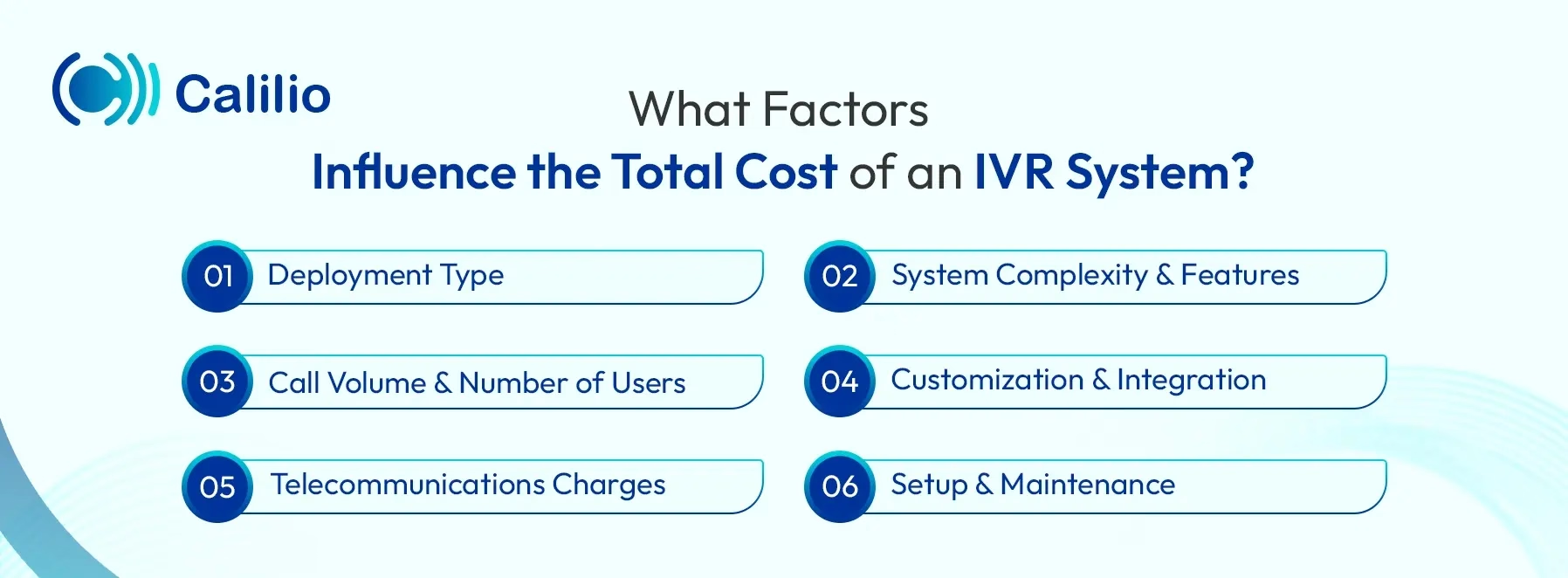
1. Deployment Type
Cloud-based systems mostly offer a lower price, with hosting, updates, and maintenance included in the subscription. On the other hand, on-premise setups require upfront investment in hardware and infrastructure. While they offer more control, they also demand ongoing maintenance and in-house IT support.
2. System Complexity & Features
The more advanced your IVR setup, the more it costs. A simple system with basic call routing and pre-recorded messages is relatively affordable. But as you add features like multi-level menus, voice recognition, AI automation, CRM integration, and analytics, the pricing tier increases. These advanced features require more system resources and custom development, which raises both subscription and setup costs.
3. Call Volume & Number of Users
Higher call traffic and more connected users increase infrastructure and licensing demands. Providers may charge based on the number of calls per month, total minutes used, or the number of users or agents connected to the system. Businesses that need to handle multiple calls simultaneously (concurrent calls) often pay more.
4. Customization & Integration
Custom call flows, unique menu logic, and integrations with CRMs or helpdesk platforms often require additional development work or Application Programming Interface (API) access. While these customizations improve workflow and caller experience, they can add costs during setup and ongoing use, especially if frequent updates are needed.
5. Telecommunications Charges
Ongoing telecom costs depend on how your provider bills: per call, per minute, or via flat-rate plans. And, if you’re using toll-free numbers, the business covers the cost of incoming calls. This can significantly add to your monthly bill.
6. Setup & Maintenance
Most IVR providers charge a one-time setup or implementation fee. This includes initial configuration, onboarding, and testing. After setup, ongoing maintenance may be bundled into a cloud subscription or billed separately for on-premise systems.
What are the Common IVR Pricing Models?
Common IVR pricing models include per-user monthly fees, pay-per-use rates, tiered subscription plans, one-time software licensing, and add-on charges for extra features.
1. Per‑user Pricing (Seat‑based)
Per‑user pricing is one of the most common IVR pricing models. Providers charge a flat monthly or annual rate for each individual. This model is standard in call center software and unified communications platforms, where every agent or team member logs into the system with a dedicated account.
2. Usage‑based Pricing
Usage‑based IVR pricing charges businesses based on actual system usage rather than a fixed monthly fee. Costs are usually calculated per call minute or per interaction handled by the IVR. This model works well for businesses with irregular or seasonal call volumes, as you only pay when the system is active. Since usage varies month to month, billing under this model is less predictable than subscription‑based pricing.
3. Tiered Subscription Plans (Feature-based)
Tiered subscription pricing organizes IVR features into multiple plan levels, such as Basic, Pro, and Enterprise. Each tier includes a predefined set of users, call capacity, and features, with higher tiers unlocking more advanced capabilities.
With most providers, this includes:
- Basic plans: Often come with essential features like single-level menus and business hours routing.
- Pro plans: May add call recording, integrations, and reporting tools.
- Enterprise plans: Unlock advanced options such as AI routing, callback scheduling, and detailed analytics.
4. One‑time Licensing (Ownership‑based Pricing)
One‑time licensing involves purchasing the IVR software upfront and hosting it on internal servers. This model is mainly used in on‑premise environments and requires a higher initial investment.
5. Hybrid or Add‑on‑based Pricing
Some providers offer a hybrid model, where core IVR functionality comes with a base plan, and businesses pay extra for specific tools like AI automation or premium support. This model allows flexibility to start with a basic setup and expand over time. However, costs can increase as more add‑ons are enabled.
Are There Any Hidden Costs Associated with IVR Systems?
Yes, IVR systems often come with hidden costs. These usually include usage overages, forced plan upgrades for essential features, integration and API charges, premium support costs, and compliance-related add‑ons. Together, they can significantly increase the total IVR pricing beyond the advertised cost.
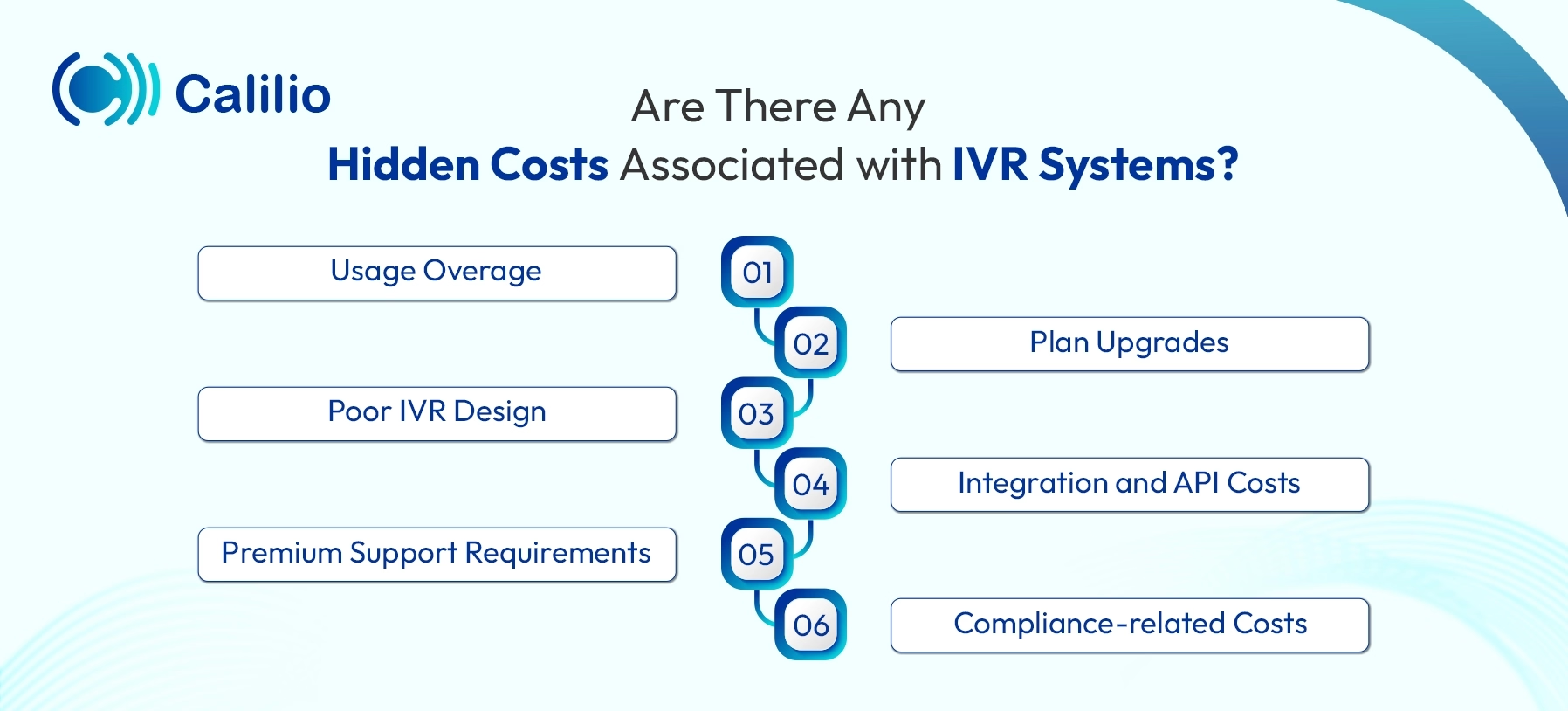
- Usage Overage: Most IVR plans come with limits on call minutes, interactions, or concurrent calls. When usage exceeds those limits, overage fees apply. This can significantly increase the cost during peak seasons or unexpected call spikes.
- Plan Upgrades: Entry-level IVR plans often lack practical features such as multi-level menus, analytics, call recording, or CRM integration. Many providers lock key features behind higher-tier plans, making upgrades necessary for full functionality.
- Poor IVR Design: Complex or poorly structured IVR menus increase call duration and abandonment rates. Longer calls mean higher usage costs, and repeated calls increase overall system load.
- Integration and API Costs: Connecting the IVR to CRMs, helpdesk tools, or internal systems often requires paid API access or technical work. Even when integrations are advertised as “supported,” implementation and maintenance costs are usually not included in base pricing.
- Premium Support Requirements: Standard IVR plans typically offer limited support. For 24/7 assistance, faster response times, or guaranteed uptime, providers may charge extra through premium plans or SLAs (Service Level Agreements).
- Compliance-related Costs: Industries such as healthcare, finance, or government often require IVR systems to comply with regulations like the Health Insurance Portability and Accountability Act (HIPAA), the Telephone Consumer Protection Act (TCPA), and the General Data Protection Regulation (GDPR). Providers may charge extra for compliance-ready features, secure data handling, or audit trails.
Upgrade Your Call Handling with an Affordable, Scalable IVR System
IVR Cost Comparison Across Top VoIP Service Providers
IVR costs vary by provider, pricing model, and features for call handling they offer. Some Voice over Internet Protocol (VoIP) services keep pricing simple with a monthly per-user fee, while others base costs on call usage.
Here are some popular VoIP service providers, along with their IVR pricing, key features, and ideal use cases:
Provider | Pricing Plan | Key IVR Features | Best For |
| Calilio | Starting from $35/user/month |
| Small to mid-size teams wanting a simple yet powerful IVR with low cost |
| CloudTalk | $27 – $69/user/month |
| High-volume support teams needing visual setup and advanced routing |
| 8x8 | Starting from $0.05/min (pay-as-you-go) |
| International businesses needing localization and natural voice prompts |
| Dialpad | $27 – $35/user/month |
| Fast-growing businesses needing AI automation and CRM-connected IVR |
| Global Call Forwarding | $7.95/month + $0.02 to $0.10/minute |
| Remote or global teams managing high call volumes without in-house hardware |
Note: Most modern VoIP providers include the IVR as part of their service plan. The basic IVR is often available in the base plan, while advanced IVR features like multi-level menus, intelligent call routing, or automated callbacks are typically available on higher tiers.
1. Calilio
Calilio offers an IVR system in its premium plan, starting from $35 per user per month. The system helps businesses manage incoming calls, directing each caller to the right team or agent. If the caller doesn’t make a selection, the system plays a follow-up message and can send them to voicemail. This keeps the process moving without leaving anyone stuck on hold or lost in the menu. The system works around the clock with customizable menus that operate 24/7.
Pricing Plans:
- Premium: $35/user/month
- Enterprise: Custom
2. CloudTalk
CloudTalk’s IVR system includes a visual call flow designer that lets businesses build advanced phone menus using a drag-and-drop interface. This makes it easy to create multi-level IVR flows based on department, business hours, or customer needs. It also supports self-service menus, helping to reduce call volume by resolving common issues without involving agents.
Pricing Plans:
- Lite: $27/user/month
- Essential: $39/user/month
- Expert: $69/user/month
3. 8x8
8x8’s IVR system is designed for global businesses that need a localized, professional phone presence. It supports over 60 languages and offers access to more than 100 voice profiles, allowing businesses to tailor greetings and messages for different regions. With advanced text-to-speech and Speech Synthesis Markup Language (SSML), teams can control how prompts sound, adjusting pronunciation, pitch, and tone for a more natural, human-like interaction.
Pricing Plan:
- Pay-as-you-go: Starting from $0.05 per minute
4. Dialpad
Dialpad provides an AI-powered IVR system built for speed, automation, and ease of use. Powered by its proprietary Dialpad AI, the platform allows businesses to create and manage complex call flows directly from a user-friendly dashboard. Within minutes, users can set up multi-level menus and phone trees that handle incoming calls efficiently.
Pricing Plans:
- Standard: $27/user/month
- Pro: $35/user/month
- Enterprise: Contact sales
5. Global Call Forwarding
Global Call Forwarding offers a cloud-based IVR system, giving businesses the flexibility to manage calls from anywhere in the world. The system acts as an auto-attendant that answers calls instantly and directs them based on customized prompts, welcome messages, or department-specific options.
Pricing Plans:
- Basic: $7.95/month
- Value: $23.95/month
- Power: $78.95/month
- Premium: $158.95/month
- Enterprise: $248.95/month
How to Choose the Right IVR System on Your Budget?
Before choosing an IVR system, ensure the pricing model aligns with your actual usage needs. Consider your call volume, number of users, and essential features. Look for a platform that’s easy to set up, scalable, and integrates with your existing tools.
- Understand Call Volume & Team Size: Estimate how many calls come in each day and how many people need access to the system. This helps decide which pricing model is more suitable.
- Check Integration Options: If you rely on CRM or helpdesk tools, make sure the IVR integrates with them.
- Set a Realistic Monthly Budget: Decide how much you can spend per month or per user. Don’t look only at the starting price; check whether key features are included or require paid upgrades.
- Identify Essential IVR Features: Focus on features your business will actually use, such as auto‑attendant, multi‑level menus, voicemail fallback, time‑based routing, and language support. Avoid paying extra for tools that won’t add immediate value.
- Scalability: Pick a system that allows you to add users, phone numbers, or departments without forcing a complete plan change. Flexible scaling keeps costs under control as your business grows.
- Review Support and Reliability: Look at the level of support included in the plan and confirm uptime guarantees. Reliable support and stable performance prevent service interruptions.
- Look for Hidden Fees: Read pricing details carefully to avoid unexpected charges for setup, overages, support, or feature add‑ons.
Conclusion
The cost of an IVR system varies depending on how it’s deployed, how much call traffic it handles, and the features your business needs. Some providers charge per user, others bill based on usage, while many offer tiered plans with different feature sets.
Choosing the right IVR system means looking beyond the base price. Businesses should factor in setup fees, usage charges, integrations, scalability, and potential hidden costs to avoid budget surprises later on.
Calilio offers a smart, feature-rich IVR solution at a transparent and affordable cost. With multi-level menus, voicemail fallback, business-hours routing, and seamless call transfers, Calilio helps businesses manage incoming calls efficiently without unnecessary complexity. Available from its premium plan starting at just $35 per user per month, it provides a cost-effective IVR system with no hidden fees.
Summarize this blog with:
Frequently Asked Questions
Everything you need to know about Calilio. Can't find your answer? .
On-premise IVR systems require upfront investment in hardware, software licenses, and IT resources. Businesses also bear the ongoing maintenance and upgrades, which makes them more expensive than cloud-based options.
Stay in the loop
Get the latest call insights, trends, and updates delivered straight to your inbox.
By subscribing, you agree to receive updates from Calilio.
You can unsubscribe anytime.
Enter the World of AI Business Phone System with Calilio
Improve your business operation with Calilio's advanced virtual phone system. Join today for a better way to connect.