A five-person business and a five-hundred-person business are shopping for completely different things, but almost every phone system comparison is written for the larger one. That is how a small team ends up on a plan with a five-licence minimum, an annual commitment and a feature set built for a contact centre.
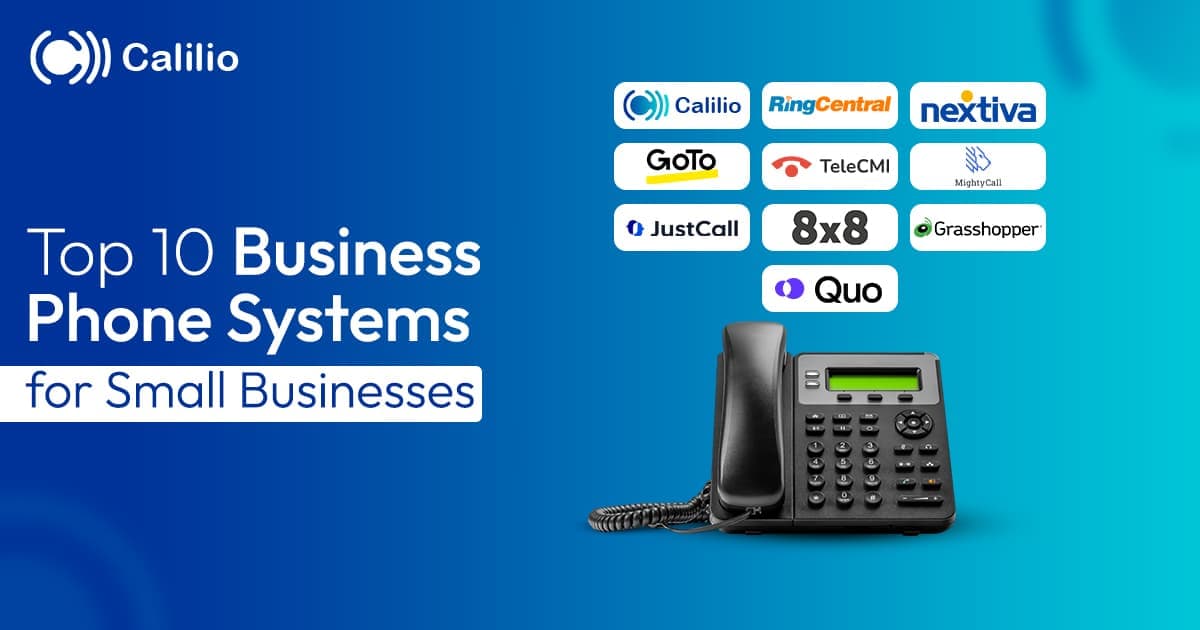
We compared 19 small business phone systems and kept the 8 that genuinely suit a small team — judged on seat minimums, contract terms, what the entry plan includes, and how long setup actually takes.
Quick Answer
Team size and how much you want to grow into decide this more than features. Three shortlists cover almost every small business:
You are one person and want to stop giving out your mobile
Google Voice is the cheapest way to get a second business number that rings your phone. Grasshopper costs more but adds an auto attendant and extensions, so you sound like a company rather than a person.
You are two to five people sharing one main line
Ooma Office has no contract or seat minimum and sets up in an hour. Calilio ($12/user/mo) costs about the same but includes a phone menu, call recording and business hours, so callers reach the right person without anyone acting as a switchboard.
You are six to twenty-five and this is now a real system
Calilio, Zoom Phone and Dialpad all cover it well at $12 to $15 per user. Zoom is cheapest if you mostly take calls rather than make them, and Dialpad adds call transcripts.
You are looking for an established brand and a system that can scale
RingCentral and Nextiva are the established choices and work fine for small teams. However, features such as call recording and integrations require higher-tier plans, so check what is included before comparing prices.
Three levels of phone setup — pick your level first
Most small businesses shop before deciding how much system they actually need, then either overpay for a contact-centre feature set or buy a second number and wonder why calls keep going to the wrong person. Work out which of these three you are, and the shortlist shrinks to two or three options.
1A second number on your own phone
A business number that rings your existing mobile, with voicemail and texting. No menu, no routing, no team features. Google Voice sits here, and for a sole trader who just wants to stop giving out a personal number it is genuinely enough.
One person~$10/month
2A shared business line with a greeting
One main number that answers with a recorded greeting and offers a couple of options, plus extensions so calls reach the right person. Grasshopper and Ooma Office are built for exactly this. Enough for a practice, a shop or a small trade business.
2–5 people~$18–20/month
3An actual phone system
Multi-level menus, business hours, call recording, voicemail, reporting and mobile apps, with each person having their own line inside one workspace. Calilio, Zoom Phone, Dialpad, RingCentral and Nextiva are all here. This is the level most growing businesses need and the one people skip past too slowly.
5–25+ people$12–25/user/month
What is a small business phone system?
A small business phone system gives your business its own numbers, routes incoming calls to the right person, and adds the features an ordinary mobile cannot — a phone menu, voicemail, call recording and shared call history. Almost every option today is hosted, meaning the equipment that routes your calls sits on your provider’s servers rather than in your office. Your team uses it through apps on a laptop or mobile, or through IP desk phones, and you pay a monthly fee per person. Nothing gets installed on site, so there is nothing to maintain, patch or replace when it breaks.
You will see the same thing sold as a cloud phone system, hosted PBX, cloud PBX or hosted VoIP. These are marketing names for one arrangement, not different products. For a small business the practical difference from an old landline setup comes down to four things.
It works anywhere: Your business phone number lives on your account rather than a socket in the wall, so it works on a laptop at home or a mobile in a van, with the same caller ID.
It is a monthly cost, not a purchase: No system to buy, install or depreciate. You pay per person per month and stop paying when someone leaves.
You change it yourself: Adding a person, changing a menu option or updating opening hours is a setting you edit, not an engineer visit you book.
It needs a decent connection: Calls travel over your internet. Bandwidth is rarely the issue at small scale, but a connection that drops regularly will drop calls.
How we compared small business phone systems
We weighted 6 criteria to compare 19 small business phone systems and kept the 8 best. The criteria are deliberately different from an enterprise comparison — for a small business, the terms of the deal matter more than the depth of the feature list.
✓Cost for a genuinely small team: What two, five or ten people actually pay per month — including seat minimums that force you to buy licences for staff you do not have.
✓What the cheapest plan includes: Whether a phone menu, call recording and voicemail are on the entry plan or held back a tier. This is where small businesses most often overpay.
✓How long setup takes: Whether you can be taking calls the same afternoon on your own, or whether it needs onboarding calls and someone technical.
✓Whether it works without a desk: Most small businesses are not sat in one office all day. Mobile apps that use the business number matter more here than in a larger company.
✓Contract flexibility: Whether the advertised price needs an annual commitment, and whether you can leave or shrink without a penalty.
✓Room to grow into: Whether it still fits at twenty-five people or becomes something you replace in two years.
Why you should trust this comparison
Everything here comes from each provider’s own pricing pages and support documentation, checked in August 2026, alongside current G2 and Capterra reviews so we could see where small teams in particular hit problems with billing, seat minimums and support rather than taking marketing claims at face value. No provider paid to be included, ranked higher, or have criticism removed, and this article contains no affiliate links.
Calilio sells a small business phone system, so we compete here. Our own entry lists its limitations in the same detail as everyone else’s, and the verdict names other providers as the better choice where they are. This is desk research, not eight parallel deployments — use it to build a shortlist, then trial your final two.
What small businesses can safely ignore
Vendors sell up. A lot of what appears on comparison charts is real capability that a team under twenty people will never switch on, and paying for it is the most common way small businesses overspend on phone systems.
✕
Skills-based routing
Routing callers to agents by skill tag matters when you have queues of agents. With six people who all know the business, a simple phone menu does the same job.
✕
Workforce management and shift forecasting
Built for scheduling dozens of agents against predicted call volume. At small scale this is a shared calendar.
✕
Predictive dialling
Places several calls at once and connects whoever answers. It needs a pool of agents to work and creates abandoned calls. A power dialler is the right tool for a small outbound team, not a predictive one.
✕
Quality-management scorecards and calibration
Formal evaluation forms and reviewer calibration exist because large centres need consistent scoring across many managers. One manager listening to a few calls is more useful and takes less time.
✕
Omnichannel contact centre suites
Unified voice, chat, email and social queues are a genuine enterprise need. For most small businesses it means paying for six channels to use one.
What is worth paying for: a phone menu so callers reach the right person, business hours so after-hours calls go somewhere sensible, call recording so you have a record of what was agreed, and mobile apps so the business number works away from a desk. Those four cover almost every small-business phone requirement.
The 8 best small business phone systems in 2026
Ordered by value to a small team specifically — what the entry plan includes, whether seat minimums apply, and how quickly you can be taking calls. The team-size column matters more than the feature list — several of these are excellent at three people and wrong at fifteen, or the reverse.
#
System
Best For
Price
Team Size It Suits
1
Calilio
Best overall value — full system on the entry plan
$12/user/mo annual
2–25 people
2
Grasshopper
Solo operators who want to sound established
From ~$14/mo flat
1–3 people
3
Zoom Phone
Teams that take more calls than they make
From ~$8.50–12/user/mo
2–25 people
4
Ooma Office
Small offices that want a phone on the desk
From ~$19.95/user/mo
2–15 people
5
Dialpad
Small teams that want call transcripts
From ~$15/user/mo
3–25 people
6
RingCentral
Growing teams that want a familiar brand
$20/user/mo annual
5–25+ people
7
Nextiva
Small teams across two or more locations
From ~$15/user/mo
5–25+ people
8
Google Voice
Cheapest possible second business number
From ~$10/user/mo
1–5 people
Pricing reflects each provider’s published rates as of August 2026. Numbers, minutes, regulatory and E911 fees are billed on top by most providers — ask for the total monthly invoice for your exact headcount before signing.
No seat minimum, no upsell
Everything a small business needs, on the entry plan
Phone menu, call recording, business hours, voicemail and mobile apps for $12 per user per month. Buy exactly as many licences as you have people.
Best overall value — the features other providers gate behind a mid tier
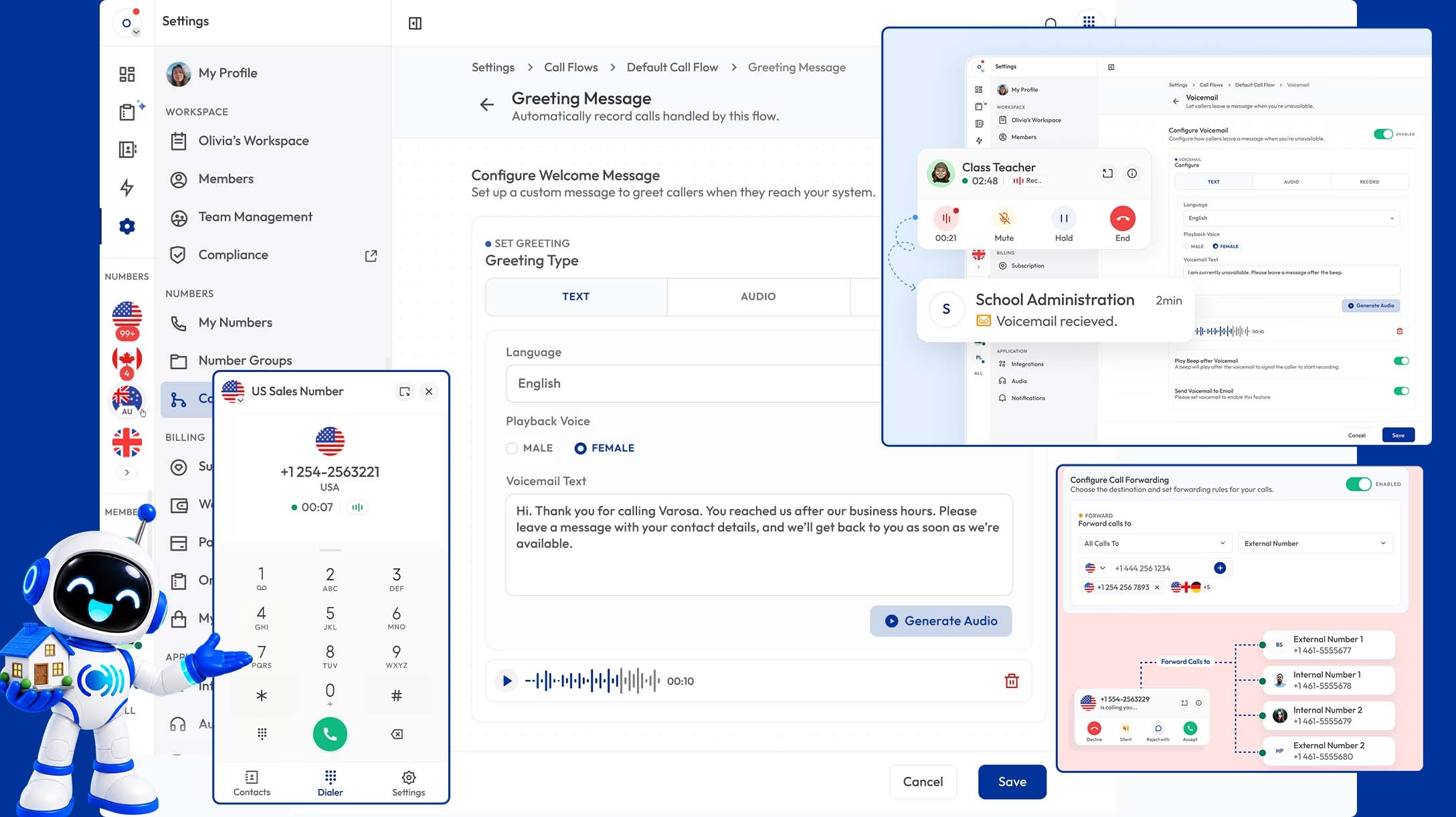
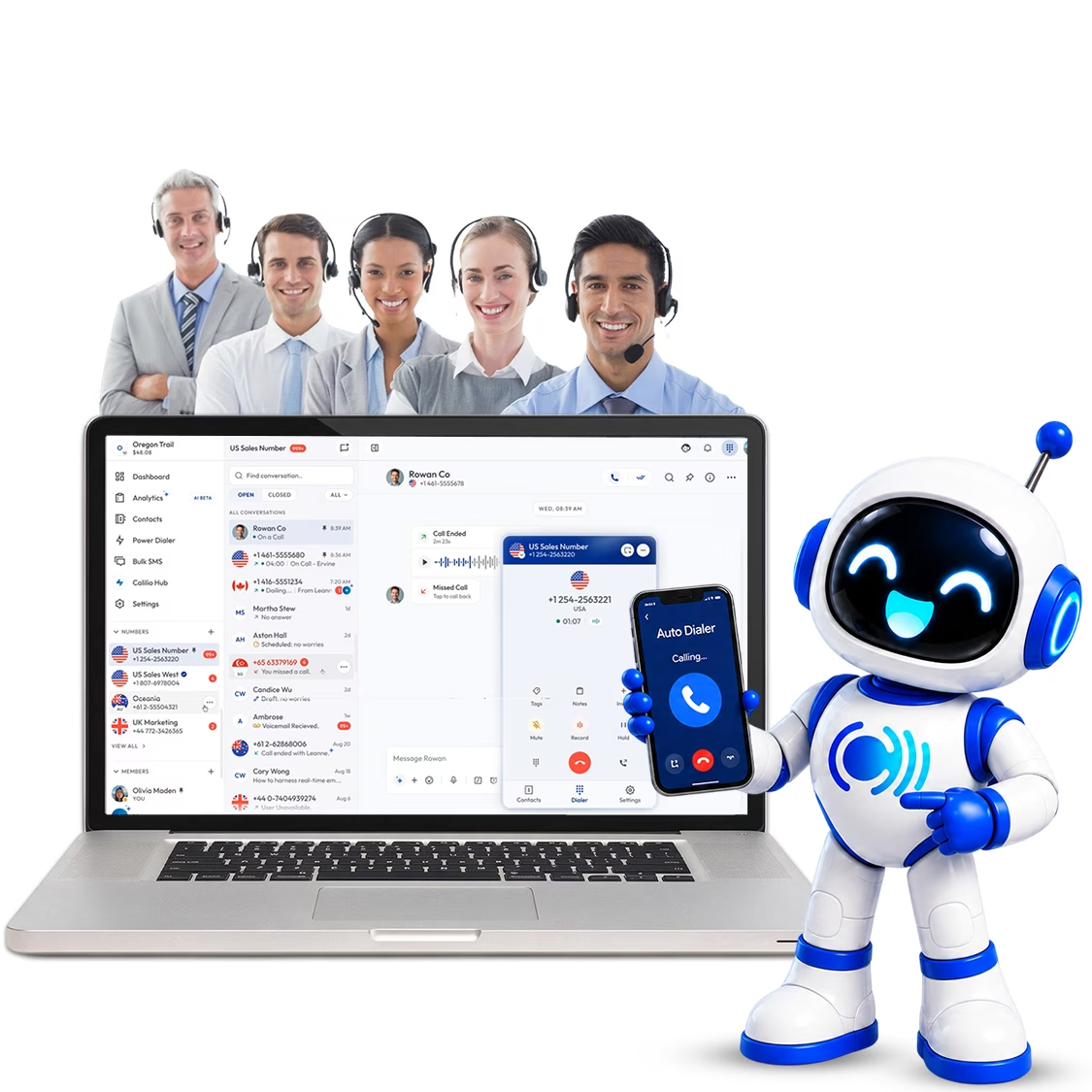
Calilio is a hosted phone system with nothing to install. You buy a number from inside the workspace, then build a call flow that greets callers, presents a phone menu, applies your business hours and routes to a person, a team or voicemail. Every menu option has its own fallback if nobody answers, so a ringing extension never becomes a dead end. Desktop, mobile and tablet apps share one inbox, so a call taken on a phone appears in the same history as one taken at a desk.
For a small business the relevant part is the tier structure. Multi-level phone menus, call recording, business hours, voicemail and call forwarding are all on the $12 per user per month Standard plan, with no seat minimum — that is the exact set RingCentral, Nextiva and CloudTalk each hold back at least partly for higher tiers. Premium at $28 adds outbound campaign tools, live call monitoring and AI call reports if you grow into them, but nothing about the entry plan is deliberately incomplete.
What works
✓Call recording, call forwarding, and voicemail on the $12 plan
✓No seat on premium plan
✓Desktop, mobile and tablet apps with one shared call history
✓1 free US or Canada number included on every plan
✓Numbers available in 100+ countries if you sell abroad
✓Room to grow: outbound campaigns and AI reports on the higher tier
✓Existing numbers can be ported in
What to watch
✕No free tier — the trial is time-limited
✕Smaller integration library than RingCentral or Nextiva
✕No visual drag-and-drop call flow designer
✕Newer name than the established incumbents, so less brand recognition
Pricing:
Standard: $12/user per month when billed annually; supports up to 10 users
Premium: $28/user per month when billed annually; supports unlimited users
1 free US or Canada number on every plan
Verdict:
Best value if you want a complete system rather than an entry plan you must upgrade out of.
The simplest option if you are one to three people
Grasshopper is built for people who want a professional business line without running a phone system at all. You pick a local or toll-free number, calls forward to your existing mobile, and you get an auto attendant, extensions, business texting and voicemail transcription through a simple app. Pricing is flat per account rather than per user, which is unusually friendly at the very smallest end — three people on one plan cost the same as one.
It is intentionally limited beyond that. Call recording is absent or restricted depending on tier, reporting is minimal, and integrations are few. It is a way for a consultant, tradesperson or small practice to sound like a company while calls ring their own phone, and it does that well. A team heading past five or six people will outgrow it quickly.
What works
✓Flat per-account pricing rather than per user
✓No new hardware — forwards to existing mobiles
✓Auto attendant, extensions and business texting included
✓Live within an hour, genuinely no setup skill needed
What to watch
✕Not a full phone system — thin reporting, few integrations
✕Call recording limited or absent depending on tier
✕Outgrown quickly past five or six people
✕US and Canada focused
Pricing:
Starts from $14 per month when billed annually
Higher tiers add more numbers and extensions
Every plan includes at least one business phone number
Verdict:
The right answer for one to three people who want simplicity above all.
3. Zoom Phone
The cheapest way in, with one caveat that matters
Zoom Phone is unusually generous on call routing for the price. Unlimited auto attendants and phone menus are available on every plan including the Metered tier at roughly $10 to $12 per user per month, and voicemail transcription is included at that level too. If your team already uses Zoom for meetings, escalating a call to video is one click and the admin experience will feel familiar.
The Metered plan is the caveat, and it catches people out. Every outbound call is billed pay-as-you-go at around three cents a minute, so a person making more than roughly three hours of outbound calls a month costs more than they would on the Unlimited tier. For an inbound-heavy business — a clinic, a shop, a service desk — it is excellent value. For a team that spends its day dialling out, it is the wrong plan.
What works
✓Unlimited auto attendants and phone menus on every plan
✓Lowest entry price among published-price providers
✓Voicemail transcription included at entry level
✓Familiar if you already use Zoom
What to watch
✕Metered plan bills outbound calls at around $0.03 per minute
✕More expensive than Unlimited past roughly 180 outbound minutes
✕Weaker outbound and sales tooling than dedicated systems
✕Support reviews are mixed for smaller accounts
Pricing:
Pro: $8.50/user/month annually, with metered outbound calling.
Pro Plus: $20.50/user/month annually, includes all features of Pro + Zoom Phone with unlimited US/Canada calling.
Business Plus: $24.50/user/month annually, includes all features of Pro Plus + Zoom Phone with unlimited US/Canada calling.
Verdict:
Excellent for inbound-heavy small businesses; check your outbound minutes first.
4. Ooma Office
Plug-and-play simplicity with no contract to sign
Ooma is aimed squarely at small offices that want something working today. There is no annual contract, no seat minimum, and the setup is deliberately plug-and-play — the hardware option genuinely is a box you connect and a phone you plug into it. A virtual receptionist, extensions, voicemail and a mobile app come as standard, and the admin panel is simple enough that no one needs training.
The trade-off is depth. Analytics are basic, integrations are limited compared with the software-first providers, and call recording sits on higher tiers. Ooma also leans more towards physical handsets than most of this list, which is a plus if you want desk phones in a shop or clinic and a mild disadvantage if you would rather work entirely from apps.
What works
✓No annual contract and no seat minimum
✓Genuinely simple setup, including a hardware option
✓Virtual receptionist and extensions on the base plan
✓Good fit for shops, clinics and offices that want desk phones
What to watch
✕Call recording requires a higher tier
✕Basic analytics and reporting
✕Fewer integrations than software-first competitors
✕Less suited to teams that work entirely from apps
Pricing:
Starts at $19.95/user per month
Higher plans cost $24.95 and $29.95/user per month and include additional features.
No annual contract required; month-to-month billing available
Verdict:
The easiest system here to get running, if you do not need depth.
5. Dialpad
The most AI capability at a small-business price
Dialpad starts around $15 per user per month and includes multi-level phone menus, call queues and ring groups, plus something unusual at that price: live call transcription and real-time analytics on the entry plan. For a small sales or support team, having a searchable written record of every call without paying for a separate tool is a genuine advantage.
It is a leaner platform than RingCentral or Nextiva, with fewer administrative controls and a contact centre product priced separately. For a small business that is mostly irrelevant. The thing to check is which integrations you need, since some sit behind higher tiers, and to confirm the current seat minimum before signing.
What works
✓Live transcription and real-time analytics on the entry plan
✓Multi-level phone menus and call queues from entry
✓Clean, well-regarded admin experience
✓Low seat minimum
What to watch
✕Leaner platform than the bigger incumbents
✕Some integrations require higher tiers
✕Contact centre features priced separately
✕Transcription accuracy drops on poor connections
Pricing:
Starting price: $15/user/month when billed annually for Dialpad Connect Standard.
Pro plan: $25/user/month when billed annually, while Enterprise uses custom pricing.
Contact center priced as a separate product
Verdict:
Best pick if call transcripts would change how you work.
6. RingCentral
The safe choice, provided you budget one tier above entry
RingCentral is the most established name here and the one least likely to raise questions from an accountant or an IT contractor. Every plan includes phone menus and call queues, the integration library is the largest in the category, and AI live transcription appears even on the entry tier, which is generous.
What Core leaves out at $20 per user per month billed annually — or $30 monthly — is the problem for small teams. There is no automatic call recording, no CRM integrations, no analytics dashboards and a cap of 25 SMS per user per month. Most businesses find they need Advanced at $25 annual or $35 monthly, which puts it at roughly double Calilio or Zoom Phone for a comparable feature set.
What works
✓Phone menus and call queues on every plan
✓AI live transcription even on the entry tier
✓Largest integration library in the category
✓Strong brand recognition and established support
What to watch
✕Core has no call recording, CRM integrations or analytics
✕Most teams need Advanced at $25 annual or $35 monthly
✕SMS capped at 25 per user per month on Core
✕Monthly billing is 50% more than the advertised annual price
Pricing:
Core: $20/user/month annually or $30 monthly.
Advanced: $25/user/month annually or $35 monthly, with automatic call recording and advanced analytics.
Ultra: $35/user/month annually or $45 monthly, with device analytics, unlimited storage, and advanced reporting.
Verdict:
Hard to fault on Advanced; poor value on Core.
7. Nextiva
Best for a small team spread across two or more locations
Nextiva handles multi-location routing better than most systems at its price, which matters if you run two shops, a workshop and an office, or a practice with several sites. Phone menu routing and AI voicemail transcription are on the base Core plan, and the platform scales comfortably as locations are added.
Two things to pin down before committing. Multi-level menus with sub-menus require Professional or above, alongside the Salesforce and HubSpot integrations. And Nextiva prices by both tier and team size, with published figures moving around and buyers routinely reporting discounts on multi-year commitments — so treat any advertised per-seat figure as an opening position and get a written quote. Reviewers also flag auto-renewal terms worth reading closely.
What works
✓Genuinely good multi-location support at this price
✓Phone menu routing and AI voicemail transcription on the base plan
✓Scales well as you add sites
✓Established provider with strong support reputation
What to watch
✕Multi-level menus need Professional or above
✕Per-seat price varies by team size and contract length
✕Regulatory and E911 fees add real cost
✕Auto-renewal and porting friction reported in reviews
Pricing:
Starts at $15/user/month when billed annually.
Automation and intelligent routing require higher plans.
Regulatory and E911 fees are billed in addition
Verdict:
Worth it for multi-site small businesses — get the quote in writing.
8. Google Voice
The cheapest way to get a business number, and the least it can do
Google Voice is the minimum viable business line. You get a number, voicemail with transcription, SMS and simple call forwarding, managed inside Google Workspace alongside your email. For a sole trader who currently hands out a personal mobile number, it solves that problem for around ten dollars a month and nothing else needs to change.
It is not really a phone system and does not pretend to be. There is no multi-level phone menu, no call recording on lower tiers, no call queues, minimal reporting and no support for the routing a team of six needs. It also requires Google Workspace, so it only makes sense if you are already there. Useful as a starting point; something you will replace rather than grow into.
What works
✓Cheapest option here for a genuine business number
✓Voicemail transcription and SMS included
✓Managed inside Google Workspace with no separate admin
✓Number works on mobile and desktop immediately
What to watch
✕No multi-level phone menu or call queues
✕Call recording absent on lower tiers
✕Requires a Google Workspace subscription
✕Outgrown by any team that needs calls routed
Pricing:
Starts at $10/user per month.
Auto attendants and ring groups require the Standard plan at $20/user per month.
Premier costs $30/user per month and adds more advanced enterprise capabilities.
Verdict:
Right for one person who just needs a second number.
Setting up in an afternoon
None of this needs an IT contractor. Five steps, and the only one with a waiting period is porting your existing number.
1
Pick your number before anything else
Decide whether you want a local number that signals where you are, or a toll-free number that signals scale. If you already have a number customers know, start the port now — it takes one to four weeks and everything else can happen while you wait.
2
Write down who should answer what
Five minutes on paper. Which calls go to whom, what happens after hours, and who picks up if nobody answers. Almost every badly configured phone system is a skipped version of this step.
3
Build one simple menu, not a clever one
Two or three options, most-requested first, and a way to reach a person. Callers stop remembering options after about four, so resist the urge to map your whole org chart.
4
Set business hours and an after-hours path
Decide where calls go when you are closed — voicemail with a useful message, or an on-call mobile. This is the single change that stops missed calls turning into lost customers.
5
Install the mobile app on day one
The point of a hosted system is that your business number is not tied to a desk. Get it on everyone’s phone before you need it, not after.
The Verdict
Head count decides this more than anything on a feature chart. One person who just wants to stop handing out a personal mobile needs Google Voice or Grasshopper, and buying anything more capable means paying for settings nobody will open. A small office that wants phones on desks and no contract is Ooma Office.
Past about five people it becomes a real system, and the question changes to what the cheapest plan includes. Zoom Phone is the best value if you take more calls than you make, Dialpad earns its extra few dollars if transcripts would change how you work, and RingCentral or Nextiva are the safe brand choices provided you budget the tier above entry. Calilio is the value pick at $12 because the phone menu, recording, business hours and voicemail are all on that plan — with a smaller integration library and no free tier as the honest trade.
A Phone System That Fits a Small Team
Buy exactly as many licences as you have people, port your existing number, and get a phone menu, call recording, business hours and mobile apps included. From $12 per user per month with a 14-day money-back guarantee.
What is the best phone system for a small business?
The deciding factor is usually what the entry plan includes and whether seat minimums apply, not the feature list. Calilio at $12 per user per month includes a phone menu, call recording, business hours and voicemail with no seat minimum. Grasshopper and Ooma Office suit one to three people, Zoom Phone is the cheapest option for inbound-heavy teams, and RingCentral or Nextiva suit growing teams that want an established brand — budgeting one tier above entry in both cases.
What is a small business phone system?
A small business phone system gives your business its own phone numbers, routes incoming calls to the right person, and provides features an ordinary mobile cannot — a phone menu, voicemail, call recording and a shared call history. Almost all are now hosted, meaning the equipment runs on your provider’s servers rather than in your office, so you pay a monthly fee per user with nothing to install on site. You will also see them sold as cloud phone systems, hosted PBX or hosted VoIP; these are the same thing.
How much does a hosted phone system cost for a small business?
Expect roughly $10 to $30 per user per month for a plan that includes what a small business actually needs — a phone menu, voicemail and call recording. Three things raise the real cost: seat minimums that force you to buy more licences than you have staff, annual billing requirements to get the advertised price, and numbers or calling minutes billed separately. Ask for the total monthly invoice for your exact headcount rather than the per-seat figure.
What is the best hosted phone system for a very small team?
For one to three people, Grasshopper and Ooma Office are strongest because Grasshopper charges a flat account fee and Ooma has no seat minimum or contract, and both are running within an hour. If you want a phone menu, call recording and reporting included rather than stripped out, Calilio at $12 per user per month covers more at a similar price and has no seat minimum either.
Do small businesses need desk phones?
No. Every system here works through desktop and mobile apps, so a laptop and a headset is enough to start, and most small businesses now skip handsets entirely. If you want desk phones — useful in a shop, clinic or workshop — many existing SIP handsets from Yealink, Poly and Cisco can be reused, but confirm your exact model with the provider first. Analogue phones from an old landline setup will not work without an adaptor.
Can I keep my existing business phone number?
Yes. Business numbers are portable and every provider here supports porting in. Expect one to four weeks depending on your current carrier. Confirm two things in writing before committing: any porting fee, and that the number will be registered to you as the end user rather than held under the provider’s own account — the second is what makes leaving straightforward later.
How much internet speed do I need?
Roughly 100 kbps up and down per simultaneous call, so five people on calls at once needs about 500 kbps each way — well within any modern business broadband. Speed is rarely the problem; stability is. A connection that streams video fine can still produce poor calls if it drops packets, so test with a trial before moving everyone across.
What happens to my calls in a power cut or internet outage?
On-site handsets and computers stop working, since digital lines carry no power of their own. The advantage of a hosted system is that routing lives with your provider rather than in your building, so you can set calls to fail over to mobile numbers automatically and keep taking them on the mobile apps. Check that failover behaviour during a trial rather than assuming it.
Should I pay monthly or annually?
Annual billing is typically 20 to 33% cheaper, and with RingCentral the gap between $20 annual and $30 monthly is substantial. But if you are unsure the system suits you, or your headcount fluctuates seasonally, paying monthly for the first few months is worth the premium. Providers with no contract requirement — Ooma and Calilio among them — make that easier than those that price annual-only.
Summarize this blog with:
Stay in the loop
Get the latest call insights, trends, and updates delivered straight to your inbox.
By subscribing, you agree to receive updates from Calilio. You can unsubscribe anytime.