
OpenPhone (Quo) vs Google Voice: Which One Is the Best?
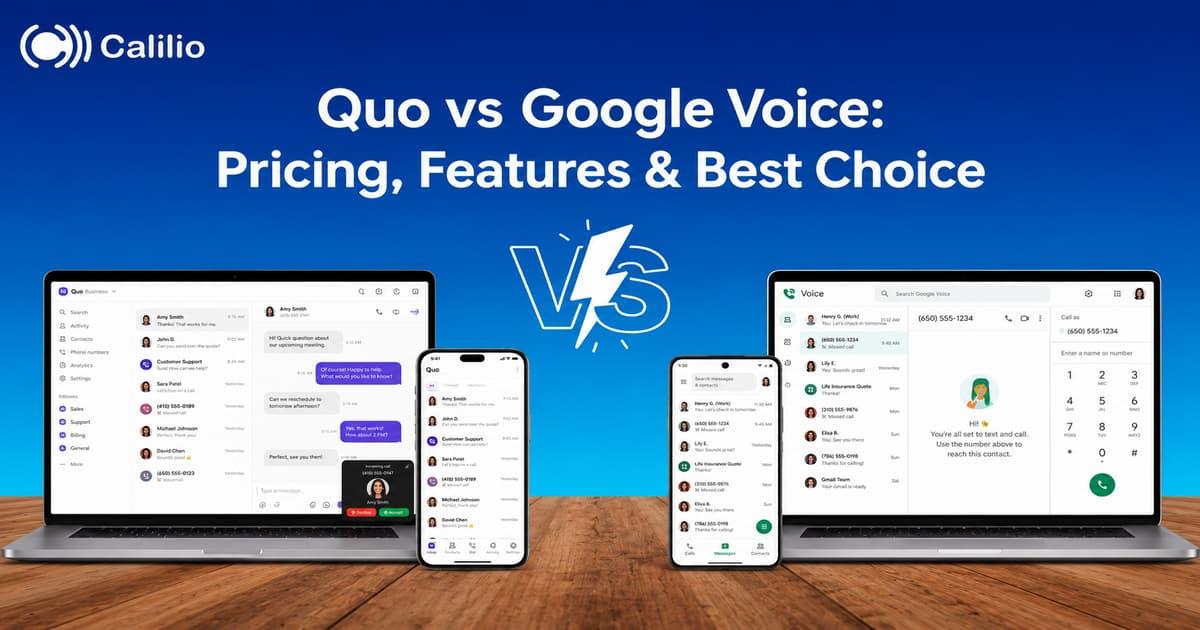

Quo and Google Voice both help businesses manage calls, texts, and voicemail, but they are built for different business communication needs. The right choice depends on whether you need a simple phone number for individual use or a shared workspace where a team can manage customer conversations together.
Google Voice is the better choice when you need a low-cost phone number inside Google Workspace, while Quo is the better choice when your team needs shared numbers, customer texting, AI call summaries, phone menus, and stronger collaboration around calls.
Key Highlights:
Google Voice suits solo users, freelancers, and small Google Workspace teams that need a simple business number with calls, texts, and voicemail.
Quo suits teams that share phone numbers, manage customer texts together, need AI call summaries, and want CRM-connected workflows.
Google Voice offers a cheaper starting price. Quo costs more but gives teams more shared communication structure and AI tools on higher plans.
The better choice comes down to one question: Does your team need a simple business line or a shared customer communication workspace?
Quo vs Google Voice: Quick Comparison
Google Voice wins when your business’s main need is a simple, affordable business number. Quo wins when customers call, and texts need to be shared, tracked, and reviewed by a team.
Business Need | Better Choice | Reason |
| Lowest business plan price | Google Voice | Google Voice business plans are priced at just $10, $20, and $30 per user/month. |
| Shared customer communication | Quo | Quo is built around shared numbers, team inboxes, internal notes, and customer context. |
| Google Workspace fit | Google Voice | Google Voice sits naturally inside the Google Workspace admin and app ecosystem. |
| AI call summaries and transcripts | Quo | Quo Business and Scale include AI call summaries and transcripts. |
| Basic solo business line | Google Voice | Google Voice gives a simple number, call forwarding, texting, and voicemail transcription. |
| Routing for small teams | Quo | Quo Business includes phone menus, custom ring orders, transfers, analytics, and reporting. |
| Lightweight setup | Google Voice | Google Voice is easier when the team needs fewer business calling features. |
| More sales or support context | Quo | Quo keeps calls, texts, contacts, notes, and conversation history in one place. |
What is Quo?
Quo, formerly OpenPhone, is a shared business phone and inbox for teams that manage calls, texts, contacts, and customer history together. It fits small businesses that need more customer context than Google Voice but do not want a heavy enterprise phone system.
Quo is stronger when more than one person handles customer communication. Shared numbers, internal notes, call summaries, phone menus, call transfers, and CRM integrations help teams stay aligned without jumping between phone logs, spreadsheets, and separate messaging tools.
Features
- Calling and messaging to US and Canadian numbers, subject to fair use policy.
- Shared phone numbers for team collaboration.
- Voicemail transcripts.
- Sona AI agent included in plans.
- AI calls summaries and transcripts on Business and Scale plans.
- Phone menus, call transfers, custom ring orders, and group calling on higher plans.
- HubSpot and Salesforce integrations on higher plans.
- Analytics and reporting on Business and Scale plans.
What is Google Voice?
Google Voice is a simple phone solution for Google users who need calls, texts, voicemail, and call forwarding across devices. It works best when your business already runs on Google Workspace and does not need advanced sales or support workflows.
Google Voice is not a full call center platform. Its value is simplicity: one number, basic routing, voicemail transcription, domestic calling, texting, and admin control through Google Workspace.
Features
- Business phone number for calls and texts.
- Call forwarding to connected devices.
- Voicemail transcription.
- Unlimited domestic calling in available markets, subject to Google Voice terms.
- Unlimited US texting.
- Auto attendants and ring groups on Standard and Premier plans.
- On-demand call recording on Standard and Premier plans.
- Advanced reporting with BigQuery on Premier.
- Google Workspace admin control and support access.
OpenPhone (Quo) vs Google Voice Pricing
Google Voice is cheaper at the entry level, while Quo costs more with added team-based communication features.
Provider | Pricing | What the Price Means |
| Quo |
| Starter covers core calling and messaging. Business adds AI call summaries, group calling, custom ring orders, call transfers, phone menus, CRM integrations, analytics, and reporting. Scale adds advanced admin controls, priority support, higher team management flexibility, and stronger setup options for growing teams with more complex calling workflows. |
| Google Voice |
| A starter is best for simple phone use. Standard adds unlimited users, auto attendants, ring groups, call queues, on-demand recording, eDiscovery, and SIP Link. Premier adds international billing locations, automatic call recording, and BigQuery reporting. |
Quo vs Google Voice: Feature Depth
Google Voice gives businesses a clean phone line inside Google Workspace. Quo gives teams a shared communication workspace where calls, texts, contacts, notes, and follow-ups stay connected.
Feature Area | Quo | Google Voice |
| Business number | One new or ported local or toll-free number per user. | One phone number for all devices on business plans. |
| Calling and texting | Calling and messaging to US and Canadian numbers, subject to fair use policy. | Unlimited domestic calling and US texting in available markets, subject to Google Voice terms. |
| Shared inbox | Strong team inbox and shared number experience. | Not built as a shared customer inbox. |
| Voicemail transcription | Available across all plans. | Available across business plans. |
| Call recording | Manual recording on Starter; automatic recording on Business and Scale. | Easy call recording on Starter; on-demand recording on Standard; automatic recording on Premier. |
| Routing | Business and Scale support phone menus, call transfers, custom ring orders, and group calling. | Standard and Premier support auto attendants, ring groups, and call queues. |
| AI | Sona AI agent on basic plans; AI summaries and transcripts on higher plans. | Voicemail transcription and Google Workspace ecosystem benefits, but fewer phone-specific AI workflow tools. |
| Integrations | Email, Slack, Zapier, Make, Google Contacts, Webhooks, HubSpot, and Salesforce. | Google Workspace integration is the main ecosystem advantage. |
Call Handling and Routing
Google Voice handles basic business routing well, while Quo gives small teams more call control through phone menus, custom ring orders, group calling, and shared numbers.
Google Voice is a good fit when the team needs calls to reach the right person without building a complex call workflow. Quo is a better fit when several teammates answer the same number and need visibility into who replied, what happened, and what the customer needs next.
Want a Phone System Built for Team Calls?
Calilio helps growing teams manage calls, SMS, routing, voicemail, recordings, and AI call reports from one simple cloud phone system.
AI and Call Review
Quo has stronger phone-specific AI capabilities than Google Voice. Quo’s Sona AI can help answer calls, while AI call summaries and transcripts help teams review conversations faster on Business and Scale plans.
Google Voice handles voicemail transcription well, but it is not built around AI call coaching, customer sentiment, or post-call workflow review.
Integrations and Daily Workflow
Google Voice is strongest when the business already uses Google Workspace. Admins can manage Voice from Google’s ecosystem, and users can keep calls and texts close to the tools they already use daily.
Quo is stronger when a team wants phone activity to connect with sales, support, and customer workflows. HubSpot, Salesforce, Slack, Zapier, Make, Google Contacts, and Webhook integrations give Quo more room for small teams that want customer conversations connected to follow-up work.
Reviews and Ratings
Quo performs better on G2, where reviewers often focus on team workflows, shared numbers, messaging, and modern business calling.
Google Voice has the stronger Capterra rating, which reflects its simple setup, lower cost, and easy fit for Google Workspace users.
Software | Ratings | What to Remember |
| Quo |
| Users often value Quo for shared numbers, messaging, team collaboration, and modern phone workflows. |
| Google Voice |
| Users often value Google Voice for simplicity, affordability, and Google Workspace fit. |
Who Should Choose Quo or Google Voice?
The right choice depends on how your team handles customer conversations every day. Google Voice is stronger when simplicity and cost matter most. Quo is stronger when calls and texts need to be shared, tracked, and connected to customer context.
Choose Google Voice If
- You already use Google Workspace and want phone service inside that ecosystem.
- Your team mainly needs calls, texts, voicemail transcription, and basic call forwarding.
- You want the lowest entry price at $10/user/month for simple business calling.
- You do not need a shared customer inbox, CRM integrations, or AI call summaries.
Choose Quo If
- Your team shares business phone numbers across sales, support, or operations.
- You want calls, texts, contacts, and internal notes visible to the whole team in one place.
- You need AI call summaries and transcripts.
- You want phone menus, custom ring orders, call transfers, group calling, analytics, and CRM integrations with HubSpot or Salesforce.
- Your business handles high customer volume, and a basic phone line creates gaps in follow-up and visibility.
Conclusion
Google Voice is the better choice for simple, low-cost business calling inside Google Workspace. Quo is the better choice for teams that need shared numbers, customer texting, AI summaries, phone menus, call transfers, analytics, and CRM-connected communication.
If your team wants the simplicity of Google Voice but needs stronger business call handling than a basic phone line, Calilio provides a suitable alternative. Calilio offers an affordable cloud phone system with virtual phone numbers, SMS, voicemail, call recording, routing, and AI-powered call insights without forcing a heavy enterprise setup.
Sign up for Calilio!!
Summarize this blog with:
Frequently asked questions
Is OpenPhone the same as Quo?
Yes. OpenPhone is now Quo. The company rebranded from OpenPhone to Quo on September 23, 2025.
Is Google Voice cheaper than Quo?
Is Quo better than Google Voice for teams?
Does Google Voice work for small businesses?
Does Quo have better AI features than Google Voice?
Which is better for Google Workspace users, Quo or Google Voice?
What is a good alternative to OpenPhone and Google Voice?

Still have questions?
Can’t find the answer you’re looking for? Please chat with our friendly team.
Stay in the loop
Get the latest call insights, trends, and updates delivered straight to your inbox.
By subscribing, you agree to receive updates from Calilio.
You can unsubscribe anytime.
Enter the World of AI Business Phone System with Calilio
Improve your business operation with Calilio's advanced virtual phone system. Join today for a better way to connect.