
 Rated 4.6 out of 5 with 125+ reviews
Auto Dialer Software for Faster Sales Calling
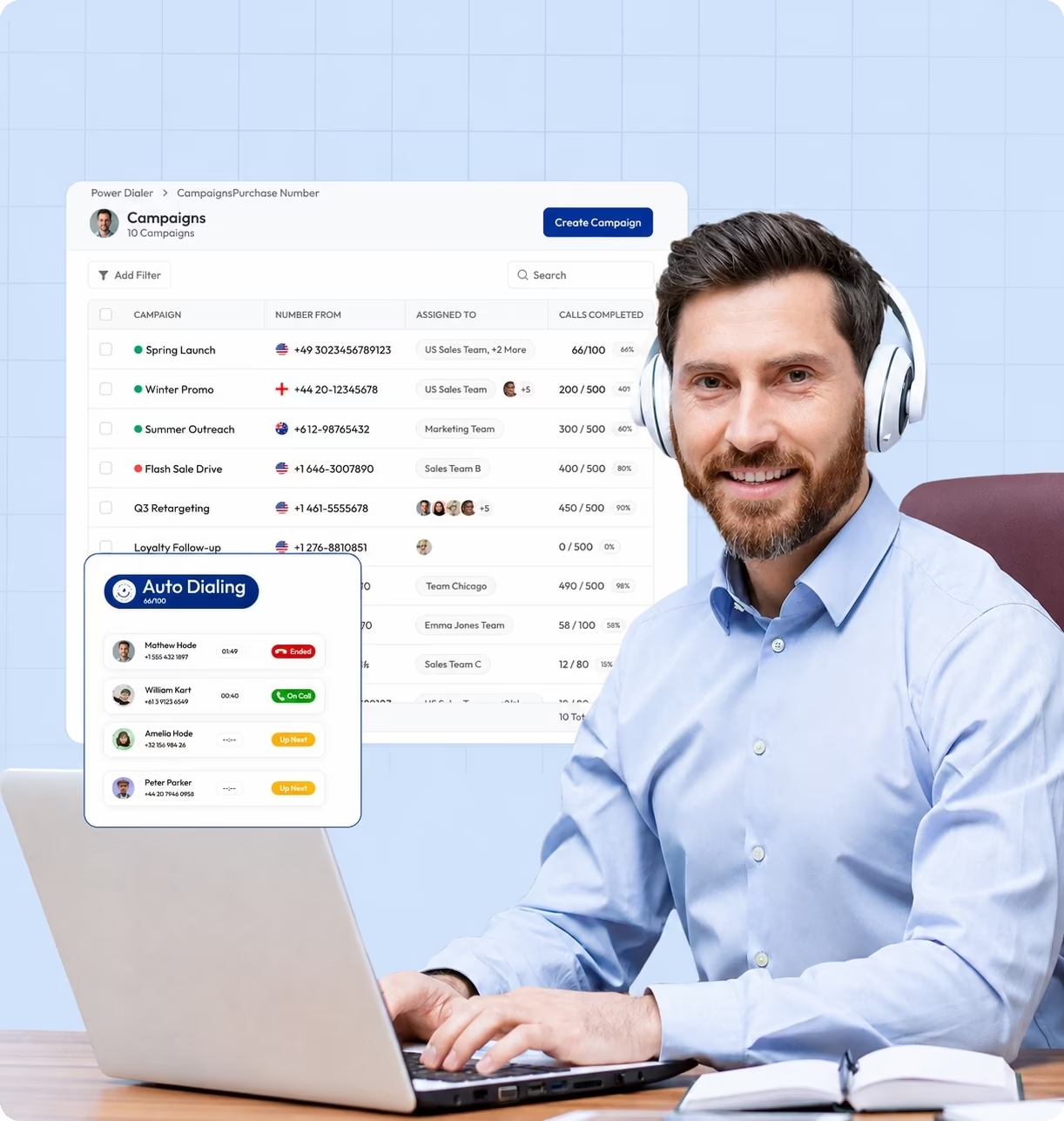
Replace manual dialing with Calilio’s cloud-based auto dialer software. Import contact lists and call prospects automatically, one after another — with preview time, live call transcription and call dispositions.
- Import contact lists and create campaigns for specific teams, numbers, and dispositions.
- Automatically dial contacts one after another with Power Dialer — no manual dialing.
- Give agents preview time before calls and post-call time for notes and dispositions.
- Get multilingual live call transcription and follow-up suggestions for conversations.
Telephony Partner of 1000+ Businesses Worldwide






What Is Auto Dialer Software?
Auto dialer software automatically dials phone numbers from a contact list, so sales, marketing, fundraising, collections, and customer success teams can make a high volume of outgoing calls in an organized way.
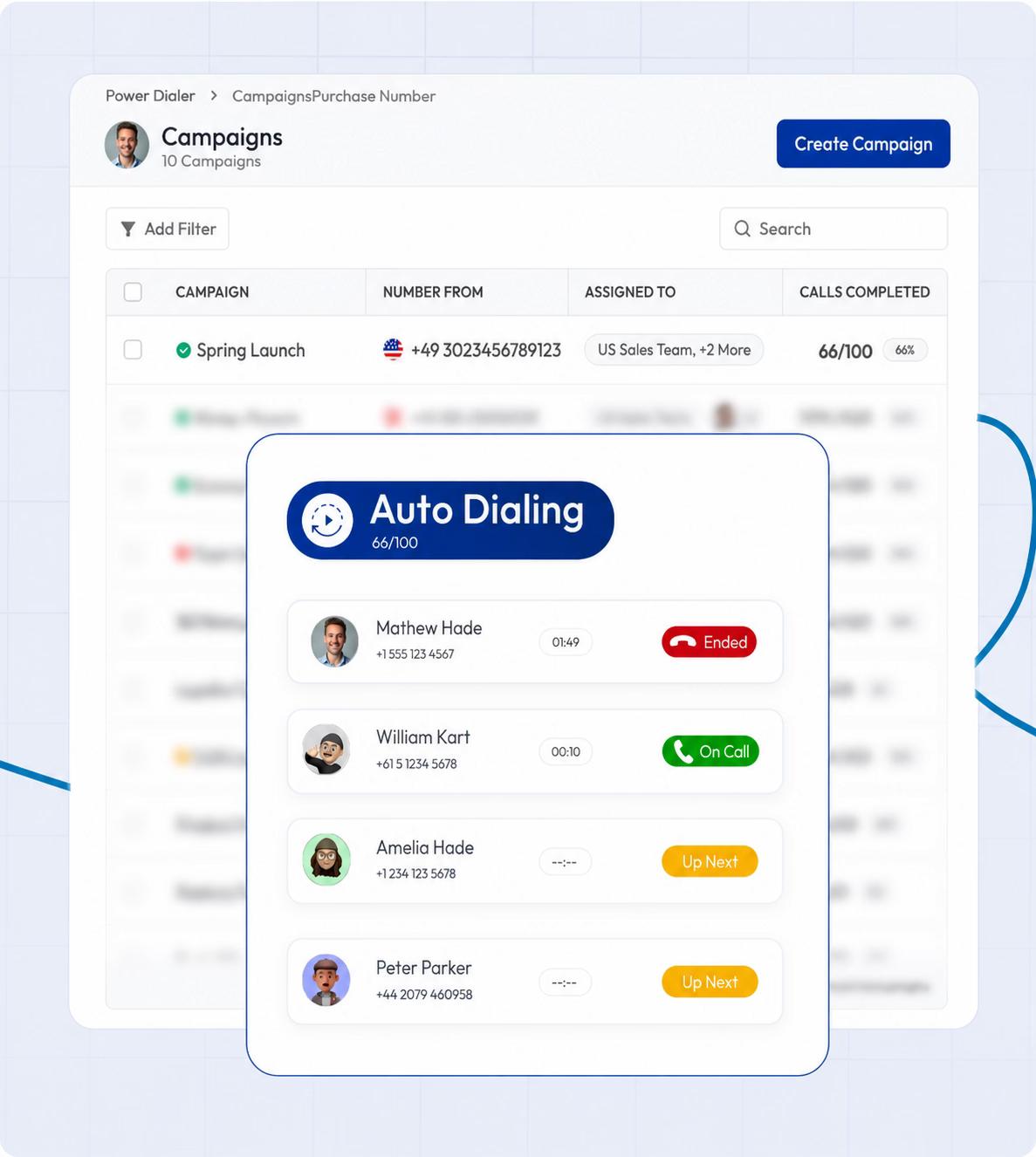
Calilio replaces manual dialing with a power dialer that calls contacts from an uploaded list automatically, one after another. Agents can review contact details before each call and label the outcome after the conversation.
0K+
Outbound Calls Made
0K+
Contact Lists Uploaded
0K+
Outbound Campaigns Created
0K+
Call Dispositions Logged
How Does Calilio Help Teams Make More Outgoing Calls?
Outbound teams need to call more prospects without losing track of conversations, outcomes, or follow-ups. Calilio brings auto dialing, call records, agent tools, monitoring, and AI reports into one cloud-based phone system.
Outbound Challenge
Agents dial every number manually.
Reps forget what happened after each call.
Follow-ups lack context.
Customers ignore unknown numbers.
Managers cannot see campaign progress.
Reviewing recordings takes too long.
How Calilio Helps
Power Dialer calls contacts from an imported list one after another, reducing repetitive manual dialing.
Call disposition lets agents label outcomes such as interested, follow-up needed, not interested, or demo booked.
Notes, tags, call history, recordings, and conversation threads keep details attached to each contact.
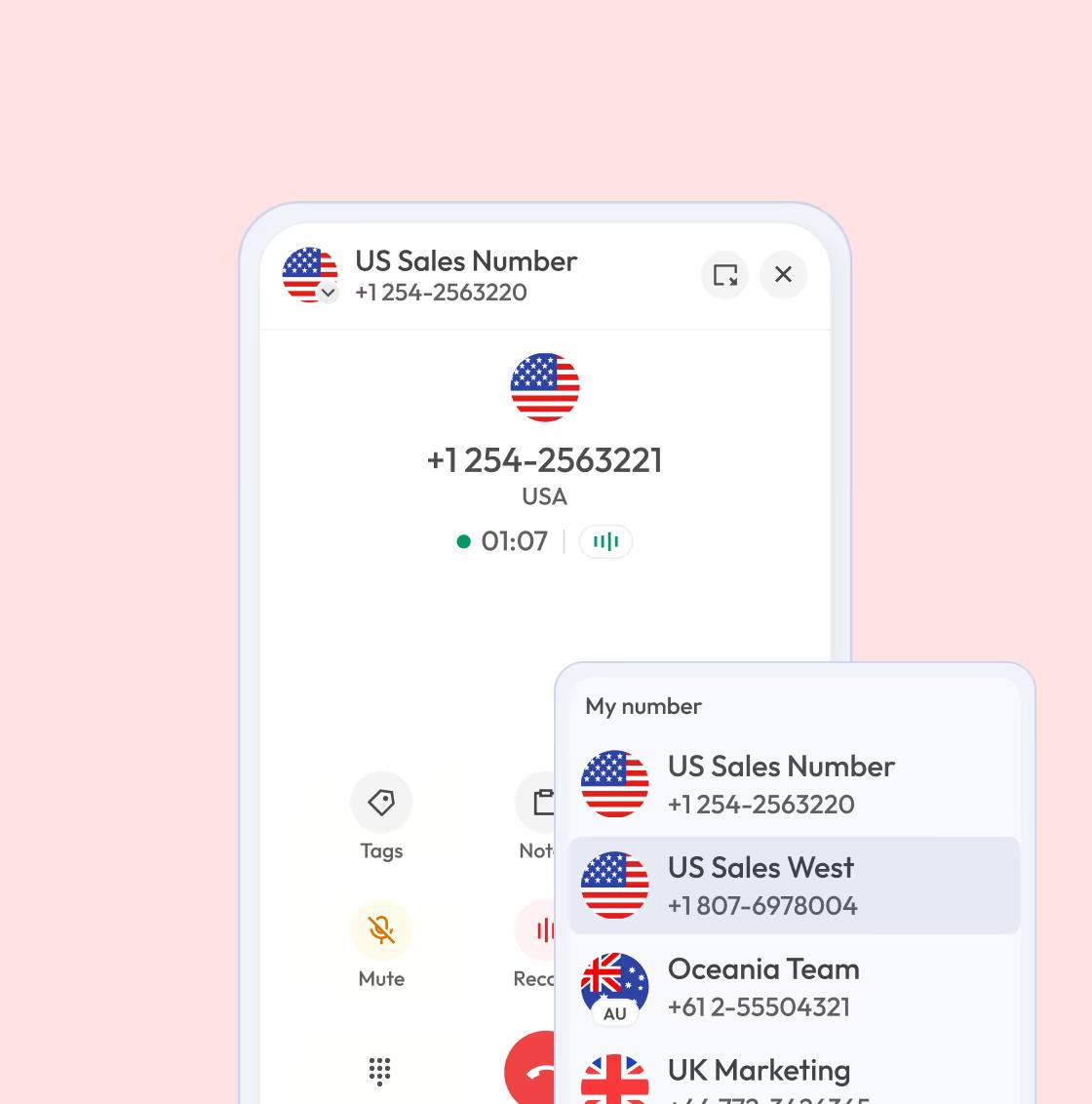
Custom caller ID and virtual numbers help teams use a recognizable number for each market or campaign.
Analytics and session activity show call volume, outcomes, activity, and performance trends.
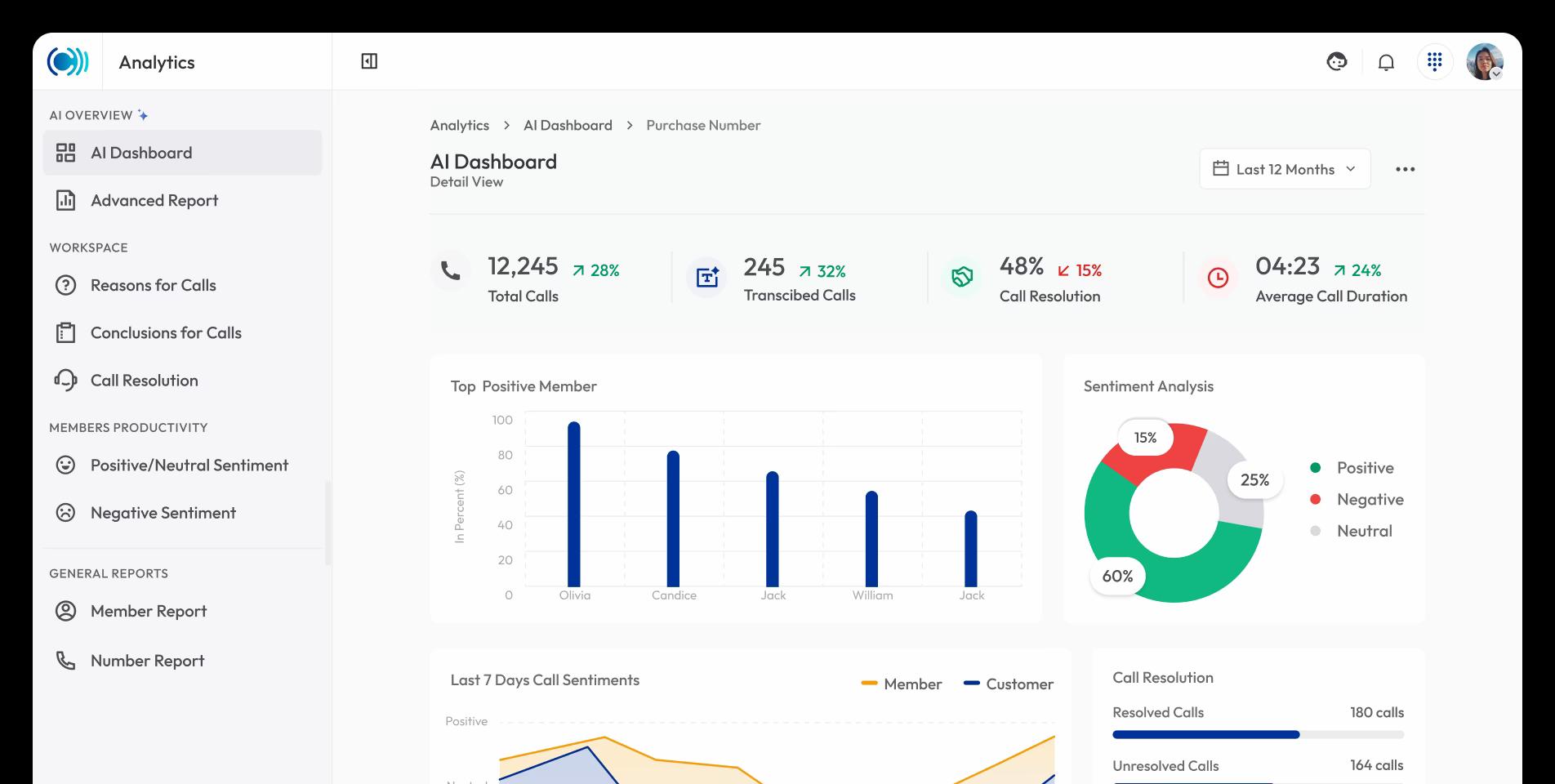
AI call reports summarize calls, transcribe conversations, read sentiment, and show conclusions.
calilio setup process
How Do You Set up an Auto Dialer on Calilio?
Create your workspace, choose a business number, add agents, upload contacts, and configure your campaign before your team starts calling.
Sign up for Calilio and buy a phone number or port your existing one.
Add agents and managers and assign them roles for calling.
Import leads or customers from a CSV file for outbound calling.
Choose the list, caller ID, dispositions, preview time, and post-call time.
Agents start calling contacts automatically — no manual dialing needed.
Features
Auto Dialer Features That Keep Campaigns Moving
Our auto dialer software gives outbound teams tools to prepare campaigns, place calls, record results, improve follow-up, and review performance.
Automatically call contacts from an imported list one at a time. It reduces manual dialing and keeps agents moving through the campaign.
Learn MoreAI Call Reports for Better Follow-Ups
use cases
Auto Dialer Software Use Cases
Using Calilio for auto dialing reduces dialing time, keeps call activities organized, and gives agents more time for meaningful conversations.

Sales Teams
Move through prospect lists faster and spend more time speaking with potential customers. Organize your call with call dispositions, notes, and tags.

Remote Teams
Run outbound calling campaigns from any location, from any device, with shared call records, notes, and campaign data aligned for your remote team.

Marketing Teams
Let you marketing teams create outbound campaigns, event promotions, surveys, and lead qualification and automate the dialings with power dialer.
Explore Industries
Auto Dialer Solutions for Teams Across Industries
Calilio supports teams that need to contact prospects, customers, members, applicants, or account holders proactively.
Get Started


Connect Outbound Calls with Your Sales Workflow
Outbound calling works better when call history and follow-up work stay connected to the tools your team already uses. Calilio supports CRM and automation workflows through integrations such as Pipedrive and Pabbly Connect.
Pipedrive
CRM
Pabbly Connect
Automation

LeadHeed
CRM
Request Integration
Real Teams. Real Wins.
Customers across the globe use Calilio to manage business calls every day. Their stories show how our cloud-based phone solutions have improved their business telephony.






Frequently asked questions
Does Calilio have auto dialer software?
Calilio provides a Power Dialer for outbound teams. It lets agents call contacts from imported lists, run campaigns, and record outcomes with call dispositions.
How do call dispositions help sales teams?
Which Calilio plan includes Power Dialer?
Can managers review auto dialer campaign performance?
Is auto dialing legal?
Can agents work remotely with Calilio’s auto dialer?

Still have questions?
Can’t find the answer you’re looking for? Please chat with our friendly team.