
How to Sign Up for a Likee Account without Your Phone Number?

With over 1 billion downloads and a constant stream of viral challenges, Likee has become a global hub for short-form video content. From creative filters to engaging live streams, it attracts users from all over the world.
However, during sign-up, many users hesitate to share their personal phone number due to privacy concerns, spam risks, or simply because they do not have an active SIM card available. Plus, sharing your personal number can expose you to unwanted messages, data misuse, or unnecessary account linking.
Thankfully, there are safer ways to access Likee without giving away sensitive contact information. So, let’s learn how to create a Likee account without using your primary phone number.
Key Highlights:
You can create a Likee account without a phone number using a social media account or an email address, but each method limits privacy, availability, or feature access.
Using a virtual number is the most practical option as it keeps your personal number private while still allowing full access to Likee features.
A virtual number improves privacy, supports multiple accounts, and offers better control compared to temporary or shared number options.
You can get a virtual number from Calilio in a few steps and use it to receive the OTP through the dashboard to complete your Likee account setup.
How to Create a Likee Account without a Phone Number?
To create a Likee account without using a phone number, you can register by linking an existing social media profile, such as Facebook or VK (VKontakte), which bypasses the need for a phone number during setup. However, this method links your activity directly to your social profile, which may limit your anonymity and privacy on the platform.
Alternatively, the app also allows you to sign up directly using a valid email address, where you simply verify your account through a confirmation link sent to your inbox. But, this method is available in supported regions only. Plus, this process often lacks the security and recovery options as compared to accounts verified through phone number.
Moreover, you can simply access the content of the app as a guest, where you can skip the sign-up process. On the other hand, you won’t have access to the full features of the app, like saving or liking a post.
What is the Best Way to Create a Likee Account without Using Your Personal Number?
The best method to sign up for Likee is to use a virtual phone number while keeping your personal number private. It works just like a regular number for receiving verification codes, and you won’t have to share your real contact details. This option gives you full access to Likee features while maintaining better control over your privacy.
You can also use temporary virtual numbers from Burner or Hushed for quick verification. These are short-term numbers mainly used to receive OTPs during signup. However, they may be shared or reused, which can sometimes lead to verification issues or limited account reliability.
Disclaimer: The delivery of OTP codes is managed by Venmo, not Calilio. Receiving the verification code depends on the application you are signing up for. Some service providers may not send OTPs to VoIP numbers.
Why Using a Virtual Number is the Best Way to Sign Up with Likee?
Using a virtual number is the best way to sign up on Likee because it keeps your real contact details private while allowing complete access to all features after verification. It also gives you better control over your account, supports managing multiple profiles, and offers more stability.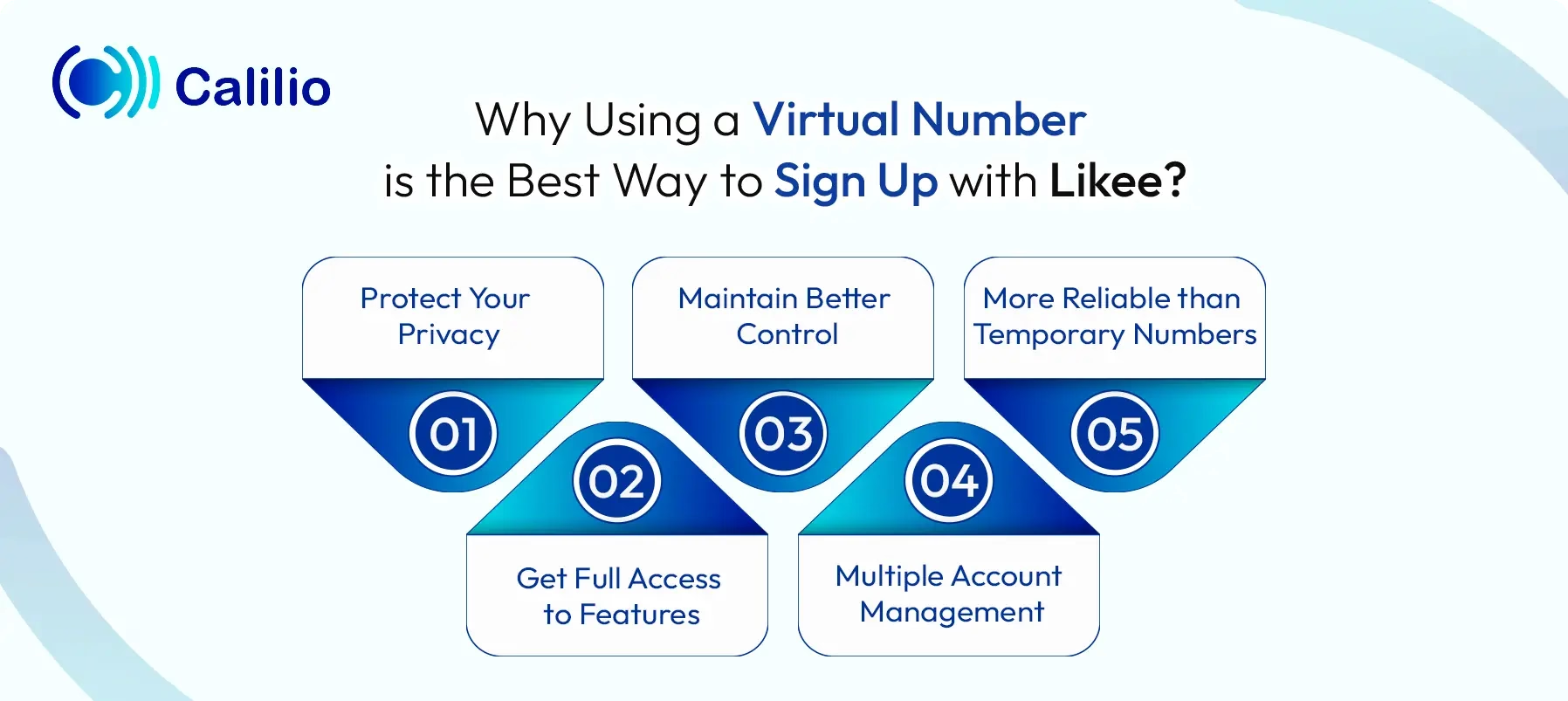
- Protect Your Privacy: Using a virtual phone number keeps your personal number hidden during signup. This reduces the risk of unwanted messages, spam, or your data being shared across platforms.
- Get Full Access to Features: A VoIP number works like a regular phone number, allowing you to complete verification and access all Likee features. You can post content, interact with users, and use the platform without restrictions.
- Maintain Better Control: With an internet-based number, you can keep your social media activity separate from your personal communication. This helps you manage your account without linking it to your everyday number.
- Multiple Account Management: For content creators managing different niches, virtual numbers make it easier to verify and maintain multiple accounts. You can simply get additional virtual numbers and manage them through a single dashboard.
- More Reliable than Temporary Numbers: While temporary numbers may work for quick verification, they are often shared or reused. A dedicated VoIP number offers more consistency and reduces the chances of verification issues or account problems.
How to Get Calilio’s Virtual Number for Creating a Likee Account?
You can get Calilio’s virtual number for creating a Likee account by signing up with Calilio, choosing a plan, and purchasing a number from your preferred country through the dashboard. Then, link that number to Likee and enter the OTP received in your Calilio dashboard to complete verification and set up your account.
Step 1: Sign Up and Verify Your Calilio Account
Visit Calilio’s website or download the app to get started. Click on “Sign up for Calilio” and enter your name and email address to create your account. After submitting your details, use the verification code received via email to activate your account.
Step 2: Subscribe to a Plan
Choose a subscription plan based on your needs. Once you complete the payment, you can proceed to purchase virtual numbers from supported countries.
Step 3: Purchase Your Mobile Number
From the dashboard, go to Settings > My Numbers > “+”. Select your preferred country, such as the United States or Canada. If required, submit the necessary documents for that region, then confirm your purchase to add the number to your dashboard.
Step 4: Register on Likee and Verify via Dashboard
Once your number is active, open Likee and start the signup process. Enter the virtual number with the correct country code when prompted. You’ll receive the verification code in your Calilio dashboard under the Unified Callbox or SMS logs. Enter the code on Likee to verify your account and complete your profile setup.
Conclusion
Creating a Likee account without using your personal phone number gives you more control over your privacy from the start. While some methods may help you access the platform, they often come with limitations that can affect your overall experience.
Using a virtual phone number offers a more reliable and long-term solution. It allows you to complete verification, access all features, and keep your personal number separate without added risks. Among the available options, Calilio stands out as a trusted provider with global number coverage and a reliable verification experience.
Can you use Likee without verifying your phone number?
Yes, you can use Likee without verifying your phone number, as the app allows viewing as a guest. However, for full functionality, you will need to create an account, which can be done via Facebook or VK instead of a phone number.
Is it safe to use a virtual number to sign up for Likee?
Yes, using a virtual number to sign up for Likee is safer because it keeps your personal phone number hidden and reduces the risk of spam or data exposure. However, you should choose a private, paid virtual number instead of free public ones, as they offer better security and lower chances of verification issues.
Does Likee accept all virtual number providers?
No, Likee does not accept all virtual number providers because its security systems often flag and block "free" or public VoIP numbers to prevent spam.
Summarize this blog with:

Still have questions?
Can’t find the answer you’re looking for? Please chat with our friendly team.
Stay in the loop
Get the latest call insights, trends, and updates delivered straight to your inbox.
By subscribing, you agree to receive updates from Calilio.
You can unsubscribe anytime.
Enter the World of AI Business Phone System with Calilio
Improve your business operation with Calilio's advanced virtual phone system. Join today for a better way to connect.