
How to Send 10,000 Text Messages at Once: The Complete 2026 Guide

Reaching 10,000 people at once is indeed a marketing superpower. But sending that many text messages is not as simple as hitting “send” on your phone. You need the right setup, or your messages will fail and even get blocked.
This is where bulk SMS comes in. Instead of sending messages one by one, a bulk SMS platform/provider delivers your message to thousands of contacts using approved routes. It uses registered business numbers and controlled sending speeds so your messages reach users without being flagged as spam.
However, there is more to it than just choosing a tool. You must follow legal guidelines, get user consent, and understand how messaging limits work. Otherwise, even a well-written campaign can fail. So, in this guide, you will learn how to send 10,000 text messages step by step. Along with that, we have presented a few alternative methods you can use based on your needs.
Key Highlights:
You can send 10,000 text messages at once using bulk SMS platforms or APIs, not a regular mobile phone.
You must follow key requirements like business registration, user consent, and compliance to avoid blocking.
The process involves choosing a provider, uploading contacts, verifying your business, writing your message, and sending or scheduling it.
Delivery depends on factors like sender reputation, message content, and sending speed limits.
You can also use alternatives like WhatsApp, RCS, email, or push notifications based on your campaign goals.
Is It Possible to Send 10,000 SMS at Once?
Yes, you can send 10,000 SMS at once using a reliable text messaging platform and not from a regular mobile phone. Such platforms include bulk SMS or API providers like ClickSend, EZ Texting, or Termii. These platforms are built for high-volume messaging, so you can upload contacts, schedule campaigns, and send messages in batches. They also help you follow carrier rules and avoid delivery issues.
Things to Consider Before You Start
Before sending 10,000 SMS, you must register your business, get user consent, and follow messaging rules to avoid blocks or penalties. You also need to choose the right sender type, track your costs, and send messages at the right time based on your audience’s location. At the same time, keep your messages short and personalized, so they perform better and do not increase costs.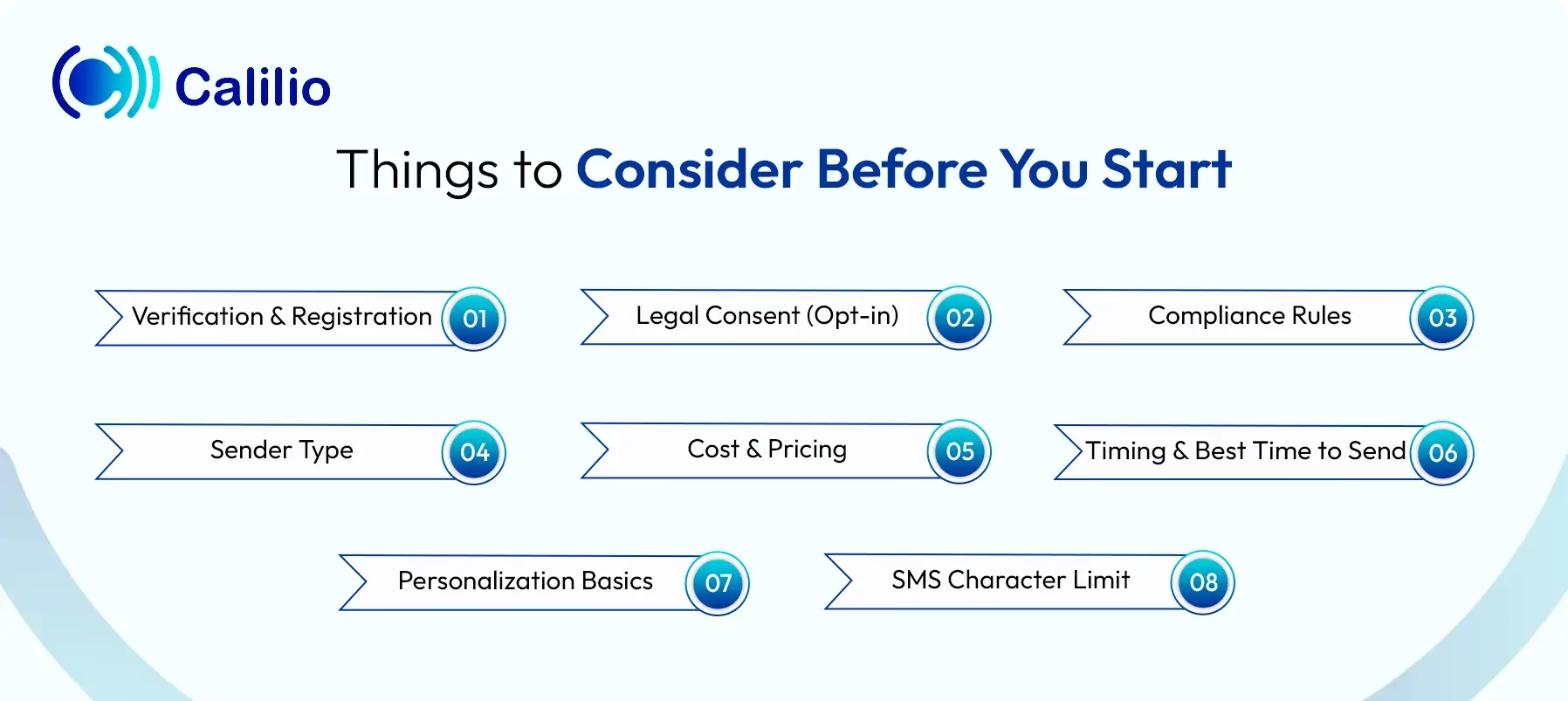
- Verification & Registration: In 2026, you must register your business before sending bulk SMS. Most carriers require 10DLC or a similar setup. This process verifies your brand and use case. Without it, your messages may get blocked or filtered.
- Legal Consent (Opt-in): You must have clear permission from every recipient. This is called opt-in. Users should know what they are signing up for. Sending messages without consent can lead to penalties.
- Compliance Rules: You must follow messaging laws based on your region. Always include an opt-out option like “Reply STOP to unsubscribe.” This gives users control over messages. It also keeps your campaigns compliant.
- Sender Type: You can send messages using different number types. 10DLC is best for standard business messaging. Toll-free numbers work well for support and alerts. Whereas short codes are ideal for very high-volume campaigns.
- Cost & Pricing: Bulk SMS comes with per-message costs. Pricing varies by country and provider. You may also pay for number rental and platform access. So, always track your total cost before sending.
- Timing & Best Time to Send: Timing plays a key role in message success. The best time to send bulk SMS is usually between 10:00 AM and 11:30 AM, and again from 4:00 PM to 6:30 PM. Also, consider your audience’s time zone. This helps improve open and response rates.
- Personalization Basics: Personalized messages perform better than generic ones. Use simple details like names or order info. You can also segment users based on behavior, making your messages more relevant.
- SMS Character Limit: A standard SMS allows up to 160 characters. If your message exceeds this, it gets split into multiple parts. Each part costs extra. So, keep your message short and clear.
How to Send 10,000 Text Messages (The Step-by-Step)
To send 10,000 SMS at once, first, choose a reliable bulk SMS provider and upload your opted-in contacts using a CSV or Excel file. Then, complete your business verification and write a short, compliant message with basic personalization, and test it. Finally, send or schedule your campaign and track its performance through the dashboard.
- Step 1 - Select a Provider: Pick a reliable bulk SMS platform like ClickSend or EZ Texting that can handle high-volume messaging. Make sure it supports scheduling, reporting, and compliance features. This helps you manage your campaign without issues.
- Step 2 - Upload Your List: Gather your 10,000 contacts and ensure they have opted in to receive messages. Then upload them using a CSV (Comma-Separated Values) or Excel file. Most platforms also check formatting and remove invalid numbers.
- Step 3 - Register Your Brand: Complete the required sender or business verification based on your region. You need to submit your business details and the messaging purpose. This step improves trust and helps your messages reach users without being filtered.
- Step 4 - Write and Test: Draft a clear and compliant message. Keep it short, and include simple personalization like the user’s name. Also, ensure it follows regulations, such as adding an opt-out option. Then, send a test message to confirm everything looks correct.
- Step 5 - Hit Send: Send your campaign instantly or schedule it for a better time. Scheduling helps you avoid network congestion and reach users at the right moment. Once sent, monitor delivery and responses using the platform’s dashboard to track performance.
What are the Different Methods for Bulk Messaging?
The different methods for bulk messaging include web-based SMS platforms for easy campaign management, programmable messaging APIs for automated and high-speed sending, and mobile-to-desktop tools that use personal SIMs for smaller campaigns.
1. Web-based SMS Platforms (SaaS)
This is the easiest method for most businesses. You can upload contacts, write your message, and send campaigns from a simple dashboard. These platforms now also handle business verification and registration in the background, so you do not deal with technical setup.
They support opt-outs, personalization, and delivery tracking out of the box. Popular options include SimpleTexting, EZ Texting, SlickText, and TextUs.
2. Programmable Messaging APIs
This method is designed for developers and advanced use cases. You can integrate messaging directly into your app, CRM, or backend system. APIs support high sending speed, meaning they can process hundreds of messages per second, depending on your setup.
This makes them ideal for sending 10,000 messages quickly and at scale. Providers like Twilio, Plivo, Sinch, and Telnyx are commonly used.
3. Mobile-to-Desktop Sync (Lower Volume Alternative)
This method connects your mobile number to a computer so you can send messages from a larger interface. Tools like QuickText or MightyText allow you to send texts using your personal SIM.
However, this is not suitable for sending 10,000 messages. Carriers monitor high-frequency activity on personal numbers and may block or permanently restrict them if usage looks like spam. This method works better for small campaigns, not large-scale messaging.
SMS Deliverability: Why Messages Fail
- Carrier Filtering: Carriers check every message before it reaches users. If your business is not registered or you use a personal number for bulk sending, your messages may get blocked. Sometimes, they may even show as “delivered” but never reach the inbox.
- Sender Reputation: Your sending number builds a reputation over time. High opt-outs or spam reports can lower your trust level. Also, sending a large volume suddenly from an inactive number can trigger filters. So, always use clean lists and maintain consistency.
- Content Issues: Your message content can affect delivery. Using all caps, too many symbols, or suspicious links can trigger spam filters. Public link shorteners are also risky. It is better to keep your message simple, clear, and natural.
- Throughput Limits: Each provider has a sending speed limit, which is how many messages can be sent per second. If you try to send too many at once, messages may get delayed or stuck in a queue. In some cases, delayed messages may not be delivered at all.
What are the Common Mistakes to Avoid in Bulk Messaging?
The common mistakes to avoid in bulk messaging include sending messages without user consent, using purchased lists, and sending irrelevant or unsegmented texts. Furthermore, long or spam-like content, missing a clear call-to-action, and not tracking campaign performance can reduce engagement and lead to delivery issues.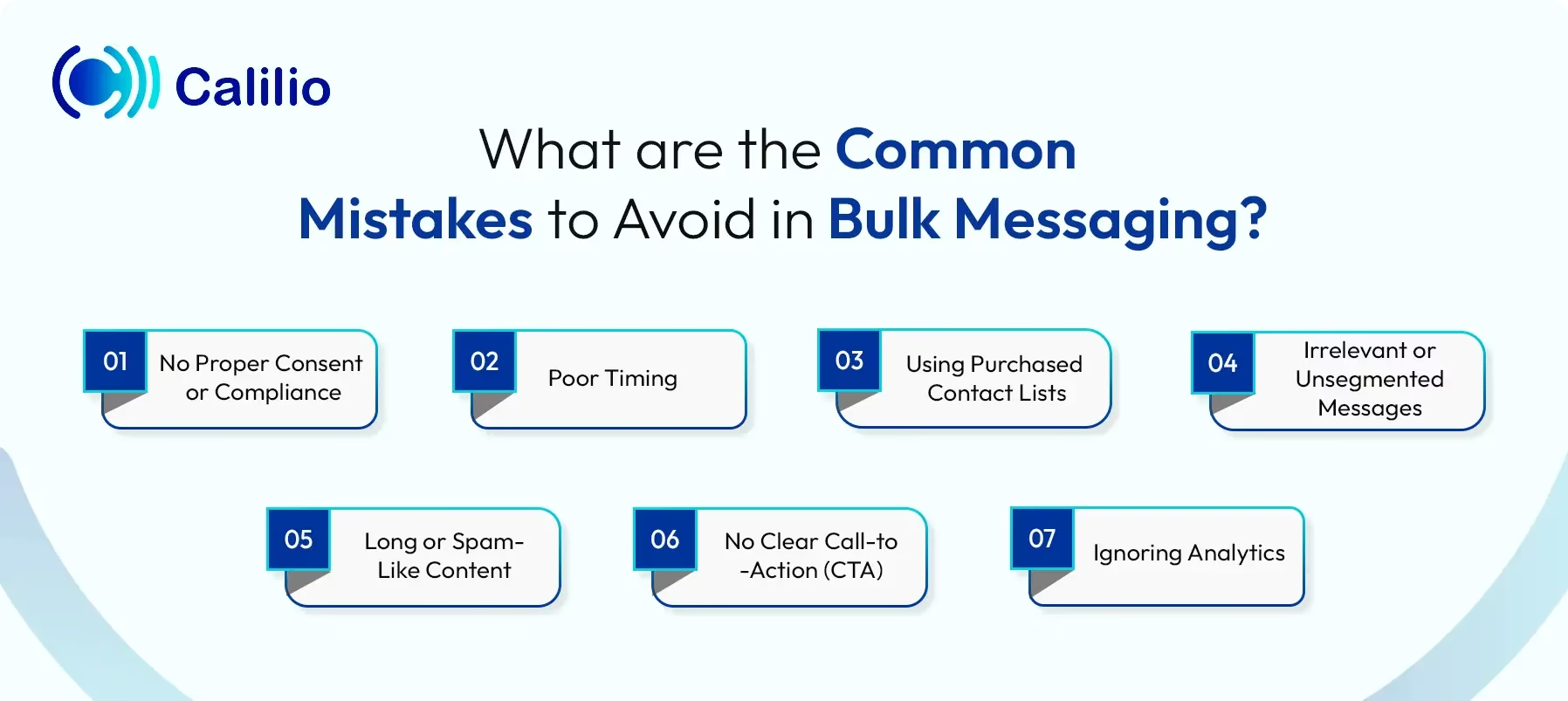
- No Proper Consent or Compliance: Sending messages without user permission can lead to legal issues and message blocking. Always get a clear opt-in and include an opt-out option.
- Poor Timing: Sending messages too early, too late, or at the wrong time can annoy users. This often leads to higher opt-outs and lower engagement.
- Using Purchased Contact Lists: Bought lists usually contain inactive or uninterested users. This reduces response rates and increases spam complaints.
- Irrelevant or Unsegmented Messages: Sending the same message to everyone lowers engagement. Simple segmentation and personalization can make your message more effective.
- Long or Spam-Like Content: Messages that are too long or look like spam may get ignored or blocked. Keep your content short, clear, and natural.
- No Clear Call-to-Action (CTA): If your message does not guide users on what to do next, it loses impact. Always include a simple and clear action.
- Ignoring Analytics: Not tracking delivery, responses, or opt-outs makes it hard to improve. Always review your campaign data to understand what works.
What are the Alternatives to SMS for Bulk Messaging?
The alternatives to SMS for bulk messaging include WhatsApp Business API and RCS for interactive messaging, as well as email marketing for low-cost, large-scale communication. In addition, businesses can use Telegram channels for broadcasts and push notifications for real-time alerts within their apps.
WhatsApp Business API
This method allows you to send interactive messages with images, buttons, and quick replies. It supports two-way communication, which improves engagement. Pricing is based on conversations and varies by country. It works best for updates, promotions, and customer support.
RCS (Rich Communication Services)
RCS delivers rich messages with branding, images, and action buttons. It works inside the default messaging app on supported devices. It also offers verified sender profiles, which build trust. This method suits branded alerts and interactive campaigns.
Email Marketing
Email is a low-cost option for sending large volumes of messages. You can include detailed content, links, and attachments. Most platforms support automation and segmentation. This method works best for newsletters and non-urgent promotions.
Telegram Channels
Telegram lets you broadcast messages to unlimited subscribers through channels. You can send updates without per-message charges. It is simple to manage and supports large audiences. This method works well for community updates and announcements.
Push Notifications
Push notifications are sent through your mobile app, if you have one. They appear instantly on the user’s device and drive quick actions. Costs are usually low or included in your app setup. This method is ideal for alerts, reminders, and app engagement.
Conclusion
Sending 10,000 text messages is not just about scale; it is about doing it the right way. You need the right platform, proper business registration, and clear user consent to ensure your messages are delivered. At the same time, factors like timing, message quality, and audience targeting play a major role in how well your campaign performs. When you follow these basics, bulk SMS becomes a reliable and powerful communication channel.
However, SMS is not your only option. Depending on your goals, you can also explore alternatives like WhatsApp, RCS, or email for better engagement or lower costs. The key is to choose the method that fits your audience and campaign purpose. With the right setup and strategy, you can reach thousands of users without delivery issues or wasted effort.
Summarize this blog with:
Frequently asked questions
How long does it take to send 10,000 SMS?
Sending 10,000 SMS usually takes around 10 to 30 minutes when using a professional bulk SMS platform. While the messages are sent quickly, most of the time is spent on carrier processing and sending speed limits. The exact time depends on your provider’s capacity and network conditions.
How much does it cost to send 10,000 text messages?
How can I send a mass text message for free?

Still have questions?
Can’t find the answer you’re looking for? Please chat with our friendly team.
Stay in the loop
Get the latest call insights, trends, and updates delivered straight to your inbox.
By subscribing, you agree to receive updates from Calilio.
You can unsubscribe anytime.
Enter the World of AI Business Phone System with Calilio
Improve your business operation with Calilio's advanced virtual phone system. Join today for a better way to connect.