
How to Create a Telegram Account without a Phone Number?

Telegram has grown from a niche app into a global platform for communication and community building. From broadcast channels and group discussions to encrypted chats and bots, it supports a wide range of interactions. As a result, it is widely used worldwide by individuals, businesses, and online communities.
However, the signup process requires a phone number, which feels limiting for privacy-focused users. Plus, sharing a personal number links your identity to the platform and exposes you to unwanted contacts. And, this can be a concern if you want to keep your communication separate or maintain better control over your personal data.
So, let’s learn whether you can create a Telegram account without using a phone number. We will also explore methods like using virtual numbers for Telegram to help you stay connected while maintaining privacy.
Key Highlights:
Telegram requires a phone number for account verification, but you can use alternatives like virtual numbers, burner phones, or Fragment numbers instead of your personal number.
Using a virtual number for Telegram helps protect your privacy, reduce spam, separate work and personal chats, and add more flexibility.
Paid and free virtual number providers offer different options for Telegram, but paid providers usually offer better privacy, number control, and verification success.
When choosing a virtual number provider, check for SMS and call verification support, dedicated number access, country availability, provider reputation, and clear pricing.
Can You Use Telegram without a Phone Number?
No, you cannot use Telegram without a phone number at all. The platform requires a valid phone number during signup to send a One-Time Password (OTP) for verification. This step is mandatory and helps prevent spam, reduce bot accounts, and maintain a secure user environment.
However, this requirement does not mean you must use your primary mobile number. Telegram only needs an active number that can receive the verification code. This can be a temporary number or a virtual one.
Furthermore, Telegram also now lets you use a burner phone or even blockchain-based anonymous numbers from the Fragment platform. Once your account is verified, you can access the platform from any device, including desktops and tablets.
In short, while phone number verification is required to create an account, you can use a virtual number for Telegram to complete the process while keeping your personal contact details private.
How to Sign Up for Telegram without Using Your Phone Number?
You can create a Telegram account without your personal number by using alternatives like a virtual number, a burner phone or blockchain-based anonymous numbers from Fragment.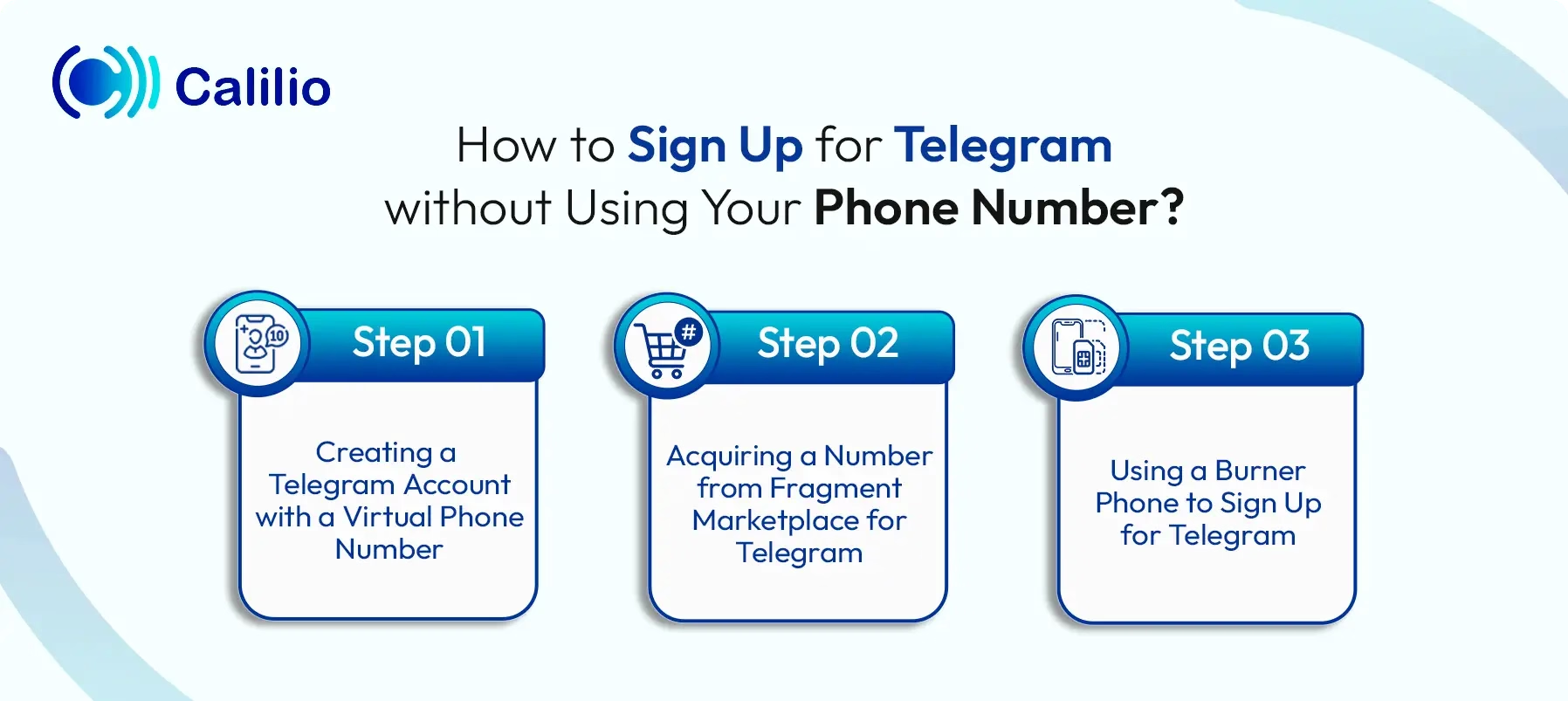
1. Creating a Telegram Account with a Virtual Phone Number
To create a Telegram account with a virtual number, choose a trusted provider, then sign up and select a number from your preferred country. Next, complete the transaction to activate the number, use it during Telegram signup, and enter the OTP received on your provider’s dashboard to complete the process.
- Select a Trusted Provider: Start by choosing a reliable virtual phone number provider like Calilio, Fanytel, or TextNow, which offers secure VoIP numbers. Make sure the service supports SMS verification for Telegram. This helps you avoid issues like “invalid number” errors during signup.
- Sign Up: Create an account with your chosen provider. You must enter basic details. In some cases, you may also need to submit documents based on the country you select.
- Choose Your Number: Go to the provider’s dashboard and select your preferred country and number. At this stage, you can also choose a plan based on how long you want to use the number.
- Complete the Purchase: Pay through the provider’s secure payment system. Once the payment is confirmed, your number will be activated and ready to receive messages.
- Register on Telegram: Open Telegram and enter your virtual number during signup. Wait for the OTP to appear in your provider’s dashboard. Then, enter the code to complete your account setup. Once done, your Telegram account will be ready without using your personal phone number.
Disclaimer: Telegram controls the delivery of its OTP codes, not Calilio. Receiving the verification code depends on Telegram’s own policies, and some apps may choose not to send OTPs to virtual phone numbers.
2. Acquiring a Number from Fragment Marketplace for Telegram
You can create a Telegram account without your personal number by buying a +888 anonymous number from the Fragment marketplace with cryptocurrency and using it during sign-up. You then retrieve the verification code through your TON wallet or Fragment, enter it in Telegram, and complete the setup.
- Visit the Fragment Marketplace: Go to the Fragment platform to view the list of blockchain-powered anonymous numbers available for resale.
- Buy an Anonymous Number from a User: Direct sales are no longer available, so you must purchase a +888 anonymous number from another user on the marketplace.
- Pay with Cryptocurrency: Complete the purchase using Toncoin or another supported cryptocurrency through your TON wallet.
- Install and Open Telegram: Download the Telegram app if you have not already, then tap “Get Started” to begin creating your account.
- Enter Your Anonymous Number: When Telegram asks for a phone number, type in the +888 number you bought from Fragment.
- Verify Your Account: Telegram does not send the code by SMS. You must retrieve the verification code from your TON wallet or from the Fragment platform, then enter that code into the Telegram app.
- Finish Your Account Setup: Complete the remaining steps in Telegram. Your new account is now active without linking your personal SIM card.
3. Using a Burner Phone to Sign Up for Telegram
You can create a Telegram account with a burner phone by using its prepaid number to receive the verification code during sign-up. Once verified, you can use Telegram normally while keeping your personal phone number private.
- Get a Burner Phone: Buy a prepaid mobile phone that you plan to use only for temporary or private tasks.
- Activate the Number: Make sure the burner phone can receive SMS messages.
- Start Telegram Sign-up: Open the Telegram app, tap “Get Started,” and begin the registration process.
- Enter the Burner Phone Number: Type in the number from your burner phone when Telegram asks for a phone number.
- Receive the Verification Code: Check the burner phone for the SMS code and enter it in Telegram to complete verification.
- Use Telegram Normally: After setup, you can keep using Telegram while your personal number stays private.
Why Use a Virtual Number for Telegram?
Using a virtual phone number for Telegram helps you protect your identity, avoid spam, and keep your personal number separate from your online activities. It is also easier to access than burner phones or Fragment numbers. Plus, it improves security against SIM-based risks and gives you more flexibility across devices and regions.
- Easily Accessible: Compared to burner phones and Fragment numbers, virtual numbers are much easier to access. Burner phones require you to buy a separate physical device and SIM card, which can be costly and inconvenient. Similarly, Fragment numbers require cryptocurrency payments and a TON wallet, which may not be simple for every user.
- Protect Your Privacy & Identity: Your personal phone number is often linked to bank accounts and other sensitive platforms. So, using a virtual number for apps like Telegram acts as a barrier between your real-world identity and your online presence. It helps you stay anonymous and prevents others from accessing your personal details.
- Avoid Spam: Using your personal number on platforms like Telegram can lead to spam calls and promotional messages. A virtual number helps you avoid these unwanted messages and keeps your personal inbox clean. This way, your primary number stays private and free from marketing clutter.
- Separate Work & Personal Use: If you use Telegram for business, a virtual number helps you keep things organized. You can create a dedicated account for work without mixing it with personal chats. This makes it easier to manage conversations and maintain a better work-life boundary.
- Better Security & Flexibility: Virtual numbers are cloud-based and not tied to a physical SIM. This makes them harder to target through SIM-swap attacks. You also get the flexibility to choose numbers from different regions and access your account from any device without relying on a physical network.
Top Virtual Number Providers for Telegram (Free & Paid)
Calilio, Fanytel, TextNow, and TextFree are the top virtual number providers for Telegram.
Paid Virtual Number Providers for Telegram (Best for Long-Term Use)
Paid providers like Calilio, Fanytel, and Hushed offer dedicated virtual numbers with higher OTP success rates and better privacy for Telegram verification.
- Calilio: It is a strong choice if you want reliability and global coverage. This platform offers dedicated virtual numbers in 100+ countries, making it easy to create a secure presence from anywhere. Likewise, Calilio also supports both SMS and call-based verification, with a monthly subscription of $15 per month/user. This makes it ideal for long-term Telegram use without relying on a physical SIM.
- Fanytel: Known for its highly affordable US and international virtual numbers, it is a strong choice for Telegram verification. It specifically markets its services for app verifications with successful OTP delivery, with a starting price at just $0.99/month. A dedicated number is ideal if you want to avoid high ongoing costs.
- Hushed: It is a well-established provider in the privacy space, offering disposable or “burner” numbers across 60+ countries with a starting price of $4.99/month. It allows you to use a number for a short period to verify your Telegram account or to keep it for long-term use. This flexibility makes it suitable for both temporary and longer-term use.
Can you verify Telegram with a temporary or virtual phone number?
Yes, Telegram can be verified using a virtual or temporary number, provided the number is capable of receiving SMS or voice calls. High-quality providers like Calilio are preferred for this because their numbers are less likely to be flagged as 'invalid' by Telegram’s security filters compared to free, public numbers.
Free Virtual Number Providers for Telegram (Best for Temporary Use)
Free virtual number providers like Receive-SMSS, TextNow, and TextFree offer quick access to temporary numbers for Telegram verification.
- Receive-SMSS: This is a simple web-based platform that offers public numbers from different countries. You don’t need to sign up. Just select a number, enter it in Telegram, and check the website inbox for the OTP. However, since the numbers are shared, success is not guaranteed.
- TextNow: It offers free virtual numbers through its mobile app, allowing you to receive SMS for Telegram verification. However, you need to create an account to get a number and a dedicated inbox to view incoming messages.
- TextFree: This is a virtual number provider that offers free US virtual numbers, which you can use for Telegram. It is useful for one-time verification. However, you need to stay active on the app, or the number may be reassigned to someone else.
Things to Consider While Selecting the Right Virtual Number Provider
Choose a provider that supports both text and voice verification and offers private numbers. Also, ensure it provides numbers from widely accepted regions and follows clear, upfront pricing so you don’t face hidden costs or limitations.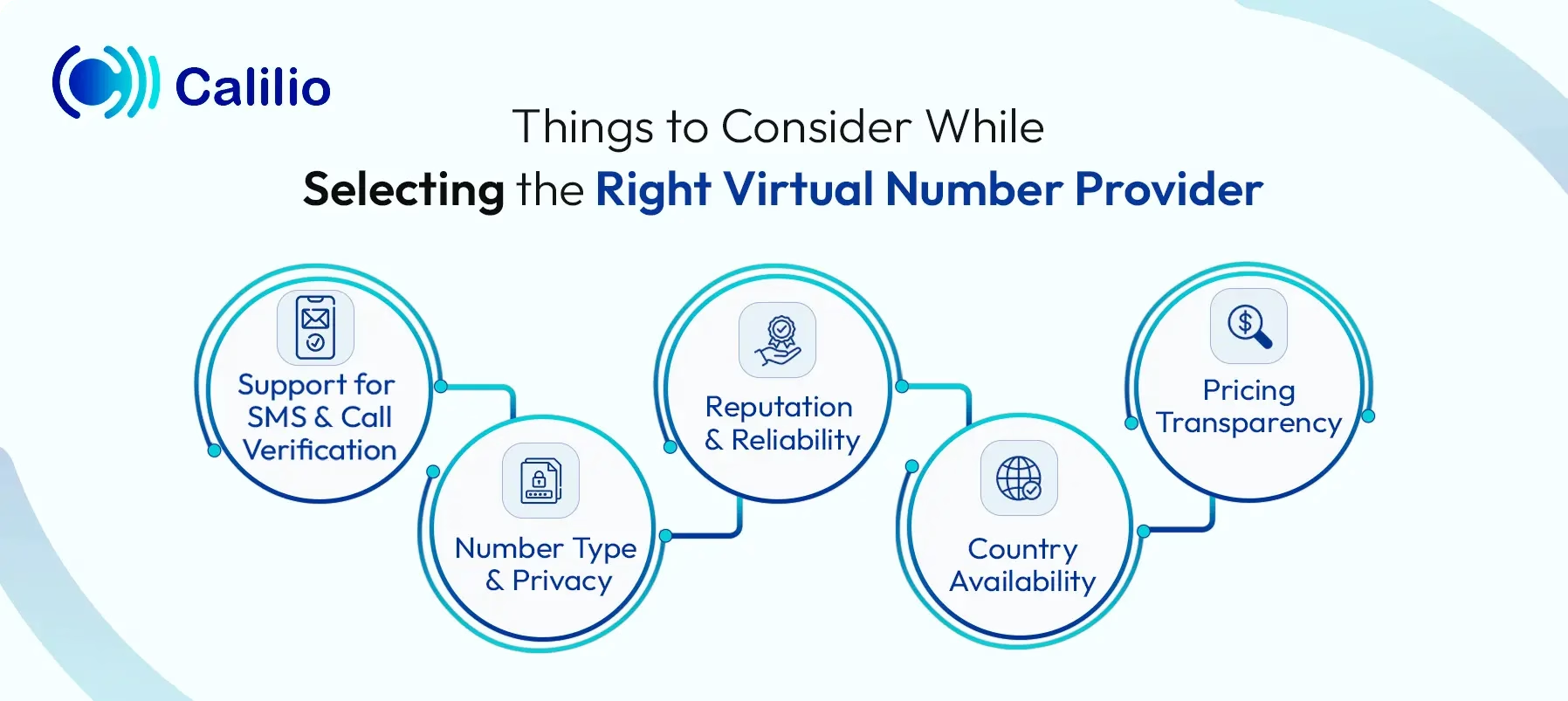
- Support for SMS and Call Verification: Telegram verifies accounts using either SMS or an automated voice call. If SMS delivery fails, it switches to a call. So, choose a provider that supports both SMS and voice verification to avoid getting stuck during signup.
- Number Type and Privacy: Shared or free numbers are used by multiple users, which increases the risk of failure or account conflicts. In contrast, dedicated numbers are assigned only to you. They offer better privacy, higher OTP success rates, and more control over your account.
- Reputation and Reliability: Always choose a provider with a strong reputation. Telegram often blocks low-quality or overused number ranges. Reliable providers like Calilio or Hushed offer cleaner numbers with better acceptance rates.
- Country Availability: Make sure the provider offers numbers from countries that Telegram accepts easily, such as the US, UK, or Canada. A provider with wide global coverage gives you more flexibility based on your needs.
- Pricing Transparency: If you are getting a number from paid providers, check the pricing structure because some services include hidden costs or limitations. So, select a provider that offers clear pricing, whether it’s monthly or usage-based.
Conclusion
Telegram requires a phone number to create an account, but you don’t have to use your personal one. You can choose alternatives like virtual numbers, burner phones, or anonymous numbers from Fragment to complete verification while keeping your identity private.
While free options may seem convenient, they often come with limitations such as shared access and inconsistent OTP delivery. Similarly, burner phones require extra cost and physical handling, while Fragment numbers involve cryptocurrency payments and limited availability, which may not be suitable for every user.
Summarize this blog with:
Frequently Asked Questions
Everything you need to know about Calilio. Can't find your answer? .
Yes, you have to use a phone number with Telegram as it is required to register and authenticate your account. Once the account is set up, you do not need the phone number for daily messaging, as you can communicate using a chosen username.
Stay in the loop
Get the latest call insights, trends, and updates delivered straight to your inbox.
By subscribing, you agree to receive updates from Calilio.
You can unsubscribe anytime.
Enter the World of AI Business Phone System with Calilio
Improve your business operation with Calilio's advanced virtual phone system. Join today for a better way to connect.