

What Is a Power Dialer?
A power dialer is software that automatically dials the next number in a call list as soon as the agent finishes the current call and logs the outcome. It rings one contact at a time, so an agent only ever hears a live person or a voicemail, never a dropped call. The power dialer sits between manual clicking and a predictive dialer, which rings many numbers per agent and predicts when someone will be free.
Three dialing styles come up in every comparison, and the names are used loosely by vendors, so it helps to separate them.
Single-line power dialing The dialer places one call, waits for the outcome, then moves to the next contact after the agent saves a disposition or a short wrap-up timer ends. Because the agent is never waiting on a second call, there are no abandoned calls and the agent always has the contact's record open. It is the most common mode and the easiest to run in a compliant way.
Parallel (multi-line) dialing The dialer rings several numbers at once, commonly three to ten, and connects the agent to the first live human while dropping the rest. It raises connections per hour sharply on cold lists, but a contact who answers just as the agent is taken by someone else may hear silence or a hang-up, which is why compliance rules matter here.
Predictive dialing The system uses statistics on answer rates and talk time to dial more numbers than there are free agents, aiming to have an agent ready when someone picks up. It works only with large teams and big lists, and it is the mode regulators scrutinize most. A predictive dialer trades call safety for volume, which is the main difference from a power dialer.
How We Compared These Power Dialers
This comparison is based on each vendor's official product and pricing pages, published feature documentation and plan descriptions, checked in October 2026. Prices change often, so confirm every figure on the vendor's own site before you buy. We did not run hands-on call-quality tests, and we did not use review-site ratings, because access to G2, Capterra and Trustpilot listings was not consistent for every tool and we do not report a rating we could not confirm.
Each tool was checked against the same criteria:
Dialing mode Whether it offers single-line, multi-line, parallel or predictive dialing, and on which plan. Many vendors keep the dialer behind a higher tier or sell it as an add-on.
Cost clarity Whether the price is published, whether it is monthly or annual, the seat minimum, and what usage fees or add-ons sit on top.
CRM sync Whether calls, notes and dispositions write back to the CRM, and which CRMs are supported.
Workflow tools Call recording, voicemail drop, SMS, notes, tags, call disposition and supervisor features such as live monitoring.
Fit The team size and sales motion the tool seems designed for, based on the vendor's own descriptions.
Power Dialer Comparison Table
The table summarizes dialing style and the starting price each vendor publishes. Where a vendor shows no price, the table says so, and the entries below explain why the real number depends on seats and add-ons.
| Tool | Dialing mode | Starting price (published) | Billing basis |
|---|---|---|---|
| PhoneBurner | Power (single-line) | $140 per user per month (Standard) | Annual; $165 billed monthly |
| Kixie | Single-line and multi-line (up to 4 lines) | Not published | Contact sales or start a trial |
| JustCall | Power from Pro; predictive (up to 10 lines) on SalesPro | $49 per user per month (Pro) | Annual; 2-license minimum |
| Calilio | Power dialer with campaigns | $12 per user per month (Standard) | Annual; $15 billed monthly |
| CloudTalk | Power dialer add-on; parallel add-on | €25 per user per month plus €15 for power dialer | Annual; 12-month commitment |
| Aircall | Power dialer on Professional | $50 per user per month (Professional) | Annual; 3-seat minimum |
| Orum | AI, power and parallel | Not published | Request pricing; 9-seat plan |
| Nooks | AI parallel dialer | Not published | Custom quote |
| Five9 | Voice seat includes a dialer | $119 per seat per month (Digital bundle) | Per concurrent user; contact sales for most bundles |
The 9 Best Power Dialers in 2026
The entries run from tools built around the dialer itself to phone systems that include one. Order is not a ranking.
1. PhoneBurner
PhoneBurner is a dialer built specifically for outbound sales and appointment-setting teams. Its core idea is a fast, single-line power dialer: the rep works through a list, the next contact loads as soon as the call is dispositioned, and voicemail drops and follow-up tasks fire automatically. It integrates with major CRMs and is popular with real estate, insurance and financial teams that call large lists of warm and semi-warm leads.
The product is dialer-first rather than a full phone system. That keeps the interface focused, but caller ID reputation is something teams manage with paid add-ons. PhoneBurner's own add-ons include dedicated Numbers, ARMOR for number monitoring and spam-flag remediation, and Connect Scores that filter numbers unlikely to connect. The vendor does not list prices for these on its pricing page.
Key features
- Single-line power dialing with automatic next-contact loading
- Workflow automation and call analytics on all plans
- Live call monitoring and coaching, softphone dialing and Krisp AI noise cancellation from Professional
- Call transcription with an AI note-taker, SMS (carrier approval required) and custom inbound routing on Premium
- Open API on Professional and above
Pricing: Standard is $140 per user per month billed annually or $165 billed monthly. Professional is $165 annually or $195 monthly. Premium is $183 annually or $215 monthly. No seat minimum is stated on the pricing page; the Numbers, ARMOR and Connect Scores add-ons are priced separately. Checked October 2026.
2. Kixie
Kixie is a sales communication platform whose strength is tight CRM connection and a choice of dialer tiers. Rather than a single power dialer, it sells three plans: Professional without a power dialer, a Single-Line PowerDialer plan and a Multi-Line PowerDialer plan that can ring up to four lines at once. Each includes unlimited US and Canada minutes, which takes metered call charges out of the budget for domestic teams.
Because Kixie sells dialing speed in steps, a team can begin with single-line and move to multi-line once its list quality and compliance process are in place. The extras are separate: ConnectionBoost for answer rates, Conversation Intelligence for call analysis, AI Human Voice Detection on the multi-line plan and a Do Not Call (DNC) compliance add-on. Prices for the plans and add-ons are not shown on the pricing page.
Key features
- Single-line and multi-line (up to 4 lines) dialing tiers
- Unlimited US and Canada minutes on every plan
- Optional ConnectionBoost, Conversation Intelligence and AI Human Voice Detection
- DNC list compliance add-on
- 7-day free trial with no credit card
Pricing: Not published. The pricing page directs buyers to a trial or to contact Kixie for quotes. Checked October 2026.
3. JustCall
JustCall is a cloud phone system and sales dialer aimed at small and growing sales and support teams. It sells five plans in a ladder: Team, Pro, Pro Plus, Business and SalesPro. The power dialer arrives on Pro, and the top SalesPro tier adds a predictive dialer of up to 10 lines, so a team can climb the ladder as its calling volume grows.
JustCall is most attractive to teams that want one app for calls, SMS and a dialer with modest seat counts, since Team, Pro and Pro Plus require only two licenses. The add-ons deserve a close look: AI Review Assist is $9 per user on Team and Pro, SMS is sold as bundles, local number bundles are priced separately, and the AI Voice Agent starts from $0.15 per minute with the first 100 minutes free.
Key features
- Power dialer from the Pro plan
- Predictive dialer of up to 10 lines on SalesPro
- Unified calls and SMS in one workspace
- AI Voice Agent add-on on every plan
- Local number bundles for local presence
Pricing: Billed annually per user per month: Team $29, Pro $49, Pro Plus $89, with a 2-license minimum. Business is a custom quote with a 10-license minimum, and SalesPro is a custom quote with a 2-license minimum. Annual billing saves up to 29 percent; monthly per-user rates are not listed. Checked October 2026.
4. Calilio
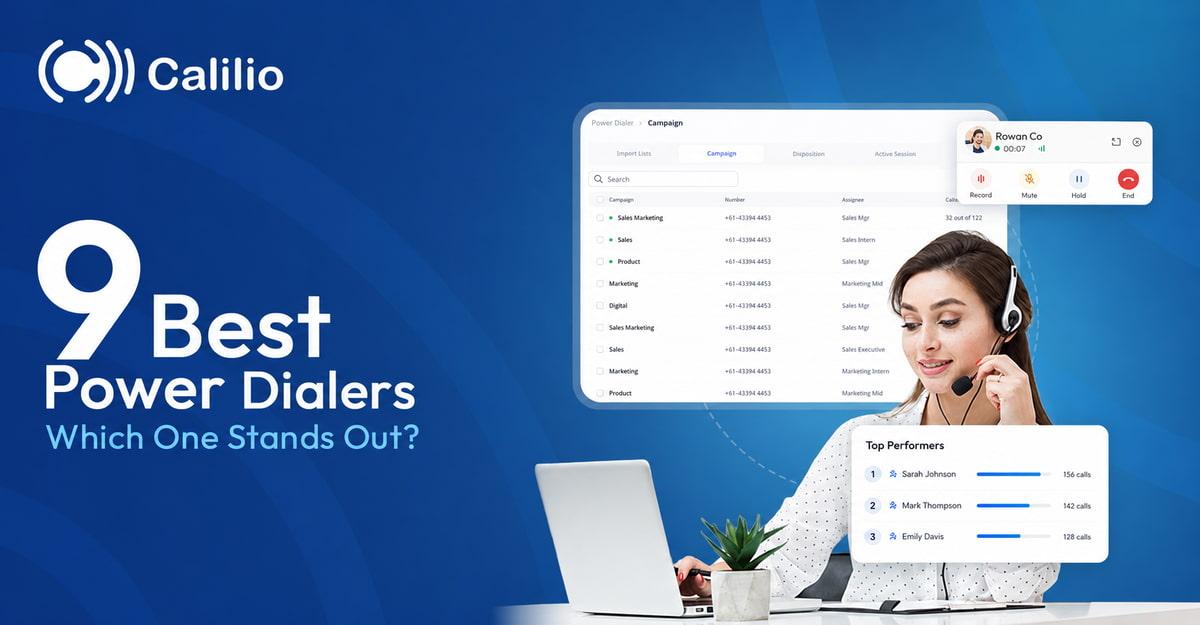
Calilio is a cloud business phone system with a built-in power dialer, so reps can work an outbound list without a separate tool. You import a contact list, build a campaign, and the dialer moves through the contacts while agents record the outcome with call dispositions. Active dialing sessions let a manager see which campaigns are running, and the same workspace handles inbound routing, SMS and call history.
Because the dialer is part of the phone system, a team gets its virtual numbers, call recording, notes and tags, bulk and scheduled SMS, A2P 10DLC registration and AI call reports in one subscription. CRM connections include Pipedrive, HubSpot, Zoho CRM and Salesforce, plus Pabbly Connect for other workflows. It fits small and mid-sized teams that want outbound calling and a full business phone setup together rather than a stand-alone dialer.
Key features
- Power dialer with imported lists, campaigns, call dispositions and active session tracking
- Call recording, notes, tags and AI call reports with sentiment analysis
- Live listen, whisper and barge-in for supervisors
- Bulk and scheduled SMS with A2P 10DLC registration
- HubSpot, Salesforce, Pipedrive and Zoho CRM integrations
Pricing: Standard is $15 per user per month, or $12 per user per month billed annually. Premium is $35 per user per month, or $28 billed annually. Each plan includes one free virtual number (UK, US or Canada), a $1 wallet credit and a monthly allowance valid for calls and SMS to or from US and Canada numbers: Standard has 300 minutes and 200 SMS, Premium has 1,500 minutes and 1,000 SMS. After the allowance, usage is deducted from the wallet, and Calilio Hub prepaid packs can lower rates. Checked October 2026.
5. CloudTalk
CloudTalk is a cloud call center and phone system based in Europe, popular with sales and support teams that want a dialer inside a full phone system. It treats dialing as a layer you add: the Power Dialer is a paid add-on on the Starter and Essential plans and is already included on Expert. A separate Parallel Dialer add-on can be added to any plan.
That modular approach keeps the entry price low, but the final bill depends on the combination. Expert requires three licenses, while the lower plans need one. Annual billing carries a 12-month commitment, and extras such as Branded Caller ID (from €0.07 per call for US and UK numbers), AI Conversation Intelligence and AI Voice Agents are priced separately.
Key features
- Power Dialer included on Expert, add-on elsewhere
- Parallel Dialer add-on on any plan
- Branded Caller ID for US and UK numbers
- AI Conversation Intelligence and AI Voice Agents as add-ons
- Spam remediation on custom pricing
Pricing: Prices are in euros, exclude taxes and are per user per month. Starter is €25 billed annually or €34 monthly, Essential is €29 or €39, and Expert is €49 or €69 with a 3-license minimum. Power Dialer is €15 per user per month billed annually and Parallel Dialer is €39. Checked October 2026.
6. Aircall
Aircall is a cloud phone system for sales and support teams with a large catalog of CRM and helpdesk integrations. Its Power Dialer is on the Professional plan and above, where a rep can import up to 1,000 numbers and work through them in sequence with calls logged to the CRM. Essentials, the cheaper plan, does not include it.
The tool suits teams that already want Aircall's phone system and prefer one vendor for both. Costs can climb beyond the plan price because add-ons are sold per seat or per use: AI Assist Pro is $49 per seat per month, Analytics+ is $15, additional numbers are $6 per month each, and branded caller ID is about $0.08 per call.
Key features
- Power Dialer with list import up to 1,000 numbers on Professional
- Large integration library for CRMs and helpdesks
- Number reputation dashboard at $0.03 per check
- AI Voice Agents from $0.49 per minute pay-as-you-go
- Enterprise plan with custom pricing
Pricing: Essentials is $30 per license per month billed annually and Professional is $50, both with a 3-seat minimum. Enterprise is a custom quote with a 25-seat minimum. Annual billing saves 25 percent according to the page; monthly rates are not listed. Checked October 2026.
7. Orum
Orum is an AI dialer designed for outbound sales development teams that make a high number of calls per rep each day. It offers AI dialing, power dialing and parallel dialing, with AI answer detection that filters out voicemails and busy signals before the rep is connected. Paid plans include unlimited dials and up to 10 caller IDs per month, and the platform covers the US, Canada and more than 160 other countries and regions.
Orum works best with large cold lists and a full-time SDR team, where the extra connections justify the investment. It is sold as a package based on type and number of users, with a 9-seat plan listed, and it is not aimed at a two-person team that dials a few dozen contacts a day.
Key features
- AI, power and parallel dialing modes
- Click-to-call and one-off dialing
- AI Coaching and Webhooks available on all plans
- Free trial limited to 500 dials
- Ascend plan for less frequent dialers
Pricing: Not published. The pricing page says pricing is based on package type and number of users, and you request a quote. A 9-seat plan is listed. Checked October 2026.
8. Nooks
Nooks is an AI sales platform that combines a parallel dialer with buyer signals, AI sequencing and coaching. Its AI Dialer offers parallel dialing, including multi-line and power dialing, along with AI answer detection, signal-based dialing and automatic number rotation to protect caller ID reputation. It integrates natively with HubSpot and Salesforce, and teams on other CRMs can upload a contact list as a CSV.
The platform is aimed at SDR and BDR teams that treat outbound as a core channel and want prospecting data and AI assistance alongside the dialer. A data package gives access to providers such as Wiza, People Data Labs, Apollo, Forager, Datagma and Prospeo, while ZoomInfo, Cognism and LeadIQ require a separate subscription with those providers.
Key features
- Parallel dialing with multi-line and power modes
- AI answer detection and automated number rotation
- Signal-based dialing and AI sequencing
- Native HubSpot and Salesforce sync, CSV upload for other CRMs
- Optional data package for prospect data
Pricing: Not published. The pricing page asks buyers to get in touch for a custom quote. Checked October 2026.
9. Five9
Five9 is an enterprise cloud contact center platform, not a stand-alone sales dialer. Its Voice seat includes a dialer, and it is used by large inbound, outbound and blended operations that need workforce management, quality tools and advanced routing. Five9's pricing page does not define the dialer modes, so teams that need predictive or progressive dialing should ask for the specifics during the demo.
It makes sense for operations with dozens of seats and a compliance team, not for a small sales group that wants to start dialing next week. Pricing is per concurrent user, usage-based pricing carries a 50-seat minimum, and SMS charges apply on top.
Key features
- Dialer included with the Voice seat
- Bundles from Digital through Enterprise
- Workforce management and quality options through Five9, Verint or Calabrio
- 3,000 AI minutes included per bundled seat
- Concurrent-user, named-agent and pay-per-use pricing options
Pricing: Digital is $119 per seat per month and Core is $159 per seat per month, priced per concurrent user. Plus, Pro and Enterprise bundles are contact sales. Usage-based pricing has a 50-seat minimum. Checked October 2026.
How to Choose a Power Dialer
The cheapest list price rarely turns out to be the cheapest tool, so work through the choice in order.
Step 1: Decide the dialing mode first. If your reps spend time with each contact, qualifying and following up, a single-line power dialer is enough. If reps make hundreds of cold calls a day and most go unanswered, a parallel dialer is worth looking at, with the compliance work that comes with it.
Step 2: Check the CRM connection. Confirm that calls, notes and dispositions write back to your CRM automatically, and test it with ten real records. A dialer that needs manual logging gives back the time it saved.
Step 3: Add up the real cost. Take the per-user price, multiply by seats, then add the add-ons you will actually use: the dialer itself on some plans, local numbers, caller ID branding, SMS, AI features and call recording. Compare the totals on a monthly and an annual basis, since power dialer pricing varies from per-seat plans to custom quotes with minimum seat counts.
Step 4: Check seat minimums and contracts. Plans with minimums of two, three, nine or 25 seats change the math for a small team. Annual billing is cheaper but may be a 12-month commitment.
Step 5: Look at caller ID and number reputation. If numbers are flagged as spam, answer rates fall regardless of how fast the dialer is. Ask about number rotation, branded caller ID and spam monitoring.
Step 6: Run a trial with your own list. Load 200 real contacts, have two reps use it for a week, and compare connections and talk time against your current process.
Common Mistakes When Buying a Power Dialer
Buying on dial speed alone: More dials per hour only helps if people answer. A tool with a lower dial rate but better caller ID handling and cleaner lists can produce more conversations per rep.
Ignoring the add-ons The headline price often excludes the dialer, local numbers, SMS and AI features. Two tools with a $30 gap in list price can end up with the opposite gap once add-ons are included.
Skipping the compliance setup Dialing lists without checking consent and Do Not Call status exposes the business to fines, no matter how good the software is. The TCPA autodialer rules require consent for many automated calls and texts, so verify it before a list goes into the dialer.
Compliance Basics for Power Dialers
Outbound dialing is regulated, and the rules depend on where you and your contacts are. This is general information, not legal advice, so confirm requirements with a qualified adviser.
In the United States, the Telephone Consumer Protection Act (TCPA) restricts calls made with automated dialing technology and requires proper consent for certain calls and texts. The National Do Not Call Registry applies to telemarketing, and sellers must scrub their lists against it. The FTC's Telemarketing Sales Rule also limits abandoned calls for predictive and parallel-style dialing to a small share of answered calls, which is one reason single-line dialing is the lower-risk choice. Calling hours, caller ID rules and call-recording consent laws vary by state and country. A good dialer helps with these through DNC scrubbing, time-zone scheduling and consent-aware recording, but it does not replace a compliance process.
Next step
Ready to Get Started?
The best power dialer is the one that matches your calling style, CRM and budget. Single-line tools cover most small and mid-sized teams, parallel dialers earn their cost on large cold-calling operations, and enterprise platforms fit contact centers with compliance staff. Compare total cost with add-ons and seat minimums, and test with your own list before you sign.
Calilio is a cloud business phone system whose power dialer works alongside call recording, SMS and CRM integrations, and every plan includes a free local number in the US, Canada or UK and a monthly bundle of free minutes and SMS.
Frequently Asked Questions
What is the best power dialer for a small sales team?
A single-line power dialer with a CRM integration and no large seat minimum is usually the best fit. PhoneBurner, Kixie, JustCall, Calilio and Aircall all offer one, and JustCall and Calilio have the lowest published entry prices in this comparison. Match the tool to your CRM and calling volume, and trial it before you commit.
How much does a power dialer cost?
Published prices in this comparison range from $12 to $183 per user per month, and some vendors publish no price at all. Costs rise with add-ons such as local numbers, SMS, caller ID branding and AI features, and with seat minimums. Always compare the total for your team size on the same billing basis.
What is the difference between a power dialer and a predictive dialer?
A power dialer rings one contact at a time after the agent finishes the previous call. A predictive dialer rings several numbers per agent and uses statistics to predict when an agent will be free. Predictive dialing produces more connections but can abandon calls, so it is regulated more tightly.
What is the difference between a power dialer and a parallel dialer?
A power dialer places one call at a time. A parallel dialer places several calls at once for one agent and connects the agent to the first person who answers. Parallel dialing connects more people per hour but needs careful compliance handling, because the other calls are dropped.
Are power dialers legal?
Yes, when used within the rules. In the US, the TCPA, the National Do Not Call Registry and state laws govern consent, calling hours and list scrubbing. Rules differ by country and by whether the call is sales, marketing or informational. Check your obligations with a qualified adviser.
How many calls per hour can a power dialer make?
Teams commonly report two to three times the volume of manual dialing, but the real number depends on answer rates, talk time and wrap-up time. A single-line dialer removes the dialing and logging gaps, while a parallel dialer additionally skips unanswered calls. Measure connections and conversations per hour, not just dials.
Do I need a separate dialer if I already have a business phone system?
Not always. Some business phone systems, including Calilio, Aircall, JustCall and CloudTalk, include a dialer on certain plans or as an add-on. A separate dialer makes sense if your phone system lacks one, or if you need parallel dialing or deeper outbound analytics.
Is a power dialer the same as an auto dialer?
An auto dialer is a broad term for any software that dials automatically. A power dialer is one type, dialing one contact at a time. Other types of auto dialers include preview, progressive, parallel and predictive.