
How to Acquire a VoIP Number for Signing Up with Hinge?

“What’s your phone number?”
That’s the first thing you’re asked when trying to create a Hinge account, as the platform uses it to prevent fake profiles. As a result, it’s difficult to complete the signup process without a valid number for SMS verification.
However, sharing your primary phone number also raises privacy concerns. For instance, you may want to avoid contact syncing, reduce the risk of spam, or simply keep your dating life separate from your personal communication.
The most effective solution is to get a virtual phone number for your Hinge account. This allows you to avoid using your personal number while still meeting its security requirements. In this guide, we’ll show you exactly how to obtain a secure and reliable virtual number and use it to get verified on Hinge instantly.
Key Highlights:
You can use a virtual number for Hinge to complete signup without linking your personal phone number, helping you maintain privacy.
Getting a virtual number involves choosing a provider, activating the number, and using it during Hinge registration.
With Calilio, you can quickly purchase a dedicated number and verify your Hinge account by receiving OTPs directly on your dashboard.
Using a high-quality virtual number improves verification success, ensures reliable OTP delivery, and keeps your personal number secure.
Common issues like OTP delays, invalid number errors, or reused numbers can be avoided by using a trusted provider and following the correct steps.
Can You Use a Virtual Number for Hinge?
Yes, you can use a virtual phone number to sign up for Hinge without using your primary number.
Although Hinge’s security protocols require a number to receive a mandatory SMS verification code, the number doesn't need to be tied to your physical SIM card. Therefore, you can use an internet-based number during registration to complete the verification process without exposing your private contact details.
How to Get a Virtual Number for Hinge?
To get a virtual number for Hinge, select a reliable provider, complete registration, choose a subscription plan, and activate the number.
- Select a trusted virtual phone number provider like Calilio, RingCentral, or 8x8.
- Complete the registration process by providing the necessary information and documents.
- Select a number and a subscription plan as per your needs.
- After the number is activated, you can use it for your Hinge account.
How to Get a Virtual Number from Calilio & Create a Hinge Account?
To get a virtual number from Calilio and create a Hinge account, sign up on Calilio, choose a plan, and purchase a number from your preferred country. Then, use that number during Hinge registration and enter the OTP received in your dashboard to complete verification.
Step 1: Sign Up and Verify Your Calilio Account
To begin, visit Calilio’s website or download its app. Then, tap “Sign up for Calilio” and enter your name and email address to create your profile. Once submitted, you’ll receive a verification code via email. Enter it to activate your account.
Step 2: Subscribe to a Plan
Next, choose a subscription plan that fits your needs. Calilio offers multiple plans that give you access to its communication features. Once you complete the payment, you can purchase dedicated numbers in any of the supported countries.
Step 3: Purchase Your Mobile Number
After activating your plan, go to Settings > My Numbers > ”+”. From there, select your preferred country, such as the United States or Canada. Then, provide the necessary documents and confirm the purchase to add it to your dashboard.
Step 4: Register on Hinge and Verify via Dashboard
Once the number is activated, open the Hinge app and begin the signup process. When prompted, enter the virtual number with the correct country code. Then, you will receive a verification code on Calilio’s dashboard. Enter the code to complete verification and finish setting up your profile.
Why Use a Virtual Number from Calilio for Creating a Hinge Account?
Using a virtual number from Calilio for creating a Hinge account helps you complete verification smoothly with better number acceptance and timely OTP delivery. It also gives you a dedicated number for secure access, easy dashboard control, and keeps your personal contact details private.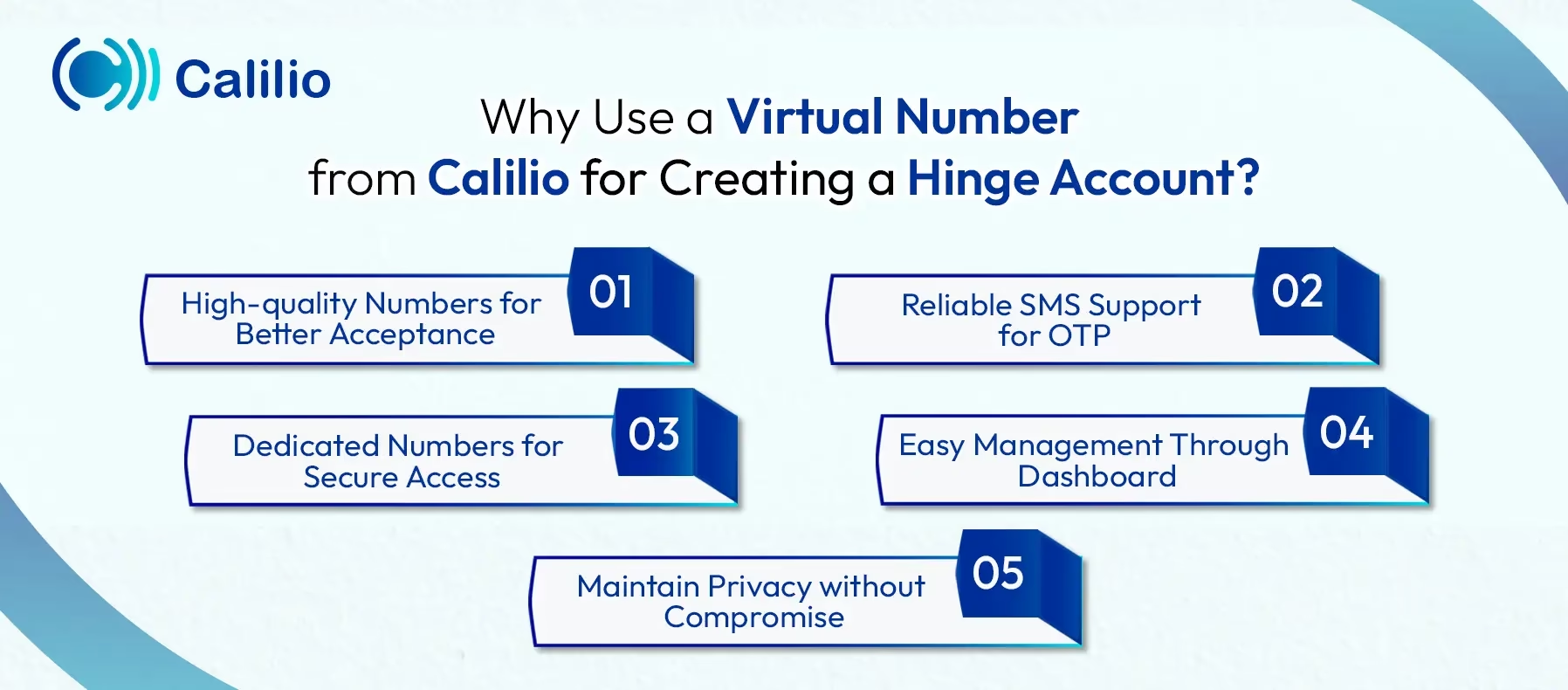
- High-quality Numbers for Better Acceptance: Calilio provides high-quality numbers that are less likely to be flagged or rejected during verification. As a result, you have a higher chance of completing the signup process without errors.
- Reliable SMS Support for OTP: Hinge relies on SMS verification, so receiving the OTP on time is critical. Since Calilio offers SMS-enabled virtual numbers, you can receive verification codes directly on your dashboard without delays or failures.
- Dedicated Numbers for Secure Access: Unlike free or shared numbers, Calilio offers dedicated VoIP numbers. This reduces the risk of “number already in use” errors and ensures consistent access to your account.
- Easy Management Through Dashboard: With Calilio, you can manage your numbers, messages, and activity from a single dashboard. This gives you better control over your verification process and helps you track incoming OTPs without confusion.
- Maintain Privacy without Compromise: Most importantly, using Calilio’s virtual number allows you to keep your personal number private while still meeting Hinge’s verification requirements. This way, you can create and manage your account without exposing sensitive contact details.
Common Issues While Creating a Hinge Account with a Virtual Number & Solutions
Common issues while signing up for Hinge with a virtual number include not getting the verification code, the number being rejected, or it already being tied to another account.
1. OTP Not Received
One of the most common frustrations is not receiving the One-Time Password (OTP) after entering your number for sign-up. This usually happens because Hinge uses Short Code SMS to send verification messages, which is not supported by some low-quality internet-based numbers. As a result, you are not able to get the verification code.
In such a situation, check whether the virtual number can receive SMS messages. Likewise, verify that you have entered the correct country code and number format. If the code doesn’t arrive, wait 5–10 minutes before requesting another one. Also, avoid clicking “Resend” repeatedly, as this may trigger temporary restrictions on your account.
2. “Invalid Phone Number” or “Unsupported Number” Error
This error appears when Hinge detects that the number is not a valid number. In fact, the platform can distinguish between real and low-quality VoIP numbers. Therefore, if your number is flagged as unsupported, the signup process is blocked immediately.
To fix this, use a high-quality VoIP number from a trusted provider like Calilio, instead of free ones. Additionally, if the issue continues, clear your app cache or reinstall Hinge to remove previous session data and try again with a fresh number.
3. Number Already in Use
Virtual numbers are often recycled, which means the number you are using may have already been linked to another Hinge account. Consequently, the system prevents you from registering with the same number again.
In this case, request a fresh or dedicated VoIP number, as most reliable providers allow you to replace an already-used number. On the other hand, you can contact the Hinge customer support to resolve the issue. However, you may need to provide the proof of ownership for them to remove the previous account from the system so you can create a new one with the number.
*Disclaimer: Please note that Calilio does not manage the delivery of OTP codes, as they are sent directly by Hinge. The ability to receive these messages depends on Hinge’s policies, and certain platforms may block OTP delivery to virtual or VoIP numbers.
Conclusion
Maintaining your privacy on dating apps like Hinge doesn’t have to be complicated. By understanding common verification issues, such as OTP delays, “already in use” errors, and the importance of using secure VoIP numbers, you can complete the signup process with confidence.
Using a high-quality virtual number from a reliable provider like Calilio allows you to avoid sharing your primary phone number while keeping your personal data secure. With features like a unified dashboard for instant SMS access and dedicated numbers, you can manage verification without interruptions.
Summarize this blog with:
Frequently asked questions
How many Hinge accounts can you create with a single phone number?
You can only create one Hinge account per phone number. If you want to set up another account, you’ll need a different number.
Is using a virtual phone number for Hinge safe?
Can you join Hinge anonymously?
Will my contacts know if I join Hinge?

Still have questions?
Can’t find the answer you’re looking for? Please chat with our friendly team.
Stay in the loop
Get the latest call insights, trends, and updates delivered straight to your inbox.
By subscribing, you agree to receive updates from Calilio.
You can unsubscribe anytime.
Enter the World of AI Business Phone System with Calilio
Improve your business operation with Calilio's advanced virtual phone system. Join today for a better way to connect.